Modern Graphics Via DisplayLink For Your ISA-Era PC

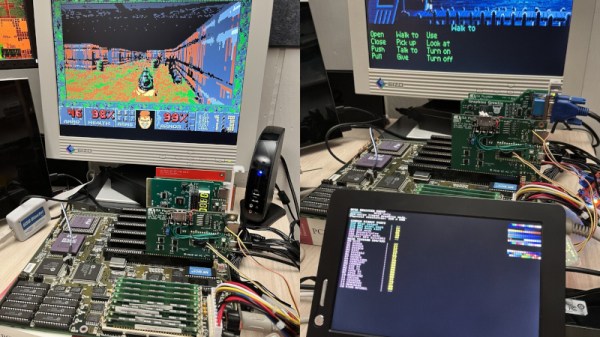
The monitors used on older computers are now becoming difficult to find, as we doubt anything for MDA, CGA, Hercules, or EGA has been manufactured in decades. Even VGA, though there are plenty of surplus flat panels to be found, is not as ubiquitous as it once was. Where does that leave the retrocomputing enthusiast with an ISA PC and no screen? Perhaps [Ian Hanschen] has the answer with the PicoGraph, an ISA-to-USB-to-Displaylink adapter.

In hardware terms, it’s using a PicoMEM, a more general-purpose ISA card for emulating cards with a Pi Pico. The Pico hosts a USB DisplayLink adapter, which can connect to the screen of your choice. The software on the PicoMEM does the heavy lifting and provides MDA, Herc, EGA, and VGA support, as well as support for one of the 1990s Cirrus Logic SVGA chipsets. And yes, it appears to work with DOOM.

The practice of using 2020s microcontrollers to lend functionality to retrocomputers has revolutionised the art. We’ve seen many, with one of the more recent being a minimap add-on for an 8-bit Sinclair Spectrum.

The Uncooperative Mirror Will Not Help You

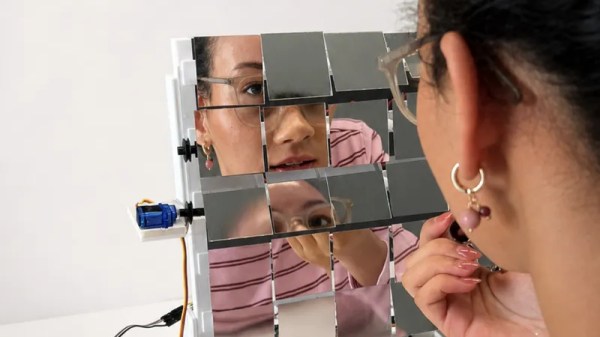
The value of a mirror is in its clarity. If the reflection is cast by [danicakostic17]’s Uncooperative Mirror though, you’ll find anything but. It’s described as a useless machine, because it appears as a tiled mirror. As you approach it though, the tiles shake around and make it very difficult to follow what’s in front of you. It’s an art piece and a prank all in one, and we like it.

Behind the mirror is a 3D printed frame and a set of small servos with what look like some belts to hitch them up. There’s an ultrasonic sensor and an Arduino Uno, that sets those servos going as soon as the ultrasonic sensor sees anything. We can see this thing would be fun at a party.

Everything you’ll need is on the Instructables page linked above should you be foolhardy enough to want your own, and there’s even a YouTube video which we’ve placed below.

Continue reading “The Uncooperative Mirror Will Not Help You”

It’s Another Pi Handheld. But It’s A Really Good One

Ever since the first Linux capable single-board computers came out, there have been projects turning them into handhelds. The Raspberry Pi Zero and in particular the Compute Modules are ideally suited to this. While there are more common projects that find their way into our feed we’ve certainly seen a few of them in our time, enough now that a new one has to be special to really catch our eye. Which brings us to the PiBrick from [Ahmad Amarullah], which sets the bar pretty high.

The device is a Compute Module 5 smartphone sized computer with a 3.92″ OLED touch display and the ubiquitous BlackBerry-derived keyboard. It’s drawn together with a PCB that holds all components and peripherals, and this and the 5000 mAH battery fit in a 3D printed shell that gives it the form factor of a chunky smartphone. You can see it at the link above, and also find it in a GitHub repository.

Handheld computers always represent something of a compromise as they can only ever offer relatively small screens and keyboards. But they live or die on their versatility and robustness, both of which this one has in spades. We like it, a lot.

Thanks [Nick] for the tip.

A Modern Web Browser For Classic Mac OS

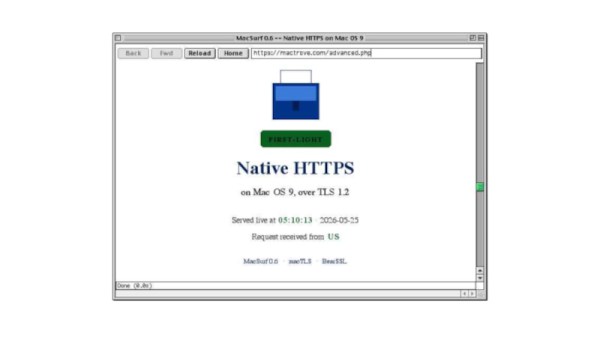
When using older computers there comes a point at which modern software drops support, as for example is happening with builds for Windows XP. Every now and then though, along comes something that bucks the trend. Enter [mplsllc] with Macsurf, a port of the Netsurf browser for classic MacOS 9 on PowerPC. Bring your nineties beige box back online!

The first generation of PowerPC Macs occupy an odd position, being faster and more capable than their predecessors while not sharing the ability to run MacOS X like their G3 descendants. Macsurf has the promise of bringing them into the 2020s, but if you’re expecting the equivalent of Google Chrome you might be disappointed.

Netsurf is a browser that started life on RiscOS, the original ARM OS from the Acorn Archimedes. It’s lightweight and portable, it’s an active project, it has a good rendering engine that does up to date HTML and CSS, it offers native TLS, and it has JavaScript built in. It’s ideal for a 1990s PowerPC, but with the caveat that sites expecting the very latest browsers might struggle. Sadly we don’t have a ’90s Mac to hand so we can’t try this port, but we’re used to it on other lower-power machines so we thing it’ll be a great asset to the platform.

We last looked at Netsurf when we had a look at RiscOS, if you are interested.

An Atic Atac Minimap For The ZX Spectrum

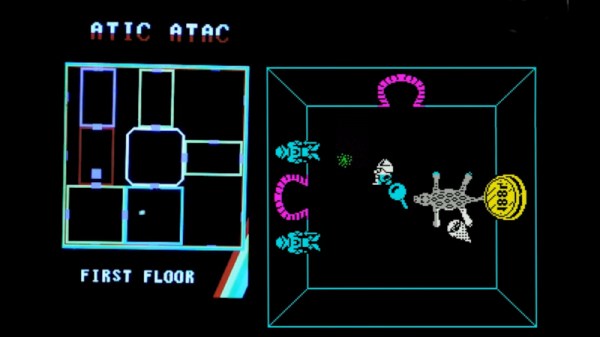
The use of modern microcontrollers as add-on peripherals for 1980s home computers has delivered significant benefits and capabilities unimaginable in the days when those machines were new. A great example come from [Happy Little Diodes], who’s using a Pi Pico based peripheral for a Sinclair ZX Spectrum to provide something that looks far more modern, a hardware minimap for the iconic Spectrum game, Atic Atac.

The ZX expansion port provides all the bus signals from the Z80 microprocessor, and the peripheral uses a latch to capture Spectrum memory writes. Because the game’s operation is well known it can easily watch out for updates to the in-memory variable that contains the game room ID. It’s then a case of drawing the map with the player centered on the room the are in, for a much more 21st century game interface component.

Having been around when both the ZX and this game were new, we like this add-on, a lot. We can imagine it could relatively easily support other games, too.

Haven’t got a Spectrum? Never fear, you can make yourself one!

Continue reading “An Atic Atac Minimap For The ZX Spectrum”

Bring Back Your Bose With An ESP32

It’s become a familiar theme over the last couple of decades — hardware is rendered useless when its manufacturer pulls the cloud service on which it depends. This is particularly annoying when the device is something which shouldn’t need a cloud service to run in the first place, and several manufacturers have found themselves in hot water because of this.

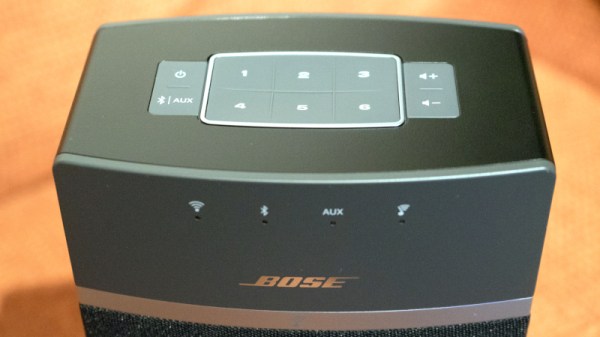
Somewhere in between is the Bose SoundTouch speaker system, which includes a set of six internet radio preset buttons. In early May the service behind them was shuttered, and now here’s [Tostmann] with an ESP32 firmware to bring them back.

As you might imagine, it’s a device that emulates just enough of the now-defunct Bose cloud service to keep the speaker happy, but it has a clever trick up its sleeve. Normally these hacks rely on DNS redirects at the router, but this one avoids that thanks to a diagnostic interface on the Bose unit that allows the rewriting of the server address. The ESP32 does this with its own address, and the speaker is none the wiser.

We like this hack, because of its ingenuity, and because it saves yet another orphaned cloud product from becoming e-waste. This isn’t the first time we’ve seen a manufacturer on the naughty step for these practices.


Header image: TAKA@P.P.R.S, CC BY-SA 2.0.

See Aerodynamics In Action With A Desktop Wind Tunnel

While most of us don’t design aircraft or racing cars, it’s likely that we’re still fascinated by some of the aerodynamic studies behind them. But a full-sized wind tunnel is going to cost a small fortune, so how can we experiment? Never fear, because [luisengineering] is here with a 3D printable desktop wind tunnel.

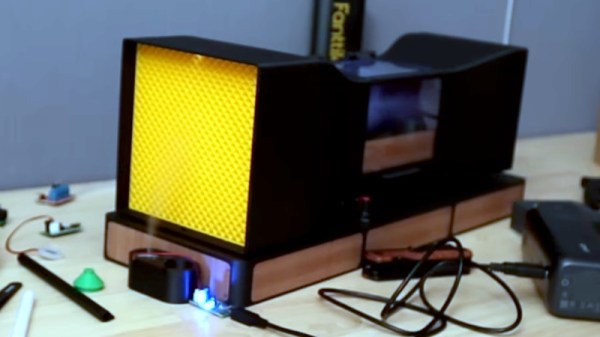
There’s a build video that we’ve embedded below, and if you can sit through the continuous shilling of random tools, it’s an interesting watch. It’s an open design in that air is not recirculate through it, instead it passed through the machine from left to right. On the right is the fan, on the left the intake with a rectifier to ensure laminar flow. Then a constriction compresses and speeds up the air past the stage for the model under test, and an expansion slows it down again for the fan.

A wind tunnel needs a smoke generator to easily spot turbulence, and in this case a vape is called into action. The result is surprisingly effective, as we see with a demonstration using a small model car. Meanwhile if you’re interested in wind tunnels at this size, it’s not the first one we’ve brought you.

Continue reading “See Aerodynamics In Action With A Desktop Wind Tunnel”