A Modern Web Browser For Classic Mac OS

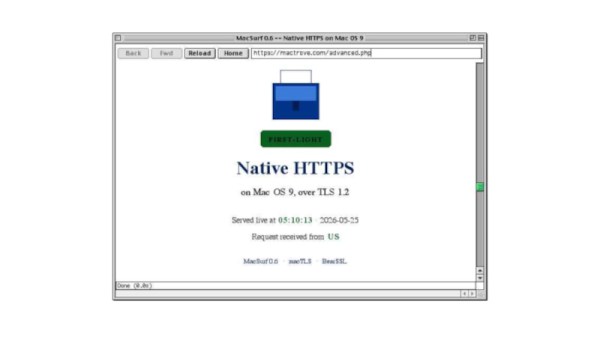
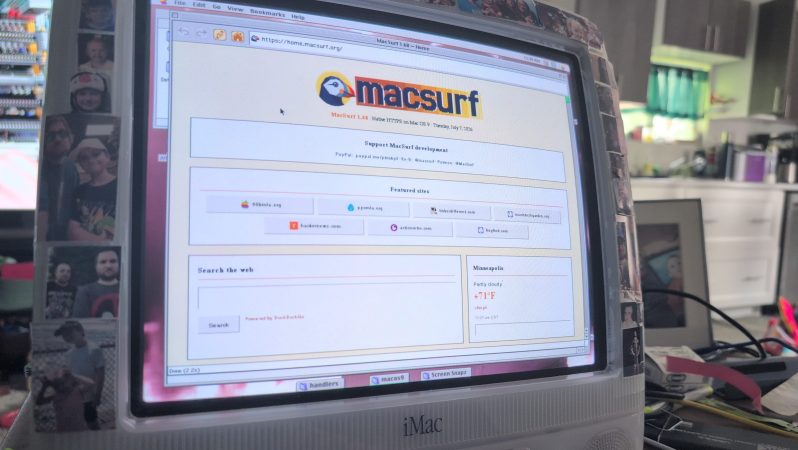
When using older computers there comes a point at which modern software drops support, as for example is happening with builds for Windows XP. Every now and then though, along comes something that bucks the trend. Enter [mplsllc] with Macsurf, a port of the Netsurf browser for classic MacOS 9 on PowerPC. Bring your nineties beige box back online!

The first generation of PowerPC Macs occupy an odd position, being faster and more capable than their predecessors while not sharing the ability to run MacOS X like their G3 descendants. Macsurf has the promise of bringing them into the 2020s, but if you’re expecting the equivalent of Google Chrome you might be disappointed.

Netsurf is a browser that started life on RiscOS, the original ARM OS from the Acorn Archimedes. It’s lightweight and portable, it’s an active project, it has a good rendering engine that does up to date HTML and CSS, it offers native TLS, and it has JavaScript built in. It’s ideal for a 1990s PowerPC, but with the caveat that sites expecting the very latest browsers might struggle. Sadly we don’t have a ’90s Mac to hand so we can’t try this port, but we’re used to it on other lower-power machines so we thing it’ll be a great asset to the platform.

We last looked at Netsurf when we had a look at RiscOS, if you are interested.

This Home Made Mac Has A Real CRT

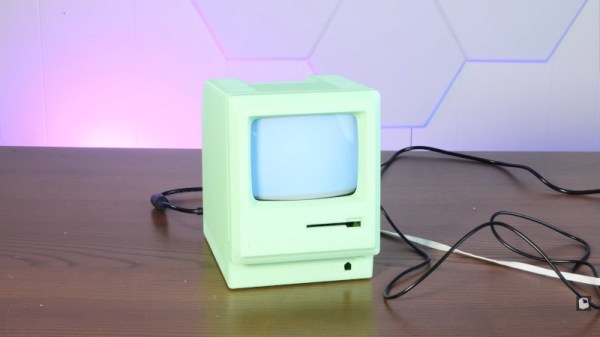
Cathode-ray tube (CRT) televisions may no longer be in production, but its last bastion came in the form of extremely cheap little Chinese portable sets with a black-and-white tube. They’re now useless for broadcast TV, so can often be had for next-to-nothing. [Action Retro] has a video showing a Mac Classic clone using one, and with a built-in Raspberry Pi and a copy of RiscOS it almost makes a usable computer.

The video below the break is a little heavy on the 3D printer sponsor and the Mac case comes from a Thingiverse project, but it’s well executed and we’re grateful for being introduced to that original project. We’d have gone for a period-correct beige filament rather than the glow-in-the-dark green one used here.

We’re guessing that more than one reader will have a few of those TVs around the place, such is their ubiquity. Is it worth making this as a novelty item? It depends upon your viewpoint, but we can’t help liking the result even if perhaps it’s not for us. If RiscOS isn’t quite the thing,  there’s an option a little closer to the real thing.

Continue reading “This Home Made Mac Has A Real CRT”

Retro Hackintosh Made From Retro Parts

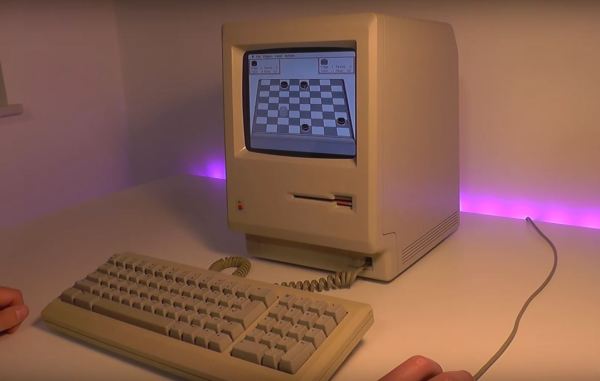
Apple as a company, has staked most of its future around being a “walled garden” where it controls everything from the hardware up through the user experience. In some ways this is good for users; the hardware is generally high quality and vetted by the company creating the software, making for a very uniform experience. This won’t stop some people from trying to get Apple’s operating systems and other software running on unapproved hardware though. These “Hackintosh” computers were much more common in the Intel era but this replica goes even further back to the Macintosh era.

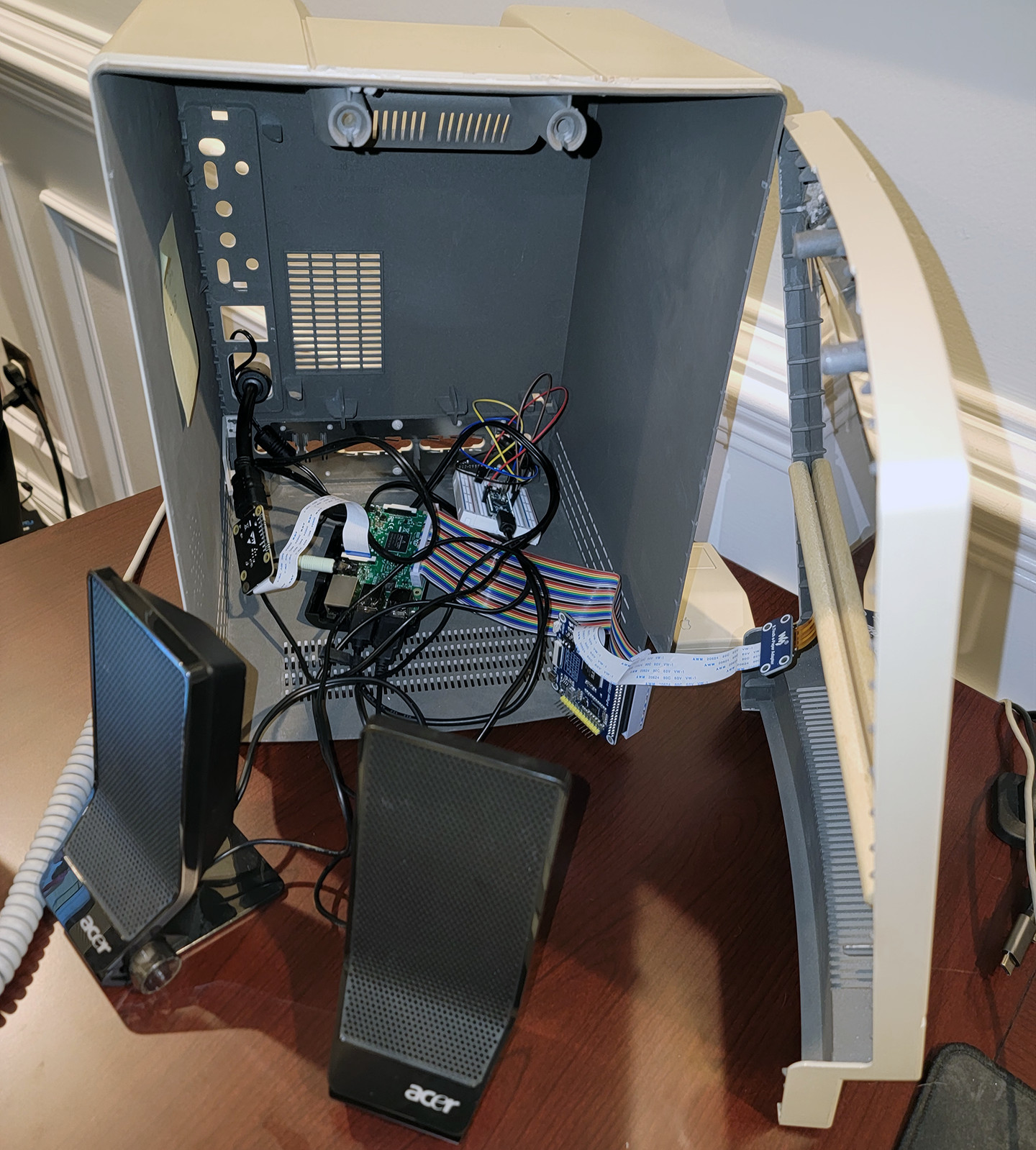
Originally [Kevin] had ordered an authentic Macintosh with the intent of getting it working again, but a broken floppy disk drive and lack of replacement parts turned this project into a different beast. He used the Mac instead as a model for a new 3D-printed case, spending a ton of time sanding, filling, and finishing it to get it to look nearly indistinguishable from the original. The hardware going in this replica is an old Linux-based thin client machine running the Mini vMac operating system, with a modified floppy drive the computer uses to boot. A hidden SD card slot helps interface with modern computers. The display is a modern LCD, though a sheet of acrylic glued to the front panel replicates a bit of the CRT curve.

Click through to read on!

Continue reading “Retro Hackintosh Made From Retro Parts”

Macintosh Classic II With E-Ink Display

As various antique computers age, it becomes increasingly hard to operate them as hardware begins to physically fail. Keeping these systems up and running often requires scavenging parts from other machines which are only becoming harder to find as time goes on. But if you throw out the requirement of using only era-appropriate components, there are some interesting ways to revive older devices with a few touches of modern tech, like this Mac Classic with a unique display.

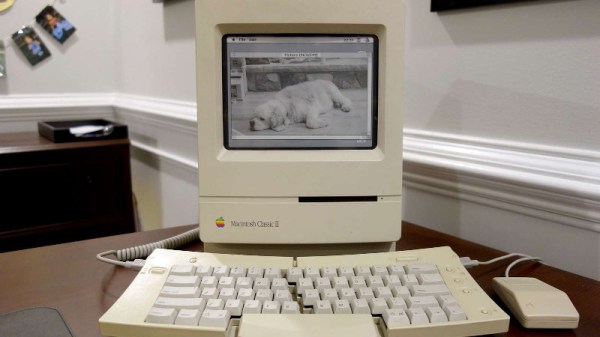
The Macintosh Classic II was the successor to the first Macintosh computer Apple sold that had a price tag under $1000. As such, there were some lower specs for this machine such as the monochrome 512×342 display. This one has been retrofitted with an e-ink display which actually gives it some of the same grayscale aesthetic as the original. The e-ink display is driven by a Raspberry Pi which displays a replica System 7 environment and a set of photos.

While the only part of the computer that’s original is the shell at this point, the project’s creator [Dave] also built in support for the Apple Desktop Bus through an Arduino so the original Apple mouse and keyboard can be used. While it’s largely an illusion of a working Mac Classic, we still appreciate the aesthetic.

If you’re more of a classic Apple purist, though, take a look at this SE/30 which uses almost entirely original parts with the exception of a Raspberry Pi to allow it to communicate with the modern Internet.

Continue reading “Macintosh Classic II With E-Ink Display”

Bringing IMessage To The Mac

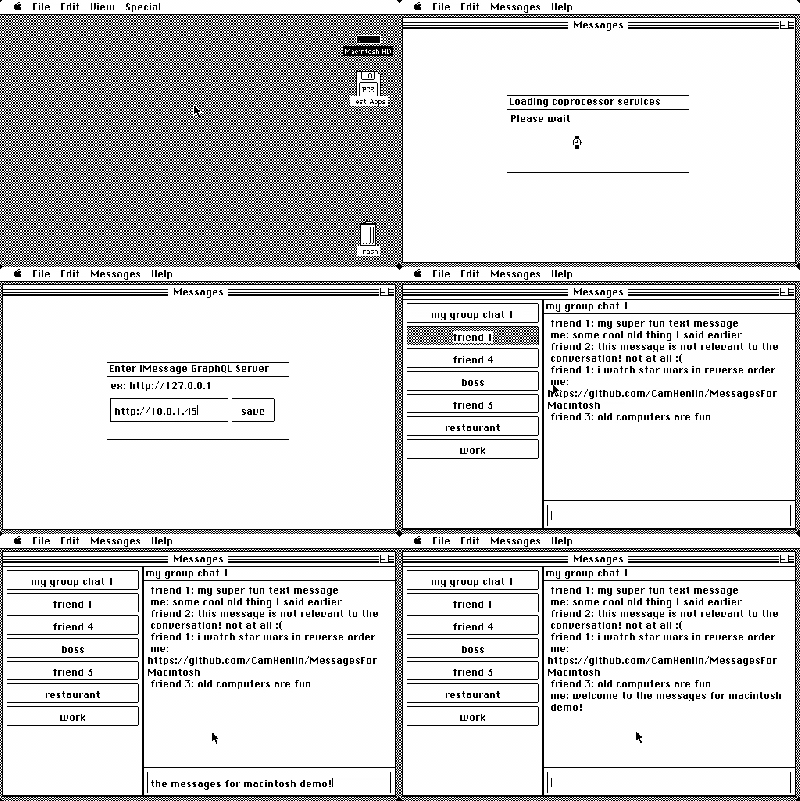
If you’ve invested in the Apple ecosystem, the joys of iMessage likely illuminate your life. Your phone and desktop and laptop all sync your messages. But what if your desktop is running Mac OS 9 or System 2? This is where [CamHenlin’s] MessagesForMacintosh comes in.

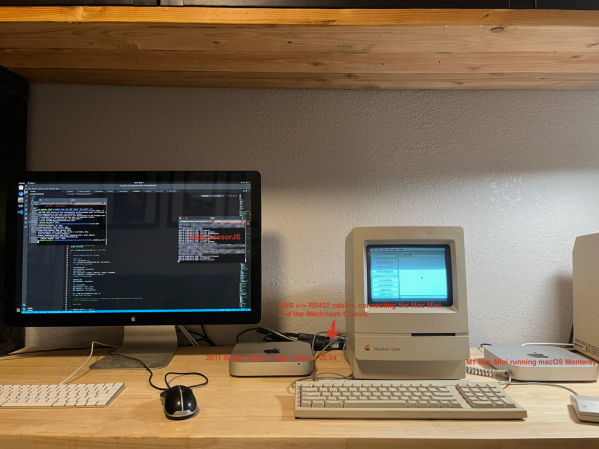
Unfortunately, it does require a more modern Mac to act as an access point into the wider iMessage network. The modern Mac sets up a GraphQL database that can be accessed. Then a serial cable connects your “retro daily driver” to a translation layer that converts the serial commands into GraphQL commands. This could be something simple and network-connected like an ESP32 or a program running on your iMessage Mac. [CamHenlin] has a second Mac mini in his demo, seen above.

[CamHenlin] leverages his library known as CoprocessorJS. It allows older machines to hand off complex workloads to more modern machines, allowing modern machines to act as a coprocessor. Getting a single binary to run across many different versions of Mac OS and System is tricky and there were a few tricks involved. Retro68 is a C++17 compiler that targets PowerPC and 68k architectures. Additionally, Nuklear Quickdraw is used to provide a GUI in a performant manner.

It is always a joy to see older hardware do new tricks, often with the help of a bit of modern hardware. Connecting your Mac to the internet can be as easy as Pi.

Classic Macintosh Gets An IPad Infusion

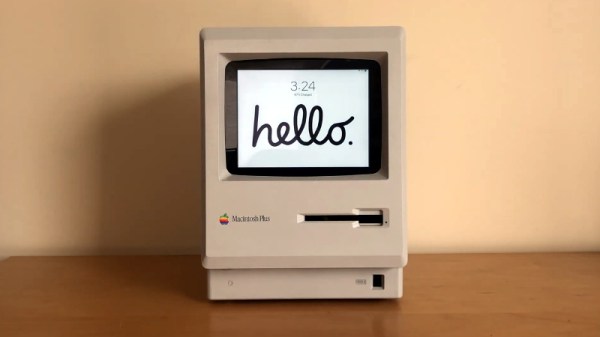
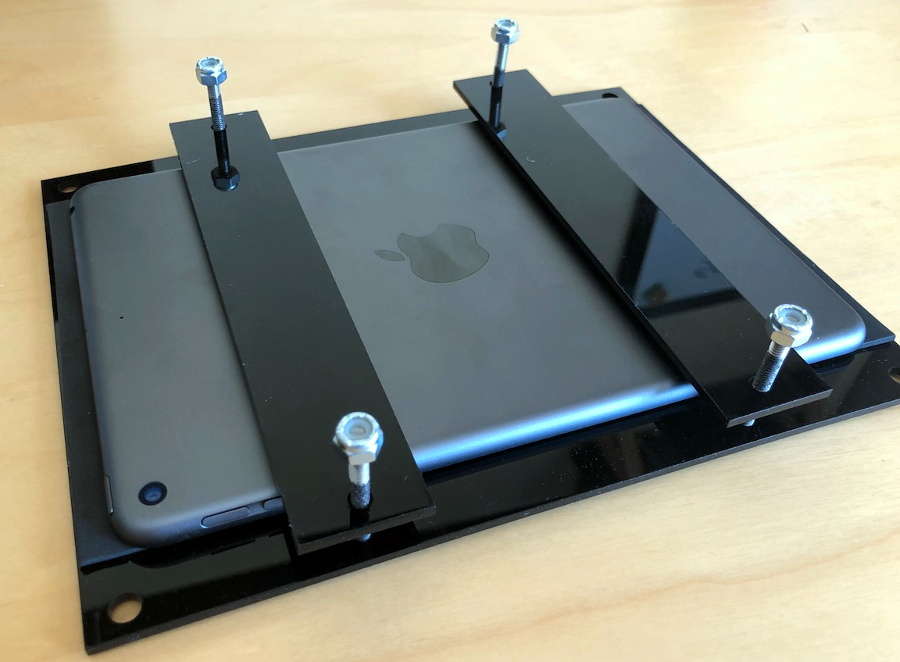
We know the classic Mac fans in the audience won’t be happy about this one, but the final results are simply too clean to ignore. With a laser-cut adapter and a little custom wiring, [Travis DeRose] has come up with a repeatable way to modernize a Compact Macintosh (Plus, SE, etc) by swapping out all of its internals for an iPad mini.

He goes over the whole process in the video after the break, while being kind enough to spare our sensitive eyes from having to see the Mac’s enclosure stripped of its original electronics. We’ll just pretend hope that the computer was so damaged that repair simply wasn’t an option.

Anyway, with a hollow Mac in your possession, you can install the adapter that allows the iPad to get bolted in place of the original CRT monitor. You won’t be able to hit the Home button anymore, but otherwise it’s a very nice fit.

Those with some first hand iPad experience might be wondering how you wake the tablet up once the Mac is all buttoned back up. That’s an excellent question, and one that [Travis] wrestled with for awhile. In the end he came up with a very clever solution: he cuts into a charging cable and splices in a normally-closed momentary push button. Pushing the button essentially “unplugs” the iPad for a second, which just so happens to wake it up. It’s an elegant solution that keeps you from having to make any modifications to that expensive piece of Apple hardware.

If there’s one thing we’re not thrilled with, it’s the empty holes left behind where the ports, switches, and floppy drive were removed. As we’ve seen in the past, you can simply cut the ports off of a motherboard and glue them in place to make one of these conversions look a little more convincing. If you’re going to do it, might as well go all the way.

Continue reading “Classic Macintosh Gets An IPad Infusion”

The Other Way To Brick A Mac Classic

Why would you build a mini Mac Classic using LEGO and a Raspberry Pi? Well, why wouldn’t you?

[Jannis Hermanns] couldn’t find a reason to control this outburst of nostalgia for the good old days of small, expensive computers and long hours spent clawing through the LEGO bin to find The Perfect Piece to finish a build. It turns out that the computer part of this replica was the easy part — it’s just an e-paper display driven by a Raspberry Pi Zero. Building the case was another matter, though.

After a parti-colored prototype with whatever bricks he had on hand, a session of LEGO Digital Designer led him to just the right combination of bricks to build an accurate case, almost. It turns out that the stock selection of bricks in LDD won’t allow for the proper proportions for the case, so he ordered the all-white bricks and busted out the Dremel. LEGO purists may want to avert their eyes from the ABS gore within, but in the end the case worked out and the whole build looks great.

Fancy a full-size Mac Classic reboot? How about this iPad docking station? Or if tiny and nostalgic is really your thing, this retro-future terminal build is pretty keen too.

[via r/raspberry_pi]