It’s a staple of home CNC construction, the 3D mill built on the bench from available parts. Be the on a tubular, plywood, or extruded aluminum frame, we’ve seen an astonishing array of mills of varying levels of capability.
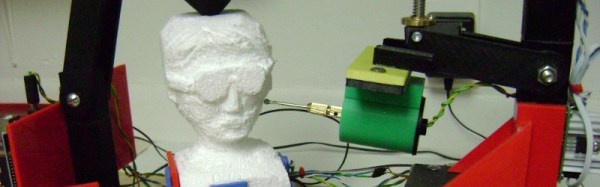
The norm for such a mill is to have a computer controlling it. Give it a CAD file, perform the software magic, press button, receive finished object (Or so the theory goes). It’s a surprise then to see a mill in which the input doesn’t come from a CAD file, instead all control is done by hand through the medium of a joystick. [Mark Miller]’s 3D printed freeform carving machine is a joystick-controlled mill with a rotary tool on an arm facing a rotatable bed, and it can perform impressive feats of carving in expanded foam.
You might ask why on earth you should make a machine such as this one when you could simply pick up a rotary tool in your hand and start carving. And you’d be right, from that perspective there’s an air of glorious uselessness to the machine. But to take that view misses the point entirely, it’s a clever build and rather a neat idea. We notice he’s not put up the files yet for other people to have a go, if someone else fancies making CNC software work with it then we’re sure that would be possible.
There is a video showing the basic movements the mill is capable of, which we’ve put below the break. Best to say, though, it’s one on which to enable YouTube’s double speed option.
With almost everything that contains a shred of automation relying on a microcontroller these days, it’s likely that you will own hundreds of microprocessors beside the obvious ones in your laptop or phone. Computing devices large and small have become such a part of the fabric of our lives that we cease to see them, the devices and machines they serve just work, and we get on with our lives.
It is sometimes easy to forget then how recent an innovation they are. If you were born in the 1960s for example, computers would probably have been something spoken in terms of the Space Race or science fiction, and unless you were lucky you would have been a teenager before seeing one in front of you.
Having seen such an explosive pace of development in a relatively short time, it has taken the historians and archivists a while to catch up. General museums have been slow to embrace the field, and specialist museums of computing are still relative infants in the heritage field. Computers lend themselves to interactivity, so this is an area in which the traditional static displays that work so well for anthropological artifacts or famous paintings do not work very well.
There’s the unobtrusive sign by the level crossing, Cambridge’s version of the black mailbox.
Tucked away next to a railway line behind an industrial estate in the city of Cambridge, UK, is one of the new breed of specialist computer museum. The Centre for Computing History houses a large collection of vintage hardware, and maintains much of it in a running condition ready for visitors to experiment with.
Finding the museum is easy enough if you are prepared to trust your mapping application. It’s a reasonable walk from the centre of the city, or for those brave enough to pit themselves against Cambridge’s notorious congestion there is limited on-site parking. You find yourself winding through an industrial park past tile warehouses, car-parts shops, and a hand car wash, before an unobtrusive sign next to a railway level crossing directs you to the right down the side of a taxi company. In front of you then is the museum, in a large industrial unit.
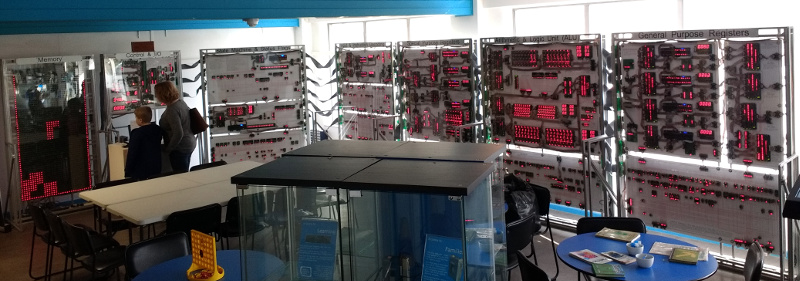
Pay your entrance fee at the desk, Gift Aid it using their retro green screen terminal application if you are a British taxpayer, and you’re straight into the exhibits. Right in front of you surrounding the café area is something you may have heard of if you are a Hackaday reader, a relatively recent addition to the museum, the Megaprocessor.
The Megaprocessor, playing Tetris
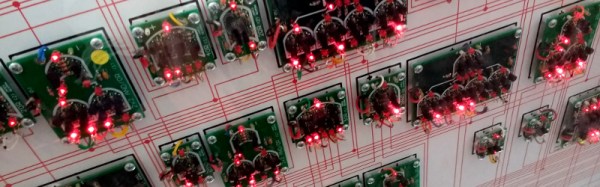
If we hadn’t already covered it in some detail, the Megaprocessor would be enough for a long Hackaday article in its own right. It’s a 16-bit processor implemented using discrete components, around 42,300 transistors and a LOT of indicator LEDs, all arranged on small PCBs laid out in a series of large frames with clear annotations showing the different functions. There is a whopping 256 bytes of RAM, and its clock speed is measured in the KHz. It is the creation of [James Newman], and his demonstration running for visitors to try is a game of Tetris using the LED indicators on the RAM as a display.
To be able to get so up close and personal with the inner workings of a computer is something few who haven’t seen the Megaprocessor will have experienced. There are other computers with lights indicating their innermost secrets such as the Harwell Dekatron, but only the Megaprocessor has such a clear explanation and block diagram of every component alongside all those LED indicators. When it’s running a game of Tetris it’s difficult to follow what is going on, but given that it also has a single step mode it’s easy to see that this could be a very good way to learn microprocessor internals.
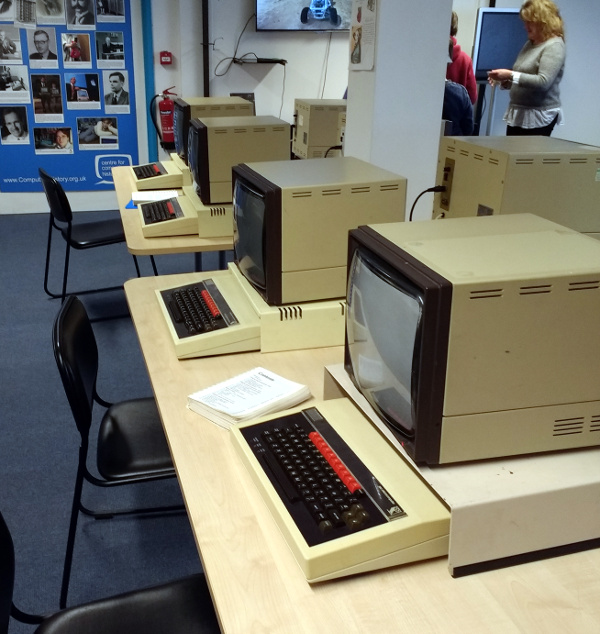
The obligatory row of BBC Micros.
The first room off the café contains a display of the computers used in British education during the 1980s. There is as you might expect a classroom’s worth of Acorn BBC Micros such as you would have seen in many schools of that era, but alongside them are some rarer exhibits. The Research Machines 380Z, for example, an impressively specified Z80-based system from Oxford that might not have the fame of its beige plastic rival, but that unlike the Acorn was the product of a company that survives in the education market to this day. And an early Acorn Archimedes, a computer which though you may not find it familiar you will certainly have heard of the processor that it debuted. Clue: The “A” in “ARM” originaly stood for “Acorn”.
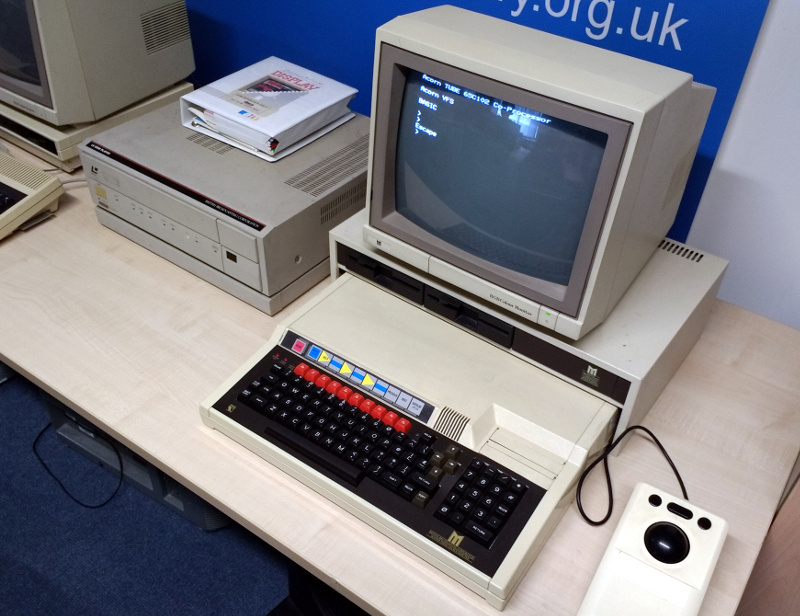
The LaserDisc system, one you won’t have at home.
The rarest exhibit in this froom though concerns another BBC Micro, this time the extended Master System. Hooked up to it is an unusual mass storage peripheral that was produced in small numbers only for this specific application, a Philips LaserDisc drive. This is one of very few surviving functional Domesday Project systems, an ambitious undertaking from 1986 to mark the anniversary of the Norman Domesday Book in which the public gathered multimedia information to be released on this LaserDisc application. Because of the rarity of the hardware this huge effort swiftly became abandonware, and its data was only saved for posterity in the last decade.
The main body of the building houses the bulk of the collection. Because this is a huge industrial space, the effect is somewhat overwhelming, as though the areas are broken up by some partitions you are immediately faced with a huge variety of old computer hardware.
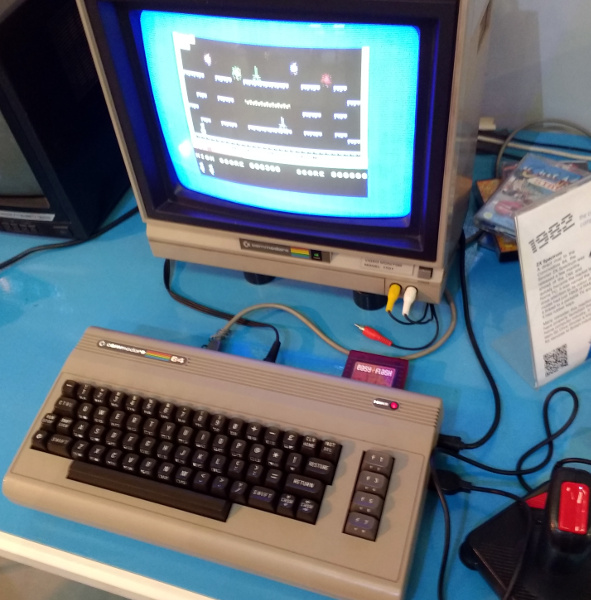
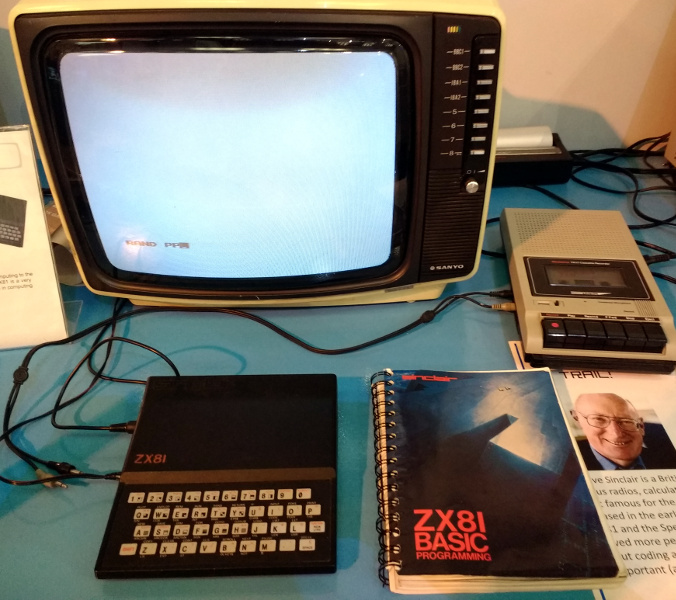
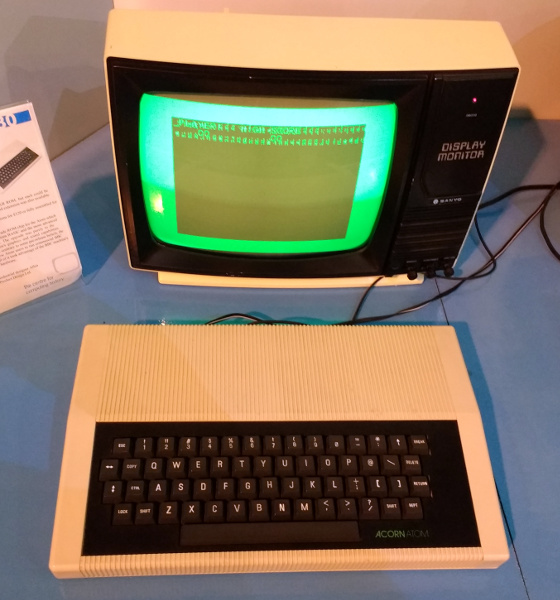
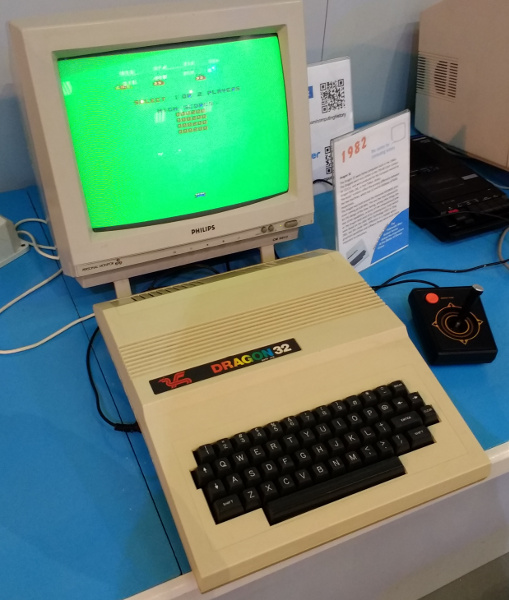
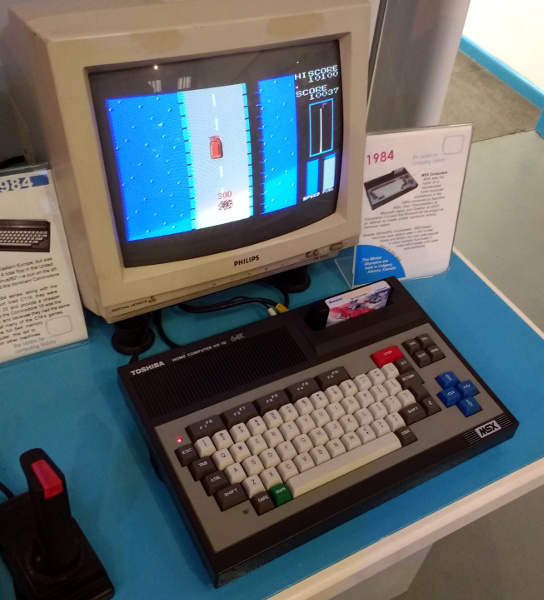
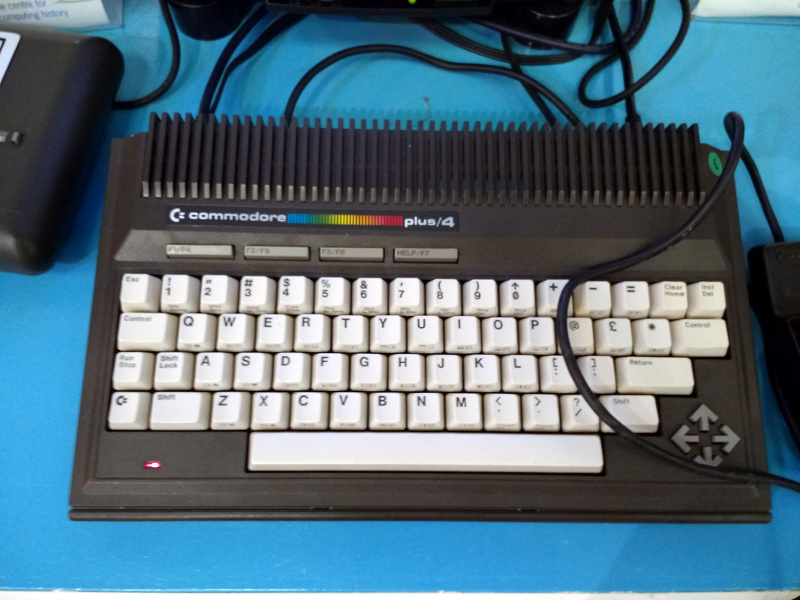
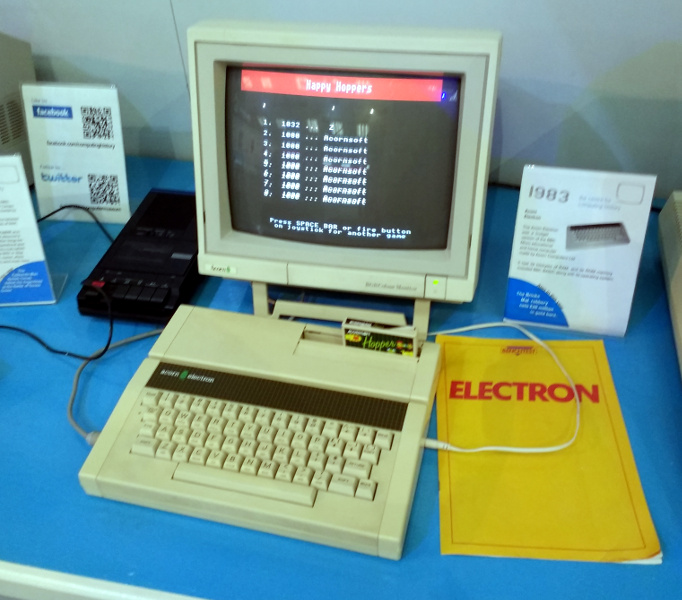
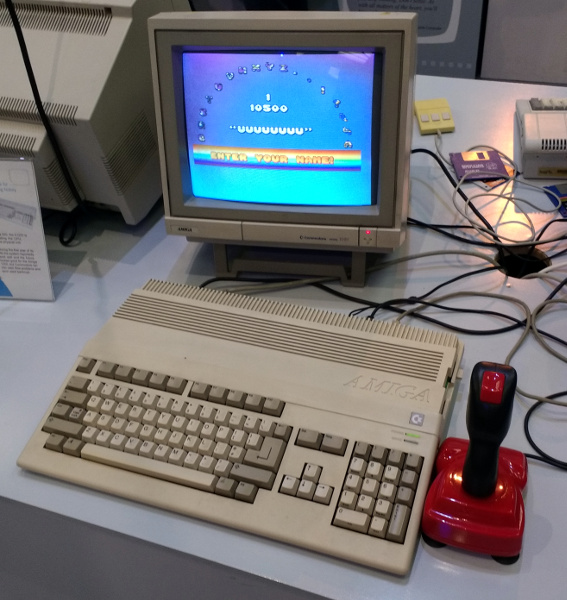
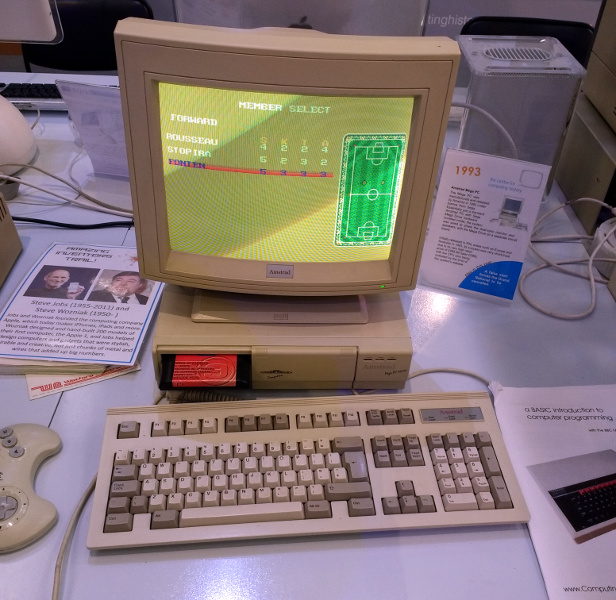
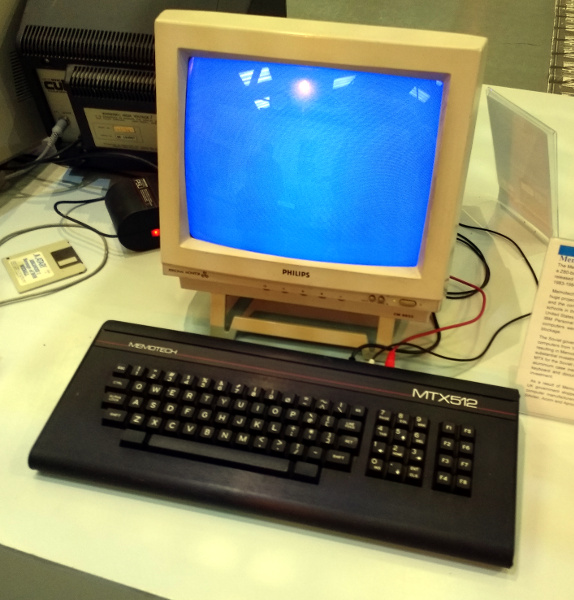
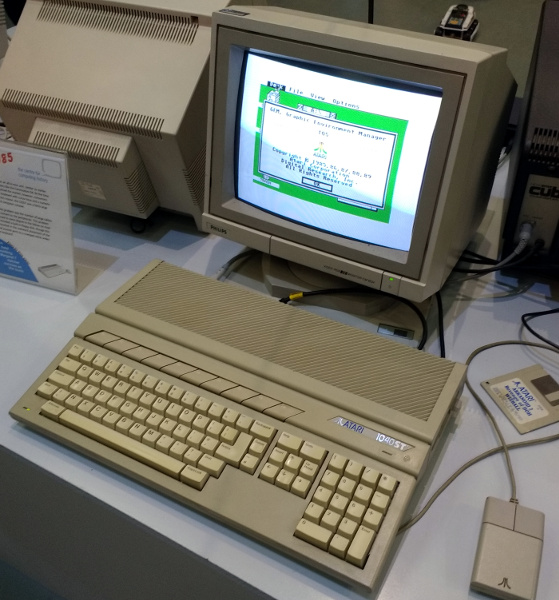
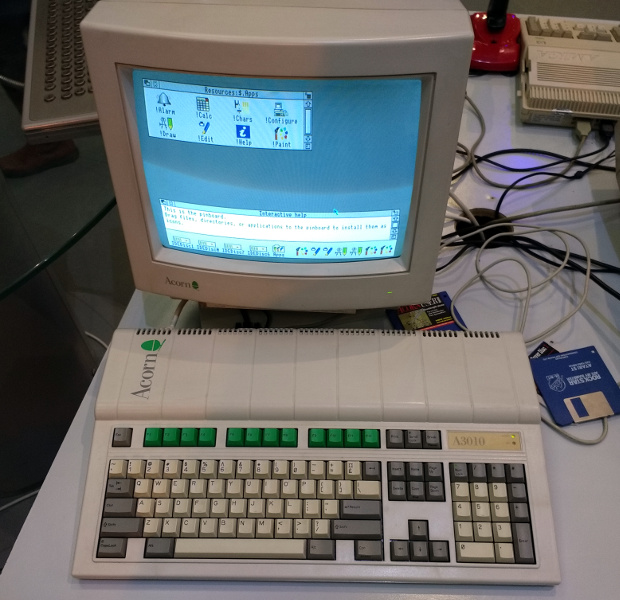
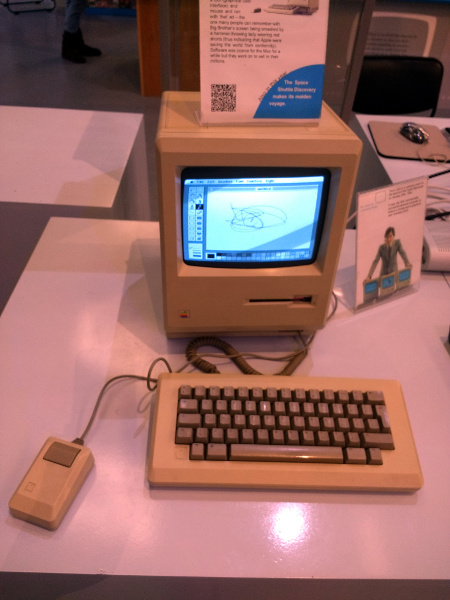
The largest part of the hall features the museum’s display of home computers from the 1980s and early 1990s. On show is a very impressive collection of 8-bit and 16-bit micros, including all the ones we’d heard of and even a few we hadn’t. Most of them are working, turned on, and ready to go, and in a lot of cases their programming manual is alongside ready for the visitor to sit down and try their hand at a little BASIC. There are so many that listing them would result in a huge body of text, so perhaps our best bet instead is to treat you to a slideshow (click, click).
Commodore 64
Sinclair ZX81
Acorn Atom
Dragon 32
Toshiba MSX
Commodore Plus 4
Tatung Einstein
Acorn Electron
Amiga 500
Sega/Amstrad Mega PC, a Sega Megadrive and a PC in the same box
Memotech
Atari ST
The home computer version of the Acorn Archimedes
An early Mac
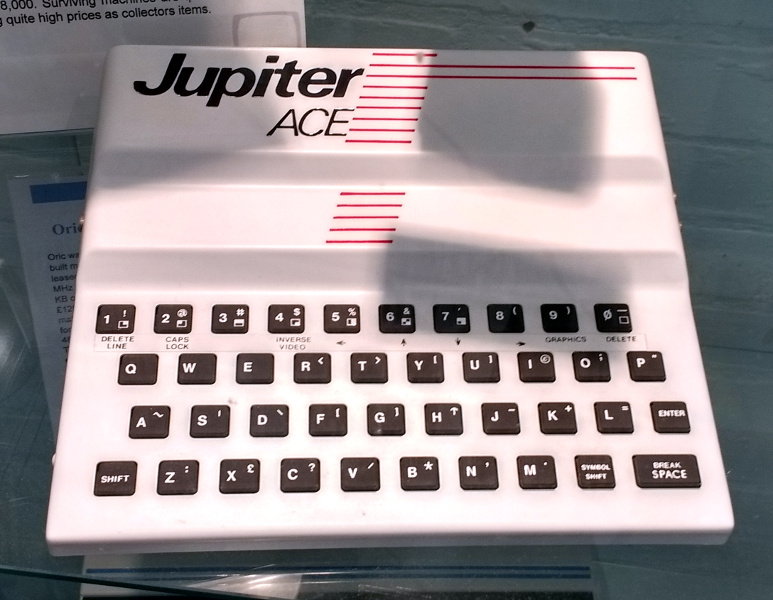
Forth on a home computer, the Jupiter Ace
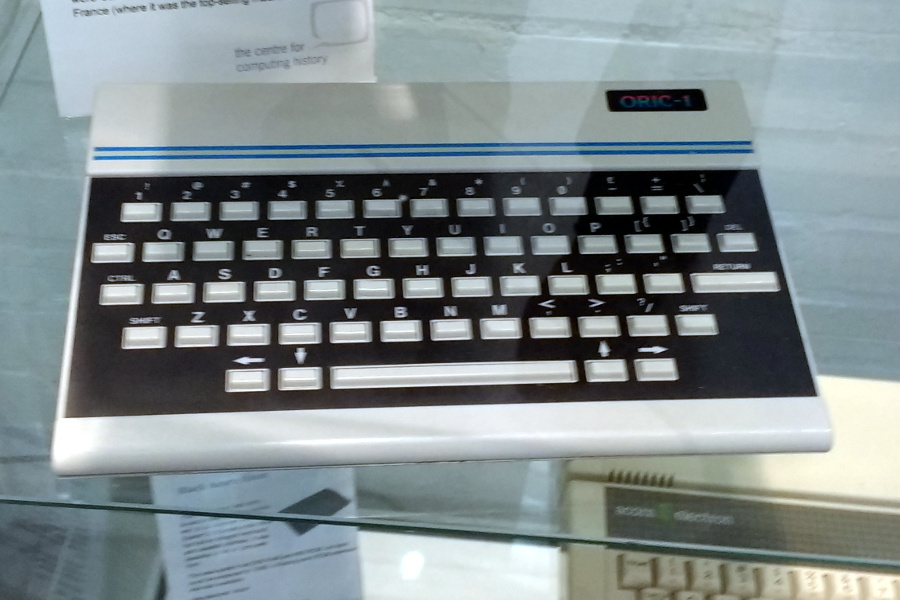
Oric-1
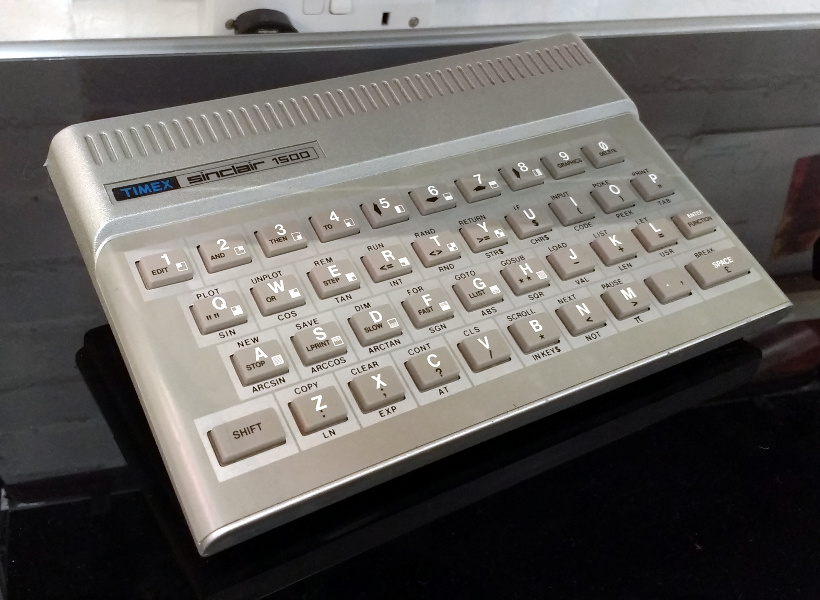
The American version of a Sinclair
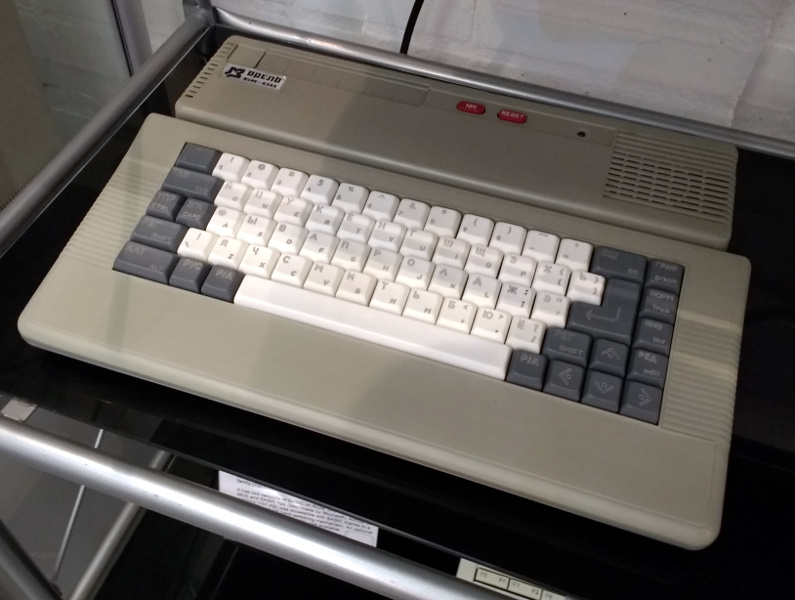
A Russian home computer
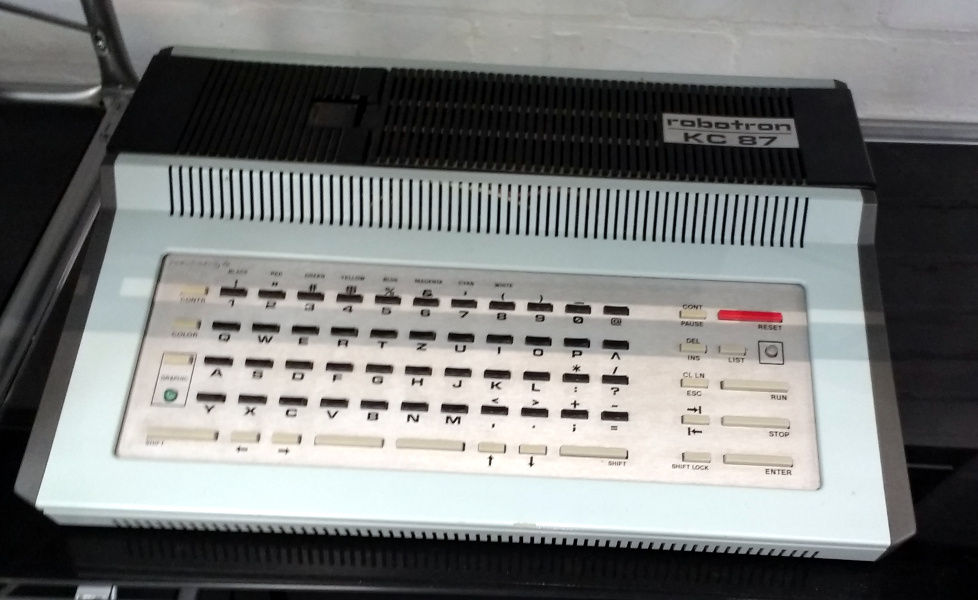
East German Robotron
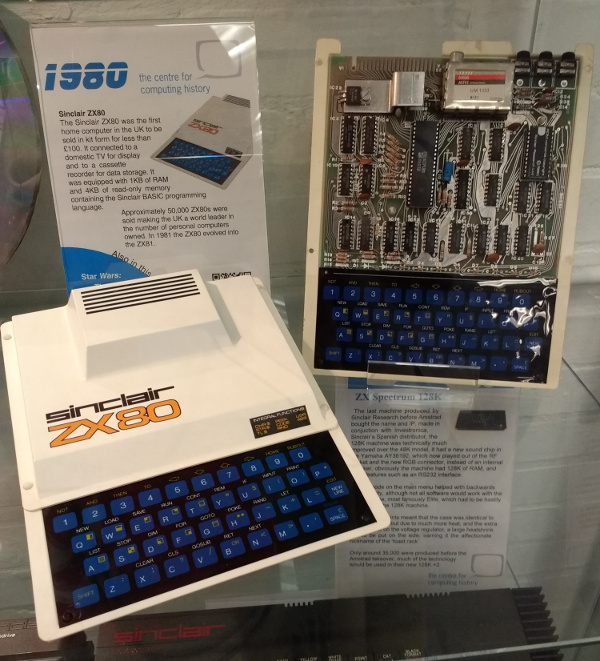
Sinclair ZX80
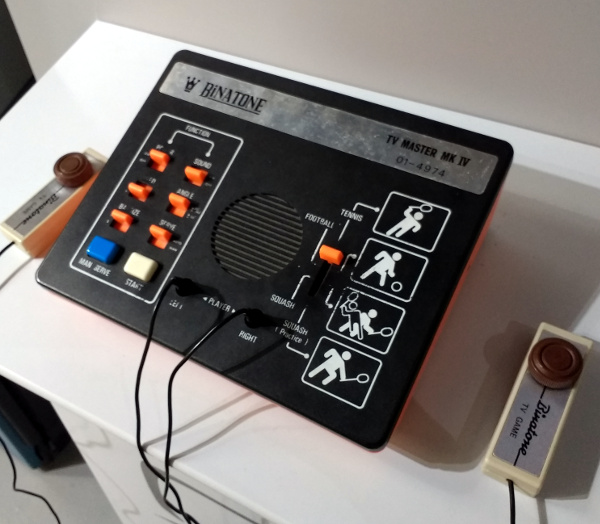
Definitely not Pong, oh no.
Beyond the home micros, past the fascinating peek into the museum’s loading bay, and there are a selection of arcade cabinets and then a comprehensive array of games consoles. Everything from the earliest Pong clones to the latest high-powered machines with which you will no doubt be familiar is represented, so if you are of the console generation and the array of home computers left you unimpressed, this section should have you playing in no time.
One might be tempted so far to believe that the point of this museum is to chart computers as consumer devices and in popular culture, but as you reach the back of the hall the other face of the collection comes to the fore. Business and scientific computing is well-represented, with displays of word processors, minicomputers, workstations, and portable computing.
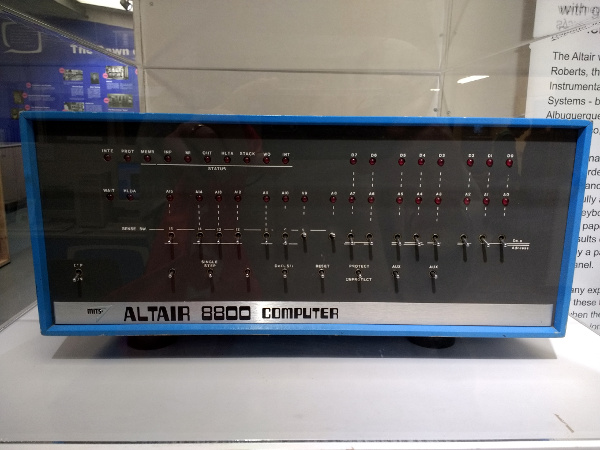
The one that started it all
On a pedestal in a Perspex box all of its own is something rather special, a MITS Altair 8800, and a rare example for UK visitors of the first commercially available microcomputer. Famously its first programming language was Microsoft BASIC, this machine can claim to be that from which much of what we have today took its start.
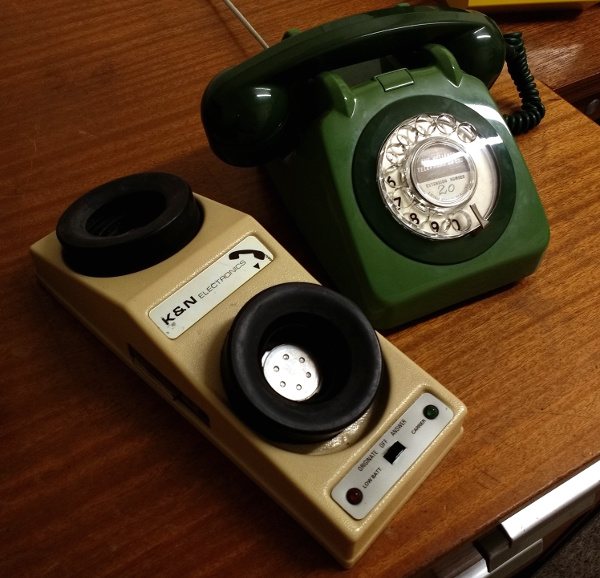
In the corner of the building is a small room set up as an office of the 1970s, a sea of wood-effect Formica with a black-and-white TV playing period BBC news reports. They encourage you to investigate the desks as well as the wordprocessor, telephone, acoustic coupler, answering machine and other period items.
UK phone aficionados would probably point out that office phones were rarely anything but black.
The museum has a small display of minicomputers, with plenty of blinkenlight panels to investigate even if they’re not blinking. On the day of our visit one of them had an engineer deep in its internals working on it, so while none of them were running it seems that they are not just static exhibits.
Finally, at various points around the museum were cabinets with collections of related items. Calculators, Clive Sinclair’s miniature televisions, or the evolution of the mobile phone. It is these subsidiary displays that add the cherry to the cake in a museum like this one, for they are much more ephemeral than many of the computers.
This is one of those museums with so many fascinating exhibits that it is difficult to convey the breadth of its collection in the space afforded by a Hackaday article.
There is an inevitable comparison to be made between this museum and the National Museum of Computing at Bletchley Park that we reviewed last year. It’s probably best to say that the two museums each have their own flavours, while Bletchley has more early machines such as WITCH or their Colossus replica as well as minis and mainframes, the Centre for Computing History has many more microcomputers as well as by our judgement more computers in a running and usable condition. We would never suggest a one-or-the-other decision, instead visit both. You won’t regret it.
The Centre for Computing History can be found at Rene Court, Coldhams Road, Cambridge, CB1 3EW. They are open five days a week from Wednesday through to Sunday, and seven days a week during school holidays. They open their doors at 10 am and close at 5 pm, with last admissions at 4 pm. Entry is £8 for grown-ups, and £6 for under-16s. Under-5s are free. If you do visit and you are a UK tax payer, please take a moment to do the gift aid thing, they are after all a charity.
Ever since the Raspberry Pi was released to an eager public just over five years ago there is one project that seems to have been tackled more frequently than any other using the small computer from Cambridge: that of making a laptop with Pi for brains. Perhaps you feel you have had your fill of Pi laptops both good and bad, but it’s still a project that can bring up some surprises.
Does [Eben] carry a silver marker with him at all times, laptops for the signing of?[Archie Roques] is a young maker from Norwich, UK, and at the Raspberry Pi birthday party in early March he had rather an unusual laptop. He’d done the usual thing of mating the official Pi screen, a bluetooth keyboard/touchpad, Pi, and battery, but as always it’s the detail that matters. His case is a carefully designed sandwich of laser-cut plastic that somehow manages the impossible task of containing all the laptop internals while not being too bulky.
For power he at first used a 4 AH LiPo cell from a dead tablet with a Pimoroni LiPo power board, but since he hit problems with the Pimoroni board supplying both screen and Pi he’s switched to an off-the-shelf power bank. Unusually this laptop also has built-in audio, using another Pimoroni product, their speaker pHAT.
Where this laptop has a flaw though is in the display hinges. He has plans for a beautifully made 3D printed hinge, but for now he’s using a piece of tape, which though functional does not add to the aesthetic. When we saw it in Cambridge the keyboard was fitting more snugly than it does in the photos on his write-up, so perhaps he’s fixed some of its issues. Despite the in-progress hinge it’s a very usable little Pi laptop, and though (Hint, [Archie]!) he hasn’t yet published the design files for it, we’re sure when he does we’ll see other people building the same machine. They won’t be quite as exclusive as [Archie]’s model though, while he was in Cambridge he managed to get it signed by [Eben Upton], founder of the Raspberry Pi Foundation and judge for the 2017 Hackaday Prize.
When it comes to recycled printer consumables, the world seems to divide sharply into those who think they’re great, and those who have had their printer or their work ruined by a badly filled cartridge containing cheaper photocopy toner, or God knows what black stuff masquerading as inkjet ink. It doesn’t matter though whether you’re a fan or a hater, a used printer cartridge is just a plastic shell with its printer-specific ancilliaries that you can do with what you want. It has performed its task the manufacturer sold it to you for and passed its point of usefulness, if you want to fill it up with aftermarket ink, well, it’s yours, so go ahead.
There is a case approaching the US Supreme Court though which promises to change all that, as well as to have ramifications well beyond the narrow world of printer cartridges. Impression Products, Inc. v. Lexmark International, Inc. pits the printer manufacturer against a small cartridge recycling company that refused to follow the rest of its industry and reach a settlement.
At issue is a clause in the shrink-wrap legal agreement small print that comes with a new Lexmark cartridge that ties a discounted price to an agreement to never offer the cartridge for resale or reuse. They have been using it for decades, and the licence is deemed to have been agreed to simply by opening the cartridge packaging. By pursuing the matter, Lexmark are trying to set a legal precedent allowing such licencing terms to accompany a physical products even when they pass out of the hands of the original purchaser who accepted the licence.
There is a whole slew of concerns to be addressed about shrink-wrap licence agreements, after all, how many Lexmark owners even realise that they’re agreeing to some legal small print when they open the box? But the concern for us lies in the consequences this case could have for the rest of the hardware world. If a precedent is set such that a piece of printer consumable hardware can have conditions still attached to it when it has passed through more than one owner, then the same could be applied to any piece of hardware. The prospect of everything you own routinely having restrictions on the right to repair or modify it raises its ugly head, further redefining “ownership” as “They really own it”. Most of the projects we feature here at Hackaday for example would probably be prohibited were their creators to be subject to these restrictions.
We’ve covered a similar story recently, the latest twist in a long running saga over John Deere tractors. In that case though there is a written contract that the farmer buying the machine has to sign. What makes the Lexmark case so much more serious is that the contract is being applied without the purchaser being aware of its existence.
We can’t hold out much hope that the Supreme Court understand the ramifications of the case for our community, but there are other arguments within industry that might sway them against it. Let’s hope Impression Products v. Lexmark doesn’t become a case steeped in infamy.
You will all no doubt be familiar with the 74 series logic integrated circuits, they provide the glue logic for countless projects. If you look back through old listings of the series you’ll find alongside the familiar simple gates a host of now obsolete chips that reveal their roots in the pre-microprocessor computer industry of the late 1960s, implementing entire functions that would now be integrated.
One of the more famous of these devices is the 74181, a cascadable 4-bit arithmetic logic unit, or ALU. An ALU is the heart of a microprocessor, performing its operations. The 74181 appeared in many late-60s and early-70s minicomputers, will be familiar to generations of EE and CS students as the device they were taught about ALUs on, and can now be found in some home-built retrocomputers.
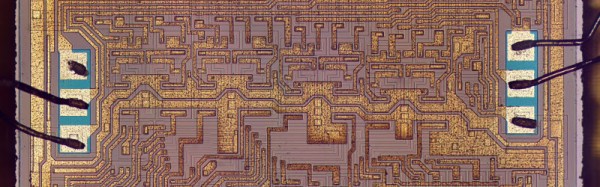
[Ken Shirriff], doyen of the integrated circuit teardown, has published a piece taking a look at the 74181, in particular at its logic functions and the reason for some of them that are rather surprising. As well as the normal logic functions, for example the chip can do “(A + B) PLUS AB“. Why on earth you might think would an ALU need to do that?
The answer lies in the way it performs carrying while adding, a significant speed-up can be achieved over ripple carrying along a chain of adders if it can be ascertained whether a bit addition might generate a carry bit. He explains the function required to perform this operation, and suddenly the unusual extra function makes sense. Addition is transformed from a serial process to a parallel one, with a consequent speed increase.
It’s one of those moments in which you have to salute those logic designers from an era when on-chip real-estate was costly and every ounce of speed had to be teased from their designs. Give it a read, and have a go at the interactive 74181 simulator further down [Ken]’s page. We learned something from the article, and so may you.
Hands up if you’ve ever used a machine running CP/M. That’s likely these days to only produce an answer from owners of retrocomputers. What was once one of the premier microcomputer operating systems is now an esoteric OS, a piece of abandonware released as open source by the successor company of its developer.
In the 1970s you’d have seen CP/M on a high-end office wordprocessor, and in the 1980s some of the better-specified home computers could run it. And now? Aside from those retrocomputers, how about running CP/M on an ESP8266? From multi-thousand-dollar business system to two-dollar module in four decades, that’s technological progress.
[Matseng] has CP/M 2.2 running in a Z80 emulator on an ESP8266. It gives CP/M 64K of RAM, a generous collection of fifteen 250K floppy drives, and a serial port for communication. Unfortunately it doesn’t have space for the ESP’s party piece: wireless networking, but he’s working on that one too. If you don’t mind only 36K of RAM and one less floppy, that is. All the code can be found on a GitHub repository, so if you fancy a 1970s business desktop computer the size of a postage stamp, you can have a go too.
There’s something gloriously barmy about running a 1970s OS on a two-dollar microcontroller, but if you have to ask why then maybe you just don’t understand. You don’t have to have an ESP8266 though, if you want you can run a bare-metal CP/M on a Raspberry Pi.
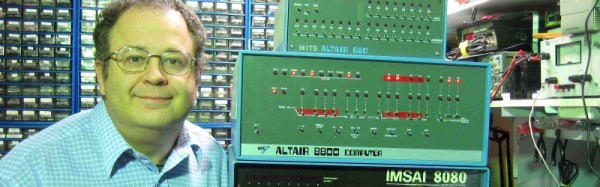
The MITS Altair 8800 occupies a unique place in computing history as the first commercially succesful microcomputer for personal rather than business use. It is famous as the platform upon which the first Microsoft product ran, their first BASIC interpreter.
[Josh Bensadon] has an Altair 8800, and became intrigued by its bootloader. The simplest method of programming the machine is through binary using a set of switches on the front panel, and he remarks that there should be a warning in the manual: “fingers will get sore after repeated use of the small switches on the ALTAIR”.
His write-up goes into great detail about how those bytes are shaved off, and provides us with a fascinating insight into the 8800’s architecture. Even if your 8-bit assembler is a little rusty, it’s a fascinating read.




![Does [Eben] carry a silver marker with him, laptops for the signing of?](https://hackaday.com/wp-content/uploads/2017/03/archie-with-laptop.jpg)