Converting An IBM PCjr Joystick To USB

pcjr-joystick-usb-conversion

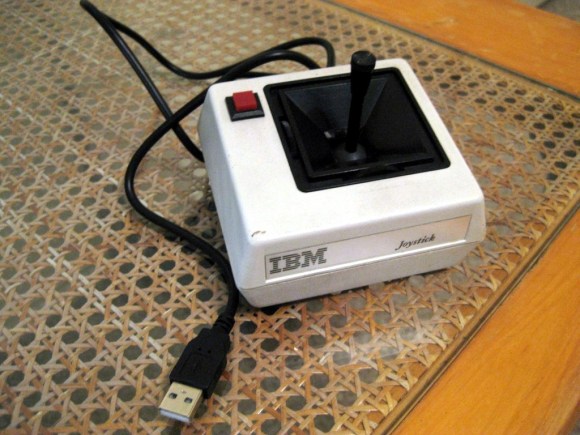
Seeing this IBM joystick again really brings back memories. But it can be used on a modern system thanks to this USB conversion project.

This particular model had a connector which is foreign to us. It looks like a boxy USB-A plug, but has an eight-pin sockets which looks like it’s 0.1″ pitch. You could try to make your own male connector using a dual-row pin header, but [Gruso] just went ahead and lopped off the end of the cable. He managed to dig up the pin-out for the device and found that it could be wired up to a gameport — the connector being the only real difference. He gutted a USB gameport adapter, removing the DB15 connector and soldering directly to the board. The boxy old peripheral has just enough room to house that PCB.

If you’re looking for a few more details than this build album provides check out [Gruso’s] comments in the Reddit thread.
Giant Resistor-shaped Ohmmeter

resistance-measuring-resistor

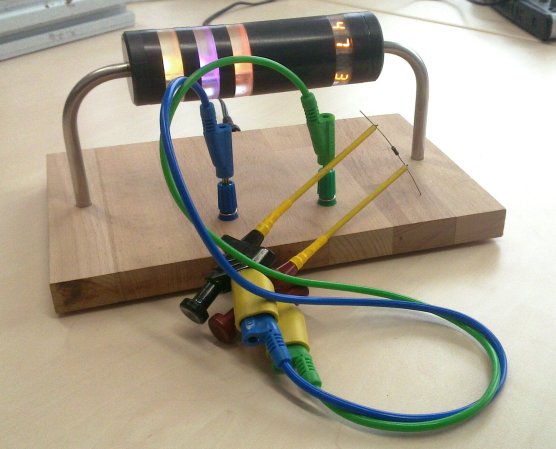
The fun of having a giant resistor-shaped Ohmmeter is that it reads back the resistance by displaying the color code. If you’re not too hot with decoding those bands there’s a helper band to the right which will display the value numerically.

All of the electronics are housed in the opaque part of the resistor, making for a nice low-profile base. The bent leads are hollow and allow [Sebastian] and his friend to run power and measurement leads through to the power connector on the back and the pair of banana jacks near the front. Each translucent ring houses an RGB LED, except for the one on the right which has four 7-segment display modules embedded in it. An ATmega168 takes the measurements using its Analog to Digital Converter (ADC) to read the value from a voltage divider. You can see a quick demo of the Ohmmeter in the video after the jump.

This would be a fun thing to pair with that giant breadboard.

Continue reading “Giant Resistor-shaped Ohmmeter”

Hackerspace Intro: Metrix Create:Space In Seattle, Washington

metrix-create-space-intro

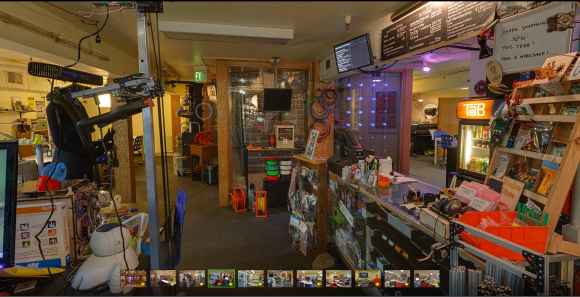
Instead of a video, the members of Metrix Create:Space in Seattle, Washington posted a self-guided virtual tour. There is a link to a professional photographer in the area that specializes in this kind of thing. We assume he’s a member and would love to know if he hacked his own setup to capture the spherical panoramas.

The image above looks toward the front entrance. To the right is a cafe type counter which even offers a menu board listing membership prices but also time rentals on things like one hour in the solder room. The tour includes shots from 11 vantage points highlighting each portion of the space. This includes everything you might expect (3d printing, laser cutting, electronic prototyping) but a few you don’t. There’s a toddler-safe play area (we hear that the Kansas City hackerspace has one of these too), and a huge pick and place machine.

University Research Dollars Poured Into Developing A Holodeck

holodeck-project

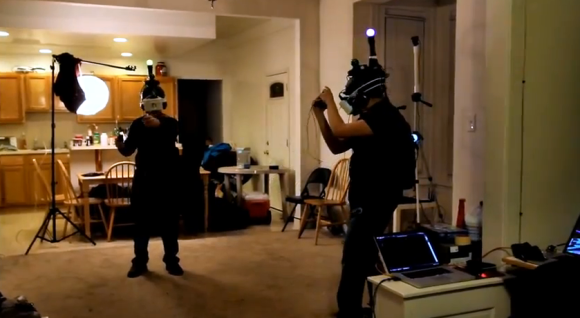
It may seem like this would be an early April Fool’s joke, but the image above shows serious research in action. [Ben Lang] recently had the chance to interview the director of a program that wants to make the Holodeck a reality. The core goal of the research — called Project Holodeck — is to develop an affordable multi-player virtual reality experience outside of the laboratory. We’ve heard speculation that Sony and Microsoft will release their next-gen systems in 2013; we’d rather wait for this to hit the market.

[Nathan Burba] is the director of the program. It’s part of the University of Southern California Games Institute and brings together students of Interactive Media, Cinema Arts, and Engineering. The hardware worn by each player is shown off at the beginning of the video after the break. Most of the components are commercially available (a Lenovo laptop worn in the backpack, PlayStation controllers, etc.) but the stereoscopic display which gives each eye its own 90-degree view was developed specifically for the project.

After seeing the in-game rendered footage we can’t help but think of playing some Minecraft with this equipment. We just need some type of omni-directional treadmill because our living room floor space is very limited.

Continue reading “University Research Dollars Poured Into Developing A Holodeck”

Cracking A SAM7XC Cryptographic Coprocessor

attacking-RFID-crypto-coprocessor

[Adam Laurie] spent time tearing into the security of the SAM7XC chip produced by Atmel. Even if he hadn’t found some glaring security holes just reading about his methodology is worth it.

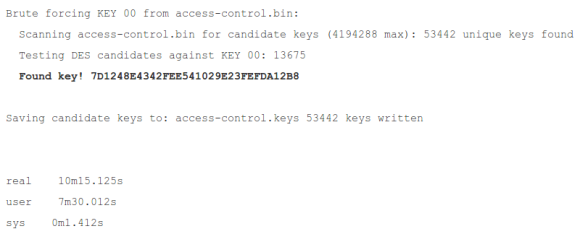
The chip is used in a secure RFID system. The chip is added to the mix to do the heavy lifting required when using encryption. [Adam] grabbed a couple of open source libraries to put it to the test. The firmware is locked down pretty tight, but his explorations into the content of the RAM yield a treasure trove of bits. After investigating the sample code for the chip he’s shocked to learn that it uses RAM to store the keys at one point. The rest of his journey has him dumping the data and sifting through it until he gets to the “Master Diversification Key”. That’s the big daddy which will let him decrypt any of the tags used.

He reported his findings to Atmel in September of 2011. Their response is that they have no way of protecting RAM from exploit. [Adam] asserts that the problem is that the sample software wasn’t designed with the vulnerability of RAM in mind. The keys should never be stored there specifically because it is vulnerable to being dumped from a running system.

Automatic Volume Control Puts The Kibosh On Loud TV Commercials

automatic-tv-volume-control

If you’re having a hard time tuning out those loud commercials why not let your electronics project do it for you? This is an Arduino-based setup which adjusts television volume when it goes above a certain threshold. It uses a microphone, rather than a direct audio signal, so you can set it based on what is actually heard in the room.

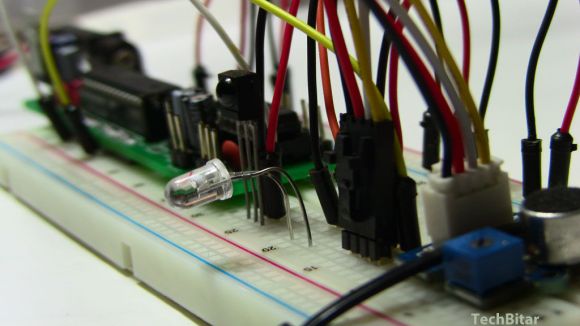
The control scheme uses the IR LED and IR receiver seen on the breadboarded circuit above. The receiver lets you teach your volume up and down buttons from your remote control to the system. The one failing we see in the design is that the volume level is hard-coded, requiring you to flash new code to make adjustments (perhaps an enterprising reader could add a potentiometer for making easy adjustments?).

We can’t help but be reminded of the setup which reads the closed caption info to mute topics you’ve added to a blacklist.

Script Lets You Import Eagle Boards For Use In FreeCAD

eagle-designs-imported-for-freecad

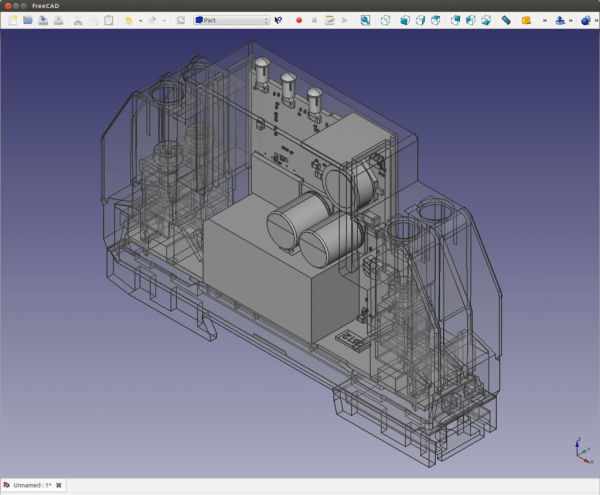
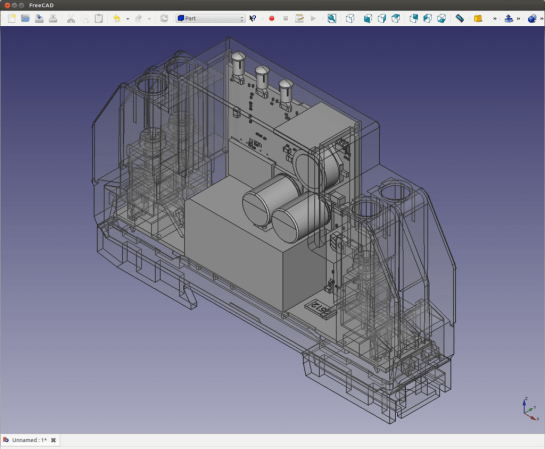
[Christian Aurich] wanted to use his Eagle CAD circuit board design in a proper CAD program in order to design enclosures. There are already a few options along these lines, but they didn’t quite fit his needs so he developed a script to import Eagle boards into FreeCAD. The script is packaged as a python macro for FreeCAD.

In describing the shortcomings of what’s already out there [Christian] does mention the use of EagleUp to model boards in Google SketchUp. But he feels the way the data is produced by SketchUp makes these models work well with 3D printing, but says they’re not easy to use with mechanical design CAD software. He also feels that the photo-realistic renderings are useless when developing enclosures.

It’s worth mentioning that this approach is only possible because CadSoft’s migration to XML makes it dead simple to get at the data.