Today, it’s easy to take realistic visual effects in film and TV for granted. Computer-generated imagery (CGI) has all but done away with the traditional camera tricks and miniatures used in decades past, and has become so commonplace in modern productions that there’s a good chance you’ve watched scenes without even realizing they were created partially, or sometimes even entirely, using digital tools.
But things were quite different when King Kong was released in 1933. In her recently released short documentary King Kong: The Practical Effects Wonder, Katie Keenan explains some the groundbreaking techniques used in the legendary film. At a time when audiences were only just becoming accustomed to experiencing sound in theaters, King Kong employed stop-motion animation, matte painting, rear projection, and even primitive robotics to bring the titular character to life in a realistic way.
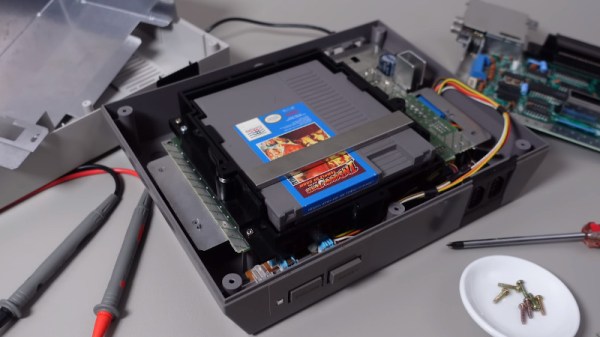
No matter your age or background, there’s an excellent chance you’ll recognize the Nintendo Entertainment System (NES) at first glance. The iconic 8-bit system not only revitalized the gaming industry, but helped to establish the “blueprint” of console gaming for decades to come. It’s a machine so legendary and transformative that even today, it enjoys a considerable following. Some appreciate the more austere approach to gaming from a bygone era, while others are fascinated with the functional aspects of console.
The NesHacker YouTube channel is an excellent example of that latter group. Host [Ryan] explores the ins and outs of the NES as a platform, with a leaning towards the software techniques used to push the system’s 6502 processor to the limits. Even if you aren’t terribly interested in gaming, the videos on assembly programming and optimization are well worth a watch for anyone writing code for vintage hardware.
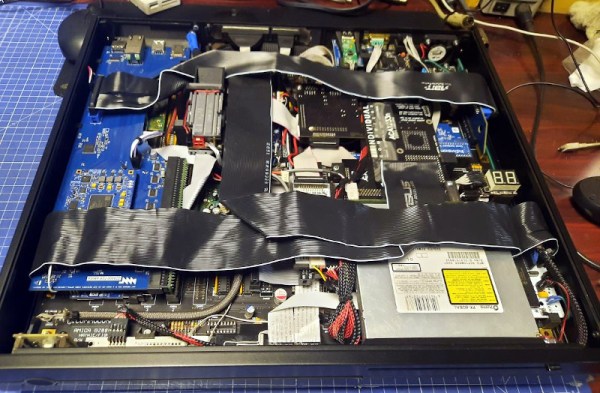
Around these parts, we most often associate [Drygol] with his incredible ability to bring damaged or even destroyed vintage computers back to life with a seemingly endless bag of repair and restoration techniques. But this time around, at the request of fellow retro aficionado [MrTrinsic], he was given a special assignment — to not only build a new Amiga 2000 from scratch, but to pack it with so many mods that just physically fitting them into the case would be a challenge in itself.
The final product, dubbed Tesseract, took two and a half years to complete and has been documented over the course of six blog posts. The first step was to get a brand new motherboard, in this case a modern recreation designed by Floppie209, and start populating it with components. With some modifications, the new board slipped neatly into a slick metal case. Unfortunately it quickly became clear some of the mods the duo wanted to install wouldn’t work with the reverse-engineered motherboard. This was around Spring of 2021, which is the last time we checked in on the project. Continue reading “Scratch Built Amiga 2000 Stacks Up The Mods”→
For those of us who like to crawl over complex systems, spending hours or even days getting hardware and software to work in concert, working at places like NASA or CERN seems like a dream job. Imagine having the opportunity to turn a wrench on the Space Shuttle or the Large Hadron Collider (LHC) — not only do you get to spend some quality time with some of the most advanced machines ever produced, you can be secure in the knowledge that your work will further humanity’s scientific understanding of the universe around us.
Or at least, that’s what we assume it must feel like as outsiders. But what about somebody who’s actually lived it? What does an actual employee, somebody who’s had to wake up in the middle of the night because some obscure system has gone haywire and stalled a machine that cost taxpayers $4.75 billion to build, think about working at the European Organization for Nuclear Research? Continue reading “Daniel Valuch Chats About CERN’s High Caliber Hacking”→
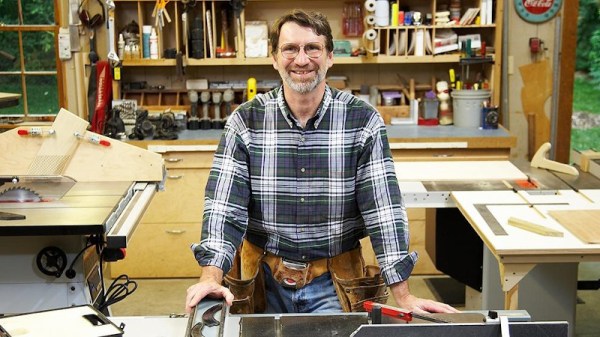
We’ve said many times that while woodworking is a bit outside our wheelhouse, we have immense respect for those with the skill and patience to turn dead trees into practical objects. Among such artisans, few are better known than the legendary Norm Abram — host of The New Yankee Workshop from 1989 to 2009 on PBS.
So we were pleased when the official YouTube channel for The New Yankee Workshop started uploading full episodes of the classic DIY show a few months back for a whole new generation to enjoy. The online availability of this valuable resource is noteworthy enough, but we were particularly impressed to see the channel start experimenting with AI enhanced versions of the program recently.
Note AI Norm’s somewhat cartoon-like appearance.
Originally broadcast in January of 1992, the “Child’s Wagon” episode of Yankee Workshop was previously only available in standard definition. Further, as it was a relatively low-budget PBS production, it would have been taped rather than filmed — meaning there’s no negative to go back and digitize at a higher resolution. But thanks to modern image enhancement techniques, the original video could be sharpened and scaled up to 1080p with fairly impressive results.
That said, the technology isn’t perfect, and the new HD release isn’t without a few “uncanny valley” moments. It’s particularly noticeable with human faces, but as the camera almost exclusively focuses on the work, this doesn’t come up often. There’s also a tendency for surfaces to look smoother and more uniform than they should, and reflective objects can exhibit some unusual visual artifacts.
Even with these quirks, this version makes for a far more comfortable viewing experience on today’s devices. It’s worth noting that so far only a couple episodes have been enhanced, each with an “AI HD” icon on the thumbnail image to denote them as such. Given the computational demands of this kind of enhancement, we expect it will be used only on a case-by-case basis for now. Still, it’s exciting to see this technology enter the mainstream, especially when its used on such culturally valuable content. Continue reading “Norm Abram Is Back, And Thanks To AI, Now In HD”→
There were some that doubted the day would ever come, but we’re happy to report that the ambitious self-destructing USB drive that security researcher [Walker] has been working on for the last 6+ months has finally stopped working. Which in this case, is a good thing.
Readers may recall that the goal of the Ovrdrive project was to create a standard-looking flash drive that didn’t just hide or erase its contents when accessed by an unauthorized user, but actively damaged itself to try and prevent any forensic recovery of the data in question. To achieve this, [Walker] built a voltage doubler circuit into the drive that produces 10 volts from the nominal 5 VDC coming from the USB port. At the command of an onboard microcontroller, that 10 V is connected to the circuit’s 3.3 V rail to set off the fireworks.
Early attempts only corrupted some of the data, so [Walker] added some more capacitance to the circuit to build up more of a charge. With the revised circuit the USB controller IC visibly popped, but even after it was replaced, the NAND flash was still unresponsive. Sounds pretty dead to us.
Too user friendly, needs more buttons
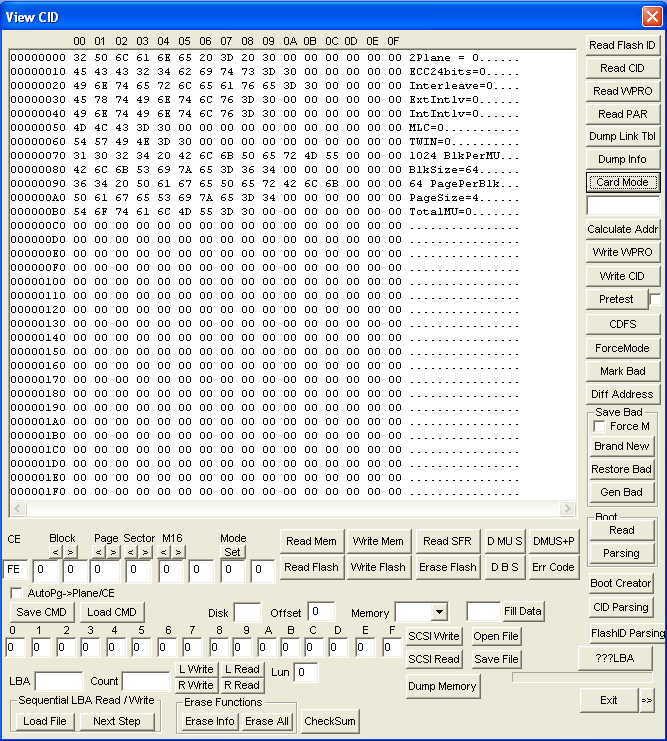
Unfortunately, there’s still at least one issue that’s holding back the design. As we mentioned previously, [Walker] was having trouble getting the computer to actually acknowledge his homebrew drive had any free space available. It turns out that the SM3257EN USB controller IC he’s using needs to be initialized by some poorly documented Windows XP software, which might not be such a big deal if the goal was just to build one of them, but could obviously be a hindrance when going into production.
He hopes further reverse engineering will allow him to determine which commands the XP software is giving to the IC so that he can duplicate them in a less ancient environment. Sounds like a job for Wireshark to us — with any luck he should be able to capture the commands being sent to the hardware and replay them.
While we can understand some readers may have lingering doubts about the drive’s spit-detection authentication system, it’s clear [Walker] has made some incredible progress here. This project demonstrates that not only can an individual spin up their own sold state storage, but that should they ever need to, they can also destroy it in an instant.
Join Editor-in-Chief Elliot Williams and Managing Editor Tom Nardi as they explore the best and most interesting stories from the last week. The top story if of course the possibility that at least some of the unidentified flying objects the US Air Force valiantly shot down were in fact the work of amateur radio enthusiasts, but a quantitative comparison of NASA’s SLS mega-rocket to that of popular breakfast cereals is certainly worth a mention as well.
Afterwards the discussion will range from modular home furnishings to the possibility of using YouTube (or maybe VHS tapes) to backup your data and AI-generated Pong. Also up for debate are cheap CO2 monitors which may or may not be CO2 monitors, prosthetic limbs made from locally recycled plastic, and an answer to Jenny’s Linux audio challenge from earlier this month.
Check out the links below if you want to follow along, and as always, tell us what you think about this episode in the comments!