Are We Finally At The Point Where Phones Can Replace Computers?

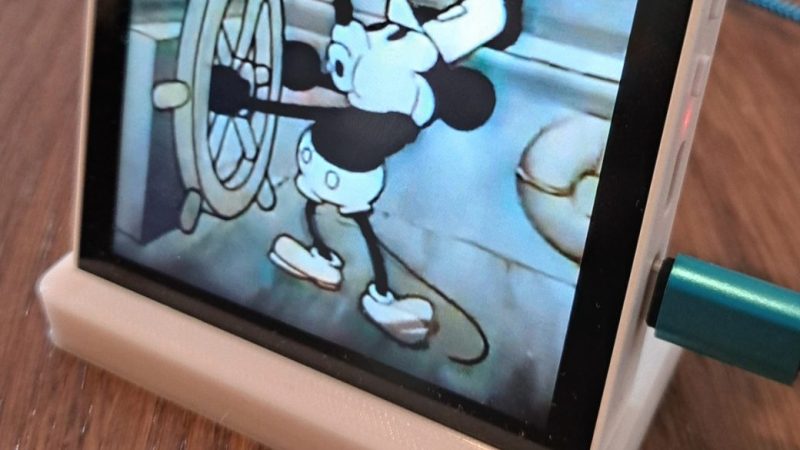
There was an ideal of convergence, a long time ago, when one device would be all you need, digitally speaking. [ETA Prime] on YouTube seems to think we’ve reached that point, and his recent video about the Samsung S26 Ultra makes a good case for it. Part of that is software: Samsung’s DeX is a huge enabler for this use case. Part of that his hardware: the S26 Ultra, as the upcoming latest-and-greatest flagship phone, has absurd stats and a price tag to match.

First, it’s got 12 GB of that unobtanium once called “RAM”. It’s got an 8-core ARM processor in its Snapdragon Elite SOC, with the two performance cores clocked at 4.74 GHz — which isn’t a world record, but it’s pretty snappy. The other six cores aren’t just doddling along at 3.62 GHz. Except for the very youngest of our readers, you probably remember a time when the world’s greatest supercomputers had as much computing power as this phone.

Continue reading “Are We Finally At The Point Where Phones Can Replace Computers?”

Clear Resin Casting Replicates Old Acrylic For Selectric Repair

IBM Selectric typewriters have a lot of unique parts that can be tricky to source, but one we didn’t think of was the clear acrylic(?) dust covers, that are apparently very hard to find in good shape. [Eric Strebel] has a few Selectrics that all have issues with these parts. While you could come close to recreating this piece with acrylic sheeting carefully bent to match the original shape, [Eric] has a different hammer to try in a new video: replicating it with a resin casting.

He uses de-gassed tin-cure silicone to create a mold for the original, with a bit of 3D printed PLA and foam board to hold the silicone to create the mold. That’s done in two steps to create a two-part mold, which is separated and cleaned before the resin goes in. The original part is actually a smoky plastic, rather than fully clear, but [Eric] is able to match it perfectly using a colourant in his clear ̶e̶p̶o̶x̶y̶ polyurethane resin. The resin is put into the mold with a simple gravity pour, though he does have a vibrator on it to help it flow. Curing is done under heat and pressure– 60 PSI. The results are amazing; once he adds a touch of paint to match the black finish on one face of the original, it’s very difficult to tell [Eric]’s casting from his master piece, except that the cast replicas are in better shape.

This particular part works very well for casting and not much else. While you could match the large curve by heat-bending a piece of smoky acrylic, there are lips along the edges of the part that would be tricky to reproduce. [Eric] also needed several, for his multiple typewriters, and this method is very efficient at producing multiple units since the mold is reusable.

While you might not have an IBM Selectric that needs a dust cover, this technique is equally applicable to all sorts of clear shapes. If you’re new to resin casting, we have a handy guide to replicating plastic parts to get you started in this kind of work. It’s not just large parts that can be replicated: you can even copy phonograph records, such is the fidelity of resin casting.

Continue reading “Clear Resin Casting Replicates Old Acrylic For Selectric Repair”

The “Tin Blimp” Was A Neither Tin Nor A Blimp: The Detroit ZMC-2 Story

That fireball was LZ37. Nobody wanted to see repeats post-war.
Image: “The great exploit of lieutenant Warnefort 1916 England” by Gordon Crosby, public domain.

After all the crashing and burning of Imperial Germany’s Zeppelins in the later part of WWI – once the Brits managed to build interceptors that could hit their lofty altitude, and figured out the trick of using incendiary rounds to set off the hydrogen lift gas – there was a certain desire in airship circles to avoid fires. In the USA, that mostly took the form of replacing hydrogen with helium. Sure, it didn’t lift quite as well, but it also didn’t explode.

Still, supplies of helium were– and are– very much limited, and at least on a rigid Zeppelin, the hydrogen wasn’t even the most flammable part. As has become widely known, thanks in large part to the Mythbusters episode about the Hindenburg disaster, the doped cotton skin in use in those days was more flammable than some firestarters you can buy these days.

That’s a problem, because, as came up in the comments of our last airship article, rigid airships beat blimps largely on Rule of Cool. Who invented the blimp? Well, arguably it was Henri Griffard with his steam-driven balloon in 1857, but not many people have ever heard his name. Who invented the rigid airship? You know his name: Ferdinand Adolf Heinrich August Graf von Zeppelin. No relation. Probably. Well, admittedly most people don’t know the full name, but Count Zeppelin is still practically a household name over a century after his death. His invention was just that much cooler.

That unavoidable draw of coolness led to the Detroit Airship Company and their amazing tin blimp. The idea was the brainchild of a man named Ralph Upton, and is startling in its simplicity: why not take the all-metal, monocoque design that was just then being so successfully applied to heavier-than-air flight, and use it to build an airship? Continue reading “The “Tin Blimp” Was A Neither Tin Nor A Blimp: The Detroit ZMC-2 Story”

GIF shows the impact window narrowing to exclude the moon

The Moon Is Safe, For Now: No Collision In 2032 After All

When Asteroid 2024 YR4 was first discovered, it created a bit of a kerfuffle when it was reported it had a couple-percent chance of hitting the Earth in 2032. At 60 meters (196 feet) across, this would have been in the “city killer” class that nobody really wants to see make landfall, so NASA and the ESA scrambled all assets to refine its trajectory in time to do something about it. Amongst those assets was the James Webb Space Telescope (JWST), which is now reporting it will miss both us and our moon.

Even with the JWST, asteroid 2024 YR4 only fills a few pixels.

We reported that JWST was being tapped for this task over a year ago, when the main concern was still if YR4 might hit Earth or not. An Earth impact was fairly quickly ruled out as the window narrowed to include only to Earth’s moon, and concern shifted to excitement. A city killer striking Earth is obviously bad news. The same thing happening to the Moon is a chance to do science — and 2032 would have been plenty of time to get assets in place to observe the impact.

Unfortunately for the impact-curious, JWST was able to narrow down the trajectory further — and we’ve now gone from up to a 4% chance of hitting Luna to a sure miss of 20,000 km or more.

As this game of cosmic billiards we call a solar system continues, it’s only a matter of time before Earth or her moon is struck by another object. Unless we can deflect it, that is — NASA and partnering agencies have been testing how to do that.

Pulse Jet Ski Chases The Winter Blues Away

A long winter has a way of making a lot of us northerners a little bit squirrly. In [Build N Pulsejets]’s case, squirly enough to mount a home-made propane-powered pulse-jet to a kids’ kick scooter and take to the frozen lake for a rip.

Okay, well, it started as a kid’s scooter, but after trying it on the ice sans pulsejet, [Build N] decided that his cabin fever wasn’t quite bad enough to risk using it in stock configuration. Before mounting the 180 lb thrust (800 N) pulse jet he’d built in a previous video, a few modifications would be needed. Namely, a trio of scrap metal skis and a goodly amount of metalwork to mount them, and the pulse jet. Even on ice, with relatively little friction, the mass of maker and a full propane tank meant the acceleration wasn’t great, but he did get it over 44 mph (77 km/h) on the snowmobile drag strip. (Yeah, snowmobile drag racing’s a thing in the frozen north. Those of you sipping mai tais in the tropics are probably pretty jealous right now, huh?)

These pages have been no stranger to pulse jets, given that they’re probably the easiest engine to build at home. We’ve seen them mounted on everything from go karts, to Swedish snomobiles, and even tea kettles.  Actually, we’ve seen two of those. No points for guessing what nation the tea kettle builds hail from.

Continue reading “Pulse Jet Ski Chases The Winter Blues Away”

The Quarterhorse 2.1, looking fast even on the ground.

Quarterhorse Vs Blackbird: Hermeus’ Flight Puts Them One Step Closer To Record

You’ve got to be ambitious to target a legend. If there’s one thing the folks at Hermeus Aerospace are, though, it’s ambitious: not only do they plan on their Quarterhorse unmanned aerial vehicle (UAV) to outfly the SR-71 blackbird, they’re hoping to do it in record time. They took one big step closer to that goal in March 2026, when Quarterhorse 2.1 took off for the first time from Spaceport America.

The F-16-sized prototype is actually the second first flight Hermeus can brag of in the past year– version one first flew in May 2025. They’re iterating fast. Version 2.1 is hoped to prove a key part of the engine design for v2.2, which is the plane Humerus hopes to use to break the SR-71’s air-breathing speed record of Mach 3.3 from 1976. They’re hoping the next prototype can actually hit mach 5, which would be amazing if they pulled it off. Of course when exactly v2.2 will fly will depend largely on how this current model does in its test envelope.

This Quarterhorse hasn’t yet broken the sound barrier, but it certainly will. With the same F100 engine as the F-15 and F-16 fighters, it’s got the thrust, and one look tells you it has the aerodynamics. Of course an F100 can’t fly at Mach 5 — not on its own — but the F100 isn’t purely stock. It’s actually a component in Hermeus’ Chimera engine, which combines the F100 with a pre-chiller to actively cool the incoming supersonic air so the engine doesn’t melt at high speeds, and a ramjet stage that bypasses the engine entirely. That would make the Chimera a turboramjet engine; starting with an old and well-known turbine stage seems like a good move and is arguably a hack.

It would work like this: the engine takes off on turbine, the chiller kicks in when the aircraft goes supersonic, and the turbine is bypassed completely at high mach. This is how they hope to break the SR-71’s record: as well-designed as the J-58 engine was in that plane, it only pushed bleed air into the afterburner, rather than bypassing its turbine stage entirely, so was limited by the need to not melt said turbines. In some ways, the Chimera reminds us of a cheaper, simpler SABER engine. Of course as ambitious as breaking a 50 year old speed record might be, Hermeus’ goals are downright humble compared to the single-stage-to-orbit dreams the SABRE was meant to allow.

It remains to be seen just how fast Quarterhorse 2.1 will be able to go. Notably, at least as it was first unveiled, the aircraft doesn’t have any kind of shock cone on the inlet. It’s unlikely that the pre-chiller makes that unnecessary; it is more likely that either 2.1 is going to be restricted to low mach numbers where such things aren’t necessary, or it will be fitted later. Either way, we look forward to following the test program, at least as much as it is made public. Check out footage from the test flight in the video embedded below.

Continue reading “Quarterhorse Vs Blackbird: Hermeus’ Flight Puts Them One Step Closer To Record”

The printer-based "pen" has a pistol form factor.

DIY 3D Pen Is Born To Weld

Depending who you ask, 3D pens are silly toys or handy tools. Those who use them as tools find them handy to fill gaps in printed assemblies or to use them as a PLA or PETG-based hot glue gun for their prints. [half-baked-research] on YouTube is in the second category, but knows that welding is better than gluing — so he built himself a 3D pen designed for plastic welding.

You can weld with a regular 3D pen, and [half-baked] demonstrates that in the video. But thanks to the low-conductivity tips on commercial pens, it’s a slow, fiddly business. By using a normal 3D printer hot-end, with its conductive brass nozzle, [half-baked] is able to get a lot more heat where it’s needed. That means the plastic on either side of the weld melts for a good bond with the stuff coming out the nozzle. He’s also able to push plastic much faster with the modified extruder he’s squeezed into the hot-glue-gun looking contraption. Those two things together conspire to make the whole process go much faster than with a commercial 3D pen. He calls his build a 3D pen, but given the form factor it might be more accurate to call it a ‘plastic extrusion gun’.

Starting at around 13:38 in the video, he performs some strength tests, something we wish more YouTubers would do. He’s able to demonstrate a stronger bond with his welding pen than the normal 3D pen, and a much, much stronger join than the usual superglue. A traditional plastic weld with hot air is even stronger, but [half-baked] points out elsewhere in the video that on thin-walled prints (as opposed to the solid test articles) hot air welding can be a very dicey business. Pen-welding offers much greater control, so is an interesting technique to keep in mind.

Alas, [half-baked-research] apparently still considers this idea too half-baked to release the design. If you don’t have time to wait or reinvent this particular wheel, we featured a much simpler implementation of a similar idea years ago, using PLA in a hot glue gun. If that won’t work for you — maybe you aren’t a fan of PLA — perhaps you might try friction welding with filament.

Continue reading “DIY 3D Pen Is Born To Weld”