Arduino, Virtually

While simulating an Arduino isn’t a new idea, a recent project by [LRusso] provides an open source JavaScript simulator that runs in your browser. You can try it out live or host it yourself if you prefer.

The simulator looks much like the standard IDE, so there isn’t much to learn. You can select from several targets, including a UNO R3, a MEGA 1280, a MEGA 2560, or a NANO V3. At the bottom of the screen, you’ll see the correct number of digital pins, analog pins, and the serial monitor. The code is relatively new, and we noticed that the digital and output pins seem to work only for outputs. There is no way to modify any of the values from the user interface. You can, however, enter things into the serial monitor.

You can run a canned demo that uses digital and analog output. There is also another sample that uses the serial port. Unlike some other simulators, you can’t really add much external circuitry but, for some purposes, that isn’t a problem.

If you are looking for more, there is Simulide, which is also free. Falstad can do mixed signal simulations with Arduino code. There’s also Wokwi, which we’ve covered a few times before.

Linux Fu: Where’s That Darn File?

Disk storage has exploded in the last 40 years. These days, even a terabyte drive is considered small. There is one downside, though. The more stuff you have, the harder it is to find it. Linux provides numerous tools to find files when you can’t remember their name. Each has plusses and minuses, and choosing between them is often difficult.

Definitions

Different tools work differently to find files. There are several ways you might look for a file:

  1. Find a file if you know its name but not its location.
  2. Find a file when you know some part of its name.
  3. Find a file that contains something.
  4. Find a file with certain attributes (e.g., larger than 100 kB)

You might combine these, too. For example, it is reasonable to query all PDF files created in the last week that are larger than 100 kB.

There are plenty of different types of attributes. Some file systems support tags, too. So, you might have a PERSONAL tag to mark files that apply to you personally. Unfortunately, tool support for tags is somewhat lacking, as you’ll see later.

Another key point is how up-to-date your search results are. If you sift through terabytes of files for each search, that will be slow. If you keep an index, that’s fast, but the index will quickly be out of date. Do you periodically refresh the index? Do you watch the entire file system for changes and then update the index? Different tools do it differently. Continue reading “Linux Fu: Where’s That Darn File?”

Need A Refresher On RMS?

If you mostly deal with DC current, you might not think much of root mean square or RMS measurements. Sure, you’ve seen meters that have “true RMS” settings, but what does it mean? If you don’t know — or you want a refresher — watch [Prof MAD’s] recent video explaining the topic.

There are two things to remember when working with RMS. If you put, say, 100VDC through a 100-ohm resistor, you’ll draw 1A and use 100W of power. However, since AC gradually makes its way to a peak value and then starts ramping down immediately, you can’t use the peak value or anything like it to figure out AC power. After all, the voltage is only at that peak for an instant. That’s where RMS comes in. 100 VAC RMS through a 100-ohm resistor will also consume an average of 100W over time.

Continue reading “Need A Refresher On RMS?”

$50 10Gbps Mesh Network Uses USB4

You want to build a cluster of computers, but you need a high-speed network fabric that can connect anything to anything. Big bucks, right? [Fang-Pen] developed a 10 Gbps full-mesh network using USB4 that cost him under $50. The first part of the post is about selecting a low-power mini PC, but if you skip down to the “Networking” section, you’ll find the details on the cluster.

The machines selected have two USB4 ports. In theory, you can transfer 40 Gbps on these ports. In reality, the cluster only hit 11 Gbps, but that’s still well above common Ethernet speeds. [Fang-Pen] has yet to determine why he isn’t getting even faster speeds.

Since Linux is Linux, there is a module for networking over Thunderbolt, so the rest is basically set up. There are, of course, some limitations. First, it is only fully connected because the cluster has three computers. More computers would need more USB4 ports or more hardware.

In addition, the standard says you can only count on full speed with cables 0.8 meters or shorter. However, that’s the 40 Gbps number. We wondered if a 2 m cable, rated at 20 Gbps, would have still managed 11 Gbps in this setup. A 10GBASE-T network, on the other hand, should allow 100-meter cables. But for a cluster of computers, do you really care?

We’d be interested to see this idea extended to more nodes. High-speed fabric can be useful in networked disk servers, parallel computing, and probably some other scenarios. We’ve seen 10G Ethernet on the Pi, although the PCI bus limited it to about 3.6 Gbps. For reference, we saw another three computer networks with 10GBASE-T done for about $130 with similar limitations.

Ask Hackaday: Why Are Self-Checkouts Failing?

Most people who read Hackaday have positive feelings about automation. (Notice we said most.) How many times have you been behind someone in a grocery store line waiting for them to find a coupon, or a cashier who can’t make change without reading the screen and thought: “There has to be a better way.” The last few years have seen that better way, but now, companies are deciding the grass isn’t greener after all. The BBC reports that self-checkouts have been a “spectacular failure.” That led us to wonder why that should be true.

As a concept, everyone loves it. Stores can hire fewer cashiers. Customers, generally, like having every line open and having a speedy exit from the store. The problem is, it hasn’t really panned out that way. Self-checkout stations frequently need maintenance, often because it can’t figure out that you put something in the bag. Even when they work flawlessly, a customer might have an issue or not understand what to do. Maybe you’ve scanned something twice and need one of them backed off. Then, there are the age-restricted products that require verification. So now you have to hire a crew of not-cashiers to work at the automated not-register. Sure, you can have one person cover many registers, but when one machine is out of change, another won’t print a receipt, and two people are waiting for you to verify their beer purchase, you are back to waiting. Next thing you know, there’s a line.

Continue reading “Ask Hackaday: Why Are Self-Checkouts Failing?”

Remembering ISDN

We are definitely spoiled these days in terms of Internet access. In much of the world gigabit speeds are common and even cheap plans are likely to be measured in 100s of megabits. But there was a time not long ago when a fast modem received at 56 kilobits per second. If you couldn’t justify a dedicated T1 line and you had a lot of money, you might have thought about ISDN – the Integrated Services Digital Network. [Tedium] has a great retrospective now that the UK has decided to sunset ISDN in 2025. ISDN started in the UK in the mid-1980s.

ISDN offered two 64-kilobit channels that could be bonded to reach 128 kilobits. There was also a slower third channel for commands and signaling (although you could use it for data, too, using an X.25-like protocol). If you wanted phone service, your voice was on one 64K channel and the data on the other. No need to tie up your phone just to get online. Voice was digitized at 8 kHz with 8 bits of G.711 encoding.

Continue reading “Remembering ISDN”

How To Operate A 500KW Transmitter

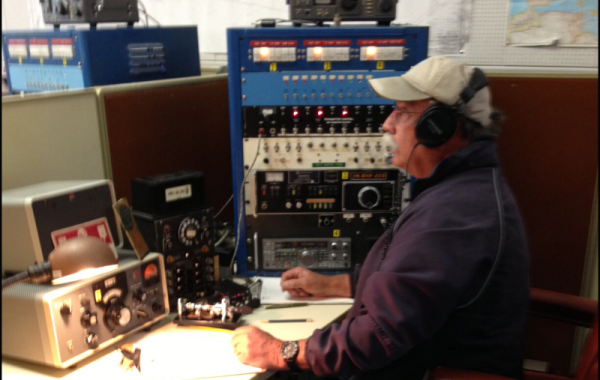
Crosley was a famous name in radio for more than one reason. The National VOA Museum of Broadcasting has a video telling [Powel Crosley Jr.’s] story, and the story behind the 500 kW WLW transmitter. WLW was an AM broadcast station often called the nation’s channel since its signal covered most of the United States. The first Crosley station was identified at 8CR, running 20 watts from [Crosley’s] living room. Quite a modest start!  By 1922, he had moved to his family business location along with 500 watts of output. Over the years, WLW got more powerful until it was finally a 500 kW giant.

Continue reading “How To Operate A 500KW Transmitter”