No Acid: Open ICs With A Tesla Coil

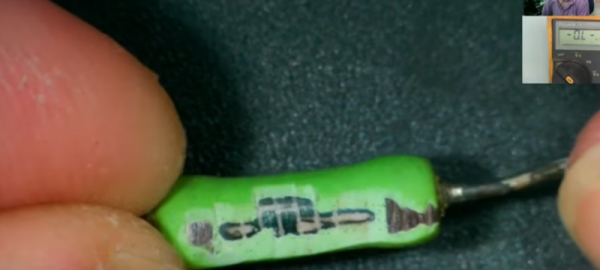
We’ve taken ICs apart before, but if they are in an epoxy package, it requires some lab gear and a lot of safety. Typically, you’ll heat the part and use fuming nitric acid (nasty stuff) in a cavity milled into the part to remove the epoxy over the die. While [100dollarhacker] doesn’t provide much detail, he appears to have used a Tesla coil to do it — no hot acid required.

Initial results were promising but took a long time to work. In addition, the coil gets very hot, and there is a chance of flames. The next attempt used a 3D printed cone with a fan to push the plasma over the chip. The first attempt shorted something out, and so far, each attempt eventually burns out the MOSFET driver.

We are always interested in the practical uses of Tesla coils and what’s inside ICs, so this project naturally appealed to us. We hope to see more success reported on the Hackaday.io page soon. Meanwhile, if you have a coil and an old IC lying around, try it. Maybe you’ll figure out how to make it work well and if you do, let us know.

The easiest chips to open are ceramic packages with a gold lid. Just use a hobby knife. There are less noxious chemicals you can use. If you want to use fuming nitric, be sure you know what you are doing and maybe make some yourself.

CP/M Porting In A Few Hours

If you’ve ever wanted to watch someone bring CP/M up on a new system and you have a couple of hours to spare, check out the recorded live stream of [Poking Technology]. The system in question is an Agon Light, a modern board with a Z-80-derived CPU. If you want to get right to the porting part, you might want to skip about 31 minutes of the nearly 2.5-hour video.

The first half hour is more about the built-in assembler and the board in general. If you’ve ever ported CP/M before, you know it isn’t as hard as bootstrapping a modern operating system. There are two major things you need: A BIOS, which is specific to your machine, and a BDOS, which is usually taken verbatim from the operating system sources. Your programs typically call one of the 40 or so functions in the BDOS.

Continue reading “CP/M Porting In A Few Hours”

Proper Decoupling Capacitors

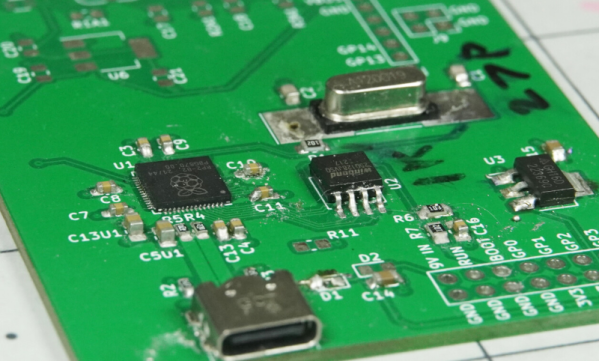
If you’ve been building circuits for any length of time, you probably know you need decoupling capacitors to keep your circuits stable. But even though it’s a favorite technique of ours, just scattering some around your PCB and hoping for the best isn’t necessarily the best approach. If you want to dig deeper into the why and how of decoupling, check out [Stephen Fleeman’s] post on the topic.

It is easy to think of capacitors as open circuits at DC and short circuits at high frequencies, shunting noise to ground. But the truth is more complex than that. Stray resistance and inductance mean that your simple decoupling capacitor will have a resonant frequency. This limits the high frequency protection so you often see multiple values used in parallel to respond to different frequencies.

Because the stray resistance and inductance plays a part, you may want to use fatter traces — less resistance — and shorter runs for less inductance. Of course, you can also use power and ground planes on the PCB as a form of decoupling. At the end of the post, [Stephen] talks a little about the importance of digital and analog ground that interact in a specific way.

If you want to do some empirical testing, you can build a test rig and do the work. Or check with [Bil Herd] about PCB inductance.

Tearing Down And Improving A Professional Power Supply

[OZ2CPU] has an HP power supply that is about 30 years old. It looks brand new, though, and has three outputs and includes tracking for the adjustable positive and negative supply. After a quick demo of the unit’s features, he tears it all down so we can see inside. You can catch the video below.

Some similar supplies offer a 10-turn adjustment knob, but this one doesn’t. Inside is a beefy transformer and quite a few through-hole components. There was room to change the main adjusted pot to a 10-turn unit, so he made the mod.

Continue reading “Tearing Down And Improving A Professional Power Supply”

Linux Device Drivers In Only A Few Years

[Johannes 4GNU_Linux] has been filming a video series on how to write Linux device drivers for a couple of years now, but luckily, you won’t need that long to watch them or to create your own driver. He’s added some recent videos to the series, like the one below, but might want to rewind a few years and start at the beginning.

If you build your own hardware for Linux, you’ll probably eventually want to write a driver which runs as a privileged program. While there are many things you can do in user space, for the ultimate control and performance, you can’t beat a driver.

One problem, though, is that drivers can really crash your system in a big way. In the old days, it was common to have a dedicated system for driver development. Today, for many drivers, you can get away with running a virtual machine that you can crash and reload without much trouble.

The videos cover diverse topics like interrupts, completions, polling, and threads. He even uses a Raspberry Pi, which will be very useful for many embedded projects. Of course, the trend these days is to have one driver — like the USB driver — and have it provide user-space access so that everyone doesn’t have to write their own drivers. But, as usual, that only goes so far.

We aren’t sure how many more videos there will be, but if you make it through the first 31, maybe more will be waiting for you. It has been a while since we looked at SPI drivers in Linux. As an example of why you might want to roll your own, consider a custom FPGA driver.

Continue reading “Linux Device Drivers In Only A Few Years”

Retrotechtacular: Better Living Through A-Bombs

Usually, if you are listening to people debate about nuclear issues, it is one of two topics: how to deal with nuclear weapon stockpiles or if we want nuclear power plants in our backyard. But there was a time when the US and the USSR had more peaceful plans for nuclear bombs. While peaceful plans for nuclear bombs might sound like an oxymoron, there was somewhat of a craze for all things nuclear at some point, and it wasn’t clear that nuclear power and explosives wouldn’t take over many industries as the transistor did, or the vacuum tube before it.

You may have heard about Project (or Operation) Plowshare, the US effort to find a peaceful use for all those atom bombs. The Atomic Energy Commission video below touts the benefits “for all nations.” What benefits? Mostly moving earth, including widening the Panama Canal or creating a new canal, cutting highways through mountains, assisting mining and natural gas production, and creating an artificial harbor. There was also talk of using atomic blasts to create new materials and, of course, furthering the study of the atom.

Continue reading “Retrotechtacular: Better Living Through A-Bombs”

Kim-1: Memory Problem Resolved

At the very start of the personal computer revolution, there were relatively inexpensive boards with little more than a CPU, some memory, a display, and switches or a keypad. Some of these had expansion ports meant to allow you to build up, and some were just “trainers” to learn about computers. While you could argue that the Altair fell into this category, it had a case and a proper bus. The computers we are thinking about were usually just on a single board and — with luck — had an edge connector for expansion. Perhaps the most famous of these was the KIM-1 and [Old VCR] shows us how he brought one back to life.

These were highly popular mainly because of the low price of $245 back in 1976. For that price you got a calculator-style keyboard and LED display, 1K of RAM, and 2K of ROM. [Old VCR] has several and noticed that one was developing memory problems.

Continue reading “Kim-1: Memory Problem Resolved”