Linux Fu: The Chrome OS Flex Virtualization

The Flex Desktop is user-friendly and responsive

You’ve probably heard about Google Chromebooks. Like Android, Chrome OS is based on some variant of Linux, but it is targeted at the “cloud first” strategy so Chromebooks typically don’t have a huge amount of storage or compute power. If you have a real Chromebook, you can also use it to run certain other kinds of programs via virtualization. However, Google has recently pushed out Chrome OS Flex which is meant to install on a spare laptop you might happen to have hanging around. Seems attractive to take that only Windows 7 laptop and repurpose it to run Chrome OS, especially if you can run Linux apps on it. Unfortunately, Chrome OS Flex has a very different use case and I would only recommend installing it if you meet the exact use case it addresses.

The other option, of course, is to just install Linux on that old hardware. There are several distributions that are made for that purpose and, honestly, even most of the major distributions will work fine on older hardware with a little tweaking to turn off some of the more resource-costly features. That assumes you know how to install, tweak, and maintain Linux.

Continue reading “Linux Fu: The Chrome OS Flex Virtualization”
AI Creates Your Spreadsheets, Sometimes

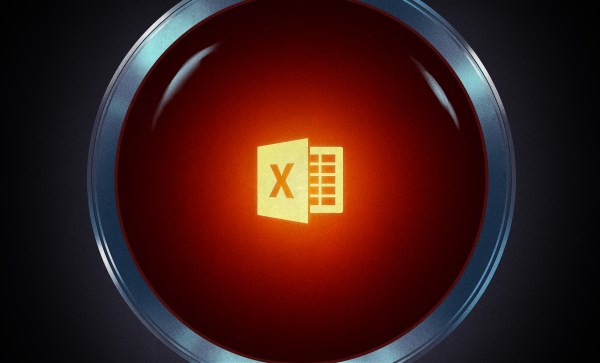
We’ve been interested in looking at how AI can process things other than silly images. That’s why the “Free AI Bot that Generates the Excel Formula for Any Problem” caught our eye. Based on GPT-3, it supposedly transforms your problem description into a formula suitable for Excel or Google Sheets.

Our first prompt didn’t work out very well. But that was sort of our fault. When they say “Excel formula” they mean that quite literally. So trying to describe the actual result you want in terms of columns or rows seems to be beyond it. Not realizing that, we asked:

If the sum of column H is greater than 50, multiply column A by 0.33

And got:

=IF(SUM(H:H)>50,A*0.33,0)

A Better Try

Which is close, but not really how anyone even mildly proficient with Excel would interpret that request. But that’s not fair. It really needs to be a y=f(x) sort of problem, we suppose.

Continue reading “AI Creates Your Spreadsheets, Sometimes”

Real Robot One Is… Real

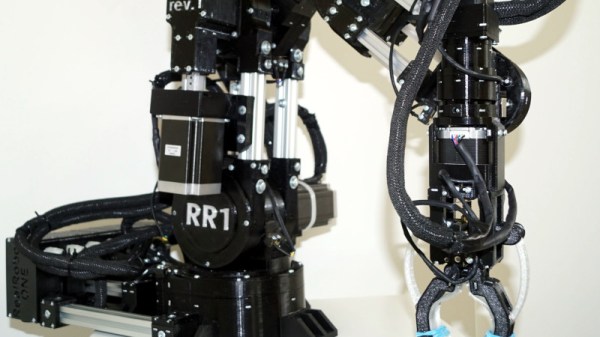
Most of the robot arms we see are cool but little more than toys. Usually, they use RC servos to do motion and that’s great for making some basic motion, but if you want something more industrial and capable, check out [Pavel’s] RR1 — Real Robot One. The beefy arm has six degrees of freedom powered by stepper motors and custom planetary gearboxes. Each joint has an encoder for precise position feedback. The first prototype is already working, as you can see in the video below. Version two is forthcoming.

When you see the thing in action, you can immediately tell it isn’t a toy. There are four NEMA23 steppers and three smaller NEMA17 motors. While there are 3D printed parts, you can see a lot of metal in the build, also. You can see a video of the arm lifting up a 1 kilogram barbell and picking up a refreshing soft drink.

Continue reading “Real Robot One Is… Real”

Homemade CAT Scan Shouldn’t Scan Cats

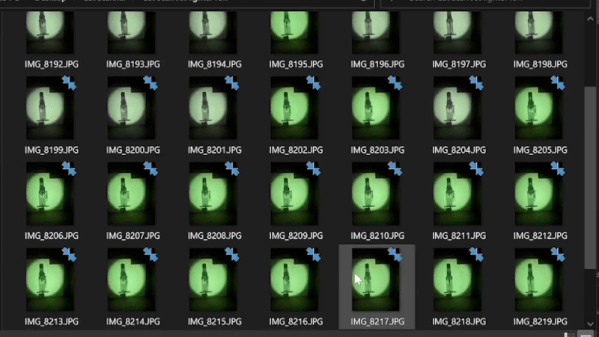
[Pyrotechnical] thought about buying a CAT scanner and found out they cost millions of dollars. So he decided to build one for about $200 using a salvage X-ray tube and some other miscellaneous parts. A scintillating detector provides the image for pick up with a camera phone. The control? An Arduino, what else? You can watch the video below, but due to plenty of NSFW language, you might want to put your headphones on if you don’t want to shock anyone.

Of course, you need to be careful when working with energetic X-rays. To keep away from the X-ray source, [Pyrotechnical] used a Roku remote and an IR sensor to control the device from afar. The electronics is pretty easy. You just have to rotate a turntable and trigger the camera while lighting up the X-ray tube.

Continue reading “Homemade CAT Scan Shouldn’t Scan Cats”

Want Faster Extrusion But Don’t Have A Volcano? Nuts!

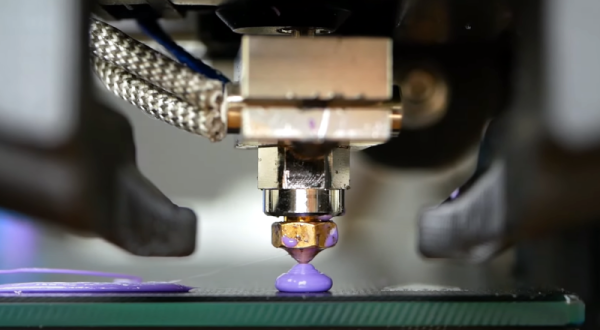
A lot of people want to print faster. Maybe they don’t like to wait, or they need to print a lot of things. Maybe it is just human nature to want to push things to go faster. The problem is, if you move filament too fast it may not have time to melt inside the hot end. To combat that, some people install a “volcano” — a larger heat block that takes a special longer nozzle. The melt zone is longer so there is more time for the filament to liquefy before shooting out of the nozzle. This is also a problem if you are using a very large nozzle size. But what if you don’t have one of these special hot ends? According to [Stefan], you can use a normal hotend with a volcano-style nozzle just by adding some common nuts. You can see the explanation in the video, below.

The idea came from a few commercial offerings that allow converting between different-sized melt zones. Some of these use the same idea. But, if you are familiar with [Stefan’s] videos, you know he tested the results thoroughly. The tests reveal that a standard V6-style hotend can handle rates of just over 9.8mm/second. with a 0.4mm nozzle at 210C and is usable beyond that. A true volcano hotend. starts deviating from the ideal at about 15mm/second and, also, is usable at even higher rates. But what about just using a long nozzle in a regular block with or without the nuts?

Continue reading “Want Faster Extrusion But Don’t Have A Volcano? Nuts!”

Laptoppin’ Like 1975

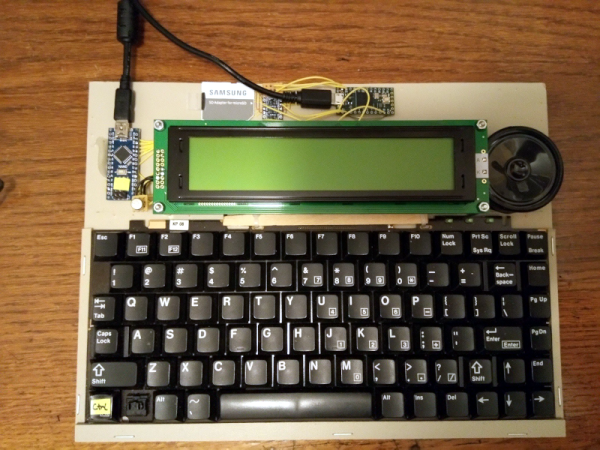
When we first saw the PZ1 laptop — a 6502 laptop-style computer with a small display and 512K of RAM — we couldn’t help but think of the old AIM 65 computer from Rockwell, although that only had 1K of memory. The other thing the AIM didn’t have was an ancillary microcontroller to help out that is way more powerful than the main processor.

There are actually several versions of the PZ1 and you can find some very detailed information over on Hackaday.io and GitHub. Recently, [Adam] release version 2.0 and tested some PC boards that are working well.

Continue reading “Laptoppin’ Like 1975”

Compare PDFs Visually

Sometimes a problem seems hard, but the right insight can make it easy. If you were asked to write a program to compare two PDF files and show the differences, how hard do you think that would be? If you are [serhack], you’ll make it much easier than you might guess.

Of course, sometimes making something simple depends on making simplifying assumptions. If you are expecting a “diff-like” utility that shows insertion and deletions, that’s not what’s going on here. Instead, you’ll see an image of the PDF with changes highlighted with a red box. This is easy because the program uses available utilities to render the PDFs as images and then simply compares pixels in the resulting images, drawing red boxes over the parts that don’t match.

Continue reading “Compare PDFs Visually”