A Lambda 8300 Lives Again

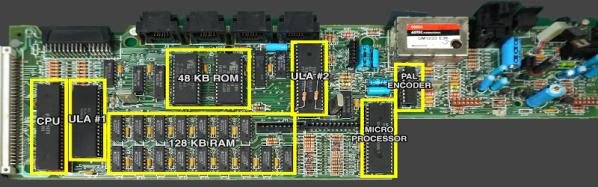
If you follow retrocomputing — or you are simply old enough to remember those days — you hear the same names over and over. Commodore, Apple, Radio Shack, and Sinclair, for example. But what about the Lambda 8300? Most people haven’t heard of these but [Mike] has and he has quite a few of them. The computer is similar to a Sinclair ZX81, but not an exact clone. All of his machines need some repairs (he’s promised repair videos are on their way), but for the video below he wired a monitor directly to the PCB to get steady output, so apparently the RF modulator is the failing subsystem in this case.

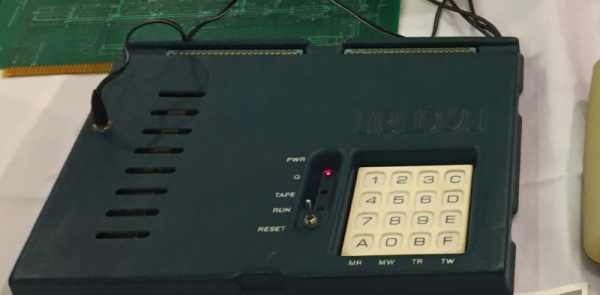
Once the video cleared up, you can see a walkthrough of running a simple BASIC program. As was common in those days, the computer used an audio cassette recorder for data storage. [Mike] picked up some dedicated recorders meant for computer use, but neither were in working shape. However, a consumer player works fine.
Continue reading “A Lambda 8300 Lives Again”

Easy Frequency Counter Looks Good, Reads To 6.5 MHz

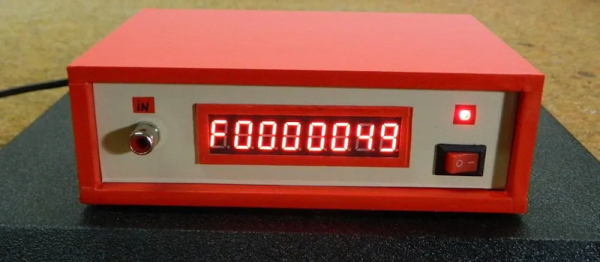
We were struck by how attractive [mircemk’s] Arduino-based frequency counter looks. It also is a reasonably simple build. It can count up to 6.5 MHz which isn’t that much, but there’s a lot you can do even with that limitation.

The LED display is decidedly retro. Inside a very modern Arduino Nano does most of the work. There is a simple shaping circuit to improve the response to irregular-shaped input waveforms. We’d have probably used a single op-amp as a zero-crossing detector. Admittedly, that’s a bit more complex, but not much more and it should give better results.

Continue reading “Easy Frequency Counter Looks Good, Reads To 6.5 MHz”

Inside CHIP-8

Certain old computers — most frequently those using the RCA 1802 — were fond of using an early form of byte-code interpreter for programs, especially games. The interpreter, CHIP-8, was very simple to create but offered high-level features that were tedious to recreate in the native assembly language. Because there are a fair number of simple games written in CHIP-8, there are of course, emulators for it, and [River Gillis] decided to look inside the CHIP-8 byte code interpreter.

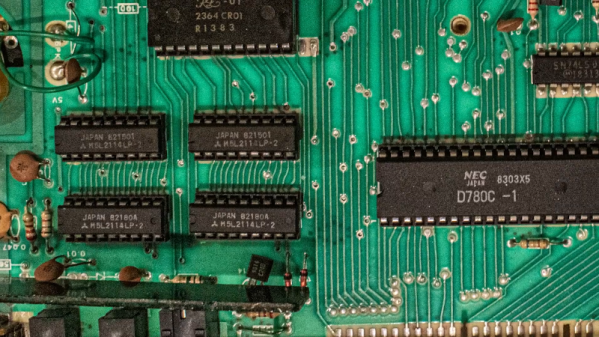
Part of the power of CHIP-8 was it only had 35 virtual instructions. That was important when you were trying to shoehorn a game and the interpreter into a very small memory. Remember, in those days 1K of memory wasn’t an unusual number, although the prototypical CHIP-8 host would have 4K.

Continue reading “Inside CHIP-8”

Food Safe Printing Techniques

One thing that always provokes spirited debate around the Hackaday bunker is just how dangerous is it to use 3D printed plastic in contact with food. We mostly agree it isn’t a good thing, but we also know some people do it regularly and they don’t drop dead instantly, either. [Jakub] decided to do some testing and make some recommendations. There’s even a video explaining the results.

Unlike a lot of what we’ve read about this topic in the past, [Jakub’s] post is well-researched and does actual testing including growing bacteria cultures from cups used for milk. He starts out identifying the EU and US regulations about what you can call food-grade. There’s also recognition that while a base plastic might be safe for contact with food, there’s no way to know exactly what additives and other things are in the plastic to change its properties and color.

Continue reading “Food Safe Printing Techniques”

Sinclair QL Repairs And Restoration

[Noel] was in possession of two non-working Sinclair QLs and made a series of videos about his attempts to repair and restore them. If you don’t remember the QL, it was a computer by the famous Clive Sinclair and while it was ahead of its time in some ways, it didn’t become as ubiquitous as some of its siblings or the IBM PC. It did, however, develop an almost cult-like following. You can see the trilogy of videos, below.

The machine was sophisticated for its day–after all, the QL was for quantum leap. Based on a Motorola 68008 processor running at 7.5 MHz, the QL included 128 KB of RAM and could handle up to 896 KB, a respectable amount for 1984. It even had a proprietary network interface. However, it was especially well known for having a pair of microtape drives. These were nicer than cassette tapes but perhaps not as handy as floppy disks. They were, however, cheaper to put into a computer. While there was an official operating system, it wasn’t long before most QL users switched to Minerva, a better OS.

Continue reading “Sinclair QL Repairs And Restoration”

Parkinson’s Spoon Uses Control Theory For Good

When we first saw [Barqunics’] design for a self-stabilizing spoon for people suffering from Parkinson’s disease, we wondered how well something like that could work. But take a look at the video below and you’ll see this does a fine job of responding to the user’s hand movements and keeping the spoon perfectly level through a wide range of motion.

There’s at least one commercial product that attempts to stabilize a spoon in the same way so that people suffering from that affliction can retain a measure of independence. This shows that you don’t need injection molding and factory made boards to prove the concept. An MPU6050 provides sensor information and two servo motors control the spoon using PID control.

PID — short for proportional, integral, derivative — is a way to adjust something to a desired point. For example, consider trying to heat a cup of water to 95 °C. If you simply turn the heater on full blast until you get to 95 °C, the water will actually get hotter because you’ll overshoot. Using PID, the amount of heating provided will depend on how far off you are now (proportional), how far off you’ve been over the long term (integral), and how much change you’ve effected recently (derivative). The same algorithm works for spoon-balancing and many other types of controls.

This isn’t the first bootstrapped assistive spoon project we’ve seen. We even looked at the commercial version, awhile back.

Continue reading “Parkinson’s Spoon Uses Control Theory For Good”

Fans Add Reality To Virtual Driving

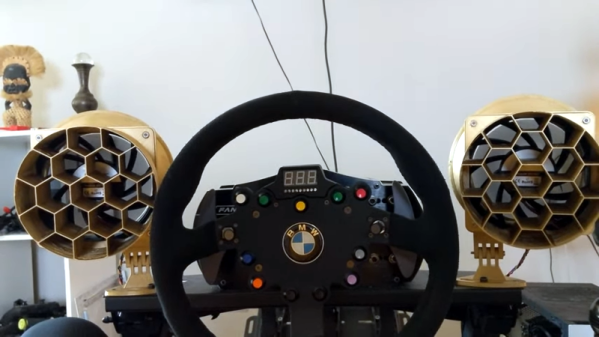
A few decades ago you might have been satisfied with a crude wireframe flight simulator or driving a race car with the WASD keys. Today, gamers expect more realism, and [600,000 milliliters] is no different. At first, he upgraded his race car driving chair and put on VR goggles. But watching the world whiz by in VR is you can’t feel the wind on your face. Armed with a 3D printer, some software, and some repurposed PC fans, he can now feel the real wind in virtual reality. You can see the build in the video, below.

The electronics are relatively straightforward and there is already software available. The key, though, is the giant 3D printed ducts that direct the airflow. These are big prints, so probably not for some printers, but printers are getting bigger every day. The fan parts are from Thingiverse, but the enclosures are custom and you can download them from the blog post.

Continue reading “Fans Add Reality To Virtual Driving”