MessagePack Is A More Efficient JSON

It is an age-old problem, that of having some data you want to store somewhere, and later bring it back. How do you format the data? Custom file formats are not that hard, but if you use an existing format you can probably steal code from a library to help you. Common choices include XML or the simpler JSON. However, neither of these are very concise. That’s where MessagePack comes in.

For example, consider this simple JSON stanza:

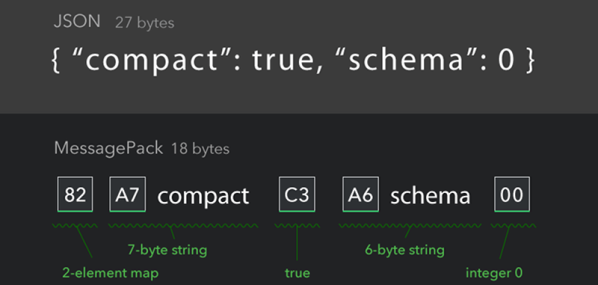
{"compact":true, "schema":0}

This is easy to understand and weighs in at 27 bytes. Using MessagePack, you’d signal some special binary fields by using bytes >80 hex. Here’s the same thing using the MessagePack format:

 
0x82 0xA7 c o m p a c t 0xC3 0xA6 s c h e m a 0x00

Of course, the spaces are there for readability; they would not be in the actual data stream which is now 18 bytes. The 0x82 indicates a two-byte map. The 0xA7 introduces a 7-byte string. The “true” part of the map is the 0xC3. Then there’s a six-byte string (0xA6). Finally, there’s a zero byte indicating a zero.
Continue reading “MessagePack Is A More Efficient JSON” →

An RF Engineer’s FPGA Learning Journey

[KF5N] admits he’s not a digital design engineer; he’s more into the analog RF side of things. But he’s recently taken on a project to communicate between a Ubuntu box and an Intel MAX10 FPGA. He did a presentation at a recent ham radio convention about what he’d learned and how you could get started.

The video talks a lot about the Intel (used to be Altera). However, the nearly 40 minute video after the break isn’t a step-by-step tutorial so even if you are interested in other devices, you’ll probably enjoy watching it. If you’ve programmed even one FPGA, this video likely won’t hold your interest — you aren’t the target audience. However, at about 00:31 he does recommend some books and some very inexpensive FPGA boards, so it’s not a total wash.

[KF5N] talks about what an FPGA is and how it’s different from a microcontroller. He also recommends Cornell’s [Bruce Land’s] course materials. He wasn’t a big fan of the online courses he tried. Of course, since he’s using an Intel chip, he also recommended the Intel courses. A lot of the video covers how to save on getting a development board. The Cornell class calls for a $250 board that is pretty powerful. That’s also pretty expensive, so he recommends a lighter version for about $85.

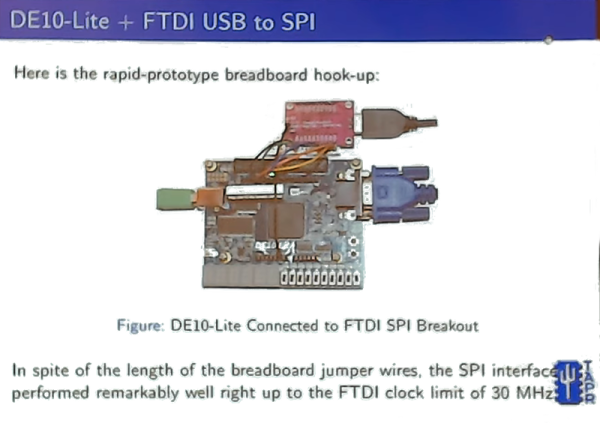
He also talks about the toolchain and his project to interface to his Linux box. He wound up with an SPI interface that ran up to 30 MHz. He also talks about using Julia to build a driver to talk to the interface on the PC side.

We didn’t notice him mentioning our own FPGA bootcamp, although he did mention projects on Hackaday.io. If you want to see a similar video but with open source tools, [David Williams] did a talk at Superconference that gives the same kind of overview but with Yosys and other related tools.

Continue reading “An RF Engineer’s FPGA Learning Journey” →

Java On GPUs And FPGAs

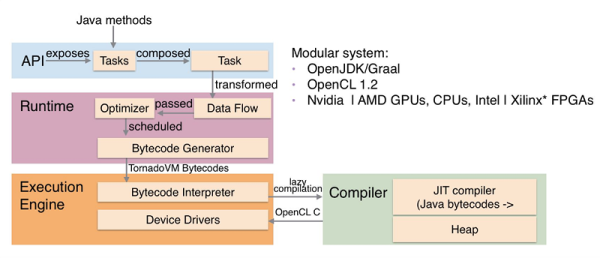
There was a time when running a program on an array of processors meant that you worked in some high-powered lab somewhere. Now your computer probably has plenty of processors hiding in its GPU and if you have an FPGA, you have everything you need to make something custom. The idea behind TornadoVM is to modify OpenJDK and GraalVM to support running some Java code on parallel architectures supported by OpenCL. The system can utilize multi-core CPUs, GPUs (NVIDIA and AMD), Intel integrated GPUs, and Intel FPGAs.

If you want to try your hand at accelerated Java, there are some docker containers to get you started fast. There’ are also quite a few examples, such as a computer vision application.

Continue reading “Java On GPUs And FPGAs” →

Tweet Your BBC Basic Code To The Cloud

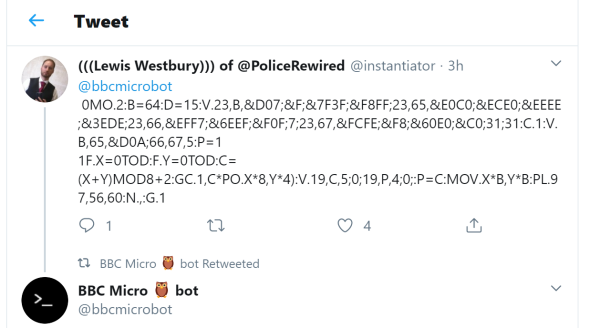
From the “things we like, but can’t explain why file” comes the BBC-Micro-bot twitter robot. BBC Basic was a staple in the UK and if you tweet a BBC Basic program to @bbcmicrobot you’ll get a reply with a 30 second video of your program being emulated in all its glory.

As you can see in the above tweet, the code can get a bit terse, but if you look at the bot’s feed you can find some more legible examples. As the author, [@Dominic Pajak] said:

You might want to use fewer and smaller line numbers, fewer spaces and check out the minimum abbreviations for BBC BASIC keywords to achieve this.

Continue reading “Tweet Your BBC Basic Code To The Cloud” →

Farewell SETI@Home

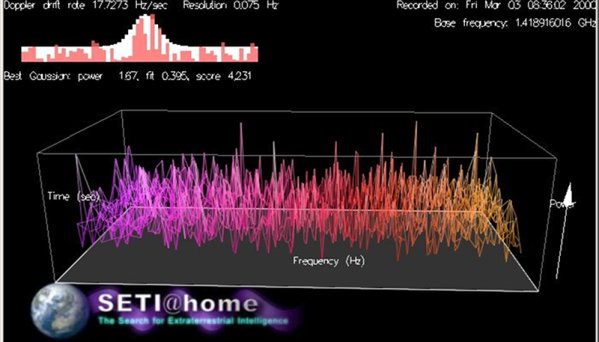
It was about 21 years ago that Berkley started one of the first projects that would allow you to donate idle computing time to scientific research. In particular, your computer could help crunch data from radio telescopes looking for extraterrestrial life. Want to help? You may be too late. The project is going into hibernation while they focus on analyzing data already processed.

According to the home page:

We’re doing this for two reasons:

1) Scientifically, we’re at the point of diminishing returns; basically, we’ve analyzed all the data we need for now.

2) It’s a lot of work for us to manage the distributed processing of data. We need to focus on completing the back-end analysis of the results we already have, and writing this up in a scientific journal paper.

Continue reading “Farewell SETI@Home” →

Arduino Drives Astronomy Dome

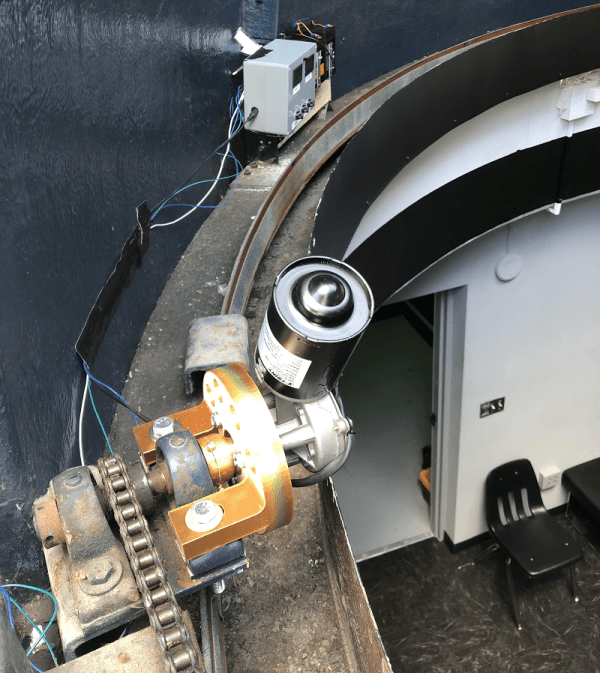
The South Florida Science Center recently added a new ten-inch telescope and turned to [Andres Paris] and his brother to replace the hand-cranked dome door system. They turned to an Arduino along with some beefy motor drivers. You can see some videos of the beast in operation, below.

According to a Reddit post, the brothers picked up a 5A 12V motor but decided to overdesign and selected an H-bridge that would handle 20A peak current. An IR remote allows the operator to open and shut the door and reed switches sense the extremes of the door’s motion.

Continue reading “Arduino Drives Astronomy Dome” →

The Last Scientific Calculator?

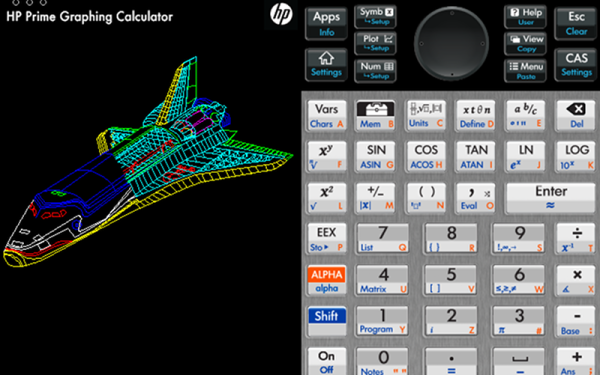
There was a time when being an engineering student meant you had a sword. Well, really it was a slide rule hanging from your belt, but it sounds cooler to call it a sword. The slide rule sword gave way to calculators hanging from your belt loop, and for many engineers that calculator was from HP. Today’s students are more likely to have a TI or Casio calculator, but HP is still in there with the HP Prime. It is hard to call it a calculator since the latest variant has a 528 MHz ARM Cortex A7, 256 MB of RAM, and 512 MB of ROM. But if you can’t justify a $150 calculator, there are some cheap and even free options out there to get the experience. To start with, HP has a free app that runs on Windows or Mac that works just like the calculator. Of course, that’s free as in no charge, not free as in open source. But still, it will run under Wine with no more than the usual amount of coaxing.

You might wonder why you need a calculator on your computer, and perhaps you don’t. However, the HP Prime isn’t just your 1980s vintage calculator. It also has an amazing number of applications including a complete symbolic math system based on xCAS/Giac. It is also programmable using a special HP language that is sort of like Basic or Pascal. Other applications include plotting, statistics, solvers, and even a spreadsheet that can hold up to 10,000 rows and 676 columns.

Portability

It is easy to think that HP provides the free PC software so you’ll go out and buy the real calculator, and that may be part of it. However, you can also get official apps for Android and iOS. They aren’t free, but they are relatively inexpensive. On iOS the cost right now is $25 and on Android it is $20. There are also “lite” versions that are free.

Continue reading “The Last Scientific Calculator?” →