Build Your Own LAN Cable Tester

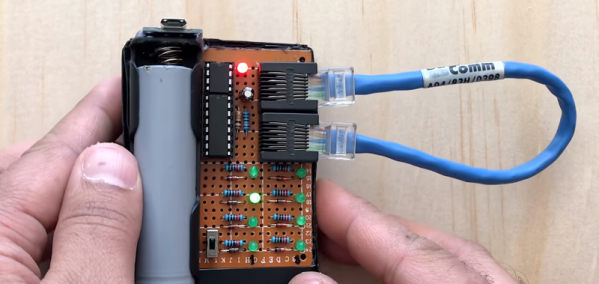
Sure, you can buy a cable tester, but what fun is that? [Ashish] posted a nice looking cable tester that you can build with or without an onboard Arduino. If you don’t use an Arduino, the project uses a 555 chip to test the eight wires in an Ethernet cable. The readout is simple. When testing a conductor, one of 8 LEDs will light. If one doesn’t light, the cable is open. If more than one light up, there is a short. Mixed up pins will cause the LEDs to light out of sequence. You can see the device in the video below.

The 555 device is fine for the design and we were surprised that the project had provisions for using an Arduino as nothing more than a pulse generator. It could replace most of the circuit which is pretty simple. A decade counter converts the pulses into 8 pulses (a wiring change makes it reset on the 9th count). The rest of the circuit is nothing more than LEDs, resistors, and diodes.

Continue reading “Build Your Own LAN Cable Tester”

Printrbot Post Mortem

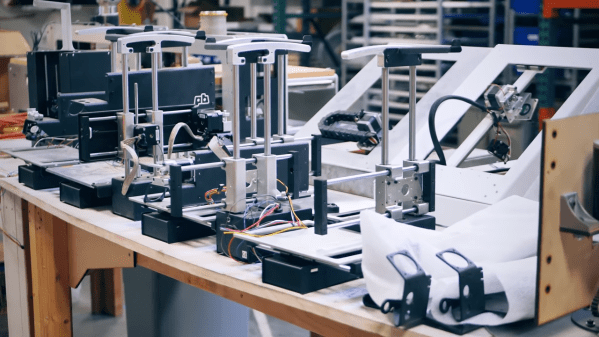
For many people, Printrbot was their first 3D printer. What started out as [Brook Drumm’s] Kickstarter idea to make 50 printers turned into over a thousand orders backlogged. To quote [Brook], they went from zero sales to about two million in the first year and then twelve million a few years later. As is often the case, though, the rapid scale-up didn’t survive a drop in sales. [Thomas Sanladerer] has a great interview video with [Brook] and you can see it below.

It is both nostalgic and sad to see the Printrbot headquarters all empty with quiet machines. [Brook] was always one of us and often gave back to the community and it is interesting to hear his perspective about what brought his company to an end.

Continue reading “Printrbot Post Mortem”

Another Drawbot Uses A Pi And Web Sockets

There’s something about art. Cavemen drew on walls. People keep programming drawing robots. One we’ve seen recently is [Andy’s] Drawbot that uses WiFi and WebSockets to draw on just about any flat surface. What’s more, the Johnson County Library has a great write-up about how they built one and if you want a go at it, you’ll find their instructions very helpful. The video below is pretty inspirational, too.

What makes this build especially interesting is that it uses a drive system with two fixed points attached with suction cups.  There are a variety of 3D printed parts — some just for the build and some are older parts repurposed.

Continue reading “Another Drawbot Uses A Pi And Web Sockets”

The Bells! The Bells! One Battery Since 1840

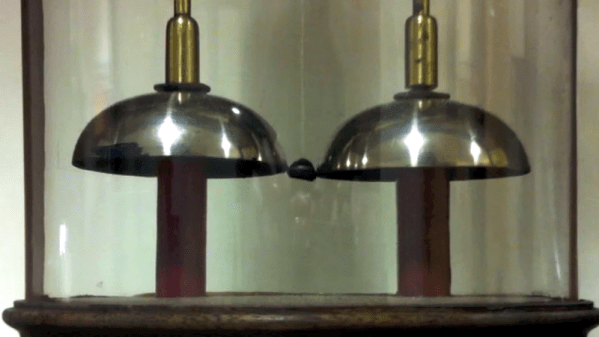
It is good advice to change batteries in your fire alarms at least once a year. Even our low-power LCD calculators need new batteries from time to time. But at the University of Oxford, they have an electric bell that has been ringing essentially non-stop on one set of batteries for about 178 years! Is the energy crisis solved then? Perhaps not. The bells require a high voltage but very little current and the pair of batteries — piles in the parlance of 1840 — have kept the charge flowing for about 10 billion rings. As you can see in the video below, though, the ringing isn’t very vigorous.

How does it work? When you think of converting electrical power to mechanical motion you probably think of a motor, even though there are plenty of other transducers like speakers, muscle wires, and solenoids. Arguably the first device was electrostatic bells that were invented by a Scot named [Andrew Gordon] around 1742. [Ben Franklin] made them famous, though, so they are often called Franklin bells.

Continue reading “The Bells! The Bells! One Battery Since 1840”

Robot Sorts Beads By Color

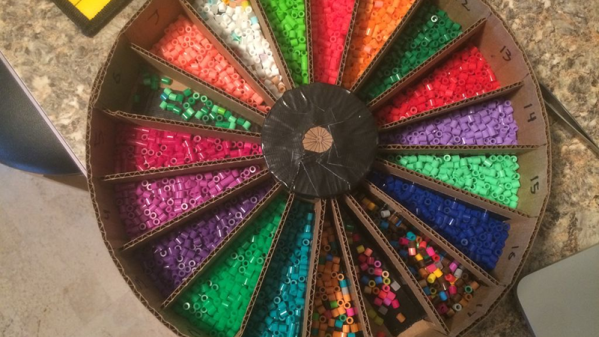
If you know anyone who does crafts, they probably have a drawer with a  few million beads loose and mixed together. You’ll sort them out one day, right? Probably not. Unless, of course, you build a robot to do the dirty work for you. That’s what [Kalfalfa] did, using some Phidgets boards, a camera and Open CV. You can see a video of the cardboard machine doing its thing below.

Maybe it is because we are more electronics-minded, but we were impressed with the mechanism to grab just one bead at a time from the hopper. If you watch the video, you’ll see what we mean. However, sometimes a bead jams and a magnetic sensor figures that out so the controller can reverse a bit and try again.

Continue reading “Robot Sorts Beads By Color”

Perhaps The Ultimate Raspberry Pi Case: Your PC

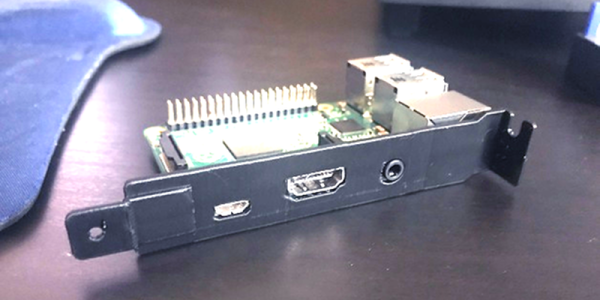
One of the great joys of owning a 3D printer is being able to print custom cases for boards like the Raspberry Pi. What’s more, if you are using a desktop PC, you probably don’t have as many PCI cards in it as you used to. Everything’s moved to the motherboard. [Sneekystick] was using a Pi with a PC and decided the PC itself would make a great Pi case. He designed a bracket and it looks handy.

The bracket just holds the board in place. It doesn’t connect to the PC. The audio, HDMI, and power jacks face out for access. It would be tempting and possible to power the board from the PC supply, but to do that you have to be careful. Connecting the GPIO pins to 5V will work, but bypasses the input protection circuitry. We’ve read that you can find solder points near the USB plug and connect there, but if you do, you should block out the USB port. It might be nice to fill in that hole in the bracket if you planned to do that.

Continue reading “Perhaps The Ultimate Raspberry Pi Case: Your PC”

Easy FPGA CPU With MAX1000

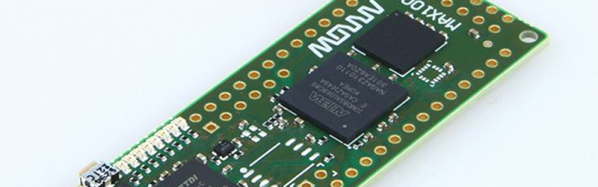
Ok, we’ll admit it. We like FPGAs because it reminds us of wiring up a 100-in-1 kit when we were kids. But the truth is, many projects are just as well off to have a CPU. But there’s a real sweet spot when you have a CPU and an FPGA together. Intel (or Altera, if you prefer) has the NIOS II CPU core, but that’s hard to configure, right? Maybe not, thanks to a project by [jefflieu] over on GitHub. He’s assembled some basic definitions and libraries to easily — relatively speaking — use NIOS II on the MAX1000 as well as a few other boards. The MAX1000 is a pretty nice board for about $30, so this is a very inexpensive way to get into “System on Chip” (SOC) development.

[jeff] goes into more detail in a blog post, but the idea is pretty simple. We tried it, and it works very well, although we found a few things hard to follow so read on to see how we managed.

The idea behind SoC development is you define your CPU configuration and then your hardware devices. Then you write software to talk to those custom hardware devices and — of course — write your actual application code. So you don’t just write a program, you also define the CPU the program will run on and the hardware that it will talk to.

There are several ready-to-go I/O devices included in the project, but the real fun will be writing your own. The Intel tools have the C compiler and everything else you need. You could also do everything from scratch, but these tools make it much easier to get started.

Continue reading “Easy FPGA CPU With MAX1000”