Test Your ‘Blue Pill’ Board For A Genuine STM32F103C8 MCU

With the market for STM32F103C8-based ‘Blue Pill’ boards slowly being overrun with boards that contain either a cloned, fake or outright broken chip, [Terry Porter] really wanted to have an easy, automated way to quickly detect whether a new board contains genuine STM32 silicon, or some fake that tries to look the part. After more than a year of work, the Blue Pill Diagnostics project is now ready for prime time.

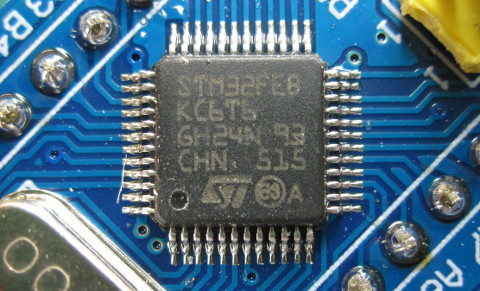
We have covered those clone MCUs previously. It’s clear that some of those ‘Blue Pill’ boards obviously do not have a genuine STM32 MCU on them, as they do not have the STM32 markings on them, while others fake those markings on the package and identifying can be hard to impossible. Often only testing the MCU’s actual functionality can give clarity on whether it’s a real STM32 MCU.

These diagnostics allow one to test not only the 64 kB of Flash, but also the 64 kB of ‘hidden’ Flash that’s often found on these MCUs (rebadged 128 kB STM32F103 cores). It further checks the manufacturer JDEC code and uses a silicon bug in genuine STM32F1xx MCUs where the BGMCU_IDCODE cannot be read without either SWD or JTAG connected.

Another interesting feature of Blue Pill Diagnostics is using Mecrisp-Stellaris Forth as its foundation, which allows for easy access to a Forth shell via this firmware as well, not unlike MicroPython and Lua, only in a fraction of the Flash required by those. We have previously written about using Mecrisp-Stellaris in your projects.
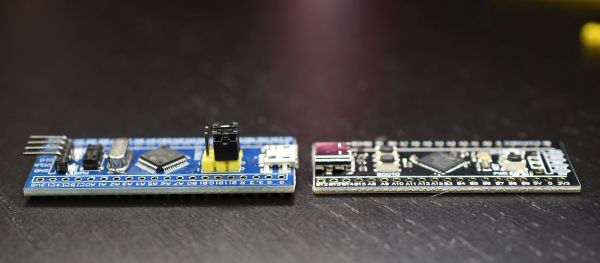
Blue Pill Vs Black Pill: Transitioning From STM32F103 To STM32F411

For many years now, the so-called ‘Blue Pill’ STM32 MCU development board has been a staple in the hobbyist community. Finding its origins as an apparent Maple Mini clone, the diminutive board is easily to use in breadboard projects thanks to its dual rows of 0.1″ pin sockets. Best of all, it only costs a few bucks, even if you can only really buy it via sellers on AliExpress and EBay.

Starting last year, boards with a black soldermask and an STM32F4 Access (entry-level) series MCUs including the F401 and F411 began to appear. These boards with the nickname ‘Black Pill’ or ‘Black Pill 2’. F103 boards also existed with black soldermask for a while, so it’s confusing. The F4xx Black Pills are available via the same sources as the F103-based Blue Pill ones, for a similar price, but feature an MCU that’s considerably newer and more powerful. This raises the question of whether it makes sense at this point to switch to these new boards.

Our answer is yes, but it’s not entirely clearcut. The newer hardware is better for most purposes, really lacking only the F103’s dual ADCs. But hardware isn’t the only consideration; depending on one’s preferred framework, support may be lacking or incomplete. So let’s take a look at what it takes to switch. Continue reading “Blue Pill Vs Black Pill: Transitioning From STM32F103 To STM32F411”

When Clever Hardware Hacks Bite Back: A Password Keeper Device Autopsy

Sometimes you have this project idea in your mind that seems so simple and straightforward, and which feels just so right that you have to roll with it. Then, years later you stumble across the sad remnants of the tearful saga and the dismal failure that it portrays. Do you put it away again, like an unpleasant memory, or write it up in an article, as a tearful confession of past sins? After some coaxing by a friend, [Alessandro] worked up the courage to detail how he set about making a hardware-only password keeper, and why it failed.

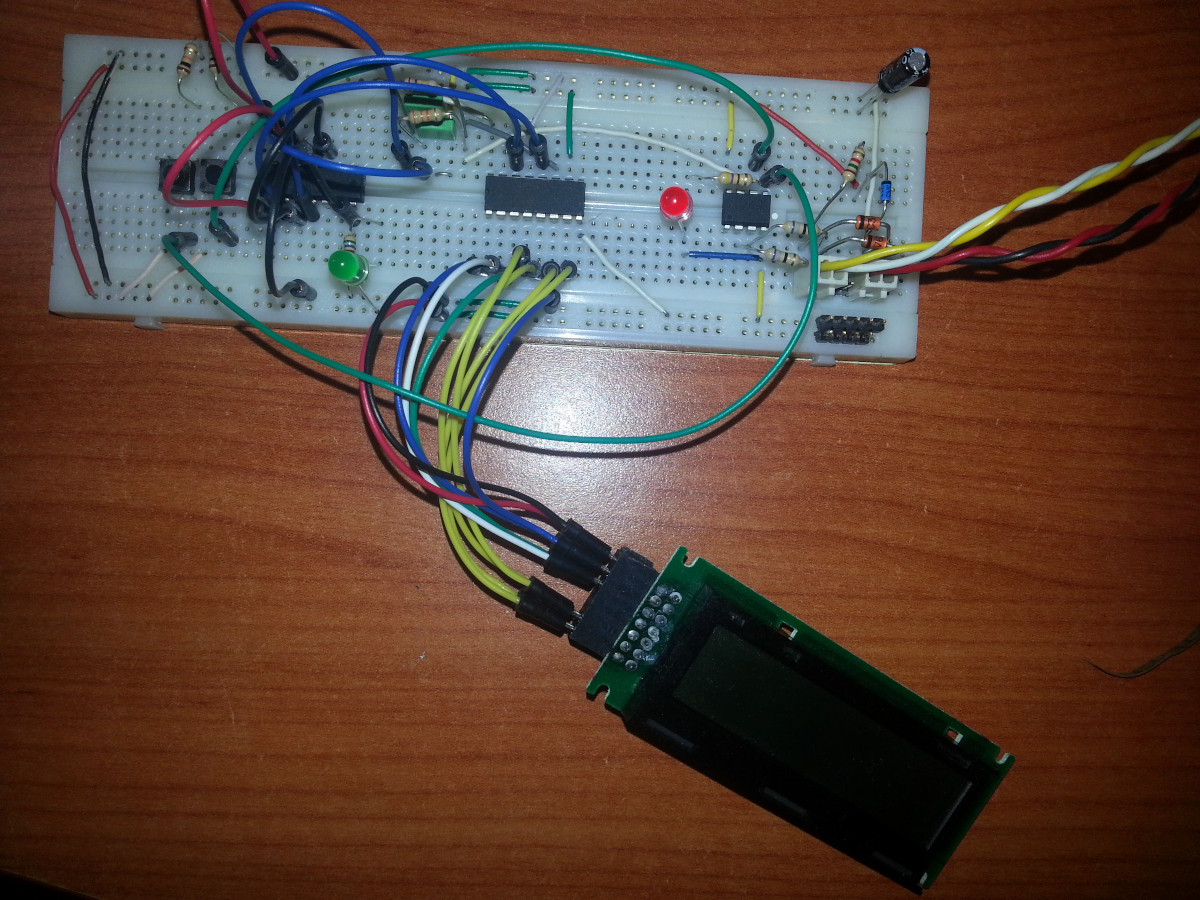
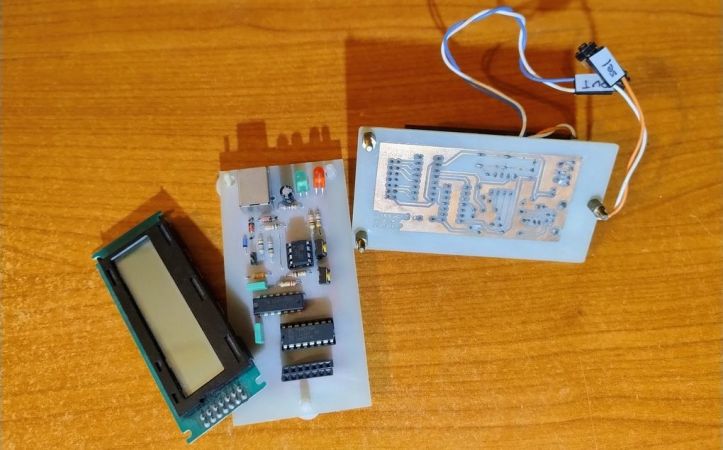
The idea was so simple: the device would pretend to be a keyboard and type the passwords for you. This is not that unusual, as hardware devices like the Mooltipass do something similar. Even better, it’d be constructed only out of parts lying around, including an ATtiny85 and an HD44780 display, with bit-banged USB connectivity.

Prototyping the hardware on a breadboard.

Overcoming the challenge of driving the LC display with one pin on the MCU required adding a 74HC595 demultiplexer and careful timing, which sort of worked when the stars aligned just right. Good enough, but what about adding new passwords?

This is where things quickly skidded off the tracks in the most slapstick way possible, as [Alessandro] solved the problem of USB keyboard HID devices being technically ‘output-only’, by abusing the indicator statuses for Caps Lock, Num Lock, and Scroll Lock. By driving these from the host PC in just the right way you can use them as a sort of serial protocol. This incidentally turned out to be the most reliable part of the project.

Where the project finally tripped and fell down the proverbial flight of stairs was when it came to making the bit-banged USB work reliably. As it turns out, USB is very unforgiving with its timing unlike PS/2, making for an infuriating user experience. After tossing the prototype hardware into a box, this is where the project gathered dust for the past years.

If you want to give it a try yourself, maybe using an MCU that has more GPIO and perhaps even a USB hardware peripheral like the STM32F103, ESP32-S3 or something fruit-flavored, you can take a gander at the project files in the GitHub repository.

We’re always happy to see projects that (ab)use the Lock status indicators, it’s always been one of our favorite keyboard hacks.

Bare Metal STM32: Increasing The System Clock And Running Dhrystone

When you start an STM32 MCU with its default configuration, its CPU will tick along at a leisurely number of cycles on the order of 8 to 16 MHz, using the high-speed internal (HSI) clock source as a safe default to bootstrap from. After this phase, we are free to go wild with the system clock, as well as the various clock sources that are available beyond the HSI.

Increasing the system clock doesn’t just affect the CPU either, but also affects the MCU’s internal buses via its prescalers and with it the peripherals like timers on that bus. Hence it’s essential to understand the clock fabric of the target MCU. This article will focus on the general case of increasing the system clock on an STM32F103 MCU from the default to the maximum rated clock speed using the relevant registers, taking into account aspects like Flash wait states and the APB and AHB prescalers.

Although the Dhrystone benchmark is rather old-fashioned now, it’ll be used to demonstrate the difference that a faster CPU makes, as well as how complex accurately benchmarking is. Plus it’s just interesting to get an idea of how a lowly Cortex-M3 based MCU compares to a once top-of-the line Intel Pentium 90 CPU.

Continue reading “Bare Metal STM32: Increasing The System Clock And Running Dhrystone”

Whither The Chip Shortage?

Do you remember the global chip shortage? Somehow it seems so long ago, but it’s not even really been three years yet. Somehow, I had entirely forgotten about it, until two random mentions about it popped up in short succession, and brought it all flooding back like a repressed bad dream.

Playing the role of the ghost-of-chip-shortage-past was a module for a pair of FPV goggles. There are three versions of the firmware available for download at the manufacturer’s website, and I had to figure out which I needed. I knew it wasn’t V1, because that was the buggy receiver PCB that I had just ordered the replacement for. So it was V2 or V3, but which?

Digging into it, V2 was the version that fixed the bug, and V3 was the redesign around a different microcontroller chip, because they couldn’t get the V2 one during the chip shortage.

I saw visions of desperate hackers learning new toolchains, searching for alternative parts, finding that they could get that one chip, but that there were only 20 of them left and they were selling for $30 instead of $1.30. I know a lot of you out there were designing through these tough couple years, and you’ve all probably got war stories.

And yet here we are, definitively post-chip-shortage. How can you be sure? A $30 vape pen includes a processor that we would have killed for just three years ago. The vape includes a touchscreen, just because. And it even has a Bluetooth LE chip that it’s not even using. My guess is that the hardware designers just put it in there hoping that the firmware team would get around to using it for something.

This vape has 16 MB of external SPI Flash! During the chip shortage, we couldn’t even get 4 MB SPI flash.

It’s nice to be on the other side of the chip shortage. Just order whatever parts you want and you get them, but don’t take for granted how luxurious that feels. Breathe easy, and design confidently. You can finally use that last genuine STM32F103 blue pill board without fear of it being the last one on earth.

(Featured image is not an actual photo of the author, although he does sometimes have that energy.)

Bare Metal STM32: The Various Real Time Clock Flavors

Keeping track of time is essential, even for microcontrollers, which is why a real-time clock (RTC) peripheral is a common feature in MCUs. In the case of the STM32 family there are three varieties of RTC peripherals, with the newest two creatively called ‘RTC2′ and RTC3’, to contrast them from the very basic and barebones RTC that debuted with the STM32F1 series.

Commonly experienced in the ubiquitous and often cloned STM32F103 MCU, this ‘RTC1’ features little more than a basic 32-bit counter alongside an alarm feature and a collection of battery-backed registers that requires you to do all of the heavy lifting of time and date keeping yourself. This is quite a contrast with the two rather similar successor RTC peripherals, which seem to insist on doing everything possible themselves – except offer you that basic counter – including giving you a full-blown calendar and today’s time with consideration for 12/24 hour format, DST and much more.

With such a wide gulf between RTC1 and its successors, this raises the question of how to best approach these from a low-level perspective.

Continue reading “Bare Metal STM32: The Various Real Time Clock Flavors”

It’s MIDI For The TRS-80!

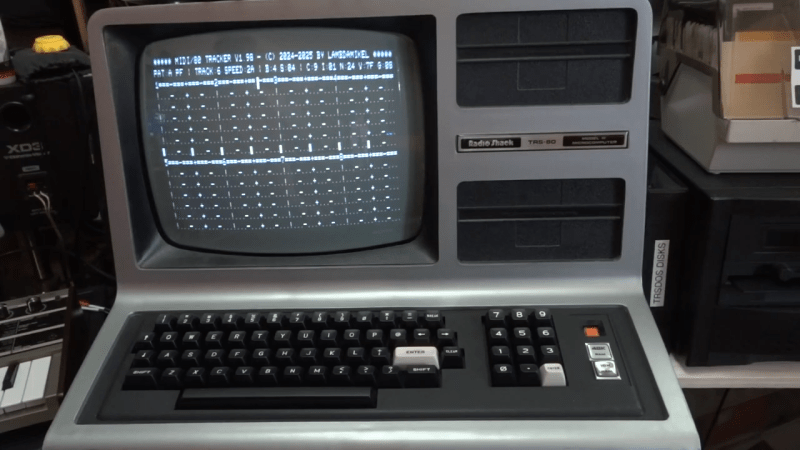
The Radio Shack TRS-80 was a much-loved machine across America. However, one thing it lacked was MIDI. That’s not so strange given the era it was released in, of course. Nevertheless, [Michael Wessel] has seen fit to correct this by creating the MIDI/80—a soundcard and MIDI interface for this old-school beast.

The core of the build is a BluePill STM32F103C8T6 microcontroller, running at a mighty 75 MHz. Plugged into the TRS-80s expansion port, the microcontroller is responsible for talking to the computer and translating incoming and outgoing MIDI signals as needed. Naturally, you can equip it with full-size classic DIN sockets for MIDI IN and MIDI OUT using an Adafruit breakout module. None of that MIDI Thru nonsense, though, that just makes people uncomfortable. The card is fully capable of reproducing General MIDI sounds, too, either via plugging in a Waveblaster sound module to the relevant header, or by hooking up a Roland Sound Canvas or similar to the MIDI/80s MIDI Out socket. Software-wise, there’s already a whole MIDI ecosystem developing around this new hardware. There’s a TRS-80 drum tracker and a synthesizer program, all with demo songs included. Compatibility wise, The MIDI/80 works with the TRS-80 Model I, III, and 4.

Does this mean the TRS-80 will become a new darling of the tracker and chiptune communities? We can only hope so! Meanwhile, if you want more background on this famous machine, we’ve looked into that, too. Video after the break.

Continue reading “It’s MIDI For The TRS-80!”