Putting KDE On Raspberry Pi OS Simpler Than Expected

Raspberry Pi boards are no longer constrained – these days, you can get a quad-core board with 8 or 16GB of RAM to go around, equip it with a heatsink, and get a decently comfortable shop/desk/kitchen computer with GPIOs, cameras, speedy networking, maybe even NVMe, and all the wireless you’d expect.

Raspberry OS, however, remains lightweight with its pre-installed LXDE environment – and, in many cases, it feels quite constrained. In case you ever idly wondered about giving your speedy Pi a better UI, [Luc] wants to remind you that setting up KDE on your Raspberry OS install is dead simple and requires only about a dozen commandline steps.

[Luc] walks you through these dozen steps, from installation to switching the default DE, and the few hangups you might expect after the switch; if you want to free up some disk space afterwards, [Luc] shows how to get rid of the original LXDE packages. Got the latest Trixie-based Pi OS? There’s an update post detailing the few necessary changes, as well as talking about others’ experiences with the switch.

All in all, [Luc] demonstrates that KDE will have a fair bit of graphical and UX advantages, while operating only a little slower, and if you weren’t really using your powerful Pi to the fullest, it’s a worthwhile visual and usability upgrade. For the regular desktop users, KDE has recently released their own distro, and our own [Jenny] has taken a look at it.
Intel GPUs On Raspberry Pi Is So Wrong It Feels Right

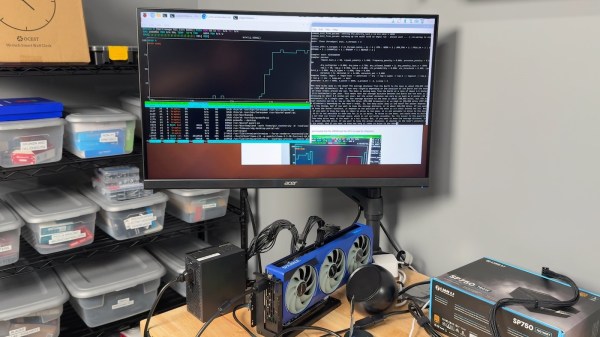
While you might not know it from their market share, Intel makes some fine GPUs. Putting one in a PC with an AMD processor already feels a bit naughty, but AMD’s x86 processors still ultimately trace their lineage all the way back to Intel’s original 4004. Putting that same Intel GPU into a system with an ARM processor, like a Raspberry Pi, or even better, a RISC V SBC? Why, that seems downright deviant, and absolutely hack-y. [Jeff Geerling] shares our love of the bizarre, and has been working tirelessly to get a solid how-to guide written so we can all flout the laws of god and man together.

According to [Jeff], all of Intel’s GPUs should work, though not yet flawlessly. In terms of 3D acceleration, OpenGL works well, but Vulkan renders are going to get texture artifacts if they get textures at all. The desktop has artifacts, and so do images; see for yourself in the video embedded below. Large language models are restricted to the not-so-large, due to memory addressing issues. ARM and RISC V both handle memory somewhat differently than x86 systems, and apparently the difference matters. Continue reading “Intel GPUs On Raspberry Pi Is So Wrong It Feels Right”

Bit-banged 100 MBit/s Ethernet Transmission On Raspberry Pi Pico

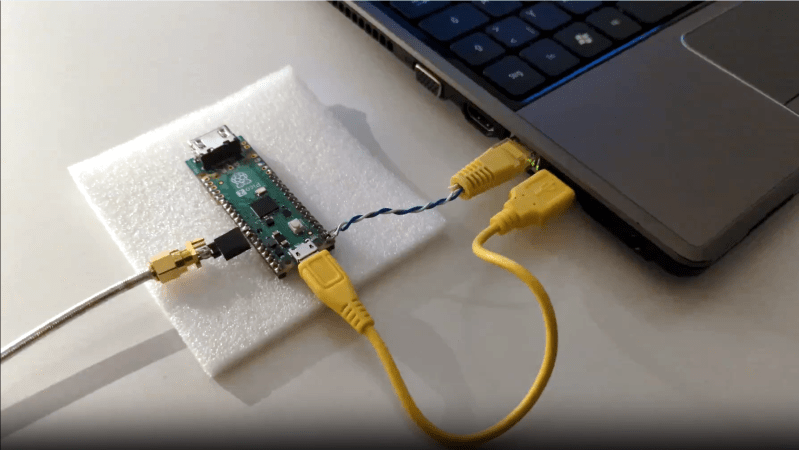
The Raspberry Pi Pico is a very capable board, but it’s still a surprise to see bit-banged 100 MBit/s Fast Ethernet implemented on one. [Steve]’s Pico-100BASE-TX library allows an RP2040 (or RP2350) microcontroller to stream data at roughly 11 Mbyte/s, enough to implement 100 MBit/s Fast Ethernet transmission.

We’ve seen 10BASE-T implemented on a Pico, but it takes a lot more than just shoveling bits faster to get 100BASE-T working. 10BASE-T uses two voltage levels and Manchester encoding, but 100BASE-T uses three voltage levels, which [Steve] cleverly implemented on the Pico with two GPIOs, and far more complex encoding. Check out the repository’s README for details as well as a couple example applications.

[Steve] tells us that to the best of his knowledge, this is the first bit-banged 100 MBit/s Ethernet implementation using a microcontroller. It’s transmit-only — reception being an entirely different beast — but it’s possible some enterprising soul might find a solution. If you do, be sure to let us know all about it!

A Trail Camera Built With Raspberry Pi

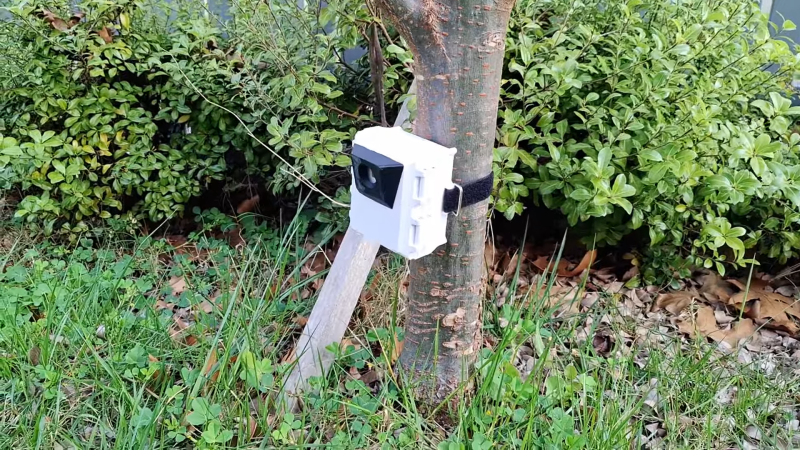
You can get all kinds of great wildlife footage if you trek out into the woods with a camera, but it can be tough to stay awake all night. However, this is a task you can readily automate, as [Luke] did with his DIY trail camera.

A Raspberry Pi Zero 2W serves as the heart of the build. It’s compact and runs on very little power, but also provides a good amount more processing power than the original Raspberry Pi Zero. It’s kitted out with the Raspberry Pi AI Camera, which uses the Sony IMX500 Intelligent Vision Sensor — providing a great platform for neural networks doing image classification and similar machine learning tasks. A Witty Pi power management module is used both for its real time clock and to schedule start-ups and shutdowns to best manage the power on offer from the batteries. All these components are wrapped up in a 3D printed housing to keep the Pi safe out in the wild.

We’ve seen some neat projects in this vein before.

Continue reading “A Trail Camera Built With Raspberry Pi”

Fully-Local AI Agent Runs On Raspberry Pi, With A Little Patience

[Simone]’s AI assistant, dubbed Max Headbox, is a wakeword-triggered local AI agent capable of following instructions and doing simple tasks. It’s an experiment in many ways, but also a great demonstration not only of what is possible with the kinds of open tools and hardware available to a modern hobbyist, but also a reminder of just how far some of these software tools have come in only a few short years.

Max Headbox is not just a local large language model (LLM) running on Pi hardware; the model is able to make tool calls in a loop, chaining them together to complete tasks. This means the system can break down a spoken instruction (for example, “find the weather report for today and email it to me”) into a series of steps to complete, utilizing software tools as needed throughout the process until the task is finished.

Continue reading “Fully-Local AI Agent Runs On Raspberry Pi, With A Little Patience”

The New Raspberry Pi 500+: Better Gaming With Less Soldering Required

When Raspberry Pi released the Pi 500, as essentially an RPi 5 integrated into a chiclet keyboard, there were rumors based on the empty spots on the PCB that a better version would be released soon. This turned out to be the case, with [Jeff Geerling] now taking the new RPi 500+ to bits for some experimentation and keyboard modding.

The 500’s case was not designed to be opened, but if you did, you’d find that there was space allocated for a Power-Over-Ethernet section as well as an M.2 slot, albeit with all of the footprints unpopulated. Some hacking later and enterprising folk found that soldering the appropriate parts on the PCB does in fact enable a working M.2 slot. What the 500+ thus does is basically do that soldering work for you, while sadly not offering a PoE feature yet without some DIY soldering.

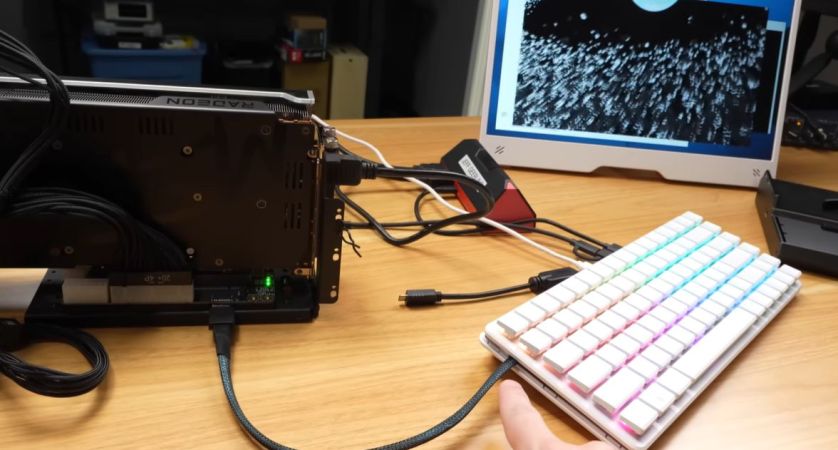
Perhaps the most obvious change is the keyboard, which now uses short-travel mechanical switches – with RGB – inside an enclosure that is now fortunately easy to open, as you may want to put in a different NVMe drive at some point. Or, if you’re someone like [Jeff] you want to use this slot to install an M.2 to Oculink adapter for some external GPU action.

After some struggling with eGPU devices an AMD RX 7900 XT was put into action, with the AMD GPU drivers posing no challenge after a kernel recompile. Other than the Oculink cable preventing the case from closing and also losing the M.2 NVMe SSD option, it was a pretty useful mod to get some real gaming and LLM action going.

With the additions of a presoldered M.2 slot and a nicer keyboard, as well as 16 GB RAM, you have to decide whether the $200 asking price is worth it over the $90 RPi 500. In the case of [Jeff] his kids will have to make do with the RPi 500 for the foreseeable future, and the RPi 400 still finds regular use around his studio.

Continue reading “The New Raspberry Pi 500+: Better Gaming With Less Soldering Required”

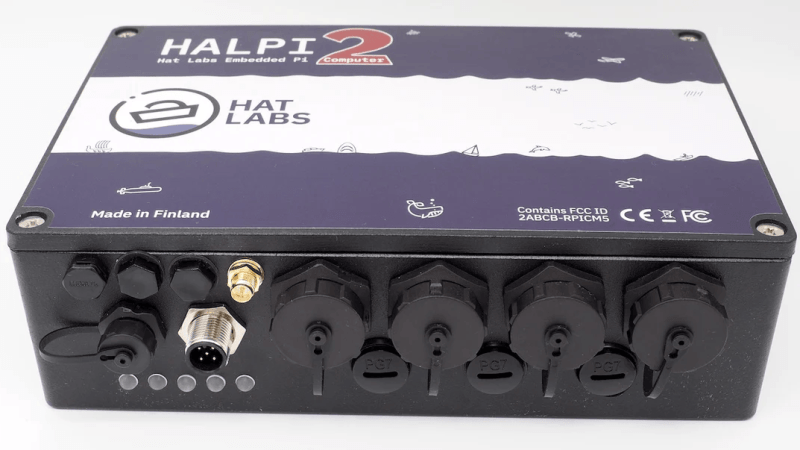
A black, rectangular box is shown, with a number of waterproof screw connectors on the front.

A Ruggedized Raspberry Pi For Sailors

Nautical navigation has a long history of innovation, from the compass and chronometer to today’s computer-driven autopilot systems. That said, the poor compatibility of electronics with saltwater has consequently created a need for rugged, waterproof computers, a category to which [Matti Airas] of Hat Labs has contributed with the open-source HALPI2.

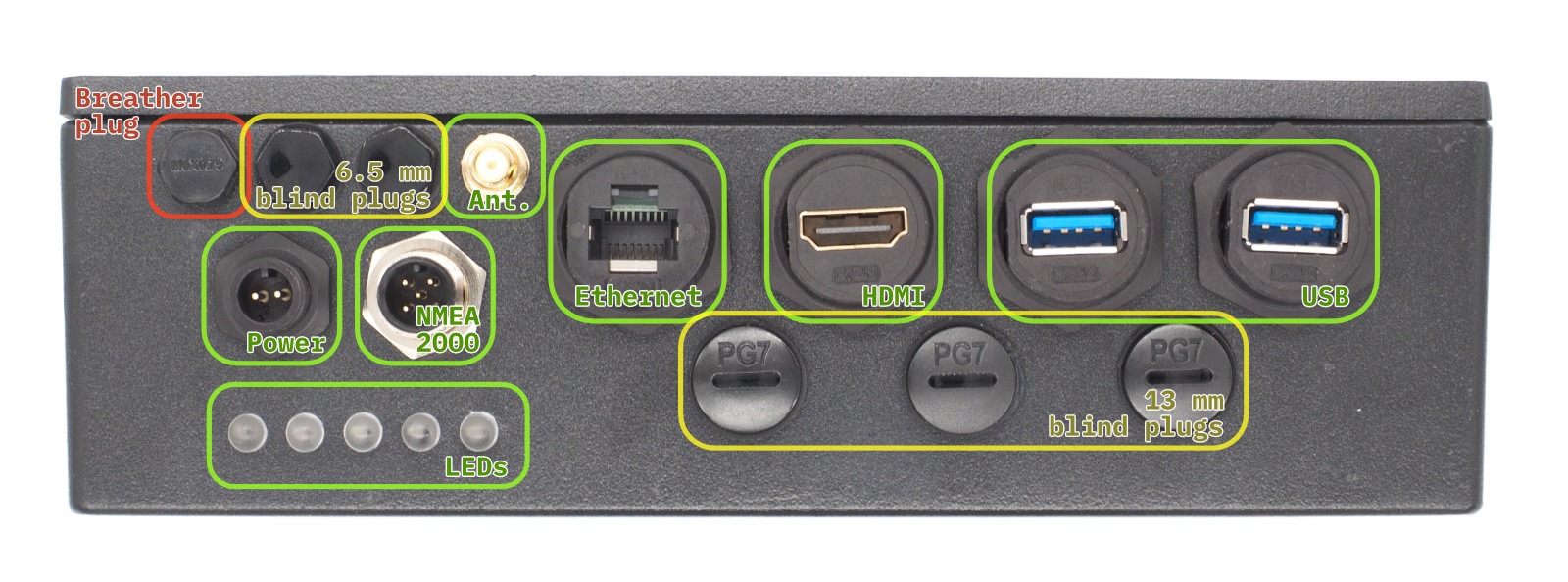
Powered by the Raspberry Pi Compute Module 5, the electronics are housed in a heavy duty enclosure made of aluminium, which also serves as a heat sink, and closes with a waterproof seal. It has a wide variety of external connectors, all likewise waterproofed: power, HDMI, NMEA 2000 and NMEA 0183, Ethernet, two USB 3.0 ports, and an external WiFi or Bluetooth antenna. The external ports are plugged into the carrier board by short extension cables, and there are even more ports on the carrier board, including two HDMI connectors, two MIPI connectors, four USB ports, and a full GPIO header. The case has plugs to install additional PG7 or SP13 waterproof connectors, so if the existing external connectors aren’t enough, you can add your own.

Besides physical ruggedness, the design is also resistant to electrical damage. It can run on power in the 10-32 volt range, and is protected by a fuse. A supercapacitor bank preserves operation during a power glitch, and if the outage lasts for more than five seconds, can keep the system powered for 30-60 seconds while the operating system shuts down safely. The HALPI2 can also accept power over NMEA 2000, in which case it has the option to limit current draw to 0.9 amps.

The design was originally created to handle navigation, data logging, and other boating tasks, so it’s been configured for and tested with OpenPlotter. Its potential uses are broader than that, however, and it’s also been tested with Raspberry Pi OS for more general projects. Reading through its website, the most striking thing is how thoroughly this is documented: the site describes everything from the LED status indicators to the screws that close the housing – even a template for drilling mounting holes.

Given the quality of this project, it probably won’t surprise you to hear this isn’t [Matti]’s first piece of nautical electronics, having previously made Sailor HATs for the ESP32 and the Raspberry Pi.