Cyberdeck Build Gets Closer To Regular Laptop Than Most

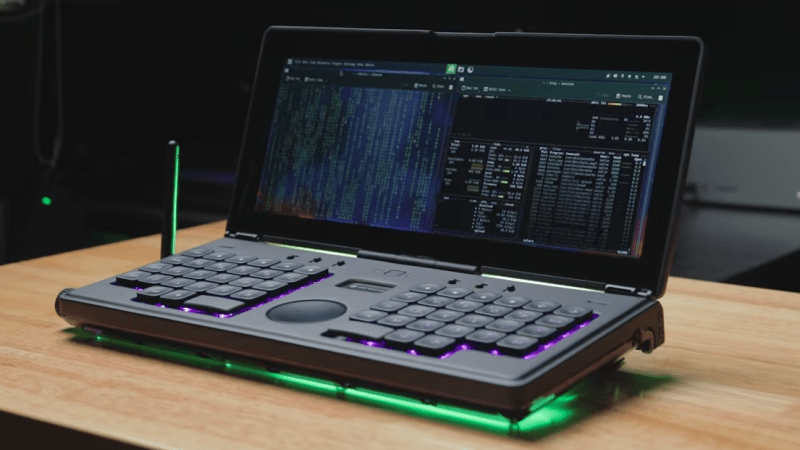
Cyberdecks are typically reminiscent of weird computers in futuristic sci-fi films, moreso than the computers of today. The cool thing about cyberdecks, though, is you get to build them however you like. [WillTechBuilds] has put together a deck of his own that diverges from cyberdeck norms and ends up closer to something you might have bought off the shelf at Best Buy.

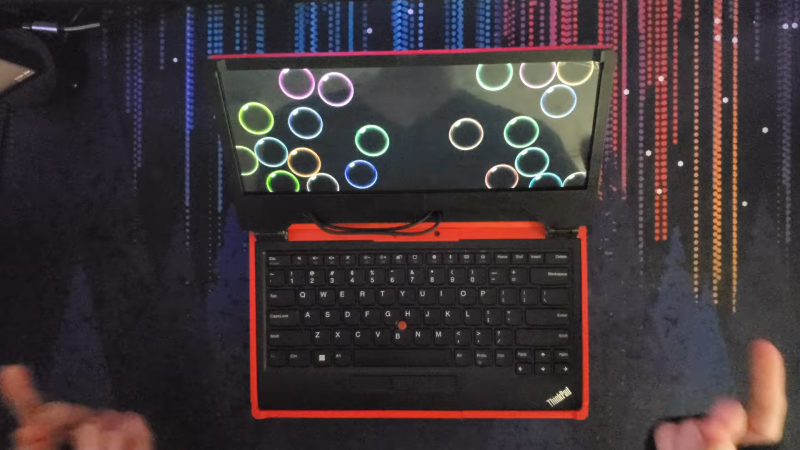
For a start, the build eschews the typical Raspberry Pi or other single-board computer that normally lives at the heart of a cyberdeck. In its place is a motherboard harvested from a GMKTec NucBox G5. It runs the Intel N97 CPU. It’s an x86 processor that’s roughly equivalent in power to an i5 from 10 years ago, but it only sips 12 watts. The compact motherboard is installed in a compact 3D-printed case along with a porbable USB-C battery pack, a small widescreen LCD, and a Lenovo ThinkPad trackpoint keyboard. This latter design choice, along with the x86 chip, is what gives this build so much of a laptop feel. There’s no weird Linux desktop, green-glowing terminal, or chunky mechanical keyboard here, let alone any GPIO pins. Definitely an oddball entry to the cyberdeck world, but valid nonetheless.

We’ve featured cyberdecks built out of everything from CRT TVs to event badges. As always, we’d love to see your latest innovative creation on the tipsline. Video after the break.

Continue reading “Cyberdeck Build Gets Closer To Regular Laptop Than Most” →
Portable CRT TV Becomes Retro Cyberdeck

These days, it’s pretty easy to slap together a single-board computer and a cheap LCD screen to whip up a cool cyberdeck fast. But what if you wanna go more retro? [Manu] found a portable TV straight out of the original Blade Runner film, and decided this would be the perfect base for a cyberdeck rocking a whole-ass CRT screen.

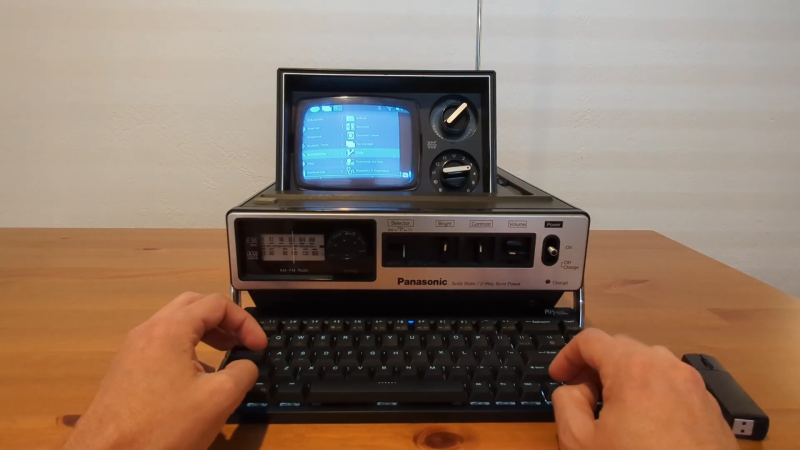
The build started with a Panasonic TR-545 television. Back in the day, it took many large batteries to power this thing up—no surprise given how power hungry CRTs are. This gave [Manu] a neat opportunity to sneak all the new cyberdeck hardware into the original battery tray, including a new lithium-ion battery pack that is much more compact than the original. A Raspberry Pi 5 is running the show, computer-wise, and it’s hooked up to an HDMI RF modulator that allows the video output signal to be hooked up to the TV’s original antenna input. It’s not the cleanest way to go, but it allowed [Manu] to make the mod entirely reversible. All the new hardware slots neatly into the repurposed battery tray, and can be removed quite easily without damage to this vintage specimen. Even the keyboard fits nicely into the setup, as [Manu] was able to find a suitable 60% layout foldable unit right off the shelf.

Check out the slide deck for more details on the build, but be warned—it’s a 241 MB PDF. Bonus points if you calculate what that would cost to store on a hard drive in 1979 when the Panasonic TR-545 was on the market. We’ve seen a similar build before, too, with a classic black & white Magnavox unit. If you like squinting at a tiny blurry screen, a CRT cyberdeck is absolutely the way to go. Just be warned that the other screenwriters at your local coffee shop will be more interested in your hardware than whatever you’re actually working on. Good luck with your next pitch all the same. Video after the break.

Continue reading “Portable CRT TV Becomes Retro Cyberdeck” →

Custom Clamshell Cyberdeck Shows Off Underlighting

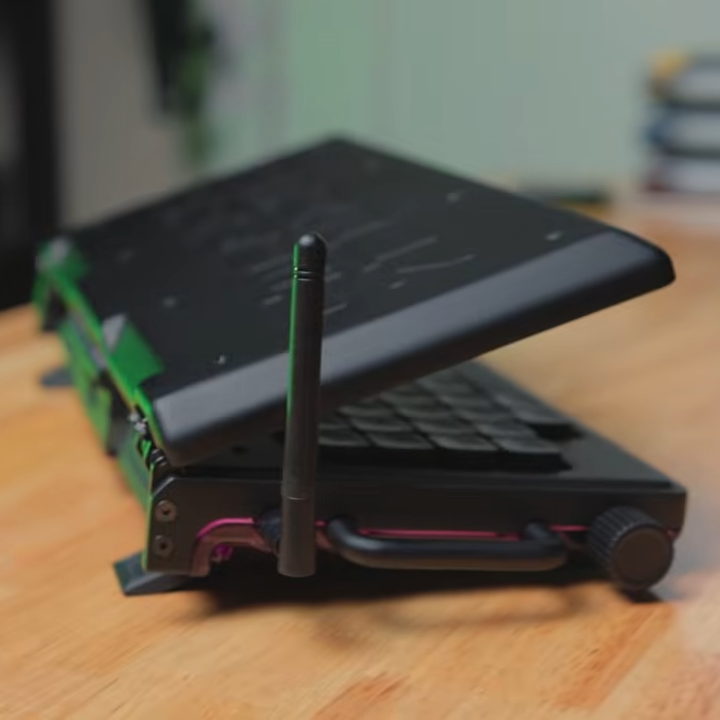
Cyberdecks are great projects, and [Salim Benbouziyane]’s scratch-built CM Deck is a fantastic specimen. It’s a clamshell-style cyberdeck with custom split keyboard, trackpad, optional external WiFi antenna, and some slick underlighting thanks to a translucent bottom shell. There’s even a hidden feature that seems super handy for a cyberdeck: a special USB-C port that, when plugged in to another host (like another computer), lets the cyberdeck act as an external keyboard and trackpad for that downstream machine.

The CM Deck is built around the Raspberry Pi Compute Module 5, which necessitates a custom PCB but offers more design freedom.

Notably, the CM Deck is custom-built around the Raspberry Pi Compute Model 5. When we first peeped the CM5 the small size was striking, but of course that comes at the cost of having no connectors, supporting hardware, or heat management. That’s something [Salim] embraced because it meant being able to put connectors exactly where he wanted them, and not have to work around existing hardware. A custom PCB let him to lay out his cyberdeck with greater freedom, less wasted space, and ultimately integrate a custom-built keyboard (with RP2040 and QMK firmware).

Even the final enclosure is custom-made, with 3D printing being used to validate the design and PCBway providing finished plastic shells in addition to manufacturing the PCBs. [Salim] admits that doing so was an indulgence, but his delight at the quality of the translucent purple undercarriage is palpable.

[Salim]’s video (embedded below) is a deep dive into the whole design and build process, and it’s a great watch for anyone interested in the kind of work and decisions that go into making something like this. Experienced folks can expect to nod in sympathy when [Salim] highlights gotchas like doing CAD work based on the screen’s drawings, only to discover later that the physical unit doesn’t quite match.

The GitHub repository contains the design files for everything, so give it a browse if you’re interested. [Salim] is no stranger to clean builds, so take a moment to admire his CRT-style Raspberry Pi terminal as well.

Continue reading “Custom Clamshell Cyberdeck Shows Off Underlighting” →

An Event Badge Re-Imagined As A Cyberdeck

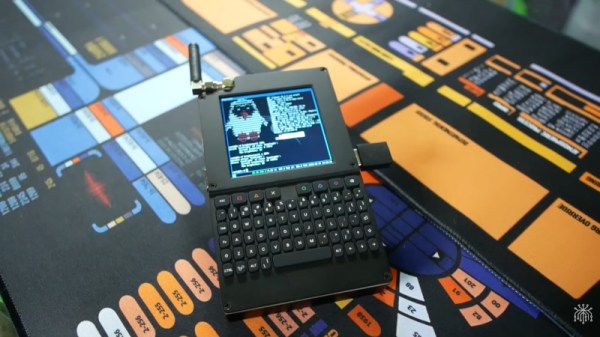
We’re used to handheld Linux devices of varying usefulness appearing on a regular basis, but there’s something about the one in a video from [Rootkit Labs] which sets it aside from the herd. It’s a fork of a conference badge.

The WHY2025 badge had pretty capable hardware, with an ESP32-P4, a really nice screen, and the lovely SolderParty keyboard. Here it’s been forked, to become a carrier board for their previous project, the Flipper Blackhat. This is a Linux add-on for the Flipepr Zero, and it seems that plenty of people wanted it in a more useful context. The result is something that looks a lot like a WHY badge, but running Linux.

It’s a great shame when badges end up lying unused after the event, and ones like the WHY 2025 badge are a serious effort to make something that endures. Here, the badge endures in spirit by being forked and re-engineered, and we like it a lot. The full video is below the break.

Continue reading “An Event Badge Re-Imagined As A Cyberdeck” →

Hackaday Podcast Ep 331: Clever Machine Tools, Storing Data In Birds, And The Ultimate Cyberdeck

Another week, another Hackaday podcast, and for this one Elliot is joined by Jenny List, fresh from the BornHack hacker camp in Denmark.

There’s a definite metal working flavour to this week’s picks, with new and exciting CNC techniques and a selective electroplater that can transfer bitmaps to metal. But worry not, there’s plenty more to tease the ear, with one of the nicest cyberdecks we’ve ever seen, and a bird that can store images in its song.

Standout quick hacks are a synth that makes sounds from Ethernet packets, and the revelation that the original PlayStation is now old enough to need replacement motherboards. Finally we take a closer look at the huge effort that goes in to monitoring America’s high voltage power infrastructure, and some concerning privacy news from the UK. Have a listen!

And/or download your own freshly-baked MP3, full of unadulterated hacky goodness.

Continue reading “Hackaday Podcast Ep 331: Clever Machine Tools, Storing Data In Birds, And The Ultimate Cyberdeck” →

A Dual-Screen Cyberdeck To Rule Them All

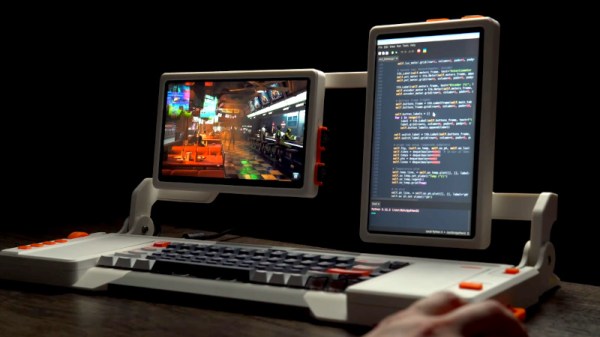
We like cyberdecks here at Hackaday, and in our time we’ve brought you some pretty amazing builds. But perhaps now we’ve seen the ultimate of the genre, a cyberdeck so perfect in its execution that this will be the machine of choice in the dystopian future, leaving all the others as mere contenders. It comes courtesy of [Sector 07], and it’s a machine to be proud of.

As with many cyberdecks, it uses the Raspberry Pi as its powerhouse. There are a couple of nice touchscreens and a decent keyboard, plus the usual ports and some nice programmable controls. These are none of them out of the ordinary for a cyberdeck, but what really shines with this one is the attention to detail in the mechanical design. Those touchscreens rotate on ball bearings, the hinges are just right, the connections to the Pi have quick release mechanisms, and custom PCBs and ribbon cables make distributing those GPIOs a snap.

On top of all that the aesthetics are on point; this is the machine you want to take into the abandoned mining base with you. Best of all it’s all available from the linked GitHub repository, and you can marvel as we did at the video below the break.

If you hunger for more cyberdecks, this one has some very stiff competition.

Continue reading “A Dual-Screen Cyberdeck To Rule Them All” →

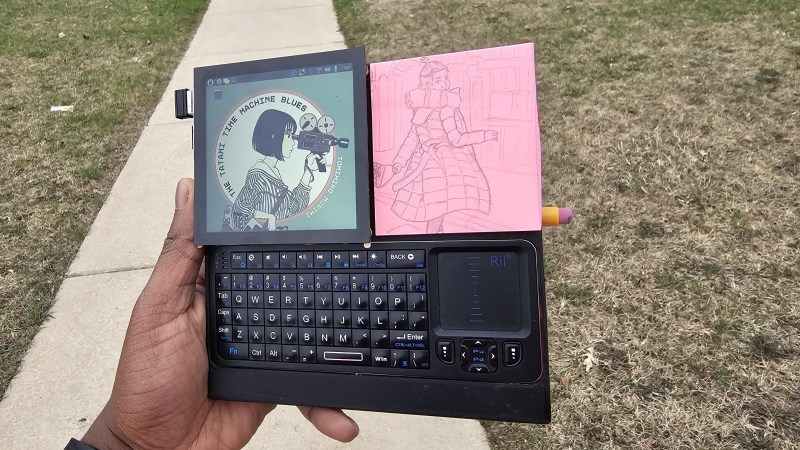
A hand with dark skin holds a black device. The bottom is a small keyboard and touchpad. The upper half is split with a square LCD on the left and a square, pink notepad on the right. A sketch of a woman wearing a puffy jacket is on the notepad and an illustration of a woman looking through an old timey film video camera is on the screen on the left.

KeyMo Brings A Pencil To The Cyberdeck Fight

Computers and cellphones can do so many things, but sometimes if you want to doodle or take a note, pencil and paper is the superior technology. You could carry a device and a pocket notebook, or you could combine the best of analog and digital with the KeyMo.

[NuMellow] wanted a touchpad in addition to a keyboard for his portable terminal since he felt Raspbian wouldn’t be so awesome on a tiny touchscreen. With a wider device than something like Beepy, and a small 4″ LCD already on hand, he realized he had some space to put something else up top. Et voila, a cyberdeck with a small notebook for handwritten/hand drawn information.

The device lives in a 3D printed case, which made some iterations on the keyboard placement simpler, and [NuMellow] even provided us with actual run time estimates in the write-up, which is something we often are left wondering about in cyberdeck builds. If you’re curious, he got up to 7.5 hours on YouTube videos with the brightness down or 3.5 hours with it at maximum. The exposed screen and top-heaviness of the device are areas he’s pinpointed as the primary cons of the system currently. We hope to see an updated version in the future that addresses these.

If you’d like to check out some other rad cyberdecks, how about a schmancy handheld, one driven by punch cards in a child’s toy, or this one with a handle and a giant scroll wheel?