Adding Drone Instrumentation With No Additional Parts

Soon the skies will be filled with drones, or so the conventional wisdom goes, and these flying droids will deliver pizza, mail, packages, and medical supplies right to one of the taller trees in our backyards. To date, advanced fixed-wing UAVs and toy quadcopters have proven themselves to be exceptionally dumb; they have no idea what their airspeed is, and no, ground speed measured by GPS will not keep you in the air.

The sensors to measure airspeed and angle of attack can be adapted to small drones, but [gallinazo] has a better idea: why not estimate these figures using sensors a drone already has? He’s measuring synthetic airspeed, something that would have already saved a few hundred lives if it were implemented passenger airliners.

Small drones are able to take a few measurements of their surroundings using standard accelerometers, magnetometers, and of course recording the position of the throttle and control surfaces. All of these variables are related to airspeed – at a constant throttle setting, with no movement of the control surfaces, an aircraft will eventually settle at a stable airspeed.

The trick, though, is to tie all of these variables together to produce a number related to the airspeed of the drone. This is done with a Python script implementing a radial basis function and eating all the memory on [gallinazo]’s desktop. This Python script is effectively a black box that turns the throttle position, bank angle, elevator position, and pitch rate into an airspeed.

Does this black box work? Judging by the graphs comparing synthetic airspeed to measured airspeed, this is amazing work. [gallinazo]’s airspeed estimator accurately and reliably matches the measured airspeed. It does this with zero extra parts on the airframe.

All of the code required to implement this synthetic airspeed indicator is available on GitHub, and could conceivably be implemented in a small RC plane after all the variables are pre-computed. Awesome work that pushes the state of the art forward quite a bit.


Convert That Cheap Laser Engraver To 100% Open-Source Toolchain

laserweb-on-cheap-laser-squareLaserWeb is open-source laser cutter and engraver software, and [JordsWoodShop] made a video tutorial (embedded below) on how to convert a cheap laser engraver to use it. The laser engraver used in the video is one of those economical acrylic-and-extruded-rail setups with a solid state laser emitter available from a variety of Chinese sellers (protective eyewear and any sort of ventilation or shielding conspicuously not included) but LaserWeb can work with just about any hardware, larger CO2 lasers included.

LaserWeb is important because most laser engravers and cutters have proprietary software. The smaller engravers like the one pictured above use a variety of things, and people experienced with larger CO2 laser cutters may be familiar with a piece of software called LaserCut — a combination CAD program and laser control that is serviceable, but closed (my copy even requires a USB security dongle, eww.)

LaserWeb allows laser engravers and cutters to be more like what most of us expect from our tools: a fully open-source toolchain. For example, to start using LaserWeb on one of those affordable 40 W blue-box Chinese laser cutters the only real hardware change needed is to replace the motion controller with an open source controller like a SmoothieBoard. The rest is just setting up the software and enjoying the added features.

Continue reading “Convert That Cheap Laser Engraver To 100% Open-Source Toolchain”

Building Beautiful Boards With Star Simpson

Over the last decade or so, the cost to produce a handful of custom PCBs has dropped through the floor. Now, you don’t have to use software tied to one fab house – all you have to do is drop an Eagle or KiCad file onto an order form and hit ‘submit’.

With this new found ability, hackers and PCB designers have started to build beautiful boards. A sheet of FR4 is no longer just a medium to populate parts, it’s a canvas to cover in soldermask and silkscreen.

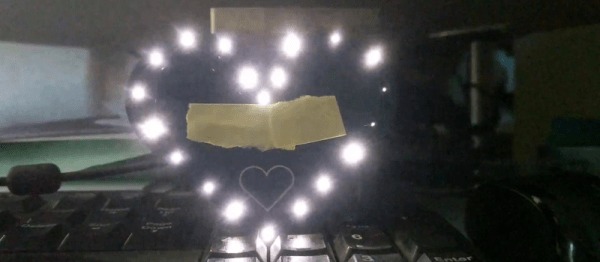
Over the last year, Star Simpson has been working on a project to make electronic art a reality. Her Circuit Classics take the original art from Forrest Mims’ Getting Started In Electronics notebooks and turn them into functional PCBs. It’s a kit, an educational toy, and a work of art on fiberglass, all in one.

At the 2016 Hackaday Superconference, Star gave her tips and tricks for producing beautiful PCBs. There’s a lot going on here, from variable thickness soldermasks, vector art on a silkscreen, and even multicolored boards that look more at home in an art gallery than an electronics workbench.

Continue reading “Building Beautiful Boards With Star Simpson”

Creating A PCB In Everything: KiCad, Part 3

This is the third and final installment of a series of posts on how to create a PCB in KiCad, and part of an overarching series where I make the same schematic and board in dozens of different software tools. A few weeks ago, we took a look at making a schematic in KiCad, and more recently turned that schematic into a board ready for fabrication.

For our KiCad tutorials, we’ve already done the basics. We know how to create a PCB, make a part from scratch, and turn that into a board. This is the bare minimum to be considered competent with KiCad, but there’s so much more this amazing tool has to offer.

In part three of this KiCad tutorial, we’re going to take a look at turning our board into Gerbers. This will allow us to send the board off to any fab house. We’re going to take a look at DRC, so we can make sure the board will work once we receive it from the fab. We’re also going to take a look at some of the cooler features KiCad has to offer, including push and shove routing (as best as we can with our very minimalist board) and 3D rendering.

Continue reading “Creating A PCB In Everything: KiCad, Part 3”

B Battery Takes A 9V Cell

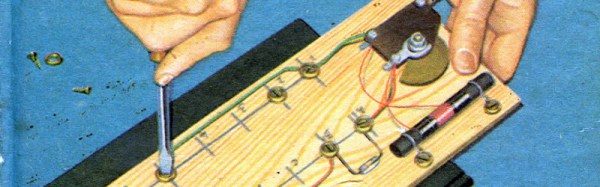
Old American radios (and we mean really old ones) took several kinds of batteries. The A battery powered the filaments (generally 1.5V at a high current draw). The B battery powered the plate (much lower current, but a higher voltage–typically 90V). In Britain these were the LT (low tension) and HT (high tension) batteries. If you want to rebuild and operate old radios, you have to come up with a way to generate that B voltage.

Most people opt to use an AC supply. You can daisy-chain a bunch of 9V batteries, but that really ruins the asthetics of the radio. [VA3NGC] had a better idea: he built a reproduction B battery from a wooden box, some brass hardware, a nixie tube power supply, and a 9V battery (which remains hidden). There’s also a handful of zener diodes, resistors, and capacitors to allow different taps depending on the voltage required.

b-battery-in-useThe project looks great. The wooden box apparently was a recycle item and the brass hardware makes it look like it belongs with the old radios it powers. This is a good example of how there’s more to vintage restoration than just the electronics. Sure, the function is important, but to really enjoy the old gear, the presentation is important, too.

Not all tube radios took 90V B+, but since this battery has taps, that isn’t a problem. The old Radio Shack P-Box kit took 22.5V. Of course, if you are going to build your own battery, maybe you ought to build your own triodes, too.

Disassembly Required

If you really want to hack software, you are going to face a time when you have to take apart someone’s machine code. If you aren’t very organized, it might even be your own — source code does get lost. If you want to impress everyone, you’ll just read through the hex code (well, the really tough old birds will read it in binary). That was hard to do even when CPUs only had a handful of instructions.

A more practical approach is to use a tool called a disassembler. This is nothing more than a program that converts numeric machine code into symbolic instructions. The devil, of course, is in the details. Real programs are messy. The disassembler can’t always figure out the difference between code and data, for example. The transition points between data and code can also be tricky.

When Not to Use

If you are coding your own program in assembly,  a disassembler isn’t usually necessary. The disassembly can’t recover things like variable names, some function names, and — of course — comments. If you use a high-level language and you want to check your compiler output, you can easily have the compiler provide assembly language output (see below).

The real value of a disassembler is when you don’t have the source code. But it isn’t easy, especially for anything nontrivial. Be prepared to do a lot of detective work in most cases.

Continue reading “Disassembly Required”

Cat Vs. Human Escalates With Armor-Plated Feeder

Wars generally increase innovation as the opposing sides try to kill each other in ever more efficient ways. Even the soft war waged daily between felines and their human servants results in innovation, to wit we offer this armor-plated automated cat feeder.

The conflict between [Sprocket H.G. Shopcat] and her human [Quinn Dunki] began with a thoughtfully provided automatic food dispenser. Like human vending machine customers who witness a just-purchased bag of Cheesy Poofs dangling on the end of the dispense auger, [Sprocket] learned that the feeder would dispense a few fishy nuggets when nudged. [Quinn] embarked on an iterative design process to control [Sprocket]’s off-schedule snacking. Fastening the feeder firmly to the floor, and adding obstructions to prevent her from pawing up the dispense chute — nothing seemed to stop the clever feline’s raids. [Quinn] then pulled out all the stops and whipped up a [Sprocket]-safe enclosure for the feeder from 1/8″ plate steel and copper. This seems to have put the cat back on the straight and narrow, and it doesn’t look half bad either.

All kidding aside, [Quinn]’s approach to this problem is pretty instructive. Careful observations informed several cycles of reasonable modifications until it became clear that only the most extreme solution would work. There’ve been tons of cat feeders here before, from the simple to the complex, but we think all would fall prey to the clever [Sprocket] without a little up-armoring.

Continue reading “Cat Vs. Human Escalates With Armor-Plated Feeder”