Metroid, Zelda, And Castelvania Auto-Mapped With NES Emulation & Heuristics

The NES was one of the flagship consoles of the glorious era that was the 1980s. Many of the most popular games on the platform involved some sort of adventure through scrolling screens — Metroid, Super Mario, and Zelda all used this common technique. For many games, keeping track of the map was a huge chore and meant mapping by hand on graph paper or using the screenshots published in Nintendo Power magazine. These day’s there’s a better way. [Daniel] set out to automatically map these huge two-dimensional worlds, developing software he calls WideNES to do it.

WideNES is an add-on to [Daniel]’s own NES emulator, ANESE. As part of the emulator, WideNES can easily read the various registers of the NES’s Picture Processing Unit, or PPU. The registers of the PPU are used to control the display of the background and sprite layers of NES graphics, and by monitoring these, it is possible to detect and map out the display of levels in various NES games.

It’s an interesting piece of software that relies on a thorough understanding of the NES display hardware, as well as the implementation of some neat tricks to deal with edge cases such as vertical scrolling in The Legend of Zelda or room changes in games like Castlevania — the use of perceptual hashing is particularly genius. There’s source and more available on the project page, including a GitHub link, if you’re interested in getting down to brass tacks.

We’re impressed by the manner in which WideNES is able to so neatly map out these games of yesteryear, and can’t wait to see where the project goes next. [Daniel] notes that it should be possible to integrate into more popular emulators without too much trouble. If that’s not enough, check out this reverse-emulation Nintendo hack.

[Thanks to Michael for the tip!]
Run A Linux Terminal On Cheap E-Ink Displays

If you haven’t kept up with the world of e-ink displays, here’s some good news: they are pretty cheap now. For as little as $15 you can get a small e-ink display that has good enough performance and contrast to actually do something useful. There’s only one problem: figuring out how to drive them in your project.

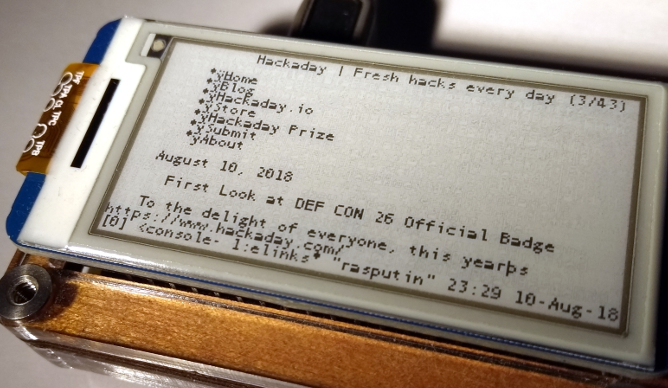
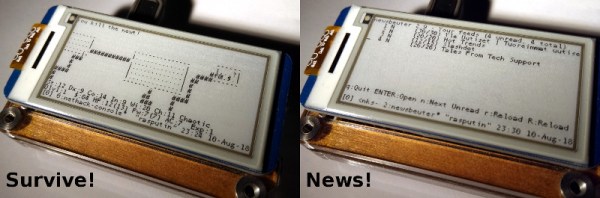
Tired of seeing nothing but wiring diagrams and sample code when it came to actually putting these e-ink modules to use, [Jouko Strömmer] decided to try his hand at creating a turn-key application for these gorgeous little displays. The result is PaperTTY, a Python program that allows the user to open up a fully functional Linux virtual terminal on an e-ink display.

Of course, there are some caveats. For one, this all assumes you’re using a Waveshare display (specifically their 2.13 inch HAT) connected to a Raspberry Pi over SPI. Not to say that’s the only hardware combination that will work, but it’s the only one that [Jouko] has done any testing on at this point. If you want to try to shake things up in terms of hardware, you might need to get your hands dirty.

The advantage of being able to open a Linux VT on one of these e-ink displays is pretty simple: you can run basically any piece of software you want on it. Rather than having to come up with software that specifically features support for the display, you can just use (or write) standard Linux console programs. [Jouko] mentions a number of popular programs such as vim and irssi, but you could just as easily write a Bash script to dump whatever data you like to the screen.

In the video after the break [Jouko] shows PaperTTY in action for the doubters who think these sorts of displays are no good for interactive use. The display is very crisp and readable, with no signs of flickering. Overall he says the experience is not unlike using a slow SSH connection. It might not be how we’d like to use a computer full time, but we can definitely see the potential.

With the recent progress with Kindle hacking, it seems that interest in e-ink is as high as ever. Despite what the haters might claim, it’s a useful niche tech that still holds plenty of promise.

Continue reading “Run A Linux Terminal On Cheap E-Ink Displays”

Facebook Wants To Teach Machine Learning

When you think of technical education about machine learning, Facebook might not be the company that pops into your head. However, the company uses machine learning, and they’ve rolled out a six-part video series that they say “shares best real-world practices and provides practical tips about how to apply machine-learning capabilities to real-world problems.”

The videos correspond to what they say are the six aspects of machine learning development:

  1. Problem definition
  2. Data
  3. Evaluation
  4. Features
  5. Model
  6. Experimentation

Continue reading “Facebook Wants To Teach Machine Learning”

Web Pages Via Forth

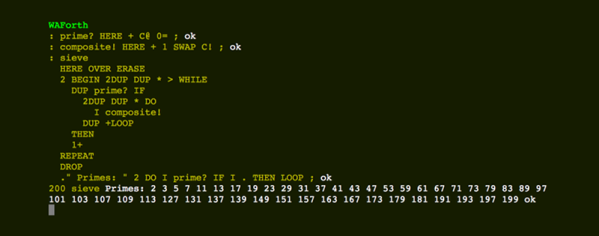
Forth. You either love it or you hate it. If you have struggled to work on tiny microcontrollers, you probably are in the first camp. After all, bringing up a minimal Forth system is pretty simple and requires very little resources on the CPU. Once you have such an environment it is then easy to extend Forth in Forth. [Remko] decided he wanted to build a Forth compiler that uses WebAssembly and runs in your browser. Why? We’ve learned not to think about that question too much.

The world has changed a lot since the first introduction of the WorldWideWeb browser in 1990. What started out as a way to show text documents over the network has become — for better or worse — an application platform. JavaScript won the browser scripting language wars and security concerns pretty much killed Java applets and Flash. But JavaScript isn’t always fast. Sure, there are ways to do just in time compiling, such as Google’s V8 engine. But that compile step takes time, too. Enter WebAssembly (or Wasm).

Continue reading “Web Pages Via Forth”

CD Image Via Twitter: A Handcrafted Game Disc

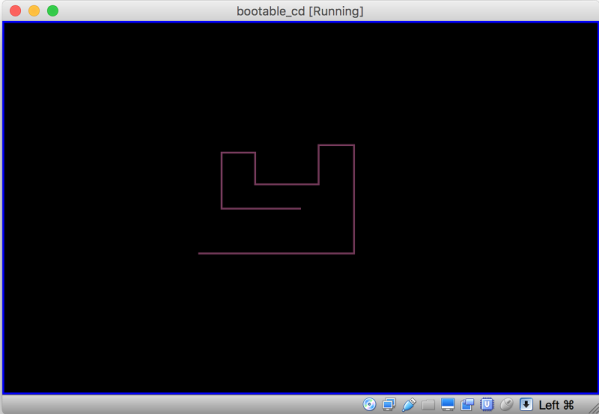
Humans can turn anything into a competition. Someone always wants to be faster or drive a ball farther. Technical pursuits are no different, which is why a lot of people overclock or play regular expression golf. [Alok Menghrajani] sets himself some odd challenges. A few years ago, he hand-built a bootable floppy image that had a simple game onboard and managed to fit it in a Twitter message. Twitter has increased their number of characters, so — you guessed it — this time he’s back with a CDROM image.

His tweet is a command line that starts with perl. The text is base64-encoded binary and if you run the Tweet from a shell — which is an odd thing to do with a Tweet, we grant you, you’ll be rewarded with a file called cd.iso. You could burn that to a CDROM, but it is more likely you’ll just mount in a virtual machine and boot that. [Alok] says it does work in QEMU, VirtualBox, and — yes — even a real CD.

Continue reading “CD Image Via Twitter: A Handcrafted Game Disc”

Measuring Web Latency In The Browser

We’ll go out on a limb and assume that anyone reading these words is probably familiar with the classic ping command. Depending on which operating system you worship the options might be slightly different, but every variation of this simple tool does the same thing: send an ICMP echo request and wait for a response. How long it takes to get a response from the target, if it gets one at all, is shown to the user. This if often the very first step to diagnosing network connectivity issues; if this doesn’t work, there’s an excellent chance the line is dead.

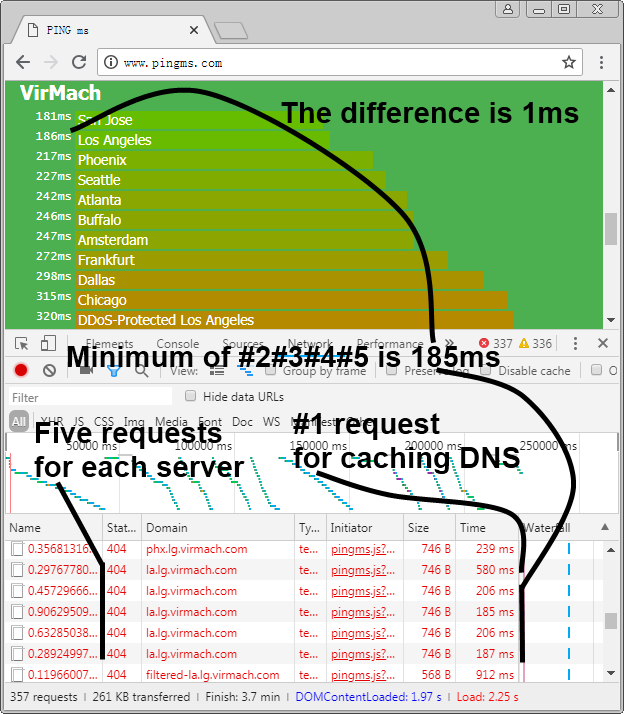
But in the modern web-centric view of networking, ping might not give us the whole picture. But nature it doesn’t take into account things like DNS lookups, and it certainly doesn’t help you determine what (if any) services the target has available to you. Accordingly, [Liu Zhiyong] has come up with a tool he calls “pingms”, which allows you to check web server latency right from your browser.

Rather than relying on ICMP, pingms performs a more realistic test. It takes the list of targets from the file “targets.js” and connects to each one over HTTP. How does it work? The code [Liu] has come up with will take each target domain name, append a random number to create a gibberish filename, and then calculate how long it takes to get a response when trying to download the file. Obviously it’s going to be getting a 404 response from the web server, but the important thing is simply that it gets the response.

With this data, [Liu] has come up with a simplistic but very slick interface which shows the user the collected data with easy to understand color-coded graphs. As interesting as it is to see how long it takes your favorite web sites or service providers to wake up and start talking, watching the colored bars hop up and down the list to sort themselves is easily our favorite part of pingms.

[Liu] has released pingms under the GPLv3 license, so if you’re looking to utilize the software for your own purposes you just need to provide a list of test targets. If you need to perform low-level diagnostics, check out this handy network tester you can build for cheap.

Twitch Stream Turned Infinity Mirror

Most Hackaday readers are likely to be familiar with the infinity mirror, a piece of home decor so awesome that Spock still has one up on the wall in 2285. The idea is simple: two parallel mirrors bounce and image back and forth, which creates a duplicate reflection that seems to recede away into infinity. A digital version of this effect can be observed if you point a webcam at the screen that’s displaying the camera’s output. The image will appear to go on forever, and the trick provided untold minutes of fun during that period in the late 1990’s where it seemed everyone had a softball-shaped camera perched on their CRT monitors.

Making use of that webcam in 2018.

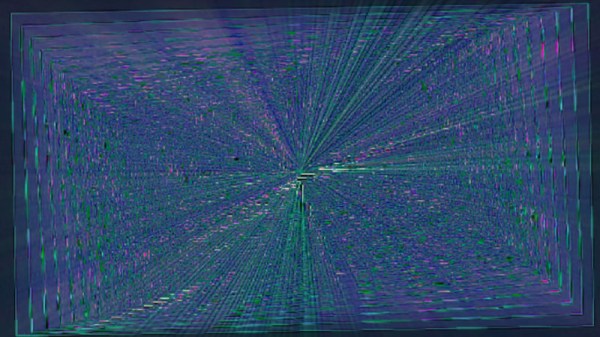
While you might think you’ve already seen every possible variation of this classic visual trick, [Matt Nishi-Broach] recently wrote in to tell us about an infinity mirror effect he’s created using the popular streaming platform Twitch. The public is even invited to fiddle with the visuals through a set of commands that can be used in the chat window.

It works about how you’d expect: the stream is captured, manipulated through various filters, and then rebroadcast through Twitch. This leads to all sorts of weird visual effects, but in general gives the impression that everything is radiating from a central point in the distance.

While [Matt] acknowledges that there are probably not a lot of other people looking to setup their own Twitch feedback loops, he’s still made his Python code available for anyone who might be interested. There’s a special place in Hacker Valhalla for those who release niche software like this as open source. They’re the real MVPs.

If you’d like to get started on your infinite journey with something a bit more physical, we’ve covered traditional infinity mirror builds ranging from the simplistic to the gloriously over-engineered.