Digital “Film” For Your Pi Camera

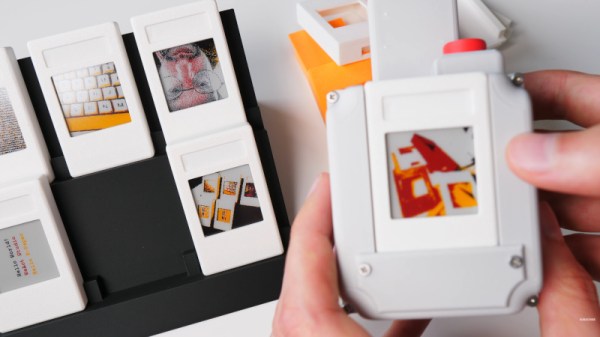
The formula of a Raspberry Pi camera is such that it’s almost a self-assembly kit of parts. Over the years we’ve seen a lot of attempts to make one that’s more impressive, usually due to a different take on a case design. It’s not often we see something genuinely out of the ordinary, and perhaps [Strange Inventions] has made one. He’s produced an instant camera where the “film” is a removable cartridge containing a color e-paper display.

It’s a straightforward enough idea: the camera writes the image to the display, and since these displays are persistent, there it stays. The displays connect via headers, and the cartridge slips in in a similar manner to a console game cartridge. They’re not cheap, but at least unlike a Polaroid or Instax cartridge, they are reusable.

You’ll have to pay up if you want to download the files, but it’s not outrageously expensive if you really want to build one. But perhaps the key here is that it’s not something beyond the abilities of the average Hackaday reader to make their own. We’re sure this idea will be expanded upon by others in due course.

Meanwhile, if it’s simpler instant photography you crave, you can always print the real thing.
Continue reading “Digital “Film” For Your Pi Camera” →

Panoramic Photography With A Linear Scanner

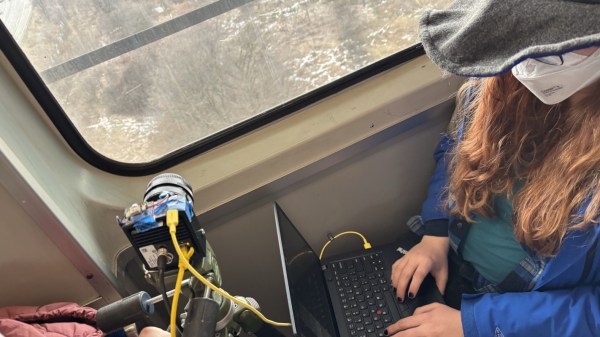
Although digital photography took a big bite of the film industry’s lunch, it wasn’t able to completely eliminate the need — or desire — for photographers to use film in some situations. But digital information from a camera sensor can be manipulated to augment the natural physical capabilities of a camera in ways not really feasible for film. High dynamic range images, focus and exposure stacking, and automatic panoramic stitching. This camera takes the latter example to the extreme.

[Philo]’s proof of concept was a smartphone camera set on a chair and rotated around a room. Some software grabbed a single column of pixels as it moved and stitched them all together to form an image. This came out well enough that the idea was refined a few times, but it wasn’t until a single-line digital camera meant for imaging assembly lines was found that this really took off. Using the camera and some custom software, [Philo] was eventually able to take some of the longest panoramic images we’ve seen, using things like railways and boats as the track the camera rides on, with accelerometer data to help stabilize the image.

The results speak for themselves. There’s a bit of wobble from the movement of the various vehicles despite the accelerometer data, but given that the image is coming from a sensor meant for examining conveyor belts, it’s hard to complain. Of course, if you want to stick to film, there are panoramic film cameras available too even if they don’t quite have the reach of this digital one.

Combining Photogrammetry Utilities Into A Simple GUI Tool

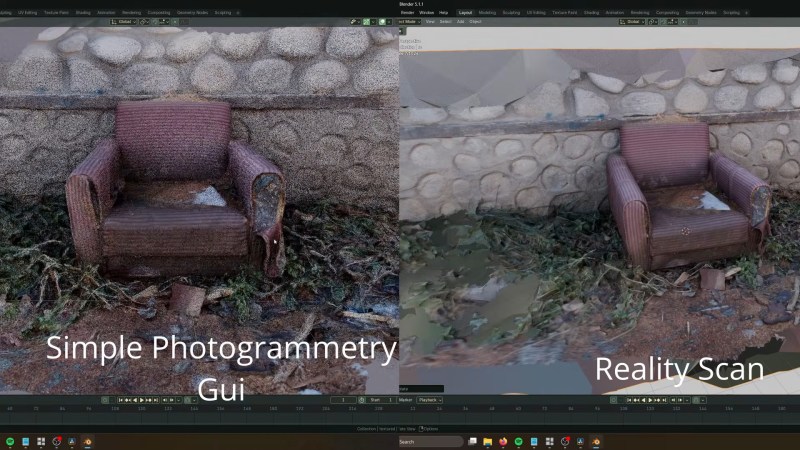
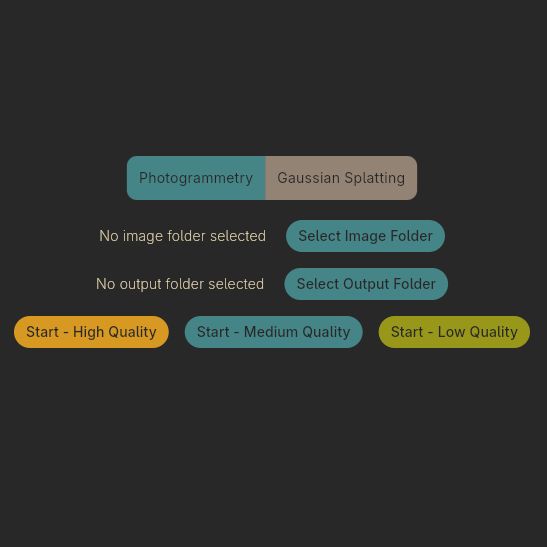
One of the fun aspects of open source software is that you can often find so many libraries and tools that implement the functionality you need, but ease of use for e.g. artists is often not a priority. This is where [Edin Spiegel] ‘s annoyances with photogrammetry tools led him down to the path of creating the Simple Photogrammetry GUI project, which is basically what it says on the tin.

In an associated video its development and use is demonstrated, combining tools like Colmap, OpenMVS, mvs-texturing, pymeshlab, brush and PoissonRecon to implement both photogrammetry and gaussian splatting to turn those photos into a not too shabby mesh along with realistic textures.

The GUI uses the Flutter GUI kit, so Linux support is still somewhat sketchy, but should work in this new release of this GUI wrapper. The author is asking for people to test this GUI and report any issues found so that they can be addressed.

From a quick glance at the project and the comments to the video it seems quite useful for anyone who wants to get started quickly with photogrammetry. One niggle is perhaps that it relies on processing using CUDA, with a much slower fallback to CPU processing if you do not happen to have an Nvidia-blessed GPU installed. Of course this is one of those universal issues in a world where theoretically everyone should be using OpenCL already.

In addition to the build instructions you can also download an AppImage for Linux and compiled binaries for Windows to theoretically get started as fast as your internet connection allows. Interestingly, the AppImage is well over a GB in size, whereas the Windows ZIP file is just 207 MB for the v1.1.5 release, so take that into account.

Continue reading “Combining Photogrammetry Utilities Into A Simple GUI Tool” →

An open-source, DIY, point-and-shoot digital camera.

PolyShot Camera Focuses On Nostalgia

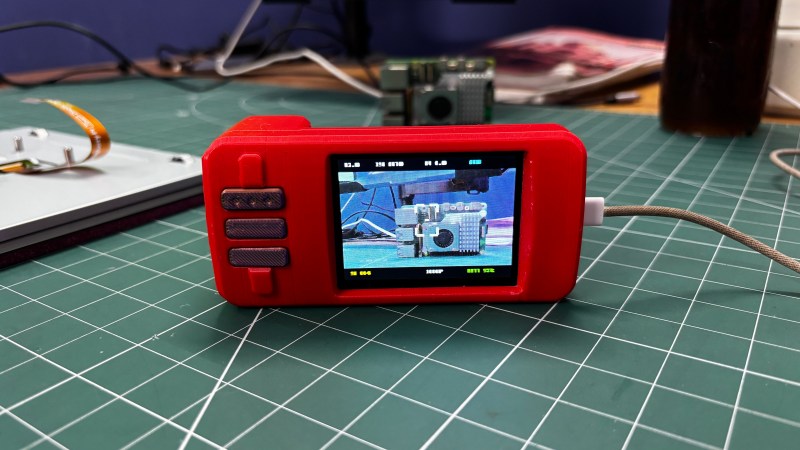
Although we personally have yet to see anyone brandishing an old digital point-and-shoot camera, we hear they’re back in vogue. Why, though? People are nostalgic for that image quality. While he certainly could have simply picked up a vintage model somewhere for a likely inflated price, [Arnov Sharma] decided to build his own version and call it the PolyShot.

The core of this project is the Unihiker K10 dev board, which uses an ESP32-S3, a whopping 2 megapixel camera, and a micro SD card to capture photos and display them back on the screen. The tricky part, if you can call it that, is the custom PCB. It’s a simple board with just three buttons: shutter, gallery, and next image. We do like that the position of the battery compartment creates a nice grip.

The biggest difference here is that there is a few-second delay between pressing the shutter button and actually capturing the image, which you can see in the short videos below. So if you’re trying to get a shot of a skink or something equally speedy, we wish you good luck.

In a future iteration, [Arnov] wants to address the issue of image quality, because this project ended up evolving into a more traditional digital camera. He would also improve the battery life, for which the current expectancy is around three hours on a charge. Ultimately, [Arnov] wants to ditch the Unihiker and design everything from the ground up, using an ESP32-S3 module.

Continue reading “PolyShot Camera Focuses On Nostalgia” →

The PiShot Is Ready For Your Snaps

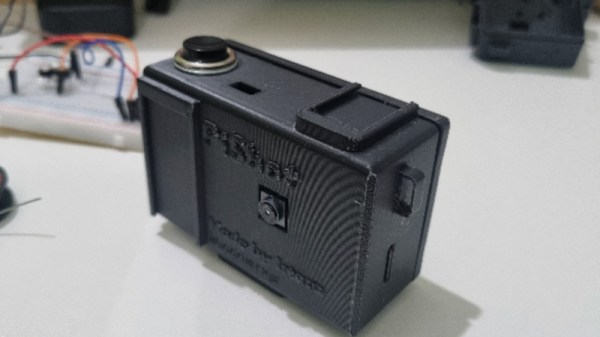
The formula for a Raspberry Pi camera is by now a straightforward one: take a Pi and camera module, add a display, buttons, and battery, and you’re done. This doesn’t mean that there’s no scope for more though, and [Irtaza2009] has one in the PiShot. It’s a few months old now but the repository is still being updated.

The 3D printed case follows a compact camera form factor with the screen on the rear, and a cold shoe on top. Inside is a Pi Zero 2 W and a Camera Module 3, with an 18650 cell and battery management/power supply board. The buttons are tactile switches hooked up to GPIOs, and the screen is an ST7789 SPI display.

For software there’s a Python script, which should do the job. We’ve not tested this one, but our experience is that slowness is the Achilles’ heel of Python based Pi cameras. We hope this one has managed to eke out some performance.

An interesting upgrade to this device would be to use an HQ camera module, for a mirror-less compact. It wouldn’t be the first such camera we’ve seen.

Tracking Bees With A Stereo Camera

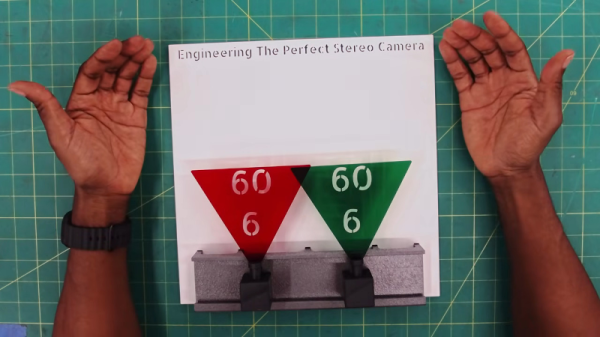
For whatever reason, [Jeremy] wants to photograph bees in flight. This is one of those things that doesn’t seem that hard until you try to do it. He’s got the mechanical part that can move the camera as fast as the bee flies. But you still have to point the camera correctly. He considered quite a few methods of acquiring and tracking the bee, but he finally settled on a stereo camera. His requirements also made the camera design challenging. In particular, the bees move fast enough that things like USB transmission times become significant. You can see his solution in the video below.

[Jeremy] does a great job explaining all the tradeoffs between frame rate, resolution, focal length, and other optical issues. Of course, he also wanted a global shutter sensor. Rolling shutter cameras scan row-by-row, creating the well-known “jello effect”. Global shutters capture all pixels at once. That also removes any uncertainty as to “when” the shutter fired.

Continue reading “Tracking Bees With A Stereo Camera” →

Using Video Glasses As A Camera Viewfinder Is Harder Than It Looks

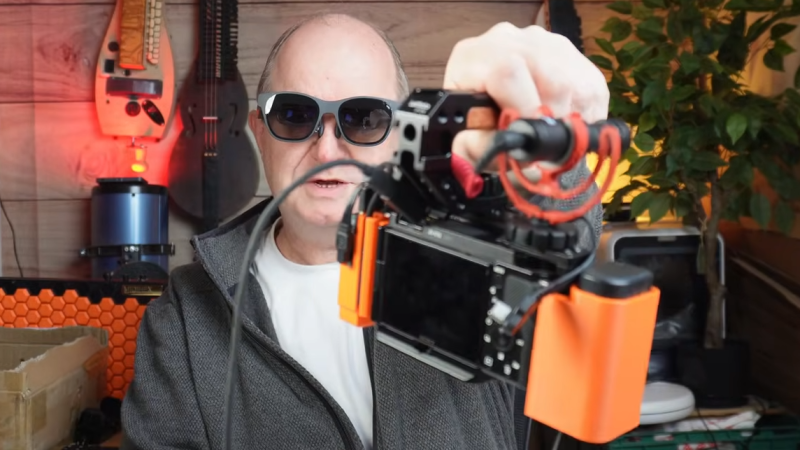
[John Dingley] has a Sony ZV-E10 camera that is excellent, but the design lacks a built-in electronic viewfinder. This means it relies entirely on its rear-mounted touchscreen for framing shots. This is troublesome because [John] often films in bright sunlight, and sometimes from a perspective other than normal eye level. His solution? Use a pair of XREAL video glasses as a handsfree viewfinder.

Cable management can be a real challenge, even if a project’s technical elements are solved.

The XREAL glasses look a bit unusual, but they can be worn and used like regular sunglasses. They accept external video and importantly, allow the wearer to see the video feed while still having awareness of their surroundings. Seems like a perfect match for the camera, but as [John] discovered, there are quite a few implementation hurdles involved.

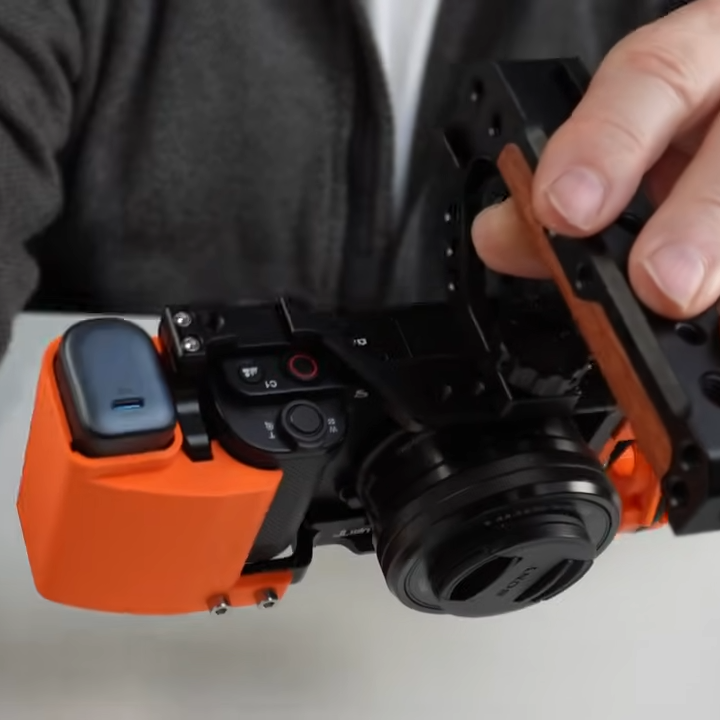
For starters, the camera and glasses do not speak the same format. The camera outputs HDMI via a distressingly fragile micro-HDMI connector, but the glasses accept video over USB-C (aka DisplayPort altmode). Connectors and cables and a converter will be involved, as well as a power bank because the glasses and converter will require a power supply. As any hacker knows, wires and connectors can eat up space very quickly.

To solve all this, [John] carefully selected off-the-shelf components chosen to minimize bulk and designed a custom camera cage to hold things cleanly without obstructing the camera’s microphone port. The end result is very tidy package that presents a single USB-C connection point between the glasses and the camera, requires no hardware modifications or soldering, and even takes the strain off the fragile connector on the ZV-E10.

The finishing touch is putting a neck strap on the XREAL glasses, allowing them to be easily donned and doffed as needed while filming. Check it out the video, embedded just below the page break.

When it comes to filming vehicles it often makes sense to film from a low perspective. The camera has a handle for this purpose, but the process is much better now that the glasses can act as a viewfinder. [John] has a soft spot for vehicles, including self-balancing unicycles or monotracks of his own design.

Continue reading “Using Video Glasses As A Camera Viewfinder Is Harder Than It Looks” →