Icestorm Tools Roundup: Open Source FPGA Dev Guide

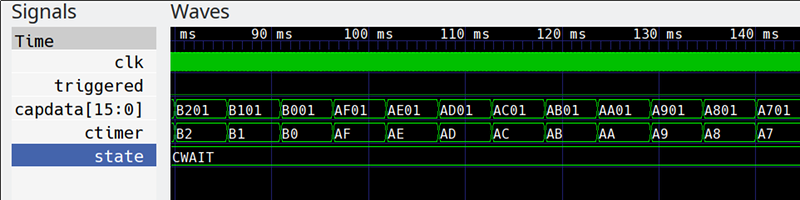
We like the ICE40 FPGA from Lattice for two reasons: there are cheap development boards like the Icestick available for it and there are open source tools. We’ve based several tutorials on the Icestorm toolchain and it works quite well. However, the open source tools don’t always expose everything that you see from commercial tools. You sometimes have to dig a little to find the right tool or option.

Sometimes that’s a good thing. I don’t need to learn yet another fancy IDE and we have plenty of good simulation tools, so why reinvent the wheel? However, if you are only using the basic workflow of Yosys, Arachne-pnr, icepack, and iceprog, you could be missing out on some of the most interesting features. Let’s take a deeper look.

Continue reading “Icestorm Tools Roundup: Open Source FPGA Dev Guide”

Free ARM Cores For Xilinx FPGAs

In a surprising move, ARM has made two Cortex-M cores available for FPGA development at no cost.

In the over three decades since [Sophie Wilson] created the first ARM processor design for the Acorn Archimedes home computer, the architecture has been managed commercially such that it has become one of the most widely adopted on the planet. From tiny embedded microcontrollers in domestic appliances to super-powerful 64-bit multi-core behemoths in high-end mobile phones, it’s certain you’ll own quite a few ARM processors even if you don’t realise it. Yet none of those processors will have been made by ARM, instead the Cambridge-based company will have licenced the intellectual property of their cores to another semiconductor company who will manufacture the device around it to their specification. ARM core licences cost telephone-number sums, so unless you are a well-financed semiconductor company, until now you probably need not apply.

You will still have to shell out the dough to get your hands on a core for powerful chips like those smartphone behemoths, but if your tastes are more modest and run only to a Cortex M1 or M3 you might be in luck. For developers on Xilinx FPGAs they have extended the offer of those two processor cores at zero cost through their DesignStart Programme.

It’s free-as-in-beer rather than something that will please open-source enthusiasts, But it’s certainly a fascinating development for experimenters who want to take ARM for a spin on their own gate array. Speculation is swirling that this is a response to RISC-V, but we suspect it may be more of a partial lifting of the skirts to entice newbie developers such as students or postgraduates. If you arrive in the world of work already used to working with ARM IP at the FPGA level then you are more likely to be on their side of the fence when those telephone-number deals come up.

Thanks [Rik] for the tip!

ICEstick Makes Terrible Radio Transmitter

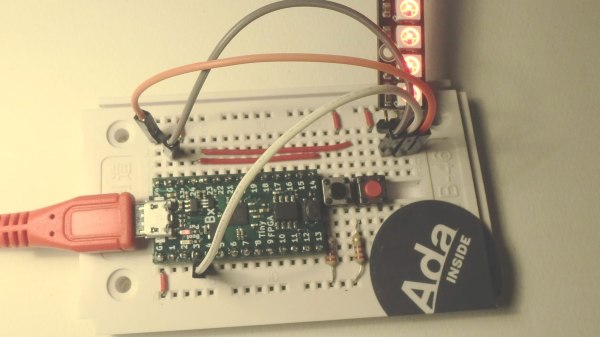
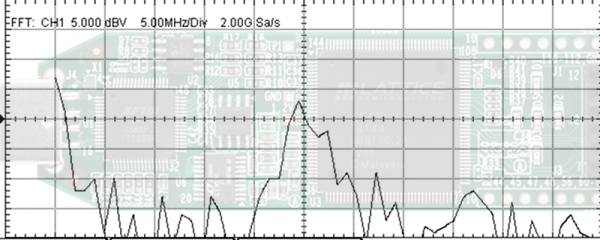
We’ve done a lot of posts on how to use the Lattice iCEstick ranging from FPGA tutorials to how to use one as a logic analyzer. If you picked up one of these inexpensive boards here’s a fun little experiment. [T4D10N] saw a project [Hamster] put together to send SOS on the FM radio band using nothing but an FPGA. [Hamster used a Spartan], so he decided to do the same trick using an iCEstick with the open source IceStorm tools.

You might be surprised that the whole thing only takes 53 lines of Verilog — less if you cut out comments and whitespace. That’s because it uses the FPGA’s built-in PLL to generate a fast clock and then uses a phase accumulator divider to produce three frequencies on the FM radio band; one for a carrier and two for a tone, spaced 150 Hz apart. The result is really frequency shift keying but you can hear the results on an FM radio.

Continue reading “ICEstick Makes Terrible Radio Transmitter”

FPGA Jacked Into Pinball Machine Masters High Scores

How do you preserve high scores in an old arcade cabinet when disconnecting the power? Is it possible to inject new high scores into a pinball machine? It was the b-plot of an episode of Seinfield, so it has to be worth doing, leading [matthew venn] down the rabbit hole of FPGAs and memory maps to create new high scores in a pinball machine.

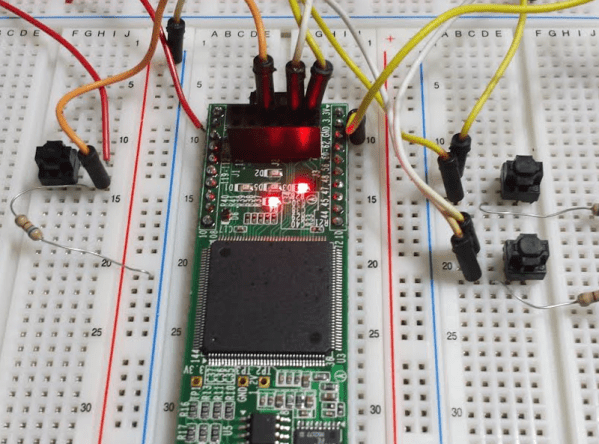
The machine in question for this experiment is Doctor Who from Williams, which, despite being a Doctor Who pinball machine isn’t that great of a machine. Still, daleks. This machine is powered by a Motorola 68B09E running at 2MHz, with 8kB of RAM at address 0x0000. This RAM backed up with a few AA batteries, and luckily is in a DIP socket, allowing [matthew] to fab a board loaded up with an FPGA development board that goes between the CPU and RAM.

The basic technique for intercepting and writing a new high score for this pinball machine comes from the incredible [sprite_tm] who is tweeting high scores from a 1943 cabinet. The idea is simple: just have an FPGA look at one specific memory address, and send some data to a computer when the data at that address is updated. For the Doctor Who pinball machine, this is slightly harder than it sounds: the data isn’t stored in hex, but packed BCD. After a little bit of work, though, [matthew] was able to write new high scores from a Python script running on a laptop. All the code (and a few more details) are over on a Github

Extending arcade games by tapping into address and data lines isn’t something we see a lot of, but it has been done, most famously with the Church of Robotron. Here, a few MAME hacks turn a game of Robotron into a Church for the faithful to fully commit themselves to the savior of the world, due to arrive in 66 years and save the remaining humans from the robot apocalypse. This hack of a Doctor Who pinball machine goes beyond a modded version of MAME, and if we’re ever going to make a real chapel with a real game of Robotron, these are the techniques we’re going to use.

Three Part Deep Dive Explains Lattice ICE40 FPGA Details

It is no secret that we like the Lattice iCE40 FPGA. It has a cheap development board and an open source toolchain, so it is an easy way to get started developing low-cost, low-power FPGA designs. There are a few members of the family that have similar characteristics including the top-of-the-line UltraPlus. [Steve] from Lattice and [Michael Klopfer] from the University of California Irvine have a three-part video series that explain the architecture of the devices. Altogether, the videos are about an hour long and — of course — they use the official tools, not IceStorm. But it is still a great time investment if you have an iCE40 board and you want to understand what the chip has under the hood.

The first part is fairly short and talks a lot about applications. There’s also a nod to the hobbyist use of FPGAs. Keep in mind that the iCE40 FPGAs come in different sizes and variants, so don’t get excited when you see them mention a RISC-V — that isn’t going to fit in your iCEStick, that we know of. The iCEstick has a HX-1K onboard, which is the high-performance variant with 1,280 logic elements, as opposed to the low-power (LP) version.

Continue reading “Three Part Deep Dive Explains Lattice ICE40 FPGA Details”

Learn Verilog In Your Browser

We are big fans of tools in the browser for education. You have a consistent environment maintained by someone else, you don’t have to install anything, and you can work from any computer you happen to find yourself. The HDLBits site has a great set of Verilog “exams” that would be a big help to anyone trying to learn or brush up on their Verilog skills.

The site offers a range of topics that go from the silly (output a constant 1 or 0) to full-blown state machines and testbenches. The site isn’t tutorial in nature, instead it offers a problem, an optional hint, and an editing window with some code already in place. You add your code and hit submit. Behind the scenes, the site runs Intel Quartus and Modelsim to test your work. It will either show you the results or tell you that you failed.

Continue reading “Learn Verilog In Your Browser”

Using An FPGA To Navigate China’s Railroads

If you’re headed over to mainland China as a tourist, it’s possible to get to most of the country by rail. China is huge though, about the same size as the United States and more than twice the size of the European Union. Traveling that much area isn’t particularly easy. There are over 300 train terminals in China, and finding the quickest route somewhere is not obvious at all. This is an engineering challenge waiting to be solve, and luckily some of the students at Cornell Engineering have taken a stab at efficiently navigating China’s rail system using an FPGA.

The FPGA runs an algorithm for finding the shortest route between two points, called Dijkstra’s algorithm. With so many nodes this can get cumbersome for a computer to calculate, but the parallel processing of a dedicated FPGA speeds up the process significantly. The FPGA also includes something called a “hard processor system“, or HPS. This is not a soft-core, but dedicated computing hardware in the form of an ARM Cortex-A9. Testing showed that utilizing both the HPS and the FPGA can speed up the computation by up to ten times over a microcontroller alone.

This project goes into extreme detail on the methodology and the background of the math and coding involved, and is definitely worth a read if you’re interested in FPGAs or traveling salesman-esque problems. FPGAs aren’t the only dedicated hardware you can use to solve these kinds of problems though, if you have a big enough backpack while you’re traveling around China you could also use a different kind of computer.

Continue reading “Using An FPGA To Navigate China’s Railroads”