KiDoom Brings Classic Shooter To KiCad

As the saying goes: if it has a processor and a display, it can run DOOM. The corollary here is that if some software displays things, someone will figure out a way to make it render the iconic shooter. Case in point KiDoom by [Mike Ayles], which happily renders DOOM in KiCad at a sedate 10 to 25 frames per second as you blast away at your PCB routing demons.

Obviously, the game isn’t running directly in KiCad, but it does use the doomgeneric DOOM engine in a separate process, with KiCad’s PCB editor handling the rendering. As noted by [Mike], he could have used a Python version of DOOM to target KiCad’s Python API, but that’s left as an exercise for the reader.

Rather than having the engine render directly to a display, [Mike] wrote code to extract the position of sprites and wall segments, which is then sent to KiCad via its Python interface, updating the view and refreshing the ‘PCB’. Controls are as usual, though you’ll be looking at QFP-64 package footprints for enemies, SOIC-8 for decorations and SOT-23-3 packages for health, ammo and keys.

If you’re itching to give it a try, the GitHub project can be found right here. Maybe it’ll bring some relief after a particularly frustrating PCB routing session.

Microsoft Open Sources Zork I, II And III

The history of the game Zork is a long and winding one, starting with MUDs and kin on university mainframes – where students entertained themselves in between their studies – and ending with the game being ported to home computers. These being pathetically undersized compared to even a PDP-10 meant that Zork got put to the axe, producing Zork I through III. Originally distributed by Infocom, eventually the process of Microsoft gobbling up game distributors and studios alike meant that Microsoft came to hold the license to these games. Games which are now open source as explained on the Microsoft Open Source blog.

Although the source had found its way onto the Internet previously, it’s now officially distributed under the MIT license, along with accompanying developer documentation. The source code for the three games can be found on GitHub, in separate repositories for Zork I, Zork II and Zork III.

We previously covered Zork’s journey from large systems to home computers, which was helped immensely by the Z-machine platform that the game’s code was ported to. Sadly the original games’s MDL code was a bit much for 8-bit home computers. Regardless of whether you prefer the original PDP-10 or the Z-machine version on a home computer system, both versions are now open sourced, which is a marvelous thing indeed.

Commodore’s Most Popular Computer Gets DOOM-style Shooter

When people talk about the lack of a DOOM being the doom Commodore home computers, they aren’t talking about the C64, which was deep into obsolescence when demon-slaying suddenly became the minimal requirement for all computing devices. That didn’t stop [Kamil Wolnikowski] and [Piotr Kózka] from hacking together Grey a ray-cast first-person shooter for the Commodore 64.

Grey bares more than a passing resemblance to id-software’s most-ported project. It apparently runs at 16 frames per second on a vanilla C64 — no super CPU required. The secret to the speedy game play is the engine’s clever use of the system’s color mapping functionality: updating color maps is faster than redrawing the screen. Yeah, that makes for rather “blockier” graphics than DOOM, but this is running on a Commodore 64, not a 386 with 4 MB of RAM. Allowances must be made. Come to think of it, we don’t recall DOOM running this smooth on the minimum required hardware — check out the demo video below and let us know what you think.

The four-level demo currently available is about 175 kB, which certainly seems within the realms of possibility for disk games using the trusty 1541. Of course nowadays we do have easier ways to get games onto our vintage computers.

If you’re thinking about Commodore’s other home computer, it did eventually get a DOOM-clone. Continue reading “Commodore’s Most Popular Computer Gets DOOM-style Shooter”

Diskette Game Floppy Flopper Is Certainly No Flop

There’s a tactile joy to the humble 3.5″ floppy that no USB stick will ever match. It’s not just the way they thunk into place in a well-made drive, the eject button, too, is a tactile experience not to be missed. If you were a child in disk-drive days, you may have popped a disk in-and-out repeatedly just for the fun of it — and if you weren’t a child, and did it anyway, we’re not going to judge. [igor] has come up with a physical game called “Floppy Flopper” that provides an excuse to do just that en masse, and it looks like lots of fun.

It consists of nine working floppy drives in a 3×3 grid, all mounted on a hefty welded-steel frame. Each drive has an RGB LED above it. The name of the game is to swap floppies as quickly as possible so that the color of the floppy in the drive matches the color flashing above it. Each successful insertion is worth thirteen points, tracked on a lovely matrix display. Each round is faster than the last, until you miss the window or mix up colors in haste. That might make more sense if you watch the demo video below.

Continue reading “Diskette Game Floppy Flopper Is Certainly No Flop”

Pong Gets The Boot

You might be surprised to find out that [Akshat Joshi’s] Pong game that fits in a 512-byte boot sector isn’t the first of its kind. But that doesn’t mean it isn’t an accomplishment to shoehorn useful code in that little bitty space.

As you might expect, a game like this uses assembly language. It also can’t use any libraries or operating system functions because there aren’t any at that particular time of the computer startup sequence. Once you remember that the bootloader has to end with two magic bytes (0x55 0xAA), you know you have to get it all done in 510 bytes or less.

This version of Pong uses 80×25 text mode and writes straight into video memory. You can find the code in a single file on GitHub. In the old days, getting something like this working was painful because you had little choice but reboot your computer to test it and hope it went well. Now you can run it in a virtual machine like QEMU and even use that to debug problems in ways that would have made a developer from the 1990s offer up their life savings.

We’ve seen this before, but we still appreciate the challenge. We wonder if you could write Pong in BootBasic?

FLOSS Weekly Episode 855: Get In The Minecart, Loser!

This week Jonathan chats with Kevin, Colin, and Curtis about Cataclysm: Dark Days Ahead! It’s a rogue-like post-apocalyptic survival game that you can play in the terminal, over SSH if you really want to! Part of the story is a Kickstarter that resulted in a graphics tile-set. And then there’s the mods!

Continue reading “FLOSS Weekly Episode 855: Get In The Minecart, Loser!”

A closeup of a transparent-bodied example of the new Steam Frame VR headset

The Engineering Behind Valve’s New VR Headset

Valve’s new Steam Frame is what all the well-connected YouTubers are talking about, but most of them are talking about what it’s like to game on it. That’s great content if you’re into it, but not exactly fodder for Hackaday — with one exception. [Gamers Nexus] gives us a half hour of relatively-unedited footage of them just chatting with the engineers behind the hardware.

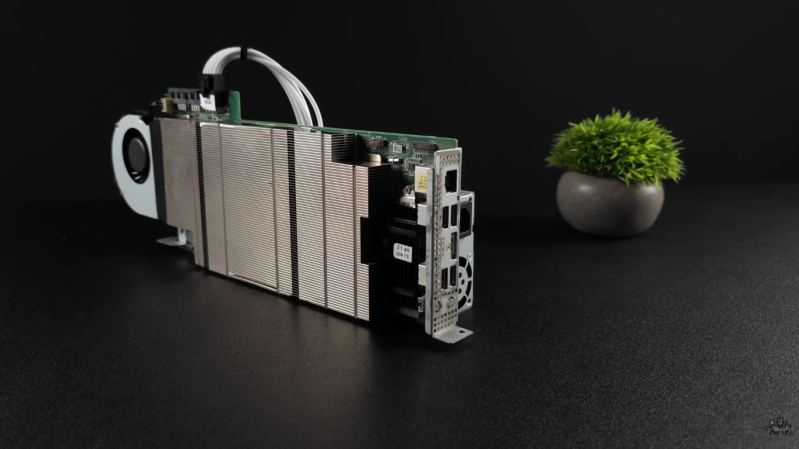
It’s great stuff right from the get-go: they start with how thermal management drove the PCB design, and put the SoC on the “back” of the chip, sandwiched betwixt heat pipes. We don’t usually think of taking heat through the PCB when building a board, so it’s a neat detail to learn about before these things get into the hands of the usual suspects who will doubtless give us teardown videos in a few months.

From there wanders to power delivery — getting the voltage regulators packaged properly was a challenge, since impedance requirements meant a very tight layout. Anyone who has worked on this kind of SBC might be familiar with that issue, but for those looking in from the outside, it’s a fascinating glimpse at electrical sausage being made. That’s just the first half.

The heat-regulation conversation is partially repeated the next conversation (which seems to have happened first) where they get into the cooling requirements of the LCD screens. This requires less than you might think, as they like to run warm for fast refresh. It’s really more about keeping your face cool. They also they discuss acoustic vibration — you don’t want your integrated audio shaking your IMUs apart — and why the prototype was being blasted with freakin’ laser beams to monitor it.

If you haven’t seen or read any other coverage on the Steam Frame, you’re going to miss some context here, but if you’ve not hid under a rock for that announcement, this is amazing detail to have. We’re hugely impressed that Valve let their engineers out of their cubicle-cave to talk to media.

Sure, it’s not an open-source VR headset, but compared to the deafening silence coming from the likes of Meta, this level of information is still awesome to have.

Continue reading “The Engineering Behind Valve’s New VR Headset”