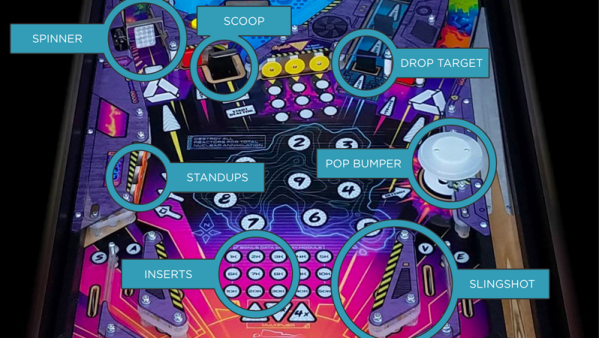
Those of us beyond a certain age will very likely have some fond memories of many an hour spent and pocket money devoured feeding the local arcade pinball machine. At one time they seemed to be pretty much everywhere, but sadly, these days they seem to have largely fallen out of favour and are becoming more of speciality to be specifically sought out. Apart from a few random ones turning up — there’s a fun Frankenstein-themed machine in the Mary Shelley Museum in Bath, England — a trip to a local amusement arcade is often pretty disappointing, with modern arcade machines just not quite scratching that itch anymore, if you ask us. So what’s an old-school hacker to do, but learn how to build a machine from scratch, just the way we want it? A great resource for this is the excellent Pinball Makers site, which shows quite a few different platforms to build upon and a whole ton of resources and guides to help you along the way.
Fully solar-powered handheld gadgets have so far mostly been limited to ultra-low power devices like clocks, thermometers and calculators. Anything more complicated than that will generally have a battery and some means to charge it. An entirely solar-powered video game console is surely out of reach. Or is it? As [ridoluc] shows, such a device is actually possible: the RunTinyRun gets all its power directly from the Sun.
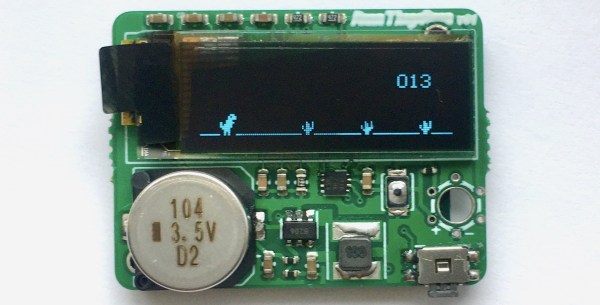
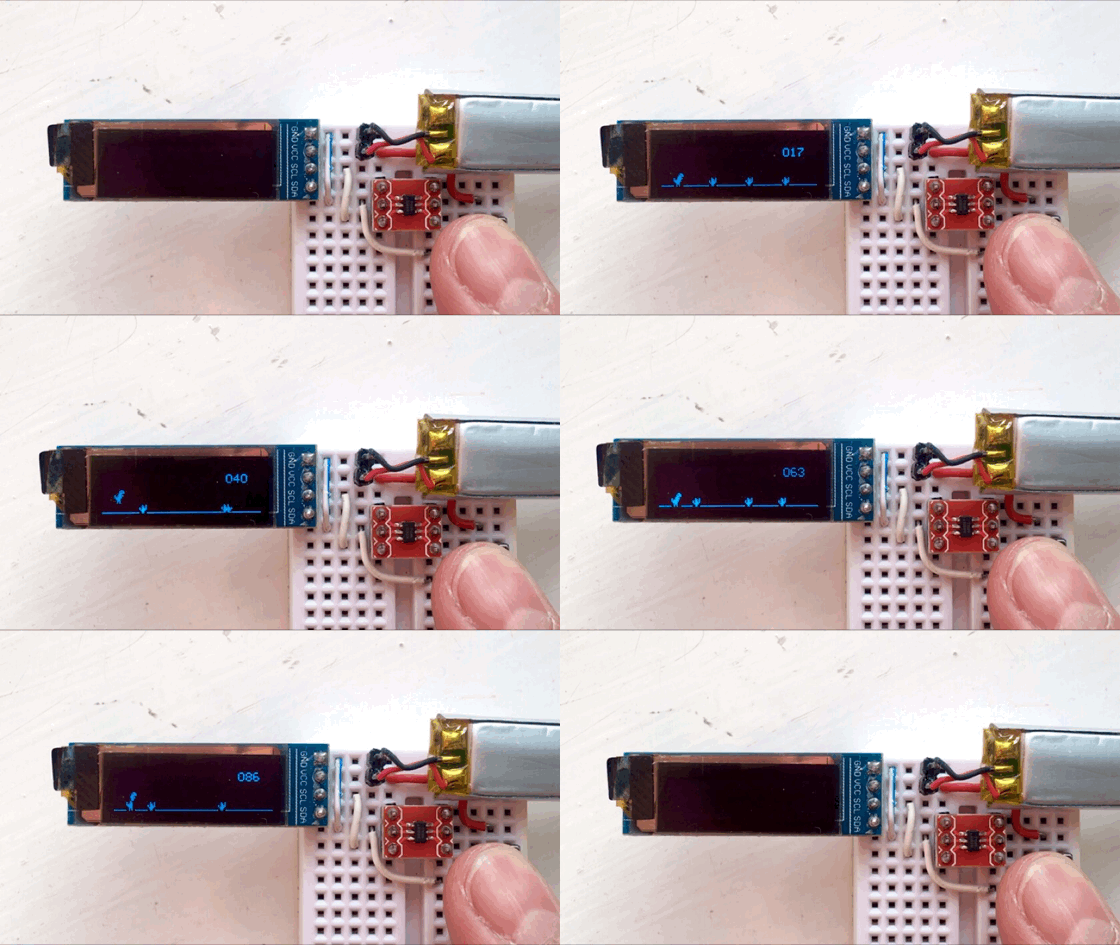
To be fair, it’s not really a full-fledged game console. In fact it doesn’t even come close to the original Game Boy. But RunTinyRun is a portable video game with an OLED display that’s completely powered by a solar panel strapped to its back. It will run indefinitely if you’re playing outside on a sunny day, and if not, letting it charge for a minute or two should enable thirty seconds of play time.
The game it runs is a clone of Google’s Dinosaur Game, where you time your button presses to make a T-Rex jump over cacti. As you might expect, the game runs on an extremely minimalist hardware platform: the main CPU is an ATtiny10 six-pin micro with just 1 kB of flash. The game is entirely written in hand-crafted assembly, and takes up a mere 780 bytes. A 0.1 farad supercap powers the whole system, and is charged by a 25 x 30 mm2 solar cell through a boost converter.
RunTinyRun is a beautiful example of systems design within strict constraints on power, code size and board area. If you’re looking for a more capable, though slightly less elegant portable gaming console, have a look at this solar-powered Game Boy.
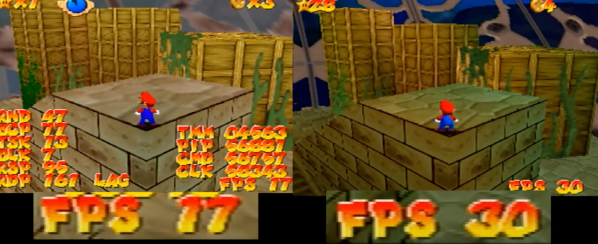
When working on any software project, the developers have to balance releasing on time with optimizations. As long as you are hitting your desired time constraints, why not just ship it earlier? It’s no secret that Super Mario 64, a hotly anticipated launch title for the Nintendo 64 console in 1996, had a lot of optimizations left on the table in order to get it out the door on time. In that spirit, [Kaze Emanuar] has been plumbing the depths of the code, refactoring and tweaking until he had a version with serious performance gains.
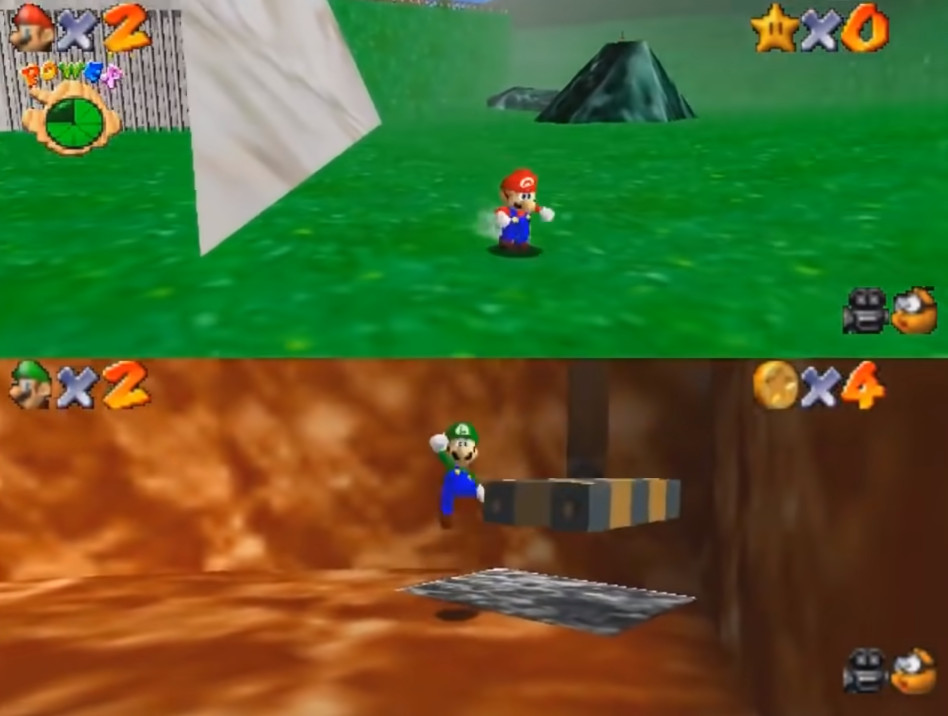
Why would anyone spend time improving the code for an old game that only runs on hardware released over two decades ago? There exists a healthy modding community for the game, and many of the newer levels that people are creating are more ambitious than what the original game could handle. But with the performance improvements that [Kaze] has been working on, your budget for larger and more complex levels suddenly becomes much more significant. In addition, it’s rumored that a multi-player mode was originally planned for the game, but Nintendo had to scrap the feature when it was found that the frame rate while rendering two cameras wasn’t up to snuff. With these optimizations, the game can now handle two players easily.
Luigi has been waiting 26 years for his chance to shine.
[Kaze] has a multi-step plan for improving the performance involving RAM alignment, compiler optimizations, rendering improvements, physics optimizations, and generally reducing “jankiness.” To be fair to the developers at Nintendo, back then they were working with brand new hardware and pushing the boundaries of what home consoles were capable of. Modeling software, toolchains, compilers, and other supporting infrastructure have vastly improved over the last 20+ years. Along the way, we’ve picked up many tricks around rendering that just weren’t as common back then.
The central theme of [Kaze]’s work is optimizing Rambus usage. As the RCP and the CPU have to share it, the goal is to have as little contention as possible. This means laying out items to improve cachability and asking the compiler to generate smaller code rather than faster code (no loop unrolling here). In addition, certain data structures can be put into particular regions of memory that are write-only or read-only to improve resource contention. Logic bugs are fixed and rendering techniques were improved. The initial results are quite impressive, and while he isn’t done, we’re very much looking forward to playing with the final product.
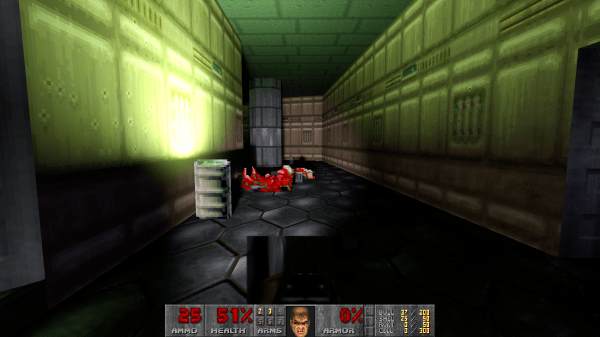
We’re huge fans of taking retro games and adding new graphics features to them, so you had to know that when [Sultim Tsyrendashiev] released his ray-traced Doom engine, we would have to cover it. Now this does break with tradition — instead of running Doom on every conceivable platform, this version requires an AMD or Nvidia ray tracing capable card. On the other hand, the spirit of Doom is certainly alive, as ray-traced Doom has already been demonstrated on the Steam Deck. Check out the video below for a demo, and come back after the break for more info.
The most exciting part of this graphical feat may be the RayTracedGL1 library that “simplifies the process of porting applications with fixed-function pipeline to real-time path tracing.” Besides Doom, there’s also been demos made of Serious Sam and Half-Life 1. There’s even experimental Linux support! We managed to compile and test it on our system, running a 6700 XT and Fedora 35 with bleeding edge Mesa. There are a few visual glitches to work out, but it’s an outstanding project so far. The only complaint we have is that it’s based on prboom, not the still-maintained GZDoom, though with enough attention who knows where the project will go. If this leaves you hungry for more, check out more retro-upgrades, or Doom on more devices.
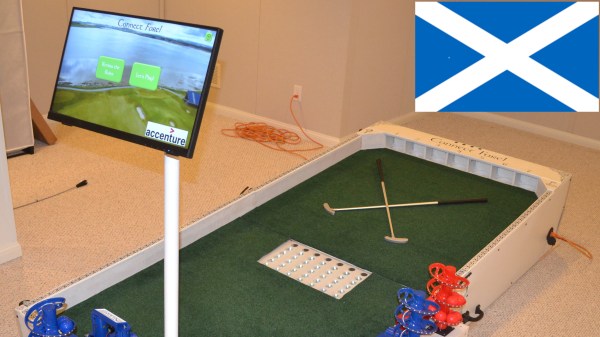
We’ve just come across [Bithead]’s amazing, robotically-automated mashup of miniature golf and Connect Four, which also includes an AI opponent who pulls no punches in its drive to win. Connect Fore! celebrates Scotland — the birthplace of golf, after all — and looks absolutely fantastic.
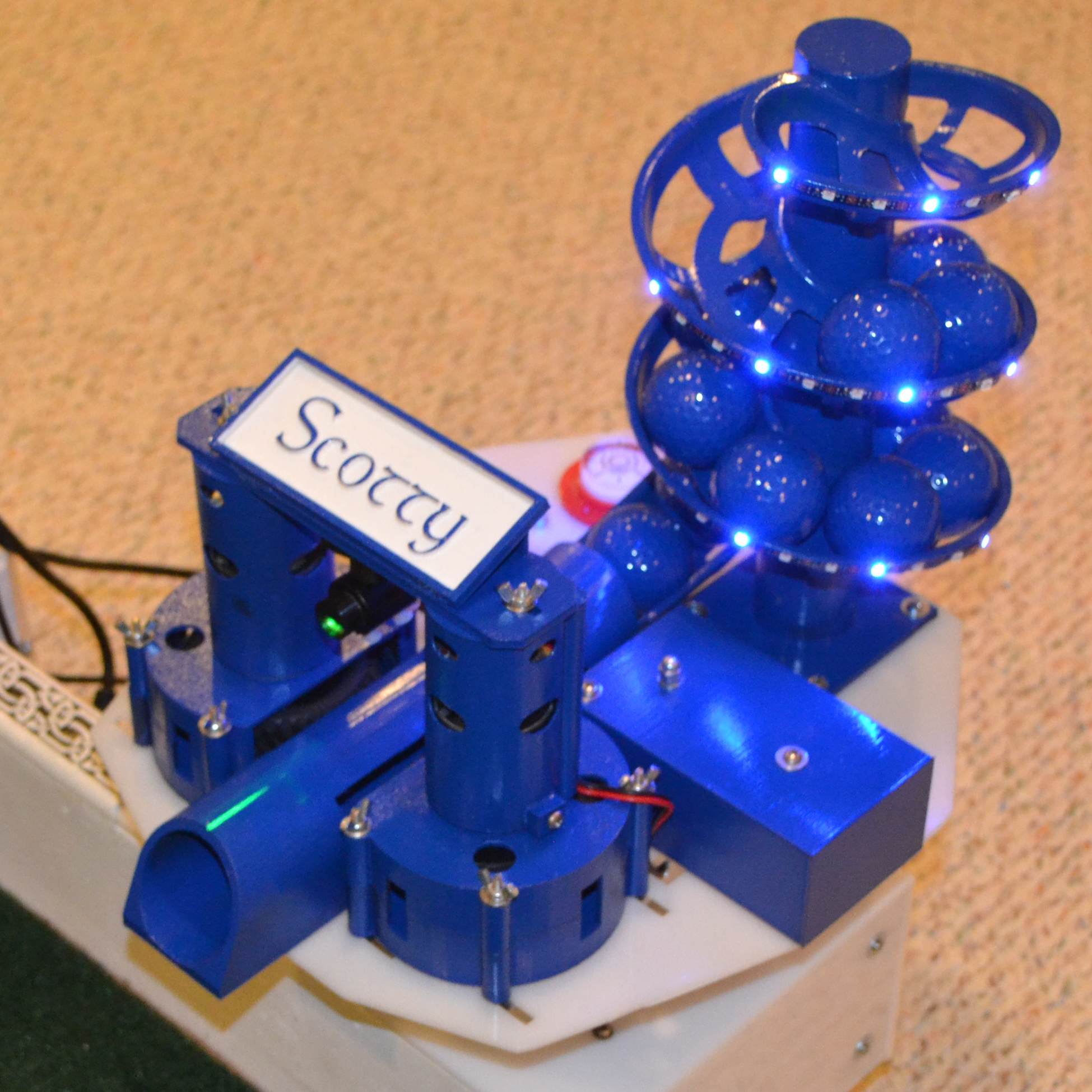
Scotty the AI opponent uses this robotic turret to make their moves in a game of Connect Fore!
The way it works is this: players take turns putting colored balls into one of seven different holes at the far end of the table. Each hole feeds to a clear tube — visible in the middle of the table — which represent each of the columns in a game of Connect Four.
Each player attempts to stack balls in such a way that they create an unbroken line of four in their color, either horizontally, vertically, or diagonally. In a one-player game, a human player faces off against “Scotty”, the computer program that chooses its moves with intelligence and fires balls from a robotic turret.
[Bithead] started this project as a learning experience, and being such a complex project, the write-up is extensive. We really recommend reading through the whole thing if you are at all interested in what goes into making such a project work.
What’s particularly interesting is all of the ways in which things nearly worked, or needed nudging or fine adjustment. One might think that reliably getting a ball to enter a hole and roll down a PVC tube wouldn’t be a particularly finicky task, but it turns out that all kinds of things can go wrong.
Even finding the right play surface was a challenge. [Bithead]’s first purchase from Amazon was a total waste: it looked bad, smelled bad, and balls didn’t roll well on it. There are high-quality artificial turfs out there, but the good stuff gets shockingly expensive, and such a small project pretty much pigeonholes one as a nuisance customer when it comes to vendors. The challenges [Bithead] overcame serve as a reminder to keep the 80/20 rule (or Pareto principle) in mind when estimating what will get a project to the finish line.
Right under the page break below is a brief video tour of the completed table, and after that, you can watch a game in action as [Bithead] faces off against Scotty the AI. Curious about the inner workings? The last video has some build details that fill in a few blanks from the write-up.
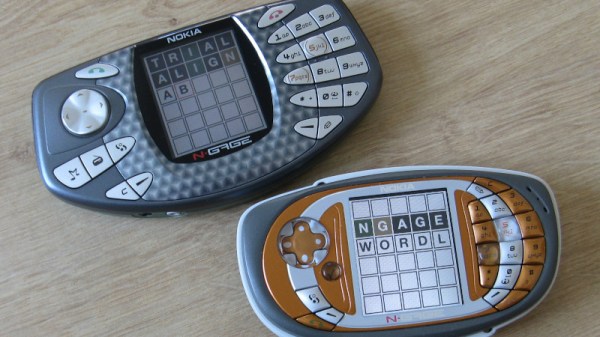
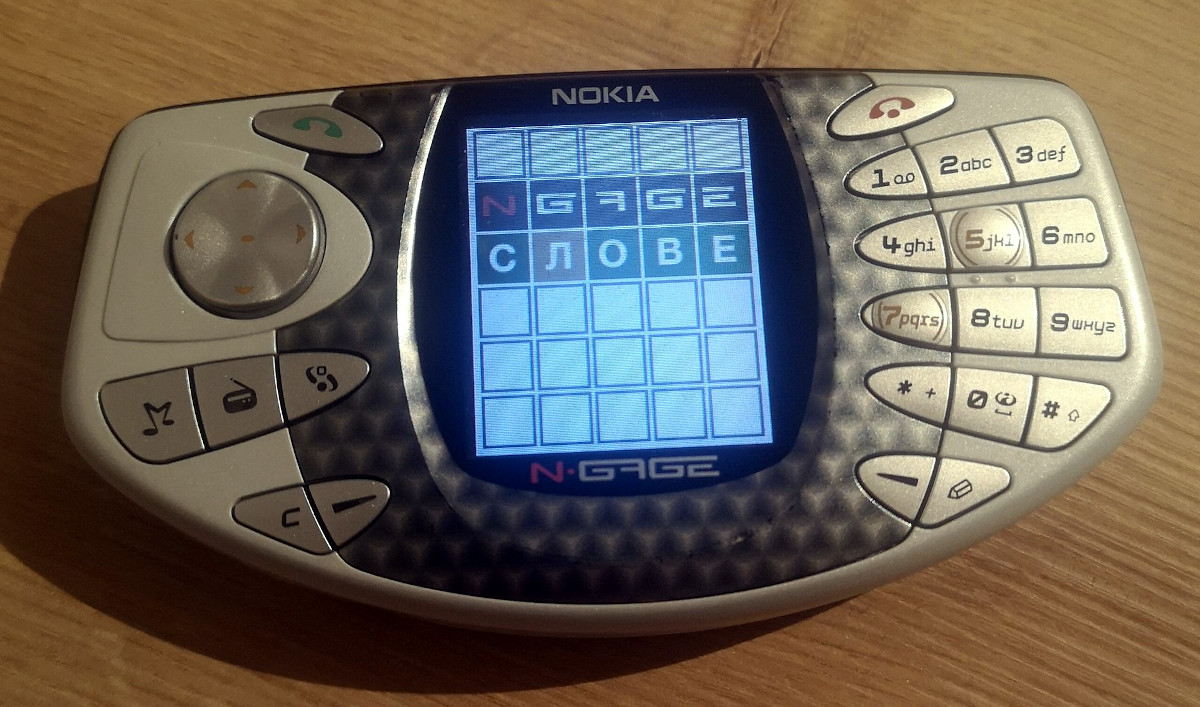
You probably never imagined you’d be reading about new software getting developed for Nokia’s infamous N-Gage handheld game system in 2022, and we certainly never thought we’d be writing about it. But here we are. Of course, we aren’t talking about a commercial title — this is an unofficial port of Wordle by “taco phone” superfan [Michael Fitzmayer].
[Michael] tells us that this first version is pretty simplistic, and currently uses a single word list with all 2,309 terms in the New York Times version. Translations to Finnish, Russian, and German are in the works, though interestingly it looks like the effort is currently stymied by the fact that the code doesn’t support words with hyphens in them; meaning it’s possible to find yourself in an unwinnable situation if you’re playing in Russian. We’re sure that’s just a coincidence and not meant as any kind of political commentary, but still…you can’t make this stuff up.
In Soviet Russia, N-Gage plays you!
So how does one go about developing a new game for a failed console from the early 2000s? The answer is by using the modern N-Gage SDK that’s is currently in development, which lets you write code for the system using popular tools and libraries like Visual Studio 2022, CMake, and SDL. But [Michael] isn’t just a user of this new SDK, he’s also the brains behind the operation.
The hope is this new development platform will lead to something of a renaissance for the maligned device, and he’s even started a Discord server to discuss the past, future, and present of sidetalkin’. If you’re surprised to find yourself looking up what a used N-Gage goes for on eBay these days, join the club.
It appears that every great console is bound to get a miniature remake: we’ve had the PlayStation Classic, the Mini NES and SNES, and even a miniature Sega Genesis/Mega Drive. But one great console that was sorely missing from that list, at least according to [Brendan], was the Vectrex. So he went ahead and built a fully-functioning miniature Vectrex Console.
If the name “Vectrex” doesn’t ring a bell in your mind, you’re not alone: a commercial failure, it was quickly forgotten by most following the 1983 video game crash. But it has retained a cult status among enthusiasts due to its unique design featuring a monochrome vector monitor, onto which you can place transparent overlays to obtain a sort-of color display. Its games can now all be emulated using software like RetroPie, which is what [Brendan] chose to run on a Raspberry Pi Model 2 that he had lying around.
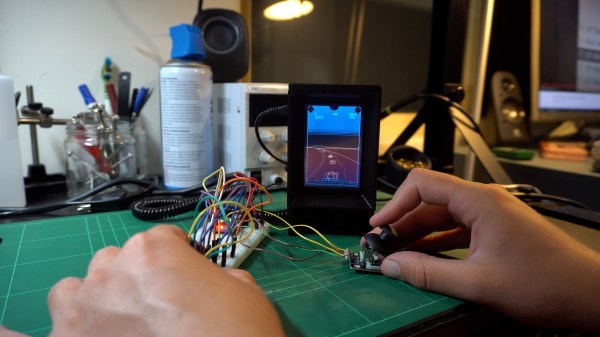
As for the display, he settled on a Pi-compatible 3.5″ TFT device. Hooking it up to the Pi was easy enough, but getting the image rendered in its proper portrait orientation was quite a headache, requiring endless fiddling with drivers and configuration files.
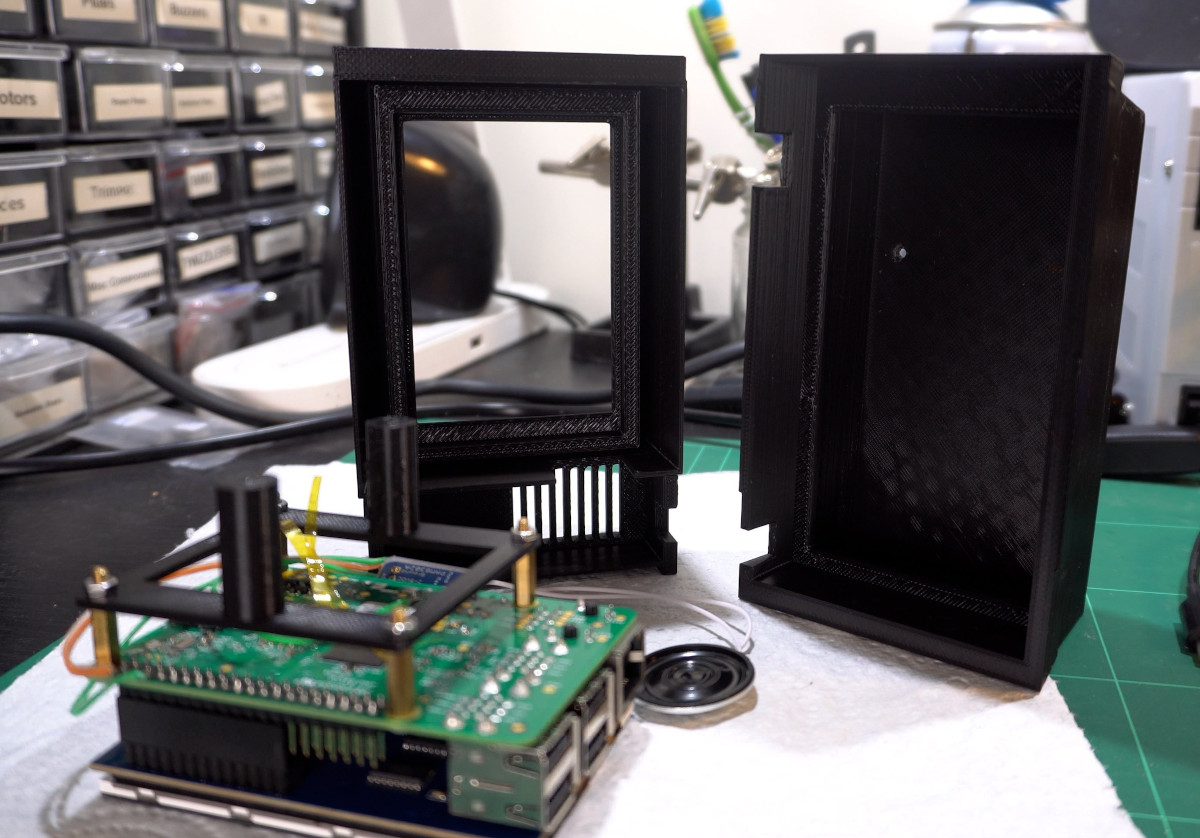
Once he got this working, [Brendan] set to work designing a miniature copy of the Vectrex’s original case. It took a few iterations and several 10-hour runs on his 3D printer before he ended up with a sturdy case that securely held the Pi and its display in place. A few more hours of printing later he also had a handheld controller, which he based on an Arduino Pro Mega. The Arduino reads out four regular pushbuttons and a joystick, and communicates with the Pi through a coiled USB cable.