Zelda II Redux CRT Header Image

Zelda II Redux ROM Hack Plays How You Remember The Original

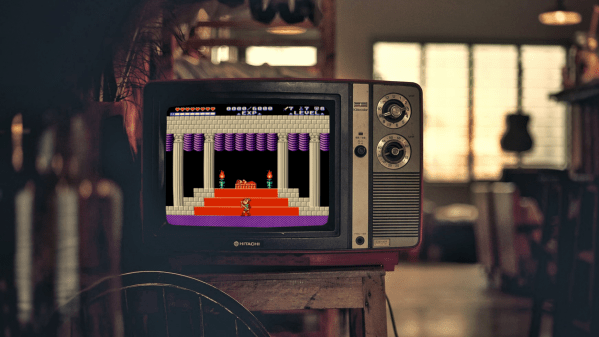
Going back to classic games can be a difficult experience. The forward passage of time leaves technology to stagnate, while the memories attached to those old games can morph in mysterious ways. Therein lies the problem with how you remember a game playing versus the reality of how it actually does. Developer [Jorge] saw that situation arising around Zelda II: The Adventure of Link, and it inspired him to create the Zelda II Redux ROM hack.

Years in the making, Zelda II Redux takes a relatively light-handed approach to revising the original NES game. Graphical enhancements include: a reworked HUD complete with the series’ tradition of hearts, animated enemy icons in the over world, a new title screen, and giving Link the shield from the Famicom Disk System release’s box art. Text speed has been increased and a revised translation of the Japanese script has been incorporated. Under the hood, all sorts of boss battles have been re-balanced while casting magic spells doesn’t require multiple return trips to the pause menu. Though Zelda II Redux’s most important feature may be the inclusion of manual saving via “Up + A” on the pause menu. There are also a whole host of other changes Zelda II Redux incorporates in order to bring Link’s second adventure more inline with the rest of the Legend of Zelda series that can be found on the project’s change log.

To play Zelda II Redux requies an IPS patching program, like LunarIPS, along with a clean dumped image of Zelda II: The Adventure of Link. Dumping NES cartridges is easier than ever these days due to many cartridge dumper devices being plug-and-play over USB. A successfully patched ROM file can be played in an emulator or on actual NES hardware through a flash cart. A video of a tool-assisted speedrun has been included below, so there may be some new strategies to employ.
Continue reading “Zelda II Redux ROM Hack Plays How You Remember The Original” →
Building A Vector Graphics Machine From Scratch Including The CRT

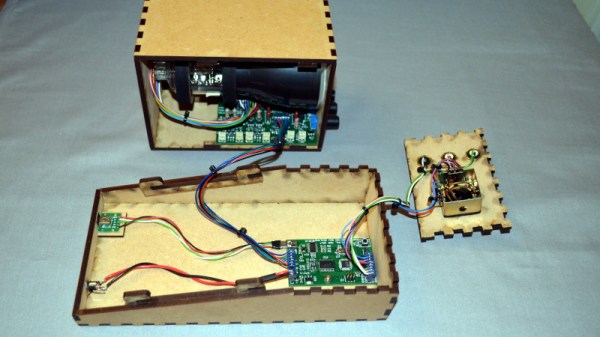
Over the years we’ve seen quite a few projects involving vector graphics, but the spaceship game created by [Mark Aren] especially caught our eye because in it he has tackled building a vector display from scratch rather than simply using a ready-made one such as an oscilloscope. As if the vector game itself wasn’t interesting enough, the process of designing the electronics required to drive a CRT is something that might have been commonplace decades ago but which few electronics enthusiasts in 2020 will have seen.

In his write-up he goes into detail on the path that took him to his component choices, and given the unusual nature of the design for 2020 it;s a fascinating opportunity to see the job done with components that would have been unheard of in the 1950s or 1960s. He eventually settled on a high voltage long-tailed pair of bipolar transistors, driven by a single op-amp to provide the differential signal required by the deflection electrodes. The mix of old and new also required a custom-fabricated socket for the CRT. On the game side meanwhile, an ATmega328 does the heavy lifting, through a DAC. He goes into some detail on DAC selection, having found some chips gave significant distortion.

All in all this is an impressive project from all angles, and we’re bowled over by it. Of course, if you fancy a play with vector graphics, perhaps there’s a simpler way.

Chess Computer Retires To Play Jazz

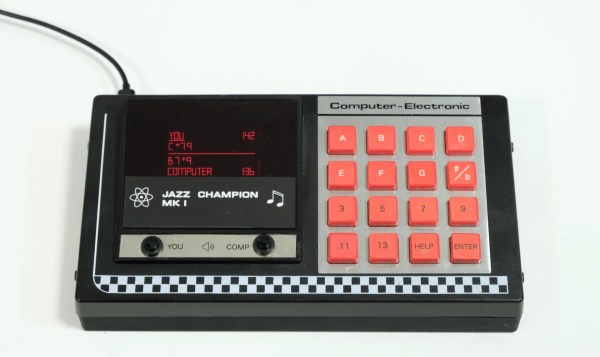
Years ago, [Leo Neumann]’s girlfriend gave him a 1970s chess computer game that was missing almost everything but the super cool clicky keyboard. Noting the similarity of chess move labeling to chord notation, [Leo] decided to turn it into something even nerdier — a jazz chord game where you jam with the computer.

To play the game, you and the computer take turns entering jazz chords that progress musically from the last one played. The hardware is simple — a Raspberry Pi Zero and a WM8960 audio hat with amplifier in speakers. [Leo] also put in a slightly larger display than the original and printed a new bottom half for the case. We love the look of this build, especially the groovy custom line font [Leo] designed.

On the software side, [Leo] made a Python prototyping environment using PYO Module and Kivy UI. Not content with other approaches to tonal consonance, [Leo] played a couple thousand chords and rated them according to their progressive harmony. Shake out those jazz hands and check it out after the break.

Want to play chess with computers? Make Alexa your go-between.

Continue reading “Chess Computer Retires To Play Jazz” →

Cornhole Boards Play Victory Songs

How do you instantly make any game better? By lighting it up and playing at night. We would normally say ‘drinking’, but we’re pretty sure that drinking is already a prerequisite for cornhole — that’s the game where you toss bean bags at holes in angled boards.

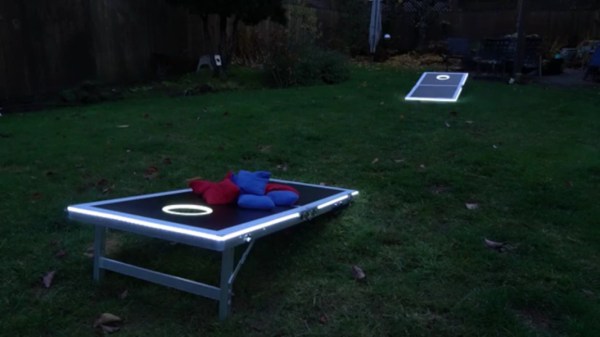
[Hardware Unknown] loves cornhole, and was gifted a set of portable, folding boards that light up around the ring for nighttime action. These turned out to be the perfect basis for reactive boards that light up and play sound whenever points are scored. Both boards have a vibration sensor to detect bags hitting the top, and an IR break-beam sensor pair across the hole. An Arduino Nano reads from the sensors and controls an amplifier and a DF Player for sound.

Players get a point and a song for landing a bag on top of the board, and three points and a different song for making it in the hole. We love the Easter egg — anyone who manages to trip both the vibration sensor and the break-beam detector at the same time will be treated to the sound of a flock of honking geese. Check out the build journey after the break.

No good at cornhole? This one doesn’t let you miss.

Continue reading “Cornhole Boards Play Victory Songs” →

The Most Annoying Among Us Tasks Created In Real Life

Among Us is a hit game of deception and intrigue. Those who have played it know the frustration of trying to complete some of the intentionally difficult tasks onboard the Skeld. [Zach Freedman] decided to recreate some of these in real life.

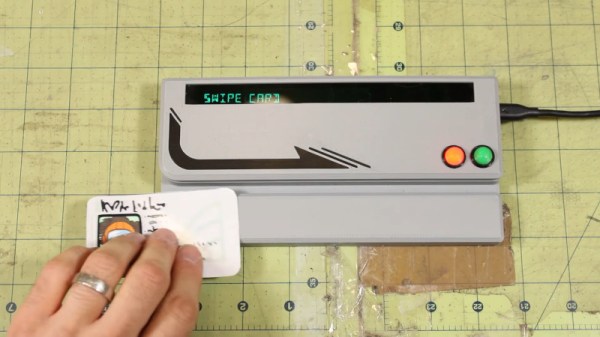
[Zach] built what are arguably the three most frustrating tasks from the game. There’s the excruciatingly slow upload/download station built out of an old Samsung tablet and an NFC tag, and the reactor start console created using a Raspberry Pi 3B, Teensy 3.2, and a custom mechanical keyboard. But perhaps most annoying of all is the infamous card reader. Built with another Teensy, it requires the user to swipe their ID card at just the right speed, except that speed is randomly generated for every swipe. Also, the machine fails 20% of good swipes just because. Perhaps what we love most is the way [Zach] recreated the classic VFD look by putting an OLED display behind bottle-green plastic and using a 14-segment font.

It’s a fun homage to a wildly successful indie game, and we could imagine these props would be a hit at a makerspace party. We’ve featured other Among Us themed builds before, too. Video after the break.

Continue reading “The Most Annoying Among Us Tasks Created In Real Life” →

Beer Pong Difficulty Level: 10

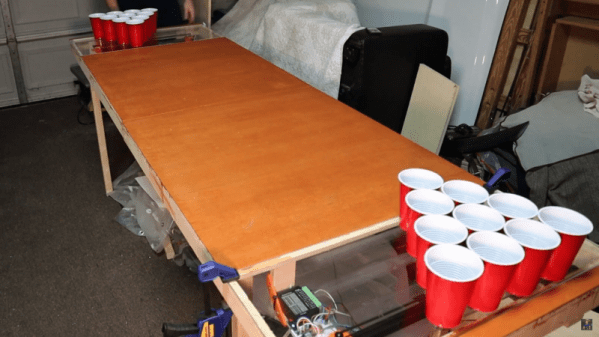
Beer pong is a fun enough game for those of a certain age, but one thing that it lacks is a way of cranking up the difficulty setting independent of the amount of beer one has consumed. At least, that was the idea [Ty] had when he came up with this automated beer pong table which allows the players to increase the challenge of this game by sliding the cups around the top of the table.

The build uses a belt-driven platform under a clear cover with a set of magnets attached. Each of the cups on the table has a corresponding magnet, which allows them to slide fairly easily back and forth on the table. The contraption is controlled by an Arudino Nano with a small screen and dial that allows the players to select a difficulty level from 1 to 10. The difficulty levels increase the speed that the cups oscillate on the table, which certainly adds another layer of complexity to this already challenging game.

While we hope to eventually see a beer pong table that can automatically arrange the cups as the game is played, we do appreciate the effort to make an already difficult game even more difficult. Of course, if you have problems with the difficulty level you might want to pick up a PongMate CyberCannon Mark III to help with those clutch beer pong shots.

Continue reading “Beer Pong Difficulty Level: 10” →

Among Us Emergency Meeting Button Becomes Reality

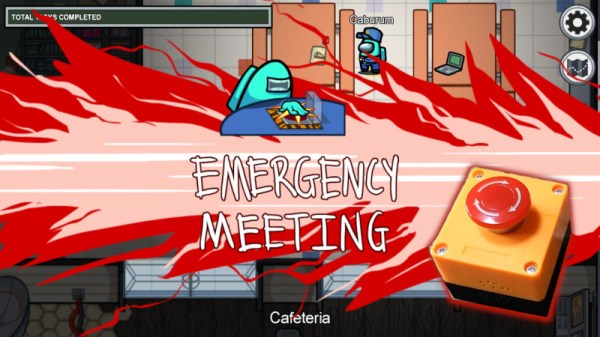
Among Us has been an indie gaming success story. A game built by a small team has, after several years on the market, become a worldwide sensation. Gameplay consists of players attempting to find the imposter amongst their ranks and an “Emergency Meeting” can be called if players need to speak to each other. [john lemme] wanted to be able to do the same with his roommates, and set about building the real thing.

The build relies on an ESP32, which reads the state of a big red emergency button. When pressed, the ESP32 uses its WiFi connection to trigger a Discord conference call containing all the roommates. Naturally, it also plays the buzzer sound from the actual game, too – via a small amplifier and a speaker yanked from some headphones.

It’s a fun build, though [john] notes it has its limits. The call takes 10 seconds to initiate after the button press, and the audio hardware doesn’t do a great job of recreating the buzzer noise from the game. However, it’s a good starting point, and we think the concept could actually prove useful with some refinement. Video after the break.

Continue reading “Among Us Emergency Meeting Button Becomes Reality” →