How I²C EEPROM Talks To The Bus

You will probably be familiar with I²C, a serial bus typically used for not-very-fast communication with microcontroller peripherals. It’s likely though that unless you are an I²C wizard you won’t be intimately familiar with the intricacies of its operation, and each new device will bring a lengthy spell of studying data sheets and head-scratching.

If the previous paragraph describes you, read on. [Clint Stevenson] wrote a library for interfacing I²C EEPROMs to Arduino platforms, and when a user found a bug when using it on an ATtiny85, he wrote up his solution. The resulting piece is a clear explanation of how I²C EEPROMs talk to the bus, the various operations you can perform on them, and the overhead each places on the bus. He then goes on to explain EEPROM timing, and how since it takes the device a while to perform each task, the microcontroller must be sure it has completed before moving to the next one.

In the case of [Clint]’s library, the problem turned out to be a minor incompatibility with the Arduino Wire library over handling I²C start conditions. I²C has a clock and a data line, both of which are high when no tasks are being performed. A start condition indicates to the devices on the bus that something is about to happen, and is indicated by the data line going low while the clock line stays high for a while before the clock line starts up and the data line carries the I²C command. He’s posted samples of code on the page linked above, and you can find his library in his GitHub repository.

If you want to know more about I²C, take a look at Hackaday Editor [Elliot Williams’] masterclasses on the subject: What could go wrong, I²C edition, and Embed With Elliot, I²C bus scanning.

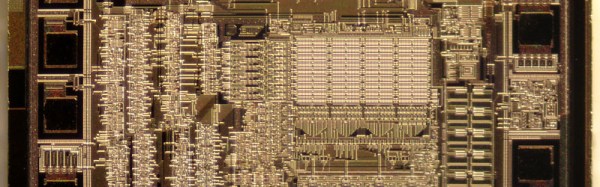
Serial EEPROM die picture, By Epop (Own work) [CC0], via Wikimedia Commons.

EL Wire Gets Some Touching After Effects

If you thought glowy wearables have had their time, guess again! After a few years designing on the side, [Josh] and [his dad] have created a nifty feature for EL wire: they’ve made it touch sensitive. But, of course, rather than simply show it off to the world, they’ve launched a Kickstarter campaign to put touch-sensitive El Wire in the hands of any fashion-inspired electronics enthusiast.

El Wire (and tape) are composed of two conducting wires separated by a phosphor layer. (Starting to sound like a capacitor?) While the details are, alas, closed for now, the interface is Arduino compatible, making it wide open to a general audience of enthusiasts without needing years of muscled programming experience. The unit itself, dubbed the Whoaboard, contains the EL Wire drivers for four channels at about 10ft of wire length.

El Wire has always been a crowd favorite around these parts (especially in Russia). We love that [Josh’s] Whoaboard takes a conventional material that might already be lying around your shelves and transforms it into a fresh new interface. With touch-sensitivity, we can’t wait to see the community start rolling out everything from costumes to glowy alien cockpits.

Have a look at [Josh’s] creation after the break!

Continue reading “EL Wire Gets Some Touching After Effects”

Arduino + Software Defined Radio = Millions Of Vulnerable Volkswagens

As we’ve mentioned previously, the integrity of your vehicle in an era where even your car can have a data connection could be a dubious bet at best. Speaking to these concerns, a soon-to-be published paper (PDF) out of the University of Birmingham in the UK, states that virtually every Volkswagen sold since 1995 can be hacked and unlocked by cloning the vehicle’s keyfob via an Arduino and software defined radio (SDR).

The research team, led by [Flavio Garcia], have described two main vulnerabilities: the first requires combining a cyrptographic key from the vehicle with the signal from the owner’s fob to grant access, while the second takes advantage of the virtually ancient HiTag2 security system that was implemented in the 1990s. The former affects up to 100 million vehicles across the Volkswagen line, while the latter will work on models from Citroen, Peugeot, Opel, Nissan, Alfa Romero, Fiat, Mitsubishi and Ford.

Continue reading “Arduino + Software Defined Radio = Millions Of Vulnerable Volkswagens”

Hackerspacing: Making A Temperature Logger

The folks at Swindon Makerspace took possession of a new space a few months ago after a long time in temporary accommodation. They’ve made impressive progress making it their own, and are the envy of their neighbours.

A small part of the new space is a temperature logger, and it’s one whose construction they’ve detailed on their website. It’s a simple piece of hardware based around a Dallas DS18B20 1-wire temperature sensor and an ESP8266 module, powered by 3 AA batteries and passing its data to data.sparkfun.com. The PCB was created using the space’s CNC router, and the surface-mount components were hand-soldered. The whole thing is dwarfed by its battery box, and will eventually be housed in its own 3D printed case. Sadly they’ve not posted the files, though it’s a simple enough circuit that’s widely used, it looks similar to this one with the addition of a voltage regulator.

The device itself isn’t really the point here though, instead it serves here to highlight the role of a typical small hackspace in bringing simple custom electronic and other prototyping services to the grass roots of our community. Large city hackspaces with hundreds of members will have had the resources to create the space program of a small country for years, but makers in provincial towns like Swindon – even with their strong engineering heritage – have faced an uphill struggle to accumulate the members and resources to get under way.

So to the wider world it’s a simple temperature logger but it really represents more than that — another town now has a thriving and sustainable makerspace. Could your town do the same?

If you’ve never used a Dallas 1-wire temperature sensor like the one the Swindon folks have in their logger, we suggest you read our primer on the parts and their protocol.

Hacker Builds New Single Board Computer Out Of Old Single Board Computer

[Ncrmnt] had a busted tablet PC with an Allwinner A23 SoC inside. He combined two of our favorite past-times, Linux hacking and 3D printing, to make a rather sweet little single-board-computer out of it, giving the tablet a second life.

Step one was to make sure that the thing works. Normally, you’d hook up a wired serial terminal and start hacking. [Ncrmnt] took it one step further and wired in a HC-05 Bluetooth serial module, so he can pull up the debug terminal wirelessly. The rest of the hackery was just crafting a bootable SD card and poking around in the Android system that was still resident in the flash memory of the system.

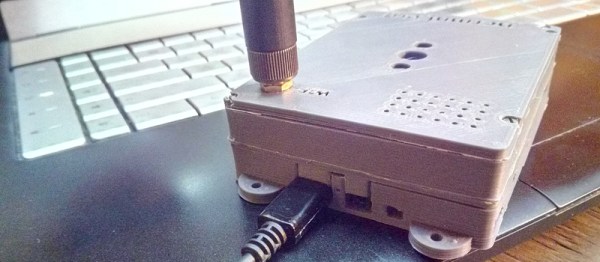
Once the board was proven workable, [Ncrmnt] designed and printed a sweet custom case using Solvespace, a constraint-based 3D CAD modeler that was new to us until recently. The case (after three prints) was a perfect fit for the irregularly shaped system board, a 3.7 V LiIon battery, and a speaker. He then added some nice mounting tabs. All in all, this is a nice-looking and functional mini-computer made out of stuff that was destined for the trash. It’s fast, it’s open-source, and it’s powerful. Best of all, it’s not in the dumpster.

There are pictures and more details on his blog, as well as [Ncrmnt]’s TV-stick to computer conversion that we’ve covered before.

EMF Fire Pong

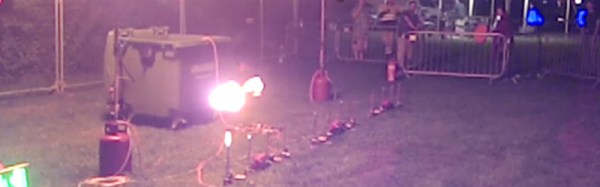
One of the installations that consistently drew a large crowd after dark at EMF Camp 2016 was a game. This wasn’t a conventional computer game though, instead it was a line of gas jets along which a pair of players had to bat a jet of flame between them at ever-increasing speed until one player missed the return. This was the Fire Pong game created by members of Nottingham Hackspace, and though there seems to have been no online write-up of it as yet they have posted enough pictures of its build for us to deduce something of its construction.

A network of gas pipes and jets with all valves brought out to a clearly labeled control panel appears to control the gas flow through solenoid valves connected to a relay board driven by what appears to be an Arduino Pro Mini. The bats are huge for theatrical effect, but contain accelerometers to sense player swipes and send the information back to the gas control circuits. A pair of much larger flame generators indicate the end of a rally, and the score is displayed on a large LED scoreboard. There is very likely to be more to the system than we can glean from these pictures and a shot of the various components, but as yet we are so-to-speak in the dark on their details.

If you will excuse the quality constraints of a mobile phone camera in a darkened field, a video of the game in action is below the break. There was a significant queue for a turn at the bat, this was one of the event’s more popular night-time attractions.

Continue reading “EMF Fire Pong”

TiLDA MKπ, The EMF Camp 2016 Badge

The Scottish Consulate has stamped its last passport, the Dutch fire tower has belched its final flame, and the Gold Members Lounge has followed the Hacienda and the Marquee into clubland oblivion. EMF Camp 2016 is over, so all the 1500 or so attendees have left are the memories, photographs, and festival diarrhoea to remind them of their three days in the Surrey countryside.

Well, not quite all, there is the small matter of the badge.

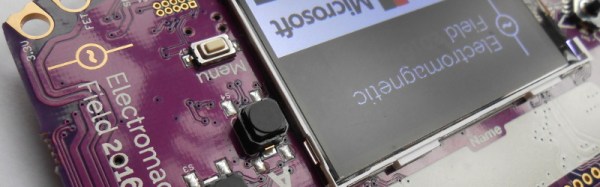
In the case of EMF 2016 it was called TiLDA MKπ, and since there was a point earlier in the year when it seemed the badge might never see the light of day it represents a significant achievement from the EMF badge team.

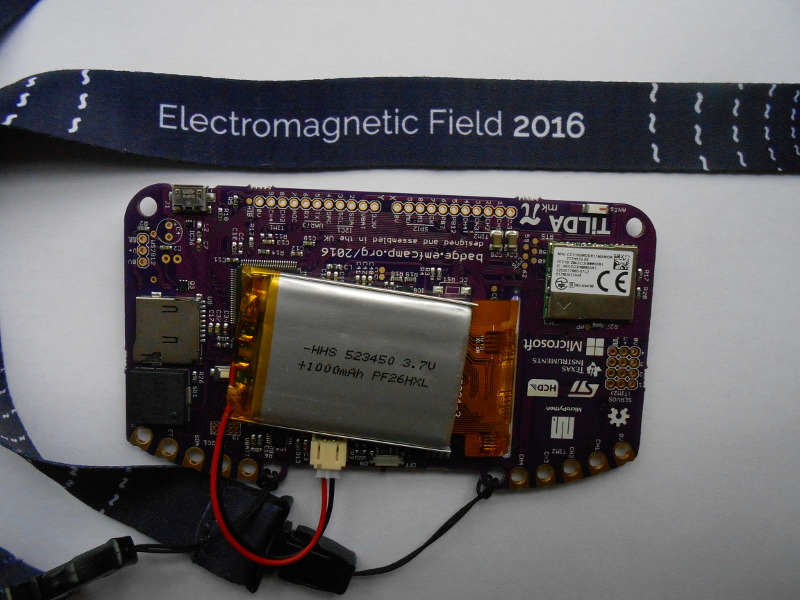
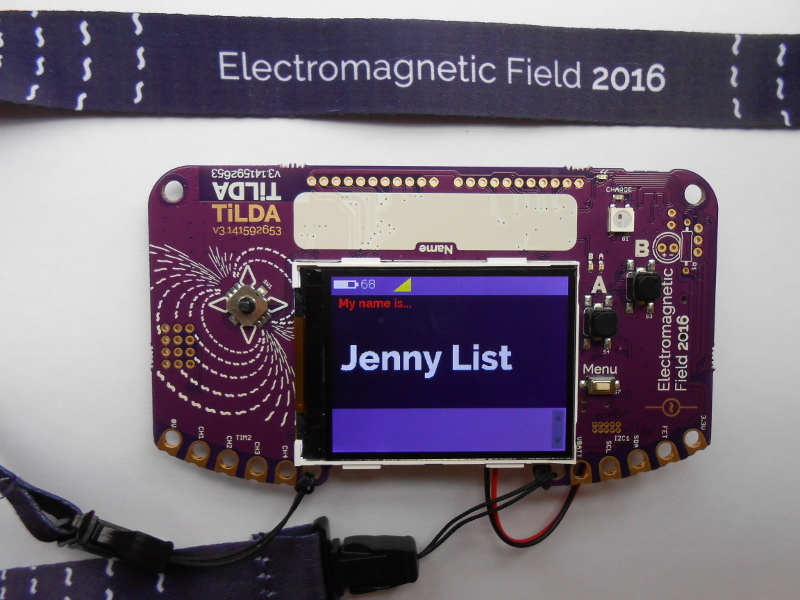
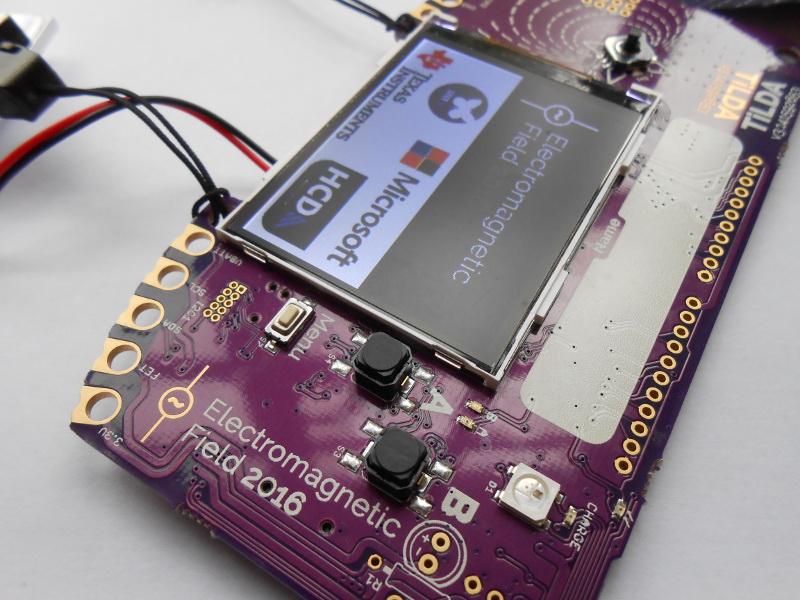
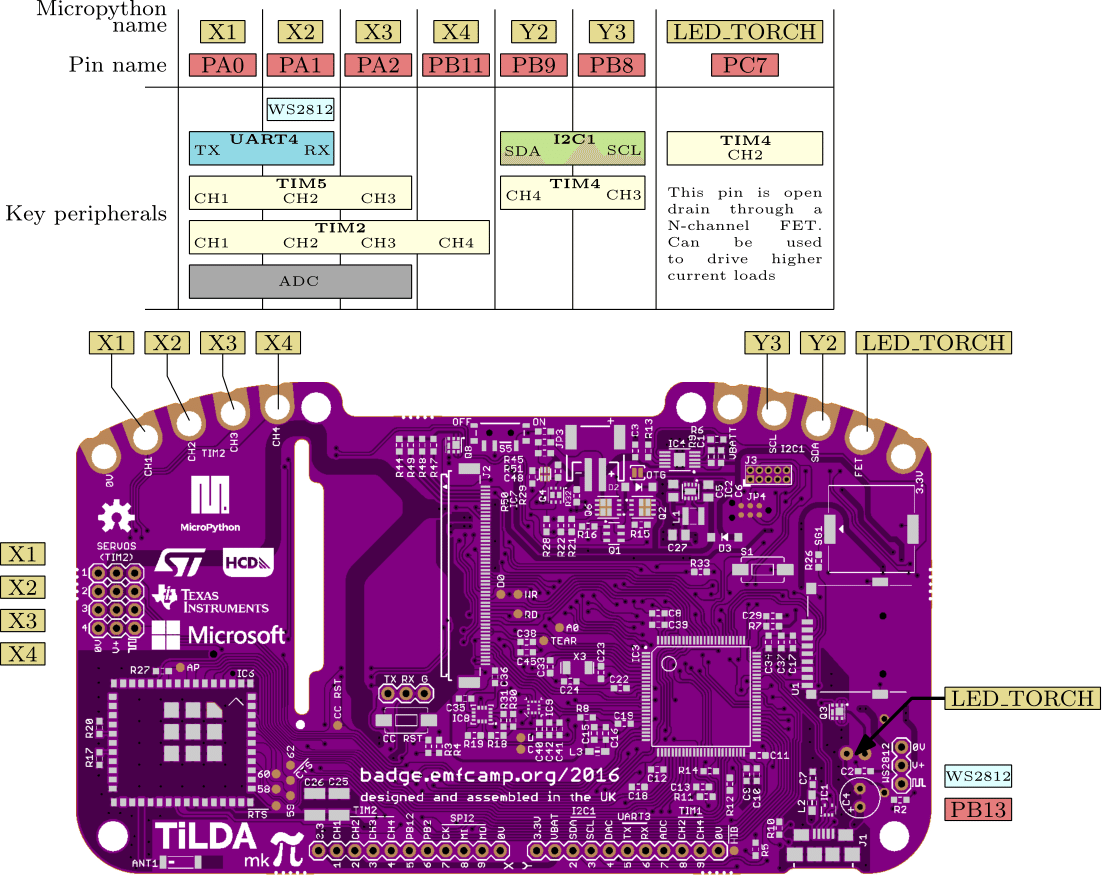
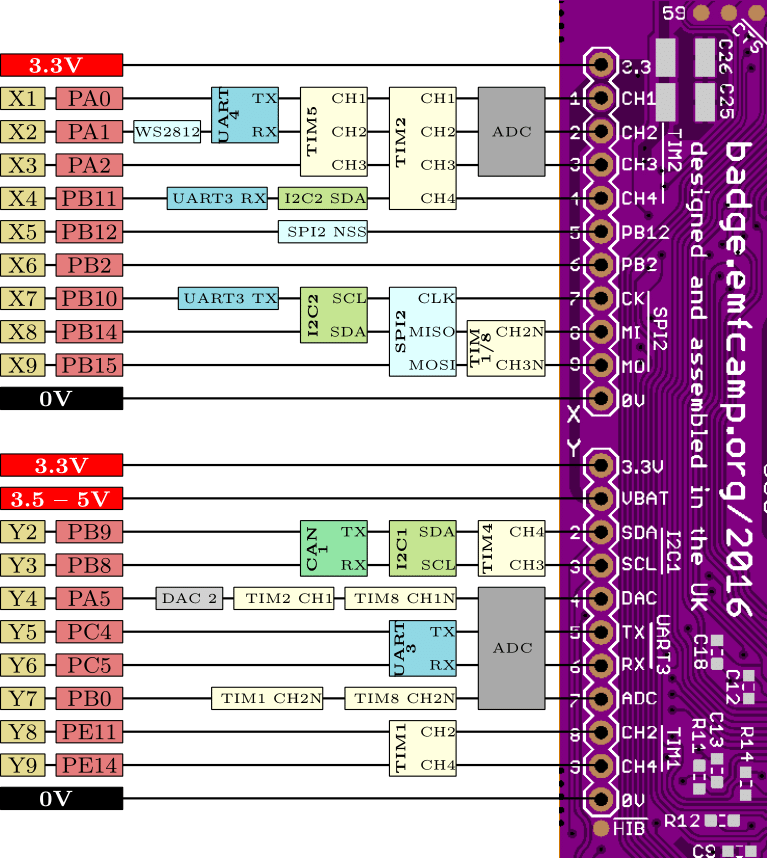
The badge features an STM32L486VGT6 ARM Cortex M4 running at 80MHz, a 320×240 pixel colour LCD, magnetometer and accelerometer, and a CC3100 WiFi processor. The firmware provides a simple interface to an app store containing an expanding array of micropython apps from both the EMF Camp team and submitted by event attendees. As shipped the badge connects to one of the site networks, but this can be adjusted to your own network after the event. It’s been designed for ease of hacking, requiring only a USB connection and mounting as a disk drive without need for special software or IDE. A comprehensive array of I/O lines are brought out to both 0.1″ pitch pins and 4mm edge-mounted holes. At the EMF Camp closing speeches there was an announcement of a competition with a range of prizes for the best hardware and software uses for the badge.

shane-tweetThe TiLDA causes a sticky moment for our colleague, Tindie scribe Shane.
The TiLDA causes a sticky moment for our colleague, Tindie scribe Shane.

As is so often the case the badge was not without its teething troubles, as the network coped with so many devices connecting at once and the on-board Neopixel turned out to have been mounted upside down. Our badge seemed to have a bit of trouble maintaining a steady network connection and apps frequently crashed with miscellaneous Python errors, though a succession of firmware updates have resulted in a more stable experience. But these moments are part of the badge experience; this is after all an event whose attendees are likely to have the means to cope with such problems.

All the relevant files and software for the badge are fully open-source, and can be found in the EMF Camp GitHub repositories. We’ve put a set of images of the board in a gallery below if you are curious. The pinout images are courtesy of the EMF badge wiki.

We’ve featured EMF badges before, here’s our look at the EMF 2014 device.