Veronica Gets A ROM Monitor

monitor

[Quinn] has been on Veronica, her 6502-based computer for quite a while now, but until very recently it’s been more of an embedded project rather than a fully functional computer. Writing software for Veronica on Veronica has been the goal from the start, and finally [Quinn] can write code from a ROM monitor.

In its most basic state, a ROM monitor is an extremely simple piece of software. It resides on the ROM of a computer and is the first thing the computer loads on booting, allowing the user to inspect, read, and write to memory locations, writing code in hex, and running it straight from the monitor.

To write the ROM monitor (and a few other programs), [Quinn] is using the awesome cc65 6502 C compiler. This comes with a whole bunch of macros that make it easy to read keyboard input, shove bits into her AVR GPU, and writing to memory. The monitor program is loaded onto her ROM chip which is automatically read every time the reset button is pressed.

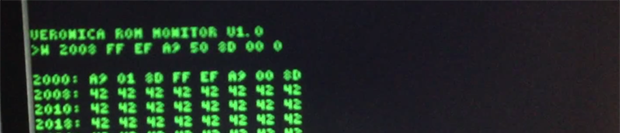
In the video below, you can see [Quinn] writing a few bits to address $2000 that tell the CPU to output ASCII characters to the display. It’s not much, but it’s the first time [Quinn] has written code for Veronica on Veronica, and should prove to be the beginning of a very interesting system.
Continue reading “Veronica Gets A ROM Monitor”

Electric Imp Thermal Printer

imp_printer_01_23

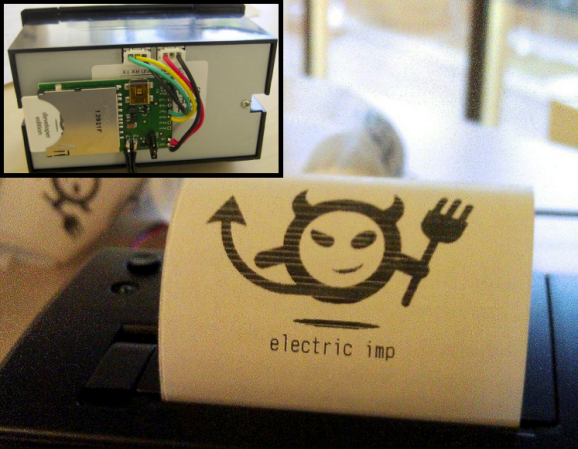
If you’re the type of person that doesn’t mind having a pocket/purse full of crumpled receipts, then maybe you should check out this tutorial from [tombrew] on giving a thermal printer internet-connectivity.

For some of us, there’s something kind of cool about thermal printers, but it’s probably not the kind of project you’d want to burn a lot of calories on. As a developer over at Electric Imp, [tombrew] agrees with this statement, but since the Electric Imp contains both a WiFi module and processor built in, it makes it pretty easy to get your thermal printer printing off the daily weather, stock prices, news headlines, etc… In fact, the claim here is that you could have this project completed before you even finish your morning coffee… knock on wood!

From a hardware standpoint, the project is pretty straight forward; an Electric Imp with breakout board, thermal printer, and a power supply are pretty much all that’s needed. Local communication between the Electric Imp and the thermal printer is accomplished through a simple serial interface. With the roll-out of the new Electric Imp IDE a few months back, we were introduced to ‘Agents’. This is kind of a neat concept, and this tutorial breaks everything down, but basically the agent is server-side code that runs in the ‘ImpCloud’, thus giving your Electric Imp more power and capabilities to deal with complex APIs. Also, handling images (like something you want to print) can take up a ton of memory, so for this project, the agent is used to send down slices of the image you want to print one at a time. This project is just the beginning of what [tombrew] has planned, so we can’t wait to see more insanely detailed tutorials.

Minicomputers On Microcontrollers

Developed in the very late 60s and through the 70s, the PDP-11 series of minicomputers was quite possibly the single most important computer ever created. The first widely distributed versions of Unix and C were developed on the PDP-11, and it’s hardware influence can be found in everything from the Motorola 68000 to the MSP430.

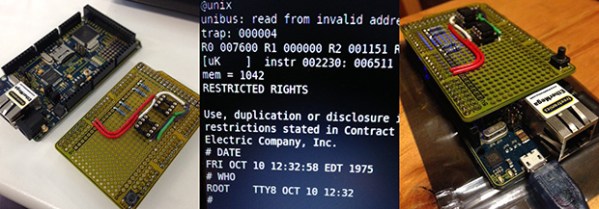
When [Dave Cheney] saw the recent 8086 simulator written in 4kB of C code, he realized simulating entire computer systems doesn’t actually require a whole lot of resources outside a big chunk of memory. Armed with an Arduino Mega clone, he set out on one of the coolest projects we’ve seen in a while: simulating a PDP-11 on an AVR.

[Dave] used an ATMega2560-powered Arduino Mega clone with an Ethernet module for the hardware of this build. Attached to it is a shield filled up with a pair of RAM chips that expand relatively limited amount of RAM on the ‘Mega.

So far, [Dave] has his simulated system booting Unix V6 off an SD card. For PDP-11 storage, he’s also simulating an RK05 disk drive, a massive 14 inch platter containing 2.5 Megabytes of data. Compared to the original PDP-11/40, [Dave] estimates his machine is about 10 times slower. Still, an original 11/40 system fills multiple server racks, and the most common installations consume several kilowatts of power. The Arduino Mega can fit in a pocket and can be powered over USB.

Future developments for this system include improving the accuracy of the simulator, running more advanced operating systems and the DEC diagnostic programs, and possibly speeding up the simulation. We’d suggest adding some switches and blinkenlights on an additional shield, but that’s just us.

All the code can be found on [Dave]’s git, with a description of his SPI RAM shield coming shortly.

Final Key : A Mooltipass-like Device

Since the Hackaday community started working on our offline password keeper, Mooltipass, we’ve received several similar projects in our tips line. The Final Key may be the most professional looking one yet. Similarly to the Mooltipass, it is based on an Atmel ATMega32U4 but only includes one button and one LED, all enclosed in a 3D printed case.

The Final Key is connected to the host computer via USB and is enumerated as a composite Communication Device / HID Keyboard, requiring windows-based devices to install drivers. AES-256 encrypted passwords are stored on the device and can only be accessed once the button has been pressed and the correct 256 bit password has been presented through the command line interface. Credentials management and access is also done through the latter. Unfortunately, the Arduino source code can’t be found on [cyberstalker]’s website, so if you see interesting features that you would like to be integrated in Mooltipass you may send us a message to our Google Group.

Developed On Hackaday: The Designs

We know that many of our readers have been impatiently waiting to discover what the Hackaday community-developed offline password keeper project will look like. Today we present you several designs that our mechanical contributors came up with and we will ask you to give your opinion about them. Obviously these are just preliminary cases that may evolve along the way, but we will only produce the electronics for the designs you prefer.

All the designs are embedded after the break, with a multiple-choices poll to express your interest. You may also want to join the Mooltipass Google Group in case you’d want to talk about the designs in more depth or meet their creators. On the firmware side, I just finished soldering many mooltipass prototypes that will be shipped in the coming days to our firmware developers. As you may have noticed, this project is gaining speed!

Continue reading “Developed On Hackaday: The Designs”

A Simple LED Flashlight Composed Of A Relay And A Magnet

In our tips line we sometimes receive hacks that are amazing just because of their ingenuity. This relay-powered flashlight is definitely one of them. It has been named RattleGen by its creator [Berto], who apparently often makes simple hacks used in his everyday life (have a look at his YouTube channel).

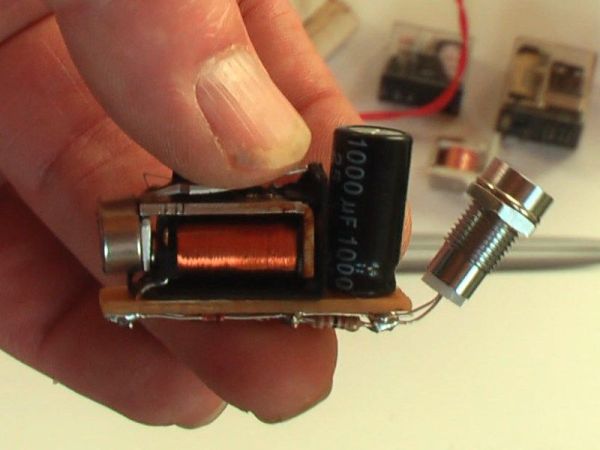
To understand this hack, you first need to know (in case you didn’t already) that a magnet moving near a conductor (here a coil) induces a voltage at its terminals. This is called electromagnetic induction. In the picture you see above, you may distinguish a disassembled relay with a magnet located on the lever’s end. As a ferromagnetic metal is already placed inside the coil, the lever is by default ‘stuck’ in this position. By continuously pressing the latter on its other end, important voltage spikes are created at the coils terminals. [Berto] therefore used a bridge rectifier to transform the AC into DC, and a 1000uF capacitor to smooth the power sent to his super bright LED. A video of the system in action is embedded after the break.

Continue reading “A Simple LED Flashlight Composed Of A Relay And A Magnet”

Developed On Hackaday: We Have Pixels!

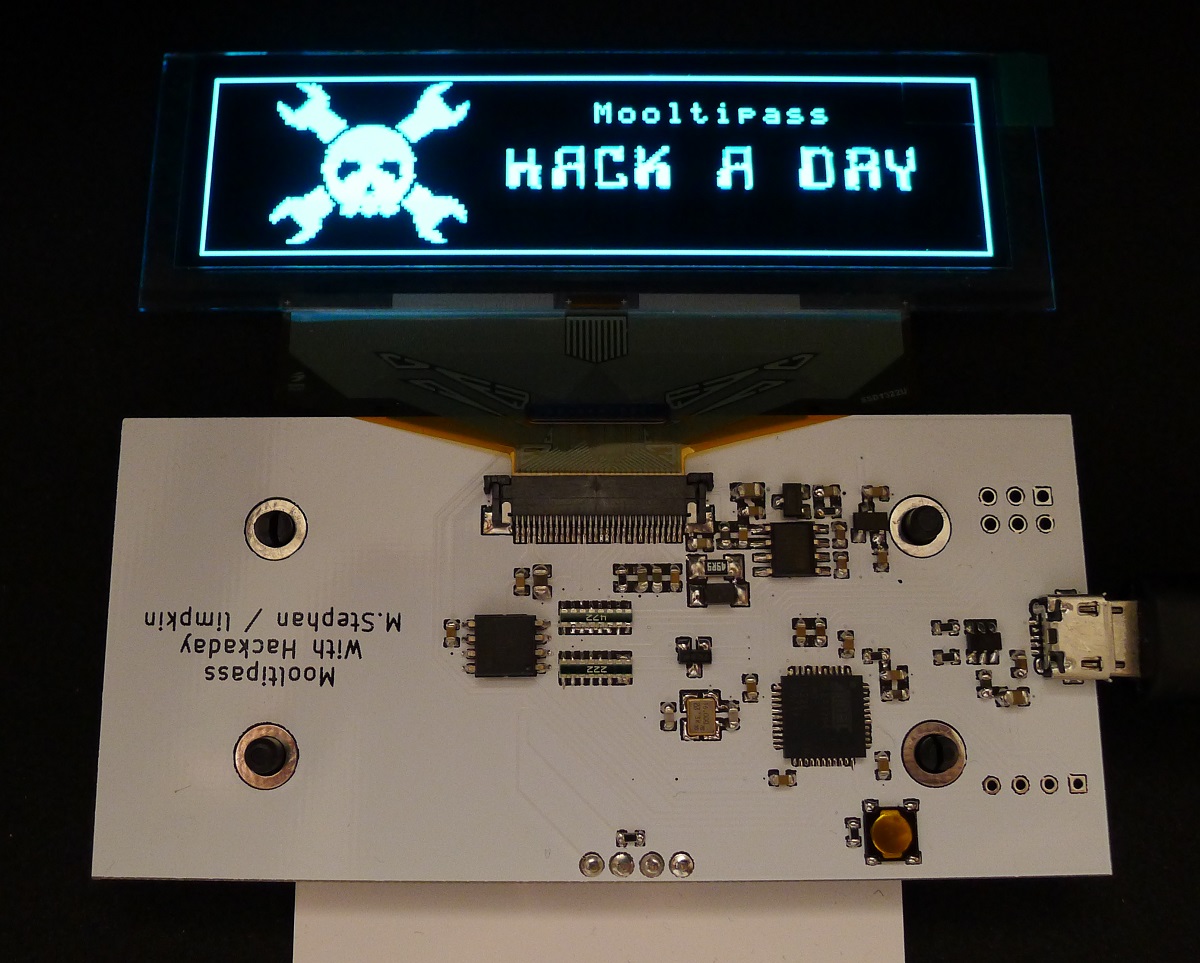
It has been a while since we kept you informed about the current state of the Mooltipass project. Well, several days ago we finally received the PCBs we got produced at Seeedstudio. Keep in mind that this first version (shown in the picture above) is only meant to check that the chosen components can suit our needs while our mechanical contributors work on their designs. Moreover, we may add empty footprints for our readers that may want to hack the device.

After a few hours of soldering and a few days of coding, we finally got a basic firmware running. The OLED screen is easily readable and has an amazing contrast (the picture doesn’t do it justice). So far we checked all basic functionalities of the on-board components and it’ll still take a few days/weeks to be certain that we can settle with them. We are therefore starting to ship a few platforms to the firmware developers that want to work on the core functions of the Mooltipass. So if you’re an experienced C developer and have some spare time, you may get onboard by contacting me at mathieu[at]hackaday[dot]com or by joining the Mooltipass Google Group.

In a few days we will publish the designs that our mechanical guys came up with and we’ll ask you to let us know which ones are your favorites. Depending on how things will go, we may produce PCBs for several of them to select our final design based on user experience and ease of use. We look forward to hearing your feedback in the comments section below!