SMD Soldering With Gas

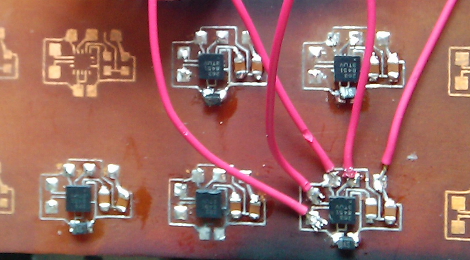
[desimon] had a wanted to use some accelerometer chips, but their 3x3mm 16-VFQFN packages made it pretty darn hard to solder by hand. While there are endless ways to approach this, we found this one peculiarity interesting from his use of a gas torch, though it is pretty much hot air reflow.

A PCB for the tiny devices is etched and tinned, the pads have a healthy but not overdone amount of solder applied to them. A liberal coat of flux, rough alignment of the chip and a few gentle passes from the torch and the hobby grade solder melts while the surface tension pulls everything into final alignment.

Having personally used a hot air gun a number of times (and also burning my hand about the same number of times) the localized heat of the torch does make more sense, and there is virtually no heat up time for it either, though it appears just as easy to scorch the board. It is a live flame so be careful!
A Beginner’s Guide To Magnetometers

magnetometers_for_beginners

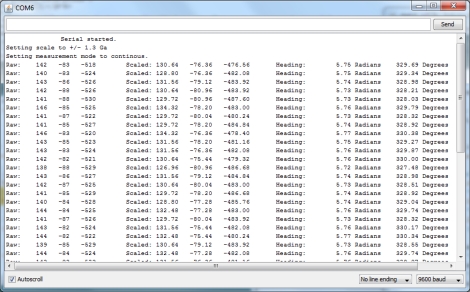
The folks over at LoveElectronics recently published an article that explains some of the ins and outs of magnetometers for those who are interested in trying one out, but might not understand how to use them.

A good part of the article focuses specifically on how to manipulate the HMC5883L magnetometer from Honeywell, but a lot of the information can be applied to other makes/brands of compass sensors. They start out discussing in very basic terms how the compass works, then delve into some specifics on how to interface the chip with an Arduino, courtesy of a breakout board that they sell. The breakout board is actually quite simple, so any number of custom iterations could be built for your own testing purposes.

They walk through the use of an HMC5883L-specific Arduino sketch they produced, making it easy for beginners to start getting useful data from the compass units. While a pre-made sketch might seem like a bit of a cop out, it at least gives the curious/motivated beginner a chance to look at some completed code in order to see how things work.

If you are interested in cutting your teeth on some additional beginner concepts, check out these other how-to articles and tutorials.

Electronics Tutorial Two-fer: Soldering Skills And Wires

electronics_tutorial_twofer_soldering_skills_and_wires

There is a plethora of electronics tutorials scattered about online. Sometimes it can be hard to separate the good ones from the bad, and the enlightening from the misinformed. We recently came across a pair that we found helpful, and thought they would appeal to anyone starting off in electronics.

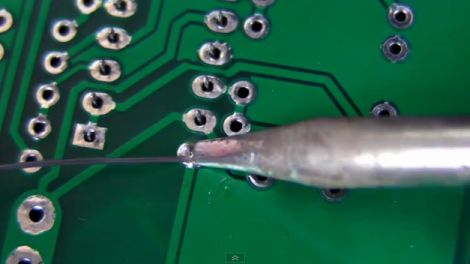
In this video tutorial, [Dave Jones] at the EEVblog covers soldering, detailing good practices and common mistakes to avoid when working with through-hole components. As the second video in a series he picks up where part one left off, excitedly demonstrating the ins and outs of good soldering skills.

Hackaday reader [grenadier] is working on a series of beginner’s electronics tutorials, and this week’s entry covers wiring. He discusses wire types, gauges, and even provides a nifty self-computing chart that calculates power loss based on the length and gauge of the selected wire. Before wrapping things up, he briefly touches on fuses and the pitfalls of choosing wire that’s not up to the task at hand. While you’re over there looking over his tutorial, be sure to check out the Junkbox, there’s plenty of awesome stuff to be had!

PLL 101

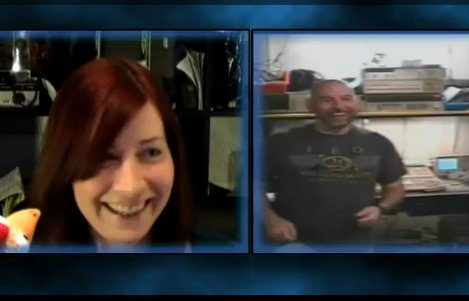
[Jeri Ellsworth] and former Commodore Computer engineer and current full time tinkerer [Bil Herd] have a little chat on skype covering the 101’s of Phase Lock Loops in this hour long video. PLL’s are handy for many applications, but their basic use is to keep clock signals in sync.

Topics covered include: Why we care, a basic explanation for the CD4046, capture ranges, and meta stability. Examples from analog tv, to clock recovery, finding falling edges and FPGA’s. This thing is jam packed full of information.

With talks of future episodes and a quick tour of [Bil’s] bench this is something to not miss. Join us after the break for the video!

Continue reading “PLL 101”

ChipKIT Sketch: Mini Polyphonic Sampling Synth

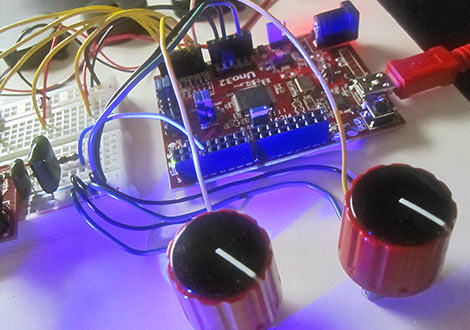
In our hands-on review of the Digilent chipKIT Uno32, we posed the question of what the lasting appeal might be for a 32-bit Arduino work-alike. We felt it needed some novel applications exploiting its special features…not just the same old Arduino sketches with MOAR BITS. After the fractal demo, we’ve hit upon something unique and fun…

Continue reading “ChipKIT Sketch: Mini Polyphonic Sampling Synth”

Stripping DRM From OverDrive Media Console EBooks

stripping_drm_from_overdrive_media_center_ebooks

[Armin Tamzarian’s] local library recently started lending eBooks via the OverDrive Media Console system. He checked out a couple of books, which got him thinking about how the copy protection scheme was implemented. He wondered what recourse users had if they wanted to view a book they have already checked out on a different, or unsupported piece of hardware.

His research centers around Adobe’s ADEPT digital rights management scheme, which is used to protect the books offered on loan by OverDrive. The topic is broken down into three parts, starting with an introduction to the EPUB file structure, the OverDrive Media Console, as well as the aforementioned ADEPT DRM scheme.

The second part takes a close look at the OverDrive Media Console itself, where he uses the ineptkey and ineptepub utilities written by [I♥CABBAGES] to pull the RSA cipher keys from the EPUB data he uncovered. When he then tries to strip the ADEPT DRM layer from his books however, he discovers that OverDrive is using a non-compliant version of the ADEPT standard, which renders existing tools useless.

The final part of [Armin’s] discussion digs even deeper into the OverDrive Console’s inner workings, where he finds that the OverDrive Media Console stores quite a bit of information in an SQLite database. After a bit of digging, he finds all the data he needs to strip the DRM from his books. [Armin] also took the time to wrap all of his findings up into a neat little tool called OMCStrip, which as you may have guessed, strips the DRM from ADEPT-protected eBooks with ease.

Cheap And Cheerful Arduino Breadboard Basics

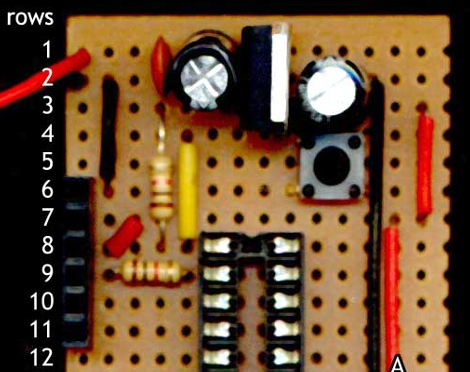
For those less experienced folks looking to move their Arduino projects to more permanent installations, this is just for you! [Martyn] Posted a three part series, VeroBoardUino, over at his blog about moving your Arduino project to a soldered breadboard.

Part one kicks off with the appropriate breadboard requirements, modifications, and a simple 7805 power supply. In the guide [Martyn]  is using strip board, so copper connections will have to be broken using a drill or just by scraping with a hobby knife. Strip board also saves a bit of wire routing in the end. Part two handles the reset button, serial connection and chip socket  (Part 2.5 has also been added to include schematics of the breadboard). Finally, part three installs the crystal and connects your Atmega chip to power and ground.

Next post he will be covering more on the software end of things, burning the bootloader and uploading programs to your new board so stay tuned for updates!