These Small PCBs Are Made For Model Rocketry

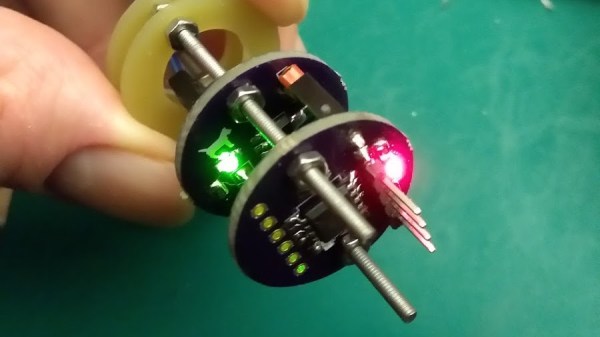
Model rocketry hobbyists are familiar with the need to roll their own solutions when putting high-tech features into rockets, and a desire to include a microcontroller in a rocket while still keeping things flexible and modular is what led [concretedog] to design a system using 22 mm diameter stackable PCBs designed to easily fit inside rocket bodies. The system uses a couple of 2 mm threaded rods for robust mounting and provides an ATTiny85 microcontroller, power control, and an optional small prototyping area. Making self-contained modular sleds that fit easily into rocket bodies (or any tube with a roughly one-inch inner diameter) is much easier as a result.

The original goal was to ease the prototyping of microcontroller-driven functions like delayed ignition or altimeter triggers in small Estes rockets, but [concretedog] felt there were probably other uses for the boards as well and made the design files available on GitHub. (Thanks!)

We have seen stackable PCBs for rocketry before with the amazingly polished M3 Avionics project, but [concretedog]’s design is much more accessible to some hobbyist-level tinkering; especially since the ATTiny85 can be programmed using the Arduino IDE and the boards themselves are just an order from OSH Park away.

[via Dangerous Prototypes Blog]
 

Microchip Introduces Tiny Cheap Linux Modules

Linux is in everything these days, and that means designers and engineers are crying out for a simple, easy-to-use module that simplifies the design of building a product to do something with Linux. The best example of this product category would probably be the Raspberry Pi Compute Module, followed by the C.H.I.P. Pro and its GR8 module. There are dozens of boards with Allwinner and Mali chips stuffed inside that can be used to build a Linux product, and the ‘BeagleBone on a Chip’ is a fantastic product if you need Linux and want to poke pins really, really fast.

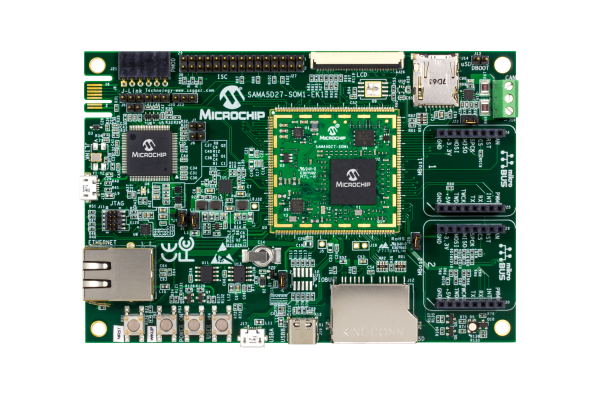
Now Microchip is rolling out with their answer to the Linux System on Module. The SAMA5D2 is a single chip in a BGA package with a small footprint that runs Linux. It’s capable, it’s cheap, and if you want to put Linux in a project, this is your newest option.

The core product in this new Microchip lineup is the SAMA5D2 SIP, a system in package that puts an ARM Cortex-A5 CPU and DDR2 memory in a single BGA package that, with a cursory examination, looks easy enough to design a PCB around and reflow. There are four chips in this lineup, with 128 Mbit, 512 Mbit, and 1 Gbit of DDR2 memory. The 128 Mbit chip is meant for bare metal and RTOS applications, with the higher memory chips capable of running Linux at least as well as a repurposed router.

This chip is at the core of Microchip’s ATSAMA5D2 SOM, a system on module that adds power management (that only requires a single 3.3V supply), an Ethernet PHY, and boot memory into a single package that’s effectively as hand-solderable as a QFN package. It’s Linux on a Chip, or at least as close as we’ve gotten to such a concept.

Adding Linux to a project is hard, and while there are modules and systems that can do it, we’re always welcoming more options given to designers. While these modules and systems aren’t exactly cheap compared to a beefy ARM microcontroller — the SIP starts at around $9, the SOM is available for $39 in 100-unit quantities — this price is quite low compared to other Linux-on-Modules available.

ESP-01 Bridges The Gap Between IR And WiFi

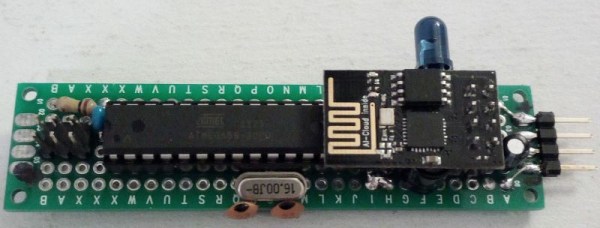
[Emilio Ficara] dropped us a line recently about his efforts to drag his television and receiver kicking and screaming into the modern era. His TV is old enough that it needs an external tuner, which means it requires two separate remotes to properly channel surf. He wanted to simplify the situation, and figured that while he was at it he might as well make the whole thing controllable over WiFi.

To begin the project, [Emilio] had to capture the IR signals from the two remotes he wanted to emulate. He put together a quick little IR receiver out of parts he had in the junk bin which would connect up to his computer’s microphone port. He then used an open source IR protocol analyzer to capture the codes and decode them into hex values.

As a proof of concept he came up with a little device that combines an ESP-01 with an ATmega88. The ESP-01 runs a minimal web server that receives hex codes as URL query strings. These hex codes are then interpreted by the ATmega88 and sent out over the IR LED. [Emilio] notes that driving the IR LED directly off of the ATmega pin results in fairly low range of around one meter, but that’s good enough for his purposes. If you want to drive the IR LED with more power, you’ll need to add a transistor to do the switching.

Passing the hex code 0x0408 to turn off the TV

Now that he can decode the signals from his original remotes and transmit them over WiFi via his bridge device, he has all the groundwork he needs to come up with a streamlined home entertainment controller. A native application for his smartphone or perhaps a minimal web interface is the last piece of the puzzle.

This project reminds us of a similar attempt at controlling legacy IR devices from a smartphone via Bluetooth. If you’re looking for more information about wrangling IR signals from your microcontroller, this primer from 2013 is still a great look at the subject.

Building An Arduino Smart IC Tester For $25

There’s no question that you can get a lot done with the classic multimeter; it’s arguably the single most capable tool on your bench. But the farther down the rabbit hole of hacking and reverse engineering you go, the more extravagant your testing and diagnostic gear tends to get. For some of us that’s just an annoying reality of the game. For others it’s an excuse to buy, and maybe even build, some highly specialized equipment. We’ll give you one guess as to which group we fall into here at Hackaday.

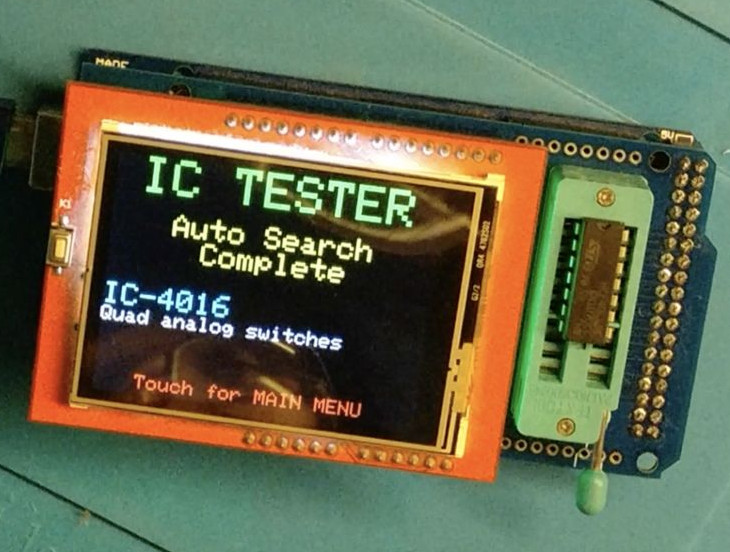
[Akshay Baweja] is clearly a member of the second group. He’s recently published a guide on building a very slick intelligent Integrated Circuit tester with a total cost of under $25 USD. Whether you’re trying to identify an unknown chip or verifying your latest parts off the slow-boat from China actually work before installing them in your finished product, this $25 tool could end up saving you a lot of time and aggravation.

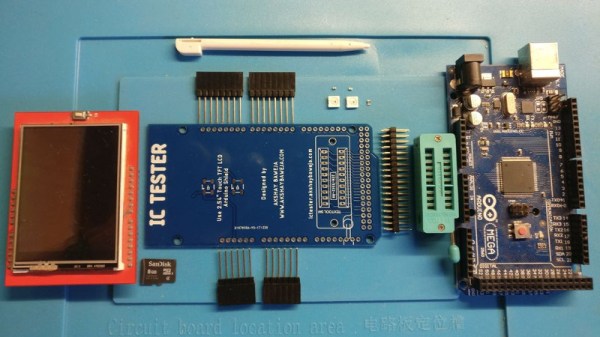
[Akshay] walks readers through the components and assembly of his IC tester, which takes the form of a Shield for the Arduino Mega 2560. The custom PCB he designed and had manufactured holds the 20 Pin ZIF Socket as well as the 2.4 inch TFT touch screen. The screen features an integrated micro SD slot which is important as you need the SD card to hold the chip database.

With an IC to test inserted into the ZIF socket, the user can have the tester attempt to automatically ID the chip or can manually enter in a part number to lookup. The source code for the Arduino as well as the chip ID database is up on GitHub for anyone looking to add some more hardware to the device’s testing repertoire.

The importance of good test equipment simply cannot be overstated. Between highly specialized gear like this IC tester to classic instruments such as the oscilloscope, your bench is going to be full of weird and wonderful pieces of equipment before too long.

Continue reading “Building An Arduino Smart IC Tester For $25”

Getting Started With STM8

There are so many different CPUs today and often the hardest thing about using any of them is getting started and gathering the right software tools. If you’ve ever eyed up the very inexpensive STM8 processor, you’ll want to check out [Shane Burrell’s] video (see below) about how to get started with the STM8.

The STM8 isn’t a 32-bit processor — you could probably guess that from the name. [Shane] uses SDCC (small device C compiler) to target the little chip. He also shows how he manages a fairly substantial piece of code and how he controls the build process.

Continue reading “Getting Started With STM8”

Flood Damaged 386 Gets A Modern Rebuild

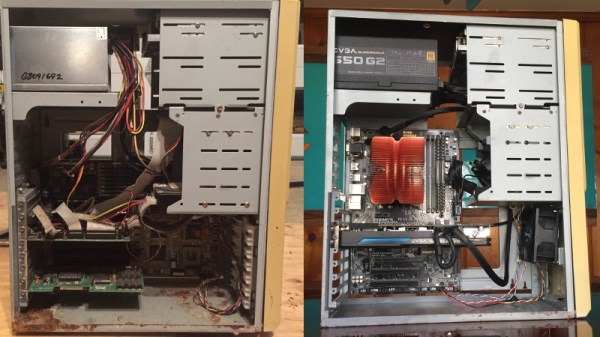
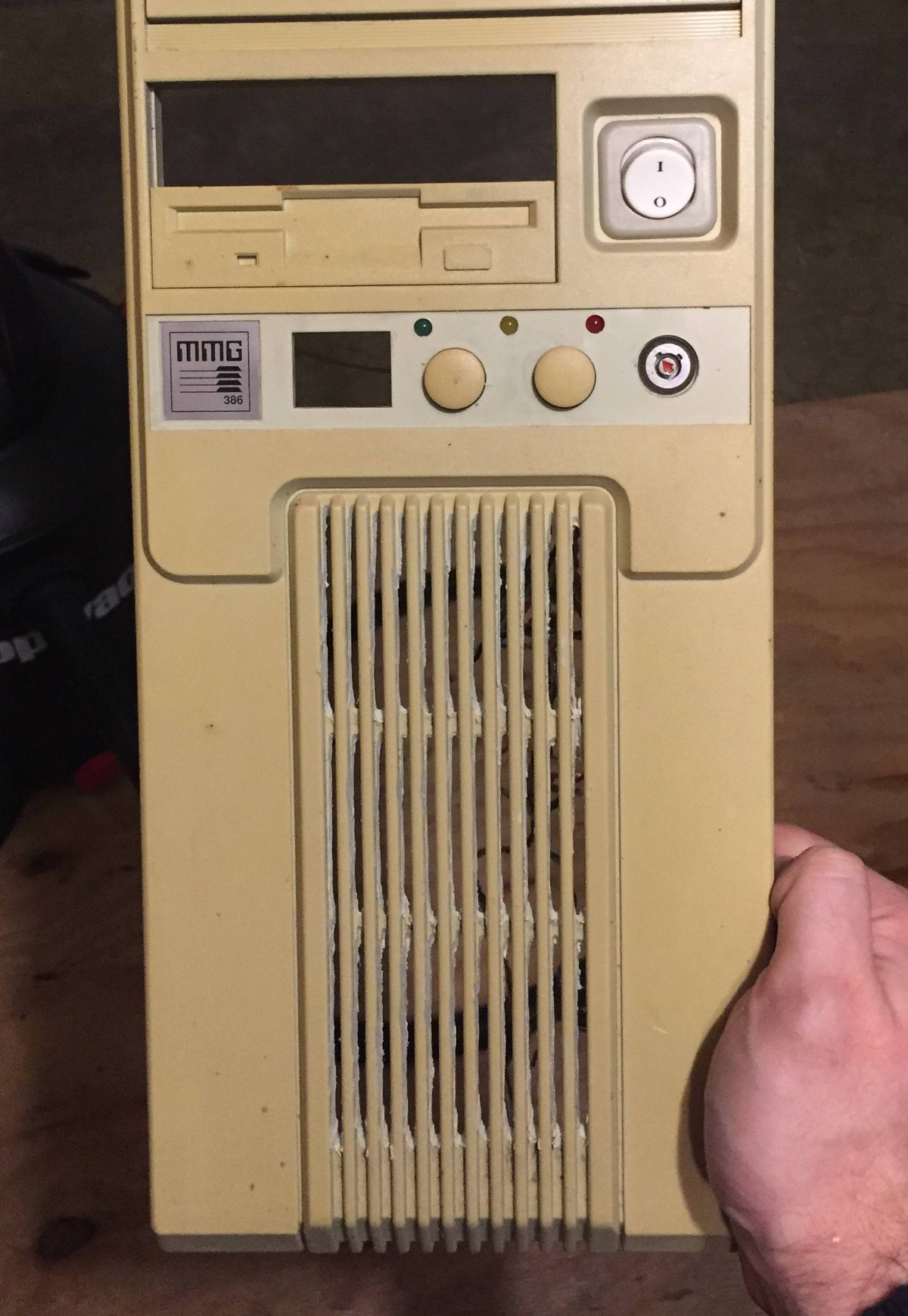
Until a flood claimed its life, the 386 tower [Tylinol] found on the side of the road served him well as a DOS gaming rig. In the aftermath of the flood, the machine was left with ruined internals and a rusted case; it ended up being tossed in storage where it was slowly rotting away. But a recent idea got him to drag this old dinosaur back out into the light of day and give it a new lease on life with some modern gear.

For our viewing pleasure [Tylinol] documented the restoration of the computer, dubbed SErEndIPITy, from start to finish. The rebuild starts with tearing the machine down to the steel frame and sanding all the rust off. Luckily it looks like no structural damage was done, and a coat of engine enamel got the frame looking more or less like new. The original motherboard mounting solution wouldn’t work for his modern board, so he ended up riveting a piece of sheet metal in and drilling new holes for standoffs to thread into.

A nice element of this rebuild is that [Tylinol] didn’t want to drastically change the outward appearance of the machine. The customary yellowed plastic was left alone, and wherever possible the original hardware was reused. Rather than blow a hole in the case, he took his Dremel to the decorative ribbed design of the front panel and turned it into a stock-looking vent.

The real star of this rebuild is the LED CPU “Speed” display on the front of the case. In its original form, this was a fake display that simply cycled through predefined digits when you pressed the “Turbo” button on the front panel. By grounding them one at a time, [Tylinol] figured out which lines on the PCB controlled each segment of the display and wired it up to a Teensy 3.5. He was then able to write a C# plugin for CoreTemp to display the temperature.

The rebuilt machine is packing an i5-6500 processor, GTX 970 video card, and 8 GB of DDR4 RAM. Not exactly a speed demon compared to some of the modern desktops out there, but it certainly beats the original hardware. Incidentally, so does the Teensy 3.5 controlling the front panel display. There’s a certain irony there…

Cramming modern hardware into the carcass of an outdated computer is nothing new, of course. But we especially like the builds that take the time to make it all look stock.

[via /r/DIY]

ESP32 Weather Station On A PCB

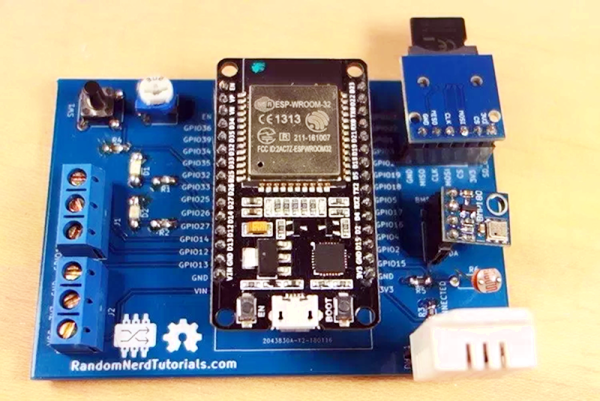
We see lots of ESP8266 projects, but considerably fewer for the ESP32. So this good-looking weather station on a PCB using an ESP32 caught our eye. The board has a few sockets for common weather gear, but with a little modification, it would be a great carrier for an ESP32. Since the PCB layout is available, you could change things around to suit you. You can see a video from [Rui Santos] about his project and its progress from breadboard to PCB in the video below.

Continue reading “ESP32 Weather Station On A PCB”