Open-V, The First Open Source RISC-V Microcontroller

Open Source software has been around for decades. Over these decades, Open Source software has been the driving force behind most of the Internet, and all of the top-500 supercomputers. The product of the Open Source software movement is perhaps more important than Gutenberg’s press. But hardware has not yet fully embraced this super-charging effect of openness. Being able to simply buy an open source CPU, free of all proprietary bits and NDAs is impossible.

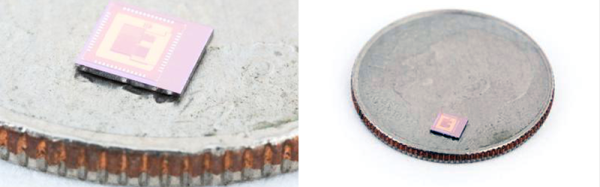
Now, this is finally changing. OnChip, a startup from a group of doctoral students at the Universidad Industrial de Santander in Colombia, have been working on mRISC-V, an open 32-bit microcontroller based on the RISC-V instruction set. It’s now a crowdfunding campaign, and yes, you can simply buy an open source chip.

We’ve taken a look at onchip’s Open microcontroller project before. The team has made significant progress of moving from something that can run on an FPGA to the tapeout of a real, physical chip. The onchip twitter timeline is a flurry of activity, with real silicon and a prediction that 50% of low-end microcontrollers will be running RISC-V in a decade.
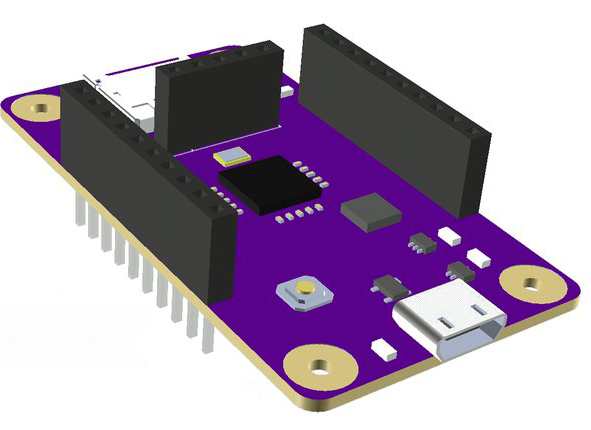
A render of the Open-V dev board

If you want to get your hands on one of these open microcontrollers, the Crowd Supply campaign is actually fairly reasonable, considering this is custom silicon. $49 USD gets you a first-run mRISC-V in a QFN-32 package. $99 gets you the mRISC-V dev board with an SD card slot, USB, regulators, and of course the micro itself.

This chip’s capabilities are almost on par with a low-power ARM Cortex M0. The chip itself runs at 160MHz, has SPI, I2C, SDIO, and JTAG, as well as a 10-bit 10MS/s ADC and a 12-bit DAC. There are 16 GPIO pins on mRISC-V. You won’t be able to build a smartphone or laptop with this chip, but you will be able to build an Internet of Things gizmo.

While OnChip’s efforts won’t result in a completely open source smartphone, there are other projects in the works that will bring an Open Source core to more powerful devices. lowRISC is a project to bring a Linux-capable System on Chip to production, and various people smarter than us have brought GCC, LLVM, and QEMU to the architecture.

Most of the efforts to bring the RISC-V architecture, and indeed most Open Source processors, have focused on the big chips — full CPUs and SoCs. Onchip’s mRISC-V goes the other direction to create a small, open microcontroller. If you’re looking to create an ecosystem of Open processors, this makes a lot of sense; there are more Honda Civics on the road than Lamborghinis, and Microchip and TI ship far more microcontrollers every year than Intel ships CPUs.

Only One Button? No Problem!

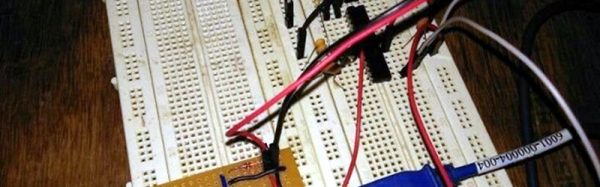
Sometimes less is more. This is especially true when dealing with microcontrollers with limited I/O pins. Even if you have lots of I/O, sometimes you are need to pack a lot into a little space. [Hugatry] was inspired by the simple interface found on a lot of flashlights: one button. Push it and it turns on. Push it again, and it switches modes. You cycle through the modes until you finally turn it back off. One button provides mutliple functions. The question is how can you use a power switch as an I/O device? After all, when you turn the power off, the microprocessor stops operating, right?

[Hugatry’s] answer is quite simple. He connects a resistor/capacitor network to an I/O pin (or multiple pins). When the processor turns on initially, the pin will read low and the capacitor will charge up. If you turn the power off, the CPU voltage will fall rapidly to zero, but the voltage on the capacitor will discharge slower. If you wait long enough and turn the power on, there’s no difference from that first power on event. But if you turn the power on quickly, the capacitor voltage will still be high enough to read as a logic one.

What that means is that the processor as part of its start up can detect that it was recently turned off and take some action. If it remembers the previous state in nonvolatile memory, you can have the code cycle through multiple states, just like a flashlight. You can see a video of the setup, below.

Continue reading “Only One Button? No Problem!”

Arduino With A… PIC?

Before the Arduino took over the hobby market (well, at least the 8-bit segment of it), most hackers used PIC processors. They were cheap, easy to program, had a good toolchain, and were at the heart of the Basic Stamp, which was the gateway drug for many microcontroller developers.

[AXR AMR] has been working with the Pinguino, an Arduino processor based on a PIC (granted, an 18F PIC, although you can also use a 32-bit device, too). He shows you how to build a compatible circuit on a breadboard with about a dozen parts. The PIC has built-in USB. Once you flash the right bootloader, you don’t need anything other than a USB cable to program. You can see a video of this below.

You will need a programmer to get the initial bootloader, but there’s plenty of cheap options for that. The IDE is available for Windows, Linux, and the Mac. Of course, you might wonder why you would use a PIC device instead of the more traditional Arduino devices. The answer is: it depends. Every chip has its own set of plusses and minuses from power consumption to I/O devices, to availability and price. These chips might suit you, and they might not. That’s your call.  Of course, the difference between Microchip and Atmel has gotten less lately, too.

We’ve covered Pinguino before with a dedicated board. If you never played with a Basic Stamp, you might enjoy learning more about it. If you’re looking for more power than a PIC 18F can handle, you might consider the Fubarino, a PIC32 board you can use with the Arduino IDE.

Continue reading “Arduino With A… PIC?”

1MHz, 2 Boards, 4 Bits And A Homebrew CPU

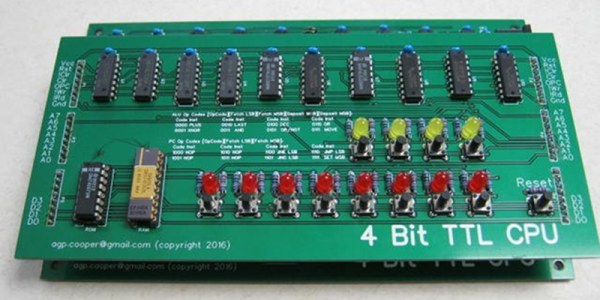
[Agp.cooper] saw a vintage 4Kx4 bit RAM chip and decided that it needed a CPU design to match. The TTL design fits on two boards and has a functional front panel.

This custom CPU project has a few interesting bits worth noting. First, it is small enough that you can wrap your head around it pretty easily. And [Agp.cooper] gives  a good account of the instructions set architecture choices he considered and why he settled on the final design.

Continue reading “1MHz, 2 Boards, 4 Bits And A Homebrew CPU”

Laser Pointer Clock Makes Timekeeping A Drawn-Out Affair

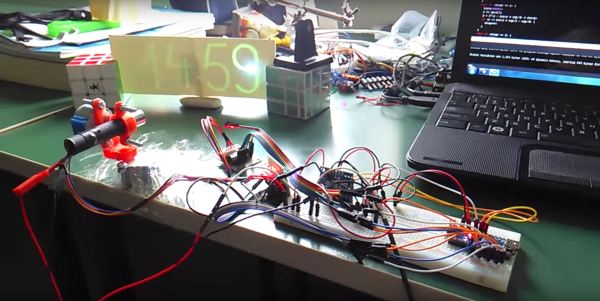
Designing a unique clock to flex your technical skills can be a rewarding experience and result in an admirable showpiece for your home. [Andres Robam] saw an opportunity to make a laser-pointer clock that draws the current time onto a glow-in-the-dark sticker.

A pair of stepper motors tilt and pan the laser’s mount — designed in SolidWorks and 3D printed. There was an issue with the motor’s shaft having some slack in it — enough to affect the accuracy of the laser. [Andres] cleverly solved the issue by using a pen’s spring to generate enough tension in the system, correcting it. A NODEmcu v2 is the brains of the clock — chosen because of its built-in WiFi capacity and compatibility with the Arduino IDE — and a 5mW laser sketches the time onto the sticker.

Continue reading “Laser Pointer Clock Makes Timekeeping A Drawn-Out Affair”

ESP32 Modules Popping Up Everywhere, In Stock Almost Nowhere

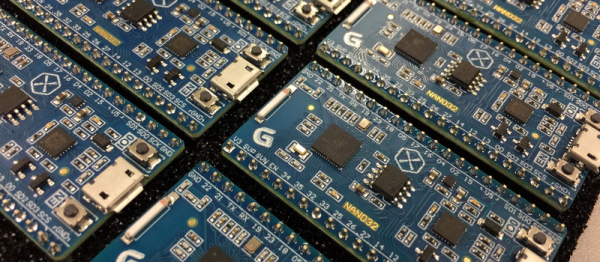
We know what it’s like to wait for newly released electronic parts. Clicking refresh every day at your favorite online retailers, reading reviews published by the press who got preview units, and maybe even daring to order implausibly cheap devices from foreign lands. The ESP32 has many of us playing the waiting game, and we’ll level with you — they’re out of stock most places. But, if you look hard enough you can find one. At least, you could find them before we wrote this quick roundup of ESP32 hardware. If hearing about parts that are just out of reach is your sort of thing, then read on, you masochist!

Continue reading “ESP32 Modules Popping Up Everywhere, In Stock Almost Nowhere”

The Pumpkin Noti-Fire

Everyone has an episode somewhere in their youth involving the use of an aerosol spray as an impromptu flamethrower. Take some mildly inebriated teenagers, given them a deodorant can and a box of matches, and sooner or later one or two of them are going to lose their eyebrows.

For most of us an amusing teenage episode is how the aerosol flamethrower remains. Not for [Mike Waddick] though, when last week’s DDoS attack on DNS infrastructure took away his ability to work his, attention turned to a Halloween project. He created a carved pumpkin that spits fire as a notification signal when a text or an email is received.

flame-testKey to the project is the Glade Automatic Spray Air Freshener. This is a battery-powered device with an aerosol can that is operated by either an electronic timer or a push-button switch. Remove the switch, and its line is revealed as an active low trigger for the spray. [Mike] replaced the switch with a line from a microcontroller and put a lit tea-light candle in front of the nozzle for fully controllable (if not entirely safe) flamethrower fun. Early tests proved the concept, so it only remained for the pumpkin to be carved and the system installed.

The microcontroller used in this case was the Lightblue Bean, though almost any similar board could have been put in its place. Notifications were processed via Bluetooth from an iPhone via ANCS (Apple Notification Center Service), which the Bean could query to trigger its fiery alerts. There is a brief video showing the device in action singeing [Mike]’s hand, which we’ve placed below the break.

Continue reading “The Pumpkin Noti-Fire”