Drawing Tablet Controls Laser In Real-Time

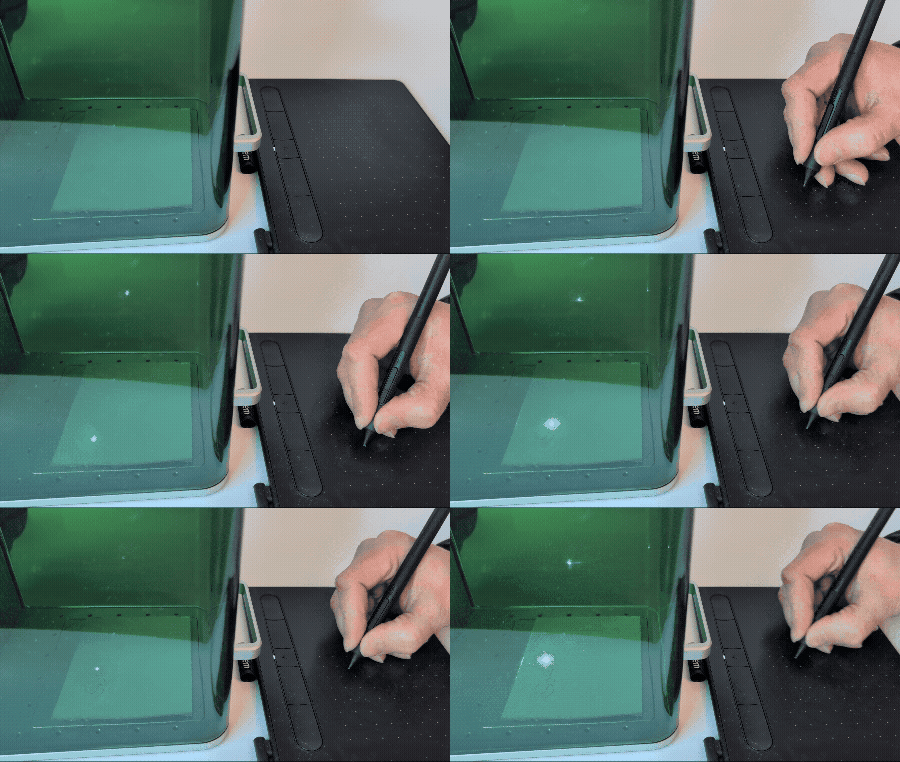
Some projects need no complicated use case to justify their development, and so it was with [Janne]’s BeamInk, which mashes a Wacom pen tablet with an xTool F1 laser engraver with the help of a little digital glue. For what purpose? So one can use a digital pen to draw with a laser in real time, of course!
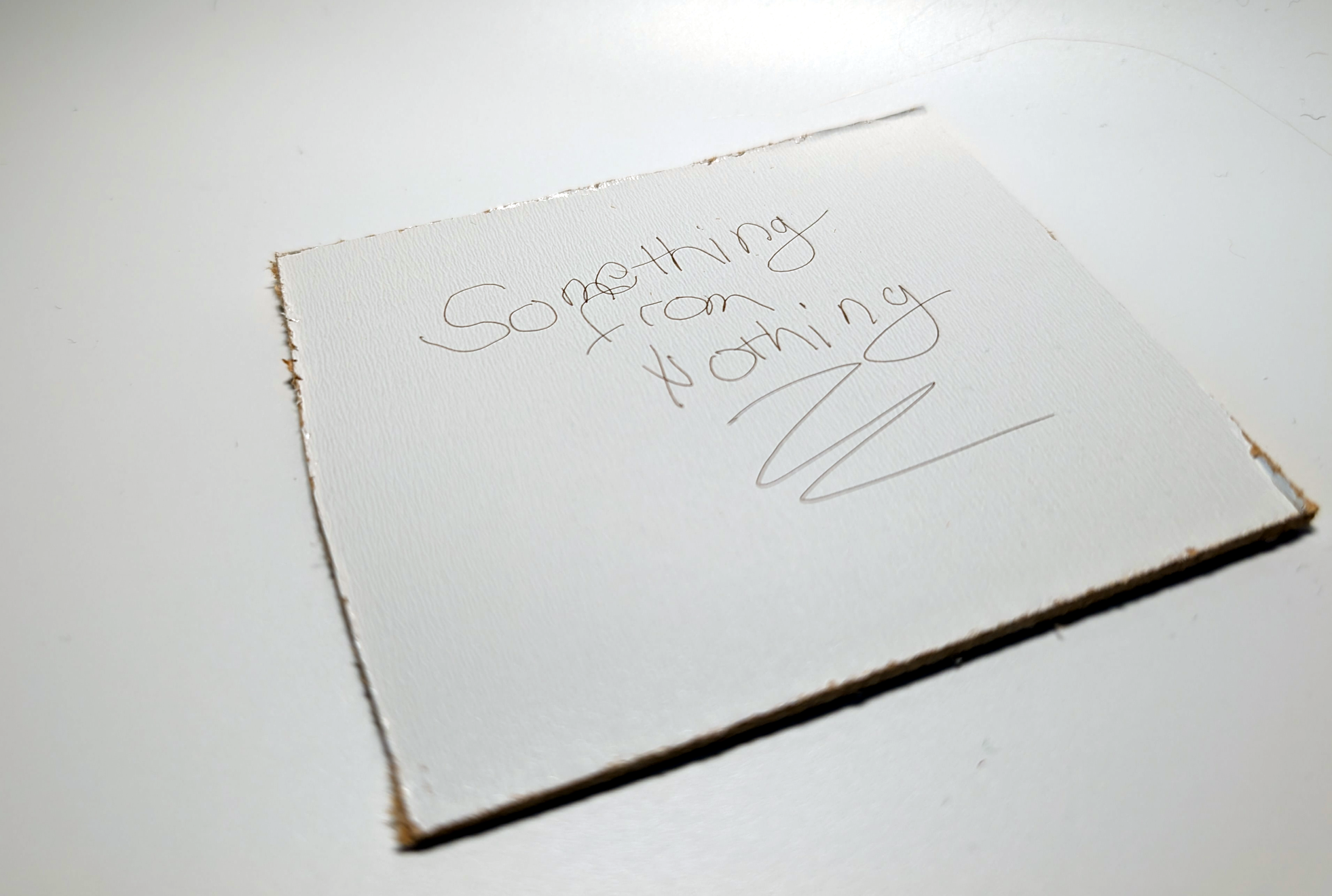
Pen events from the drawing tablet get translated into a stream of G-code that controls laser state and power.

Here’s how it works: a Python script grabs events from a USB drawing tablet via evdev (the Linux kernel’s event device, which allows user programs to read raw device events), scales the tablet size to the laser’s working area, and turns pen events into a stream of laser power and movement G-code. The result? Draw on tablet, receive laser engraving.

It’s a playful project, but it also exists as a highly modular concept that can be adapted to different uses. If you’re looking at this and sensing a visit from the Good Ideas Fairy, check out the GitHub repository for more technical details plus tips for adapting it to other hardware.

We’re reminded of past projects like a laser cutter with Etch-a-Sketch controls as well as an attempt to turn pen marks into laser cuts, but something about using a drawing tablet for real-time laser control makes this stand on its own.
Refill UV Printer Ink Cartridges Like It’s The Late 90s

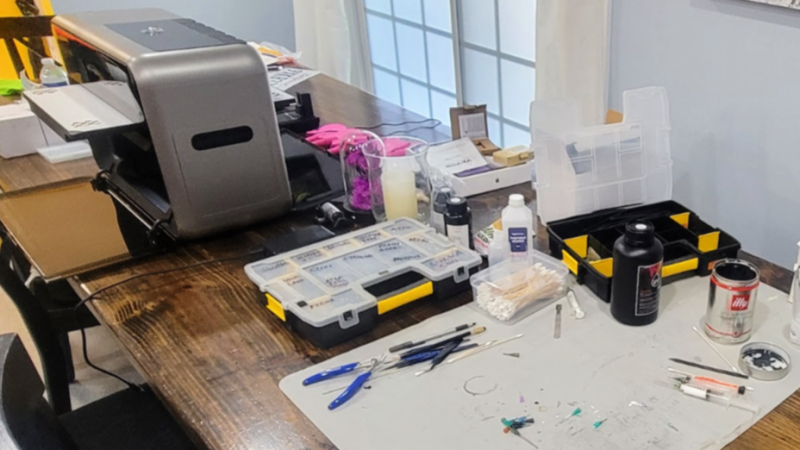
The Eufymake E1 is a recently-released prosumer UV printer that can print high-resolution color images onto pretty much anything. It also uses proprietary ink cartridges (which integrate a magnetic stirrer, nice) which are far more expensive than UV ink in bulk. So [charliex] set out to figure out how to refill the ink cartridges, including the cleaning cartridge.

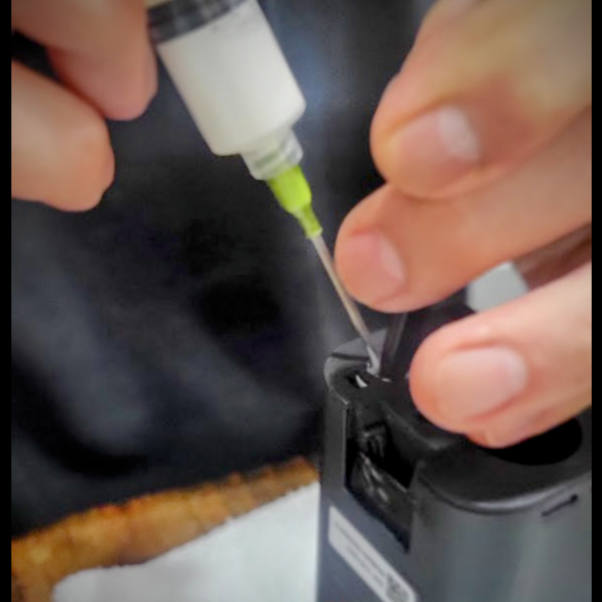
If one doesn’t mind a bit of fiddling, cartridges can be refilled without having to add any new holes.

UV printing in general is a bit of a maintenance hog, which has helped keep it from hobbyist use. UV ink doesn’t really like sitting idle in a machine, but the E1 automates cleaning and flushing of the print head as well as having swappable cartridges for each ink. This makes it a lot more user-friendly than UV printing has historically been.

The cartridge hardware can have a longer serviceable life than the ink inside, so it makes sense to try to refill them. There are more reasons to do this than just limiting costs. What if one wishes to print and the parent company is sold out of cartridges? What if they shut down? Refilling cartridges, and emptying waste from the cleaning cartridge, would become imperatives — lest an expensive prosumer UV printer turn into a paperweight. Thankfully software DRM control of the cartridges seems limited, at least so far.

Refilling cartridges can be carefully done with syringes combined with manual bypass of spring-loaded valve mechanisms. Emptying the cleaning cartridge can similarly be done by syringe, and it even has a hidden refill port under some plastic at its top.

[charliex] approaches all of this from a reverse-engineering perspective, indeed, he has a whole separate blog post about the software for the printer. So his solution is much more informed and elegant than, for example, just melting a new refill hole in the side of the things. It’s an interesting read, so check it out.

Our own Tom Nardi took a close, hands-on look at the E1 printer last year and came away pretty impressed with its capabilities. The cartridges are a big part of the user-friendliness of the system, but we hope there remains a viable option for manual refill for those of us who want to control costs or don’t wish to be locked in, and don’t mind violating a warranty or two in the process.

Stadia Controller Reborn As Bluetooth Gamepad Adapter

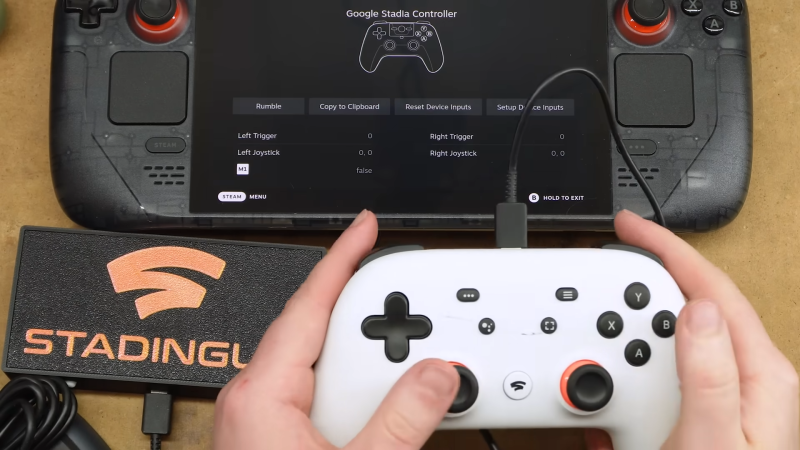
Tech has a problem, an e-waste problem. Google is a common offender when it comes to this, creating a product just to end support a couple of years later. Thankfully, there are some lasting capabilities left in their defunct Stadia controllers. After hearing about these capabilities, [Bringus Studios] managed to turn this future e-waste into something new: a Bluetooth adapter for game controllers.

To give some credit to Google, once they announced the Stadia program was winding down, they released an updated firmware that let you use the controller as a generic Bluetooth gamepad. But there was also a rather unusual feature added — if another controller is connected to it via USB, its output will be passed along over Bluetooth as if it was coming from the Stadia controller itself.

This would allow you to wirelessly connect an Xbox 360 or PlayStation 3 controller to your computer, for example. But while a neat trick, having the two controllers plugged into each other is a bit awkward. So [Bringus Studios] decided to take the Stadia controller apart and turn it into a dedicated Bluetooth interface.

Continue reading “Stadia Controller Reborn As Bluetooth Gamepad Adapter”

Reading The World’s Smallest Hard Drive

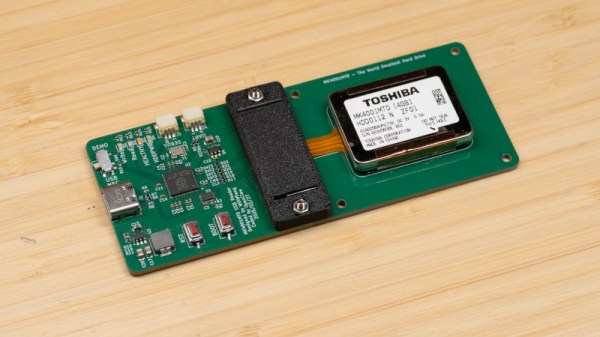
You have a tiny twenty-year-old hard drive with a weird interface. How do you read it? If you’re [Will Whang], by reverse engineering, and building an interface board.

In many of our portable, mobile, and desktop computers, we’re used to solid-state storage. It’s fast and low power, and current supply-chain price hikes notwithstanding, affordable in the grand scheme of things. It wasn’t always this way though, a couple of decades ago a large flash drive was prohibitively expensive. Hard drive manufacturers did their best to fill the gap with tiny spinning-rust storage devices which led to the smallest of them all: the Toshiba MK4001MTD. It crammed 4 GB onto a 0.85″ platter, and could be found in a few devices such as high-end Nokia phones.

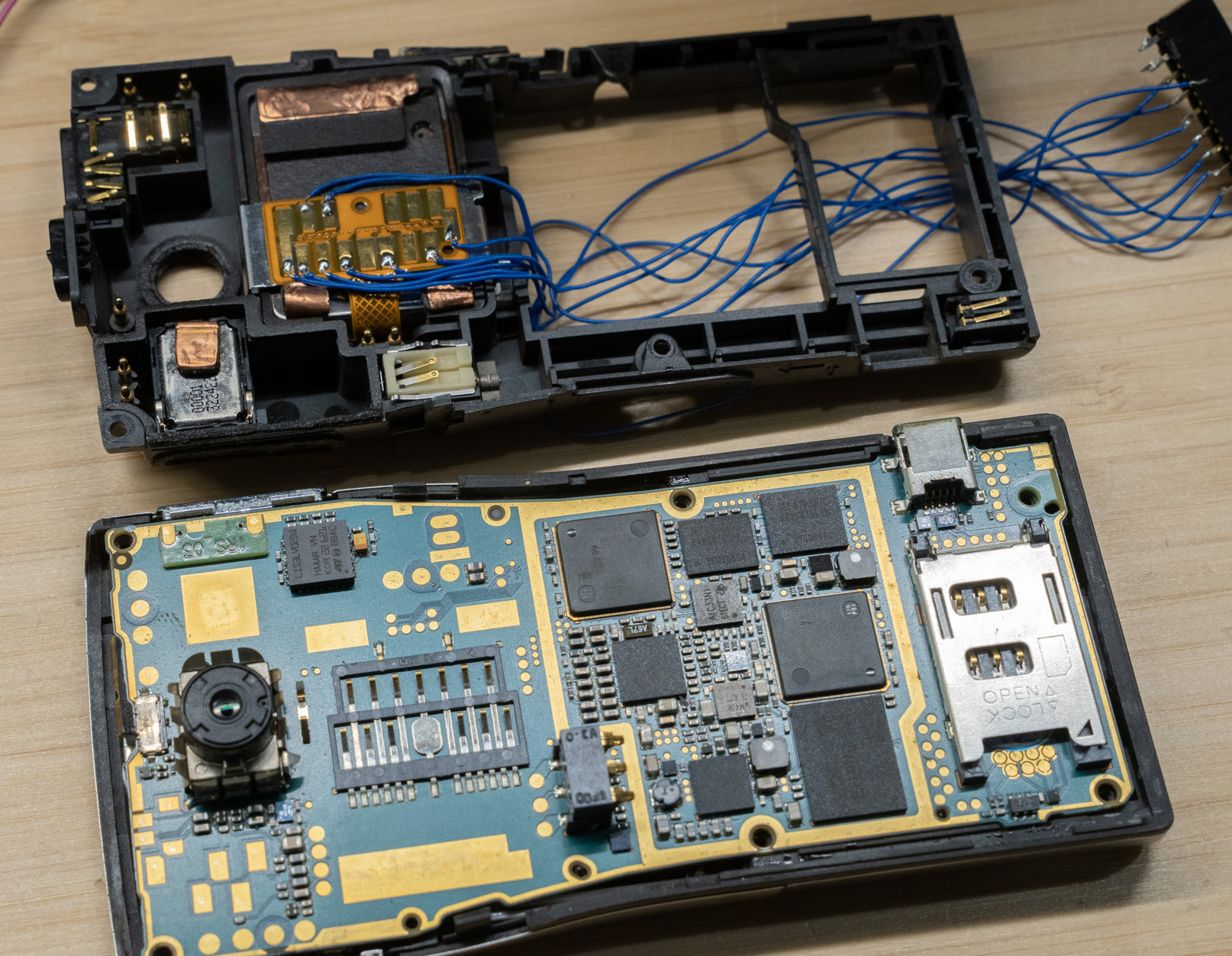
Breaking out the Nokia’s hard drive interface.

The drive’s connector is a pattern of pads on a flexible PCB, one he couldn’t help noticing had a striking resemblance to an obscure SD card variant. Hooking it up to an SD reader didn’t work unfortunately, so a battered Nokia was called into service. It was found to be using something electrically similar to the SD cards, but with the ATA protocol familiar from the world of full-size hard drives.

The interface uses the PIO capability of the RP2040, and the board makes a tidy peripheral in itself. We’re guessing not many of you have one of these drives, but perhaps if you do, those early 2000s phone pics aren’t lost for good after all.

These drives are rare enough that this is the first time we’ve featured one here at Hackaday, but we’ve certainly ventured into hard drive technology before.

Illustrated Kristina with an IBM Model M keyboard floating between her hands.

Keebin’ With Kristina: The One With The Ultra-Thin Split

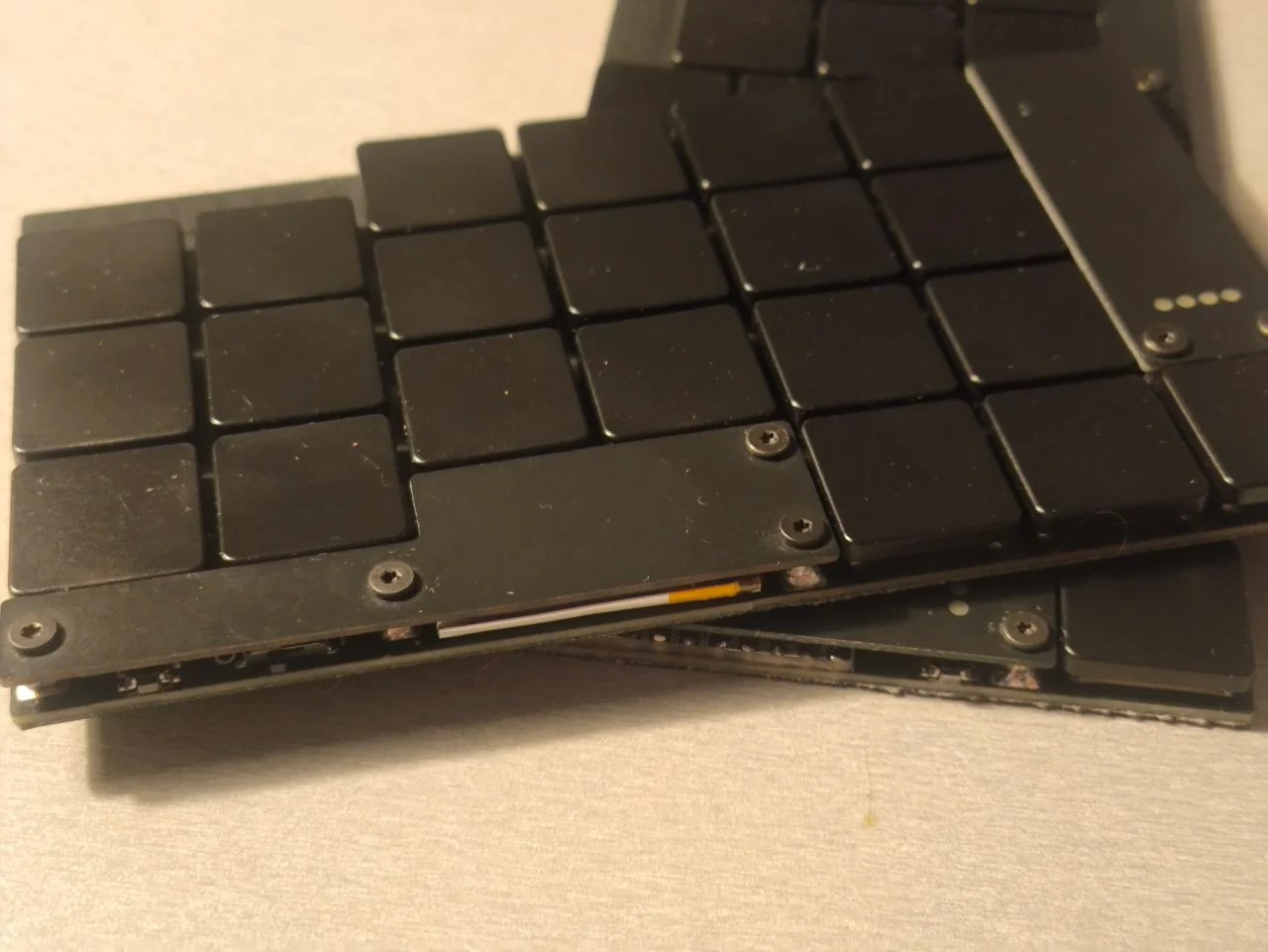
But sir, it is wafer-thin. That’s how they get you! Just when you couldn’t possibly justify building another keyboard, let alone owning one, along comes the Kambala by [aroum2].

A wafer-thin keyboard in triple black.
Image by [aroum2] via reddit
Now, ‘Kambala’ means a few things, but here it refers to fish, as evidenced by logo and matching themed PCB key chain shown in the gallery.

This catch is so flat because of the switches: PG1316S, and 42 of them. These are better known to some as Kailh butterfly switches, and are meant for laptops. But, this is Hackaday.

No matter what you call them, those switches are controlled by a nice!nano V2-compatible controller, which allows for ZMK firmware support. There’s a 110 mAh battery and four status LEDs, and best of all, the charging indicator is in the fish’s eyes.

[aroum2] might share the files later. Here’s hoping!

Continue reading “Keebin’ With Kristina: The One With The Ultra-Thin Split”

Nintendo’s Family BASIC Keyboard Gets USB Upgrade

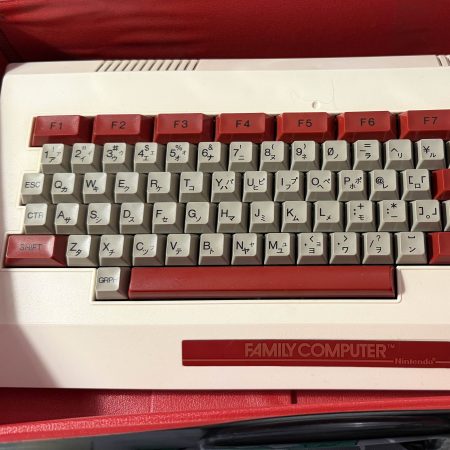
America knew it as the Nintendo Entertainment System, but in Japan, it was the Family Computer (Famicom). It was more than just a home console—it was intended to actually do a whole lot more. All you had to do was plug in the keyboard and chuck in the right Family BASIC cartridge, and you had a computer hooked up to your TV! [Lucas Leadbetter] came across an old Family BASIC keyboard recently, and set about making it more useful in our modern age with a simple USB upgrade.

[Lucas] started with research, and soon found plenty of schematics and details on the keyboard on the NESdev wiki page. Hunting further turned up a video from [Circuit Rewind], who demonstrated how to hook up the keyboard to a Raspberry Pi Pico, including how to interface with the onboard chips to scan the keys. These resources told [Lucas] enough to get going—and that it should be as simple as wiring some custom hardware up to the internal keyboard matrix connector to get it speaking to USB.

[Lucas] went a slightly different path to [Circuit Rewind], implementing the popular QMK firmware to suit the Family Basic keyboard on an Adafruit KB2040. The Adafruit part is basically an RP2040 microcontroller slapped onto a tiny PCB in a form factor that’s ideal for making custom keyboards. [Lucas] was able to reimplement the scanning logic that [Circuit Rewind] had reverse engineered previously, and had the keyboard up and running in short order with all the usability benefits of the QMK firmware. Files are on Github for those eager to recreate the work.

As far as usability goes, [Lucas] notes that the Family BASIC keyboard is more of a conversation piece than a daily driver, thanks to its rather poor feel. Duly noted. We’ve explored how software development is done in Family BASIC before, too. Video after the break.

Continue reading “Nintendo’s Family BASIC Keyboard Gets USB Upgrade”

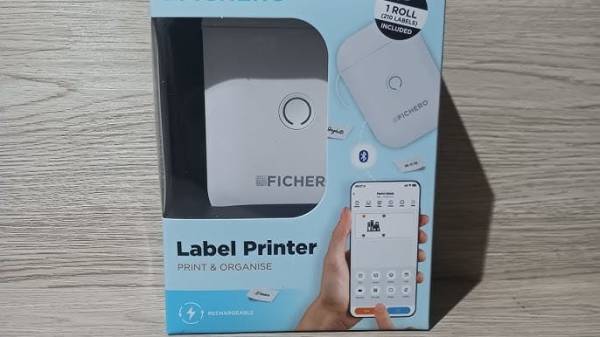
Reverse-Engineering The Bluetooth Fichero Thermal Label Printer Protocol

It’s hard to deny that label printers have become more accessible than ever, but an annoying aspect of many of these cheap units is that their only user interface is a proprietary smartphone app connected via Bluetooth. The Fichero-branded label printer that [0xMH] obtained for a mere 10 Euro at a store in the Netherlands was much the same, with an associated app that doesn’t just bind it to smartphones, but also requires no fewer than 26 permissions. Obviously this required some reverse-engineering of the BLE protocol.

The fruits of this reverse-engineering effort can be found in the GitHub repository, with the most interesting part probably being that this Fichero is just one of many relabeling of generic label printers, this one being an AiYin D11, by Xiamen Printer Future Technology. This means that other iterations of this D11 will work exactly the same, as they all use the same ‘LuckPrinter’ SDK.

[0xMH] provides a Web GUI to talk with a local D11 printer, though you can also use the Python scripts, or of course implement the protocol using your favorite language and frameworks, so that you can finally control a cheap label printer from a PC or even BLE-equipped MCU like the software gods intended.

Thanks to [T-ice] for the tip.