Man-in-the-Middle PCB Unlocks HP Ink Cartridges

It’s a well-known secret that inkjet ink is being kept at artificially high prices, which is why many opt to forego ‘genuine’ manufacturer cartridges and get third-party ones instead. Many of these third-party ones are so-called re-manufactured ones, where a third-party refills an empty OEM cartridge. This is increasingly being done due to digital rights management (DRM) reasons, with tracking chips added to each cartridge. These chip prohibit e.g. the manual refilling of empty cartridges with a syringe, but with the right tweak or attack can be bypassed, with [Jay Summet] showing off an interesting HP cartridge DRM bypass using a physical man-in-the-middle-attack.

This bypass takes the form of a flex PCB with contacts on both sides which align with those on the cartridge and those of the printer. What looks like a single IC in a QFN package is located on the cartridge side, with space for it created inside an apparently milled indentation in the cartridge’s plastic. This allows is to fit flush between the cartridge and HP inkjet printer, intercepting traffic and presumably telling the printer some sweet lies so that you can go on with that print job rather than dash out to the store to get some more overpriced Genuine HP-approved cartridges.

Not that HP isn’t aware or not ticked off about this, mind. Recently they threatened to brick HP printers that use third-party cartridges if detected, amidst vague handwaving about ‘hackers’ and ‘viruses’ and ‘protecting the users’ with their Dynamic Security DRM system. As the many lawsuits regarding this DRM system trickle their way through the legal system, it might be worth it to keep a monochrome laser printer standing by just in case the (HP) inkjet throws another vague error when all you want is to just print a text document.

Continue reading “Man-in-the-Middle PCB Unlocks HP Ink Cartridges”

Turn A Mouse Into An Analogue Tuning Knob

The software defined radio has opened up unimaginable uses of the radio spectrum for radio enthusiasts, but it’s fair to say that there’s one useful feature of an old-fashioned radio they lack when used via a computer. We’re talking of course about the tuning knob, because it represents possibly the most intuitive way to move across the bands. Never fear though, because [mircemk] has a solution. He’s converted a mouse into a tuning dial.

The scroll wheel on a mouse is nothing more than a rotary encoder, and can easily be used as a sort of tuning knob. Replacing it with a better encoder gives it a much better feel, so that’s what he’s done. An enclosure has the guts of a mouse, with the front-mounted encoder wired into where the scroll wheel would have been. The result, for a relatively small amount of work, is a tuning knob, and a peripheral we’re guessing could also have a lot of uses beyond software defined radio.

It’s not the first knob we’ve seen, for that you might want to start with the wonderfully named Tiny Knob, but it’s quite possibly one of the simplest to build. We like it.

The Statial-b Open Source Adjustable Mouse

Many of us are very heavy computer users, and two items that can affect our comfort and, by extension, our health are the keyboard and the mouse. We’ve covered many ergonomic and customisable keyboards over the years, but we are not sure we’ve covered a fully adjustable mouse until now. Here’s [Charlie Pyott] with their second take on an adjustable mouse, the open source, statial-b.

[Charlie] goes into an extensive discussion of the design process in the video after the break, which is a fascinating glimpse into the methods used by a professional industrial designer. The statial concept breaks the contact surfaces of the mouse into fixed and moveable sections. The moveable sections are attached to the mouse core via a pair of ball joints connected with extendible arms, allowing the surfaces to be adjusted for both position and orientation. The design process starts with 3D scanning their ‘workhorse mouse,’ a Razer Deathadder Elite. This creates a reference volume within which the statial body should fit in its minimal configuration.

So which mouse grip style are you into?

The design has a fixed central core, with each button (including the central scroller) separately adjustable. The side panel with a pair of thumb buttons is also moveable. Creating a model in Rhino 3D working with the grasshopper visual programming environment [Charlies] explored the surface constraints for the base, claw, finger and vertical grip styles common among mouse users. This model was then fed into Fusion 360 for the detailed design. After completing the design, it was passed back into Rhino 3D to add lattice effects to the panel. This helps reduce weight and lets the internal LEDs shine through. The design is intended for resin printing, so you could go wild with the visuals by missing custom resins if you were so inclined.

Continue reading “The Statial-b Open Source Adjustable Mouse”

Reverse Engineering A Keyboard Driver Uncovers A Self-Destruct Code

Should you be able to brick a keyboard just by writing a driver to flash the lights on it? We don’t think so either. [TheNotary] got quite the shock when embarking on a seemingly straightforward project to learn C++ on the x86-64 architecture with Windows and sent it straight to Silicon Heaven with only a few seemingly innocent USB packets.

The project was a custom driver for the XVX S-K80 mechanical keyboard, aiming to flash LED patterns across the key LEDs and perhaps send custom images to the integrated LCD. When doing this sort of work, the first thing you need is the documentation of the communications protocols. Obviously, this was not an option with a closed-source project, so the next best thing is to spy on the existing Windows drivers and see how they worked. Using Wireshark to monitor the USB traffic whilst twiddling with the colour settings, it was clear that communications were purely over HID messages, simplifying subsequent analysis. Next, they used x32dbg (now x64dbg, but whatever) to attach to the existing driver process and trap a few interesting Windows system calls. After reading around the Windows API, a few candidate functions were identified and trapped. This gave them enough information to begin writing code to reproduce this behaviour. Then things got a bit odd.

Continue reading “Reverse Engineering A Keyboard Driver Uncovers A Self-Destruct Code”

A Brand New USB Modem In The 2020s

The dulcet tones of a modem handshake may be a thing of the distant past for most of us, but that hasn’t stopped there being a lively hacking scene in the world of analogue telephones. Often that’s achieved using old devices resurrected from a parts bin, but sometimes, as with [Brian]’s USB modem, the devices are entirely new.

A surprise is that modem chips are still available, in this case the SkyWorks IsoModem chips. It uses an M.2 module format to allow the modem and support circuitry to be separated enough to place it in another project if necessary, along with a clear warning on the PCB not to put it in the identical-looking PC slot. It also comes with tips for experimenting if you don’t have access to a landline too, given that POTS is fast becoming a thing of the past itself in so many places.

If you’ve got nowhere to show off your modem, we’d like to suggest you try a hacker camp. There you’ll often find a copper network you’re positively expected to hack.

New DuckyPad Pro Is Bigger And Smarter Than Original

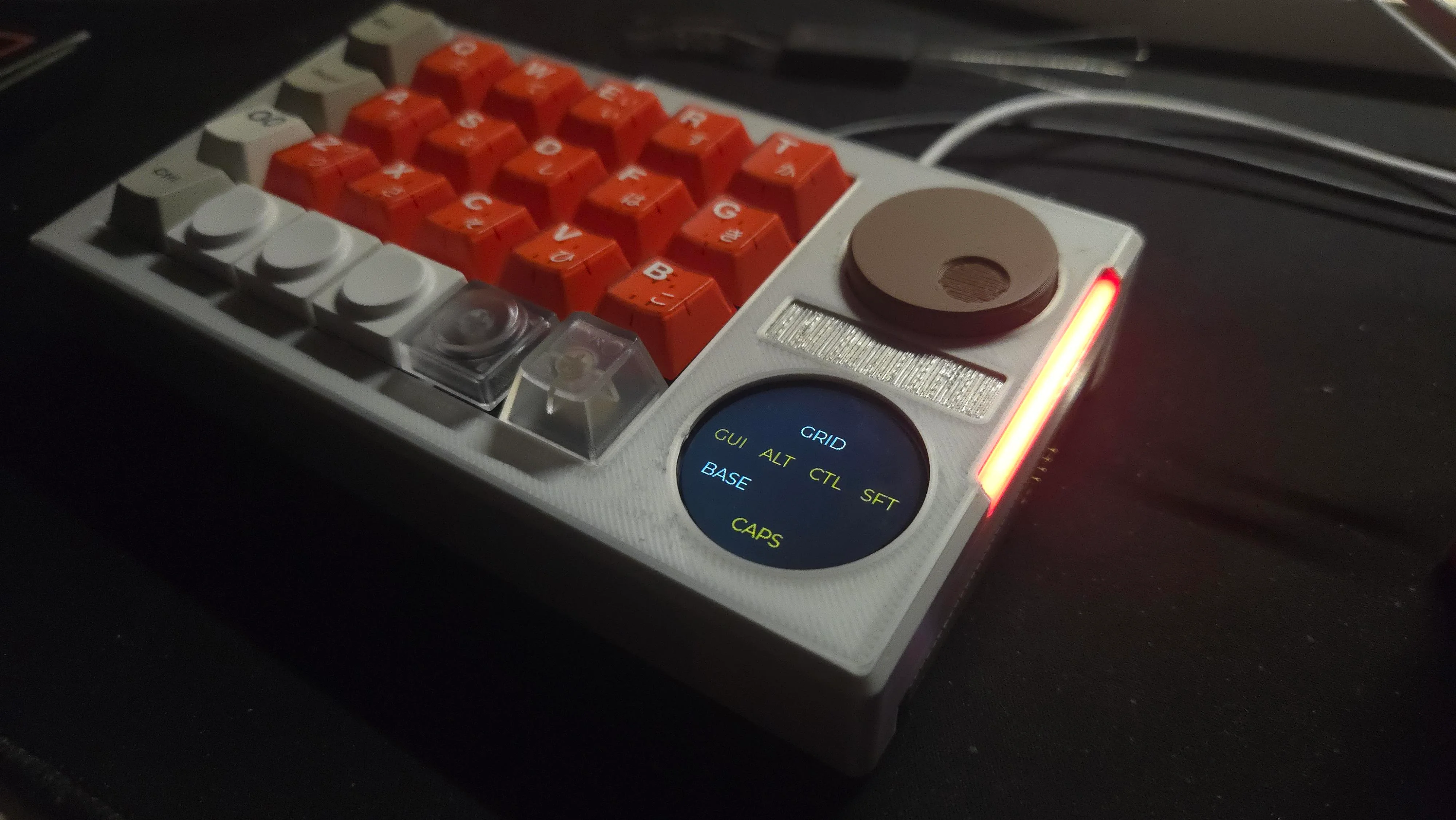
In a world that has no shortage of macropads, the duckyPad still managed to set itself apart. The open source mechanical pad offered an incredible array of customization options, and thanks to its onboard OLED display, you never had to wonder which key did what. But there’s always room for improvement.

Announced earlier today, the duckyPad Pro is the culmination of everything creator [dekuNukem] learned from developing, marketing, and supporting the original duckyPad. Much hasn’t changed — it looks largely the same, offers the same RGB-backlit mechanical switches, and the trademark OLED is still there, although it’s gotten a little larger. The obvious changes are the addition of five more keys, and a pair of rotary encoders.

Continue reading “New DuckyPad Pro Is Bigger And Smarter Than Original”

Illustrated Kristina with an IBM Model M keyboard floating between her hands.

Keebin’ With Kristina: The One With The (Mc)Cool Typewriter

A hand and wrist with a gesture detection ring and a control box on the wrist.
Image by [ambrush] via Hackaday.IO
Okay, so this isn’t a traditional keyboard, but you can probably figure out why the RuneRing is here. Because it’s awesome! Now, let me give you the finer points.

Hugely inspired by both ErgO and Somatic, RuneRing is a machine learning-equipped wearable mouse-keyboard that has a configurable, onboard ML database that can be set up to detect any gesture.

Inside the ring is a BMI160 6-axis IMU that sends gesture data to the Seeed Studio nRF52840 mounted on the wrist. Everything is powered with an 80mAh Li-Po lifted from a broken pair of earbuds.

Instead of using a classifier neural network, RuneRing converts IMU data to points in 24-dimensional space. Detecting shapes is done with a statistical check. The result is a fast and highly versatile system that can detect a new shape with as few as five samples.

Continue reading “Keebin’ With Kristina: The One With The (Mc)Cool Typewriter”