Build Your Own 16 MB 30-Pin SIMMs For Vintage PCs

Today’s memory sticks have hundreds of pins and many gigabytes of RAM on board. Decades ago, though, the humble 30-pin SIMM was the state of the art where memory was concerned. If you’ve got vintage gear, you can try and hunt down old RAM, or you can copy [Bits und Bolts] and make your own.

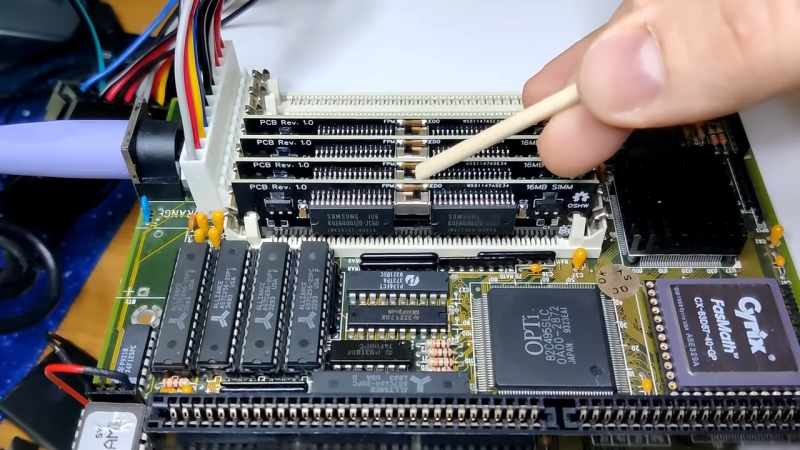
Previously, [Bits und Bolts] built a 4 MB SIMM, but he’s now ramped up to building 16 MB RAM sticks — the largest size supported by the 30-pin standard. That’s a ton compared to most 30-pin sticks from the 1980s, which topped out at a feeble 1 MB.

We get to see four of his 16 MB sticks installed in a 386 motherboard, set up to operate in the appropriate Fast Page Mode. He was able to get the system operating with 64 MB of RAM, an amount still considered acceptable in the early Pentium 3 era. Hilariously, memtest took a full ten hours to complete a single pass with this configuration. [Bits and Bolts] also tried to push the motherboard further, but wasn’t able to get it to POST with over 64 MB of RAM.

As [Bits und Bolts] demonstrates, if you can read a schematic and design a PCB, it’s not that hard to design RAM sticks for many vintage computers. We’ve seen some other RAM hacks in this vein before, too.

Continue reading “Build Your Own 16 MB 30-Pin SIMMs For Vintage PCs”
[Usagi Electric’s] Bendix G15 Gets DC Power

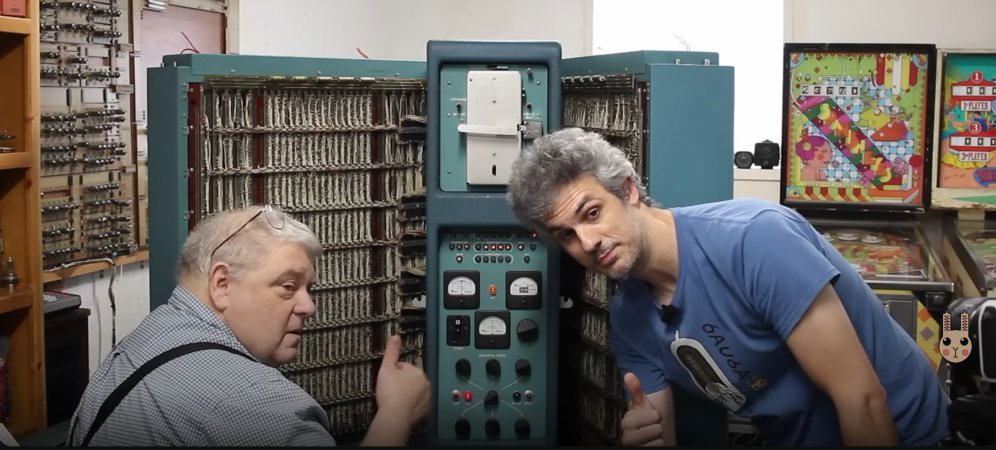
[Usagi Electric] is breathtakingly close to having his Bendix G15 vacuum tube computer up and running. This week he is joined by a new friend, [Lloyd] who is restoring a G15 as well. [Lloyd] used to repair the Bendix Computers back in the 1970s, so he’s privy to lots of practical knowledge you can’t find in the manuals.

The goal this week was to apply DC power to the G15.  The AC power spins the fans and makes the tubes start glowing. But DC makes the magic happen.  That’s when the boot sequencers start running, sending data to the drum, testing various parts of the machine, and finally, loading software from the paper tape reader.

Since this was a computer from the 1950’s, powering up DC might work, or could let the magic smoke out.  The only way to find out was to push the big green “Reset” button.

The first attempt was stymied by a blown fuse. The second attempt resulted in real live blinkenlights. The data and status lights on the Bendix lit up for the first time in decades. The only thing missing was the sound of the tape drive.  A bit of digging proved that the problem wasn’t in the computer, but in the typewriter user console. The typewriter is supposed to connect the SA line to the -20 volt DC rail. That wasn’t happening though. Since that expected voltage wasn’t present on the SA line at the Bendinx, the boot process halted.

Unfortunately, the typewriter has “somebody’s been here before” syndrome – in addition to age, there are a number of odd modifications.  It’s going to take [Usagi] a bit of time to dig into it and figure out what’s wrong.

The good news is that the computer is using its massive spinning drum drive. [Usagi] was able to verify this with the test panel inside the machine. One button will write a pulse to the drum, and another will erase it. Manipulating these buttons, [Usagi] could see the results on an oscilloscope.  This may sound simple – but just getting to this point means an incredibly complex chain of tube, relay, and mechanical logic has to work.  Bravo [Dave] and [Lloyd]!

Continue reading “[Usagi Electric’s] Bendix G15 Gets DC Power”

Custom Microcode Compiler, Made In Google Sheets

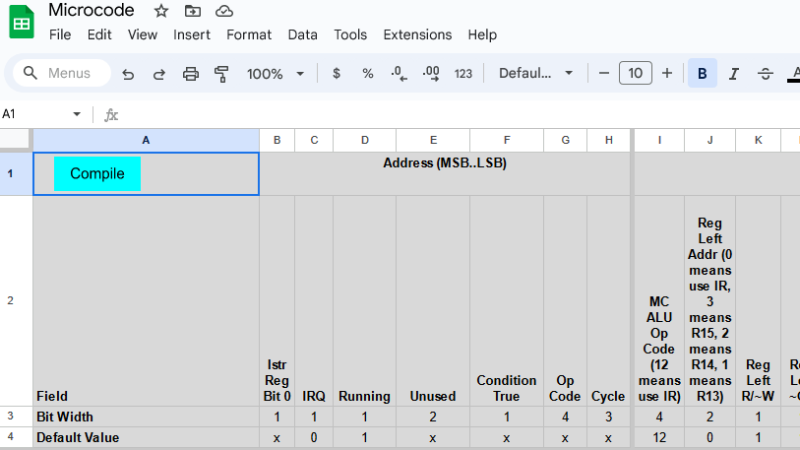
When homebrewing a CPU, one has to deal with microcode. Microcode is the low-level nuts and bolts of how, precisely, a CPU executes instructions (like opcodes) and performs functions such as updating the cycle counter or handling interrupt requests. To make this task easier, [Bob Alexander] created a microcode compiler built in Google Sheets to help with his own homebrew work, but it’s flexible and configurable enough to be useful to others, as well.

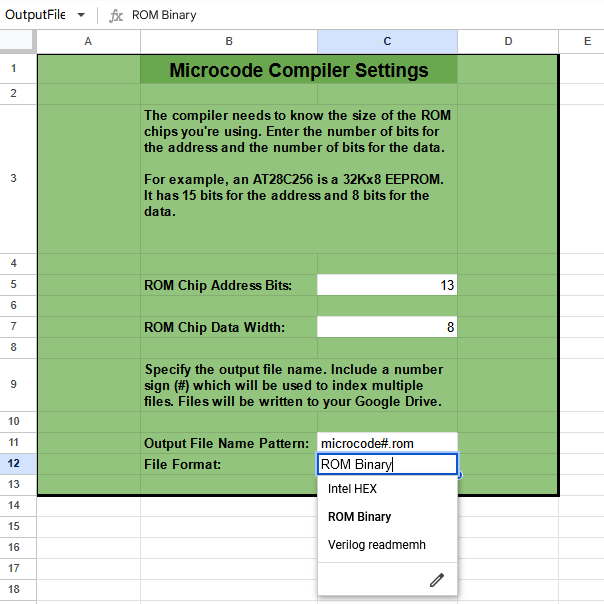
A CPU’s microcode usually lives in read-only memory, and writing the microcode is only one step in the journey. [Bob]’s tool compiles his microcode into files that can be burned into memory (multiple EEPROM chips, in [Bob]’s case) or used as a Verilog program in the case of implementing the CPU in an FPGA. It’s configurable enough to be adapted for other homebrew CPU projects, though one would of course have to re-write the microcode portion.

A read-only version of the spreadsheet makes for some fun browsing, and if it piques your interest enough to get a copy of your own complete with the compiler script, you can do that here. It uses Google Sheets, and writes the output files into one’s Google Drive.

This kind of low-level project really highlights the finer points of just how the hard work of digital computing gets done. A good example is the Gigatron which implemented a RISC CPU using only microcode, memory, and logic gates in the late 70s. We’ve even seen custom microcode used to aid complex debugging.

Build A DIY Spinner To Get Your Tempest Game Going

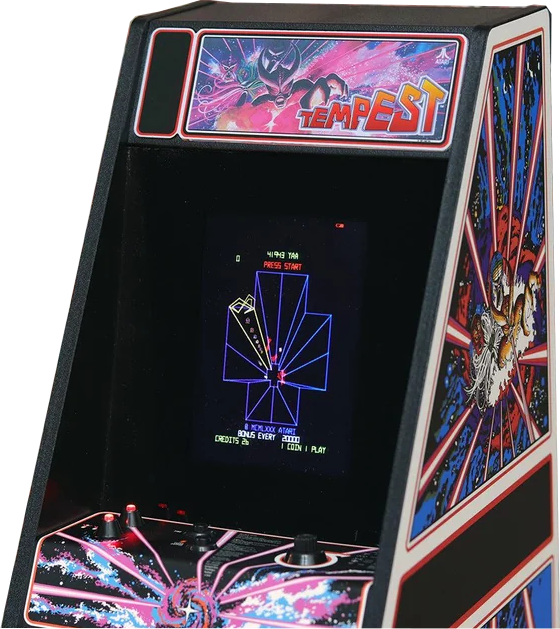
These days, controls in games are fairly standardized by genre. Most RTSs, FPSs, and RPGs all control more or less the same way. But one type of controller that has fallen by the wayside is the paddle, or spinner. [jesster88] is a big Tempest fan, however, and a spinner is crucial. Thus, what else is there to do but whip up one’s own?

Tempest is one of the more difficult classic games to categorize.

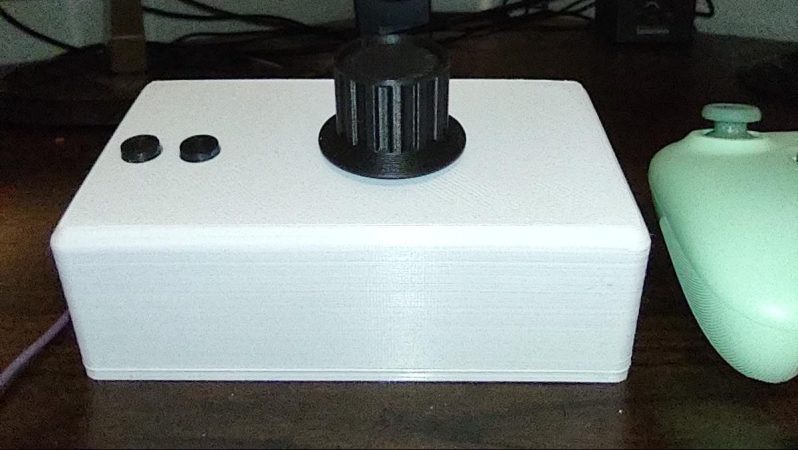
The build is based around a wired optical mouse. It’s pulled apart, with its main PCB installed into a 3D printed enclosure. Inside, the optical sensor is pointed at the base of a spinner constructed out of a printed drum and an off-the-shelf knob. The spinner is installed in a skateboard-style bearing for smooth rotation. As it spins, the optical sensor detects the motion and reports it as mouse movement via USB.

[jesster88] uses the device for playing Tempest with MAME. We imagine the technique could be adapted to work with other games that rely on spinner or paddle inputs, too. Meanwhile, if you’re whipping up your own retro game hacks at home, don’t hesitate to let us know!

The Workstation You Wanted In 1990, In Your Pocket

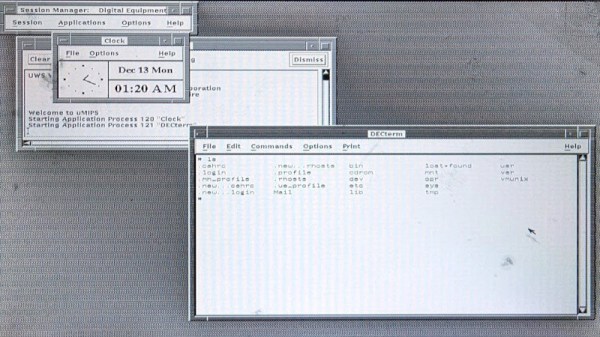
Years ago there was a sharp divide in desktop computing between the mundane PC-type machines, and the so-called workstations which were the UNIX powerhouses of the day. A lot of familiar names produced these high-end systems, including the king of the minicomputer world, DEC. The late-80s version of their DECstation line had a MIPS processor, and ran ULTRIX and DECWindows, their versions of UNIX and X respectively. When we used one back in the day it was a very high-end machine, but now as [rscott2049] shows us, it can be emulated on an RP2040 microcontroller.

On the business card sized board is an RP2040, 32 MB of PSRAM, an Ethernet interface, and a VGA socket. The keyboard and mouse are USB. It drives a monochrome screen at 1024 x 864 pixels, which would have been quite something over three decades ago.

It’s difficult to communicate how powerful a machine like this felt back in the very early 1990s, when by today’s standards it seems laughably low-spec. It’s worth remembering though that the software of the day was much less demanding and lacking in bloat. We’d be interested to see whether this could be used as an X server to display a more up-to-date application on another machine, for at least an illusion of a modern web browser loading Hackaday on DECWindows.

Full details of the project can be found in its GitHub repository.

8-Bits And 1,120 Triodes

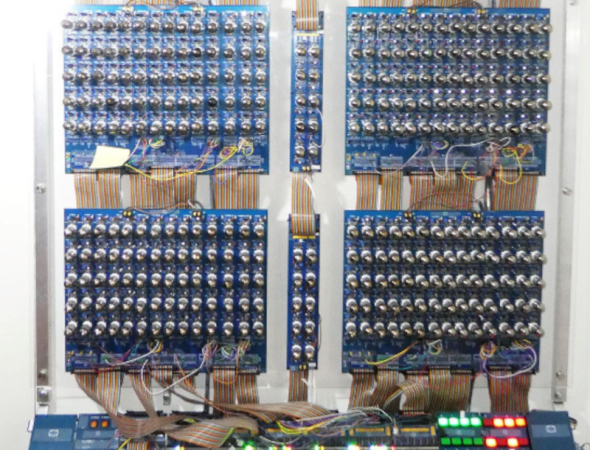
While it’s currently the start of summer in the Northern Hemisphere, it will inevitably get cold again. If you’re looking for a unique way of heating your workshop this year, you could do worse than build an 8-bit computer with a bunch of 6N3P vacuum tubes. While there are some technical details, you might find it a challenging build. But it is still an impressive sight, and it took 18 months to build a prototype and the final version. You can find the technical details if you want to try your hand. Oh, did we mention it takes about 200 amps? One of the prototype computers plays Pong on a decidedly low-tech display, which you can see below.

The architecture has 8 data bits and 12 address bits. It only provides six instructions, but that keeps the tube count manageable. Each tube has two triodes in one envelope and form a NOR gate which is sufficient to build everything else you need. In addition to tubes, there are reed relays and some NVRAM, a modern conceit.

Operating instructions are to turn it on and wait for the 560 tubes to warm up. Then, to quote the designer, “… I check the fire extinguisher is full, and run the code.” We wonder if one of the six instructions is halt and catch fire. Another quote from the builder is: “It has been a ridiculous amount of soldering and a fantastic amount of fun.” We can imagine.

If the computer seems familiar, we covered the first and second prototypes named ENA and Fred. We’ve also seen tube-base single-board computers.

Continue reading “8-Bits And 1,120 Triodes”

A Previously Unknown Supplier For A Classic Chip

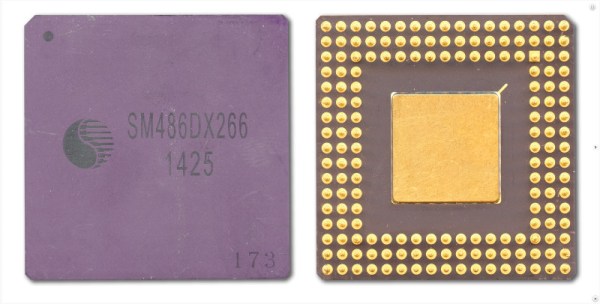
It’s common enough for integrated circuits to be available from a range of different suppliers, either as licensed clones, or as reverse-engineered proprietary silicon. In the case of a generic circuit such as a cheap op-amp it matters little whose logo adorns the plastic, but when the part in question is an application processor it assumes much more importance. In the era of the 486 and Pentium there were a host of well-known manufacturers producing those chips, so it’s a surprise decades later to find that there was another, previously unknown. That’s just what [Doc TB] has done though, finding a 486 microprocessor from Shenzhen State Micro. That’s not a brand we ever saw in our desktop computers back in the 1990s.

Analysis of a couple of these chips, a DX33 and a DX2-66, shows them to have very similar micro-architecture but surprisingly a lower power consumption suggesting a smaller fabrication process. There’s the fascinating possibility that these might have been manufactured to serve an ongoing demand for 486 processors in some as-yet-unknown Chinese industrial application, but before any retrocomputer enthusiasts get their hopes up, the chips can’t be found anywhere from Shenzhen State Micro’s successor company. So for now they’re a fascinating oddity for CPU collectors, but who knows, perhaps more information on these unusual chips will surface.

Meanwhile we’ve looked at the 486’s legacy in detail  before, even finding there could still just be 486-compatible SoCs out there.