Porting CP/M To A Z80 Thing

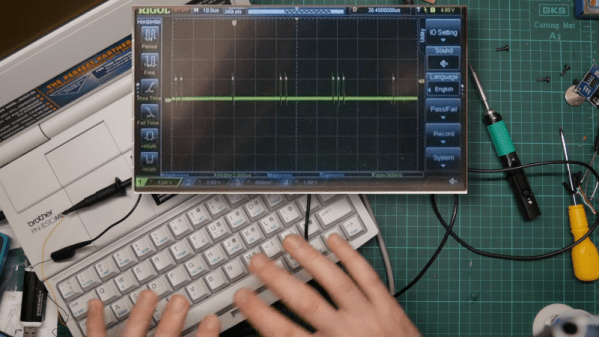
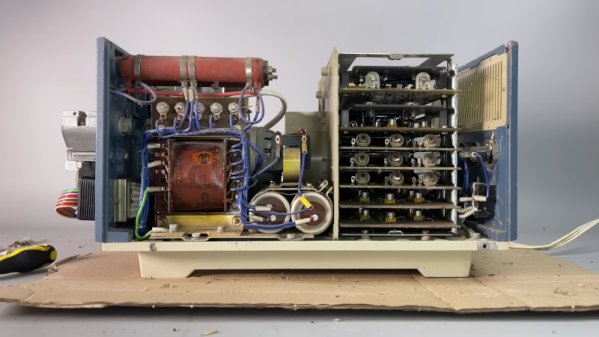
It is hard to describe the Brother SuperPowerNote. It looks like a big old Z80-based laptop, but it says it is a notebook. The label on it says (with lots of exclamation marks) that it is a word processor, a communications system, a personal scheduler, and a spreadsheet organizer. Brother also promises on the label that it will “Increase your power to perform on the job, on the road or at home!” Plenty of exclamation marks to go around. The label also touts DOS or Windows, but [Poking Technology] didn’t want that. He wanted CP/M. See how he did it in the video below.

This is a very early laptop-style word processor with a floppy and a strange-looking screen. It also had serial and parallel ports, odd for a word processor, and probably justified the “communication system” claim on the label.

Continue reading “Porting CP/M To A Z80 Thing”

ThunderScan: The Wild 1980s Product That Turned A Printer Into A Scanner

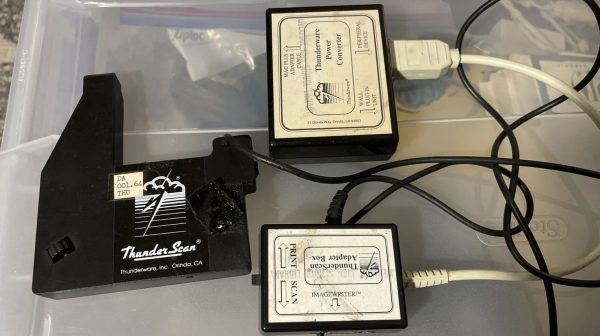
Back in the 1980s, printers were expensive things. Scanners were rare, particularly for the home market, because home computers could barely handle basic graphics anyway. Back in these halcyon days, an obscure company called Thunderware built a device to convert the former into the latter. It was known as the Thunderscan, and was a scanning head built for the Apple ImageWriter dot matrix printer. Weird enough already, but this device hides some weird secrets in its design.

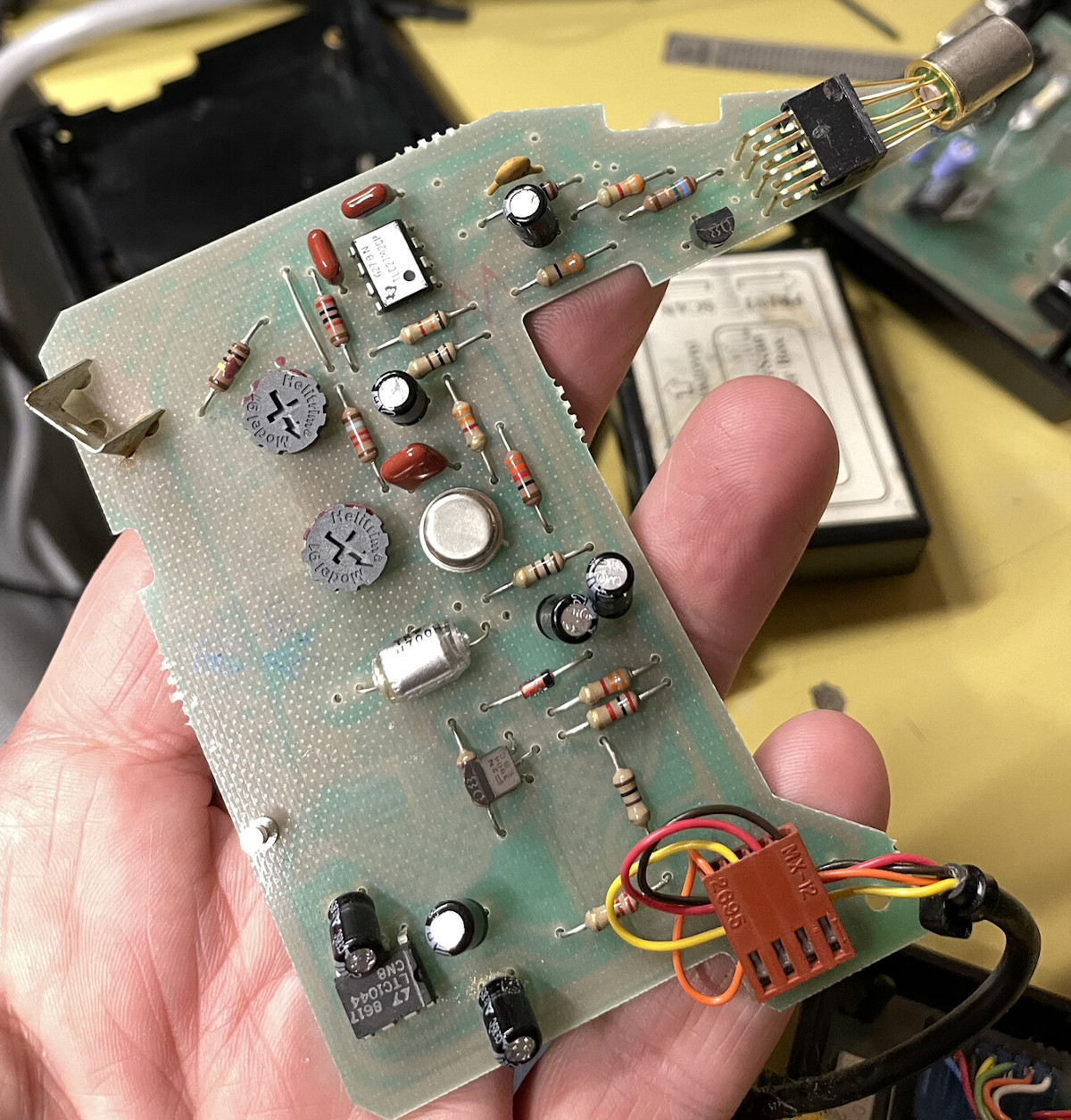
The actual scanning method was simple enough; the device mounted a carriage to the printer head of the ImageWriter. In that carriage was an optical reflective sensor which was scanned across a page horizontally while it was fed through the printer. So far, so normal.
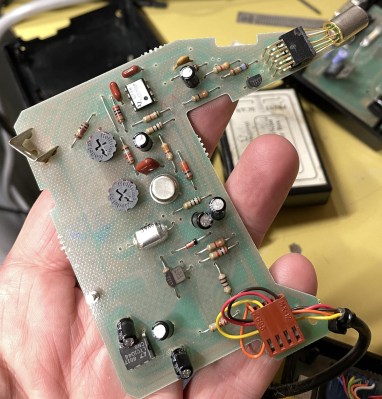
The hilarious part is how the scanner actually delivered data to the Macintosh computer it was hooked up to. It did precisely nothing with the serial data lines at all, these were left for the computer to command the printer. Instead, the output of the analog optical sensor was fed to a voltage-to-frequency converter, which was then hooked up to the handshake/clock-in pin on the serial port.

The scanner software simply looked at the rate at which new characters were becoming available on the serial port as the handshake pin was toggled at various frequencies by the output of the optical sensor. Faster toggling of the pin indicated a darker section of the image, slower corresponded to lighter.

Interestingly, [Andy Hertzfeld] also has his own stories to tell on the development, for which his software contribution seems to have netted him a great sum of royalties over the years. It’s funny to think how mainstream scanners once were; and yet we barely think about them today beyond a few niche uses. Times, they change.

Thanks to [J. Peterson] for the tip!

Cowgol Development Environment Comes To Z80 And CP/M

Cowgol on Z80 running CP/M ties together everything needed to provide a Cowgol development environment (including C and assembler) on a Z80 running the CP/M operating system, making it easier to get up and running with a language aimed to be small, bootstrapped, and modern.

Cowgol is an experimental modern language for (very) small systems.

The Zilog Z80 was an 8-bit microprocessor common in embedded systems of the 1970s and 1980s, and CP/M was a contemporary mass-market operating system. As for Cowgol? It’s an Ada-inspired compiler toolchain and programming language aimed at very small systems, such as the Z80.

What’s different about Cowgol is that it is intended to be self-hosted on these small systems; Cowgol is written in itself, and is able to compile itself. Once one has compiled the compiler for a particular target architecture (for example, the Z80) one could then use that compiler on the target system to compile and run programs for itself.

Thankfully, there’s no need to start from scratch. The Cowgol on Z80 running CP/M repository (see the first link of this post) contains the pre-compiled binaries and guidance on using them.

Cowgol is still under development, but it works. It is a modern language well-suited to (very) small systems, and thanks to this project, getting it up and running on a Z80 running CP/M is about as easy as such things can get.

Thanks to [feinfinger] for the tip!

Fast Paper Tape For The Nuclear Family

We’ve enjoyed several videos from [Chornobyl Family] about the computers that controlled the ill-fated nuclear reactor in Chornobyl (or Chernobyl, as it was spelled at the time of the accident). This time (see the video below) they are looking at a high-speed data storage device. You don’t normally think of high-speed and paper tape as going together, but this paper tape reader runs an astonishing 1,500 data units per second. Ok, so that’s not especially fast by today’s standards, but an ASR33, for example, did about 10 characters per second.

An IBM2400 tape drive, for reference, could transfer at least 10 times that amount of data in a second, and a 3400 could do even better. But this is paper tape. Magnetic tape had much higher density and used special tricks to get higher speeds mechanically using vacuum columns. It was still a pretty good trick to move 4 meters of paper tape a second through the machine.

Continue reading “Fast Paper Tape For The Nuclear Family”

BASIC In Your Browser

If you are a certain age or just like retrocomputers, you probably have a soft spot for good old-fashioned BASIC. If you miss those days but don’t want to install a modern interpreter, you don’t have to. Just load a web page containing the “BASIC Anywhere Machine” from [CJ Veniot]. Worried about it being “in the cloud?” It isn’t? It runs in your browser, and if you are a TiddlyWiki fan, it will even live inside your Wiki, which you can host as you please.

The project has lots of features, including some integration back into TiddlyWiki, which we haven’t tried. But you can use graphics commands, work with the mouse, and do other fun things.

Continue reading “BASIC In Your Browser”

Affordable Networking For Your Classic Mac

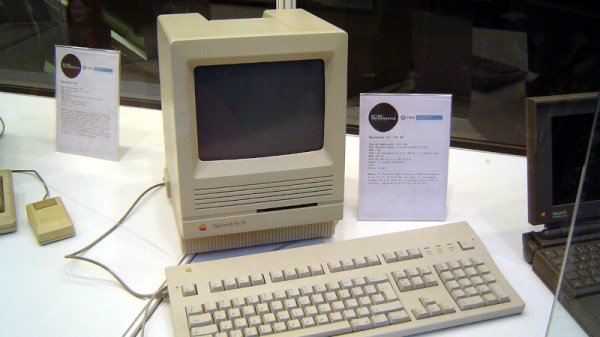
The Mac SE and in particular the Mac SE/30 number among the more sought-after of the classic all-in-one Apple computers, and consequently their peripherals including network cards are also hard to find and pricey. Even attempts at re-creating them can be expensive, usually because the chips used back in the day are now nearly unobtainable. But if the search is widened to other silicon it becomes possible to create substitutes, as [Richard Halkyard] is doing with a modern version of the SE Ethernet card.

The chip which makes this possible is the Microchip ENC624J600, an embedded 10/100 Ethernet controller with an impressively configurable interface that can be easily mated to the 68k bus. For The SE it’s mapped to a memory area, while for the /30 there can be a declaration ROM which informs the machine where it is.

This is an as yet unfinished project, a work in progress. But it deserves to succeed, and if we can provide encouragement by featuring it here then it’s definitely worth a look. Or course, this is by no means the only replacement for an original board.

SE/30 picture: Cornellanense, CC BY-SA 4.0.

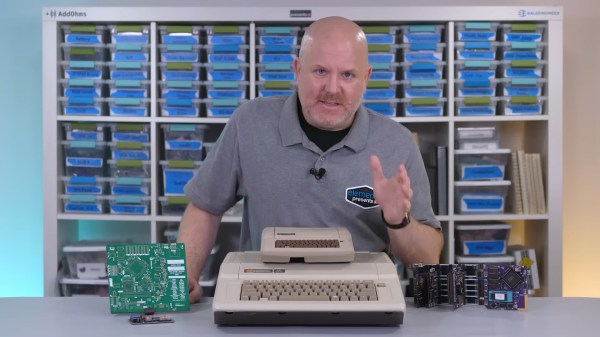
A bald white man stands behind a table with an Apple II, a large green PCB, and a modular purple and black development board system. Atop the Apple II is what appears to be a smaller Apple II complete with beige case and brown fake keyboard.

Mini Apple IIe Now Fully Functional

Here at Hackaday, we love living in a future with miniaturized versions of our favorite retrocomputers. [James Lewis] has given us another with his fully functional Apple IIe from the Mega II chip.

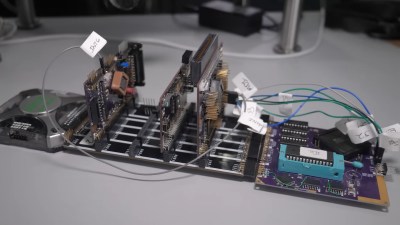
When we last checked in on theĀ Mega IIe, it was only just booting and had a ways to go before being a fully functional Apple II. We really love the modular dev board he designed to do the extensive debugging required to make this whole thing work. Each of the boards is connected with jumper pins, which [Lewis] admits would have been better as edge connectors since he should’ve known he’d be unplugging and replugging them more than he’d like.

A set of PCBs sits on a table. There is a logic analyzer plugged into one end that looks like a grey square. Three boards stick up at right angles from the main plane which consists of a purple square PCB with the IIe ROM and MEGA chips and a black rectangular PCB with four sets of headers for PCB modules to slot into.

This modular prototyping system paid dividends late in the project when a “MEGA bug” threatened the stability of the entire system. Since it was confined to the keyboard PCB, [Lewis] was able to correct the error and, swapping for the third revision of the board, everything that had been crashing the system now ran.

There were still some issues going to the final unified PCB that nearly made him give up on the project, but perseverance paid off in the end. Combining vintage chips and multiple RP2040s isn’t for the feint of heart.

Now that you have a more conveniently-sized Apple II, why not teach it some new tricks like digital photography or ChatGPT?

Continue reading “Mini Apple IIe Now Fully Functional”