Video: Learning To Program For The ATmega328p Part I

Many of you are familiar with the Arduino. Many of you hate it…* This post isn’t about the Arduino. It is about the processor that is at the heart of many Arduino boards. If you are in the camp of people who can’t understand why others dislike the Arduino so much, this series is for you. In this series of videos, [Jack] will explore how to program for the ATmega328p processor using C. If you have been programming for the Arduino, you may have had some issues with the speed of your code at points. Programming in C will allow you to wring out nearly the last ounce of processing power that the ATmega processors can provide. It will also let you access the peripherals on the processor directly and to switch between different processors when you need more (or less) capabilities.

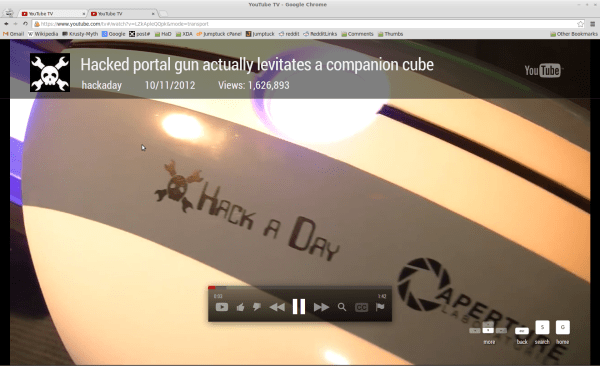
In this first video, [Jack] shows you all of the features of the 3pi robot, which he will be using as a fancy development board for the ATmega328p. He then shows you how to get your development environment set up and then walks you through one of the sample programs provided for the 3pi robot.

*Here at Hackaday, we are officially neutral in the ongoing Arduino love/hate war. We don’t care what microcontroller is used in the hacks that we show, only that they are cool.

Video is after the break!
Continue reading “Video: Learning To Program For The ATmega328p Part I”

ATTiny Hacks: Run Your Arduino Project On An ATTiny!

Yup. We have all been there. You throw together a really elaborate Arduino project that only really needs a couple pins, far fewer than the Arduino’s native microcontrollers have to offer. Well fear not, [Thatcher] has solved just this problem by adding some ATTtiny cores to the Arduino IDE. His blog details the process from grabbing the MIT developed core files and loading them up in your Arduino software directories. The modification looks simple and although [Thatcher] shows the whole process on a Mac it only involves unzipping and tossing files into a folder. With ATTiny chips only a few bucks each this is perfect for those simple software driven hacks that don’t require an entire Uno duct taped to the outside of an enclosure.  Nice work [Thatcher]!

Classic Game Cabinet Becomes A Drivable Car

[Garnet Hertz], a professor and “artist in residence” at UC Irvine, built a drivable Outrun arcade cabinet for an experiment in augmented reality.

The old fiberglass and wood cabinet was hacked up and the motors, wheels, and drive train from an electric golf cart were stuffed inside. The original steering wheel and pedals were used for the controls. Although the top speed of the in-game car is about 180 mph, that was brought down to a reasonable 13 miles per hour.

Continue reading “Classic Game Cabinet Becomes A Drivable Car”

Bejeweled Blitz Bot Makes Your High Score Look Just Sad

Programmers don’t need to get good at a game to achieve a high score, they code a bot for that instead. Take [hypnotizd] for instance. He was learning to write in the C# language and decided to make a bot that plays Bejeweled Blitz on Facebook. He figures he took between 48 and 72 hours of coding over a couple of weeks, but remember, he was learning the language at the same time. We think you’d be hard pressed to achieve a 1.5 million range score by yourself, even with that amount of practice time.

We spoke with [hypnotizd] yesterday afternoon to get a bit of background on how he made this happen. His code (he’s not releasing it so you’ll have to write your own) scrapes the screen image as input. You can see at the beginning of the video after the break that he sizes his app to properly align each jewel in its grid. The program then identifies each game piece by finding the center of the cell and taking a 25 square-pixel average color. Many of the jewels are easily recognized in this first pass, but some are harder and require several different tests to identify. That’s the difficult part, choosing the best move is just a matter of coming up with your own rules on how the bot should play the game.

Continue reading “Bejeweled Blitz Bot Makes Your High Score Look Just Sad”

64-bit OS Written Entirely In Assembly

The folks at Return Infinity just released a new version of their BareMetal OS, a 64-bit operating system written entirely in assembly.

The goal of the BareMetal project, which includes a stripped-down bootloader and a cluster computing platform is to get away from the inefficient obfuscated machine code generated by higher level languages like C/C++ and Java. By writing the OS in assembly, runtime speeds are increased, and there’s very little overhead for when every clock cycle counts.

Return Infinity says the ideal application is for high performance and embedded computing. We can see why this would be great for really fast embedded computing – there are system calls for networking, sound, disk access, and everything else a project might need. There’s also ridiculously small system requirements – the entire OS is only 16384 bytes – lend itself to very small, very powerful computers.

With projects that are computationally intensive, we think this could be a great bridge between an insufficient AVR, PIC or Propeller and a full-blown linux distro. There’s just some questions about the implementation – we feel like we’ve just been given a tool we don’t even know when to use. Any hackaday readers have an idea on how to use an OS stripped down to the ‘bare metal?’ What, exactly, would need 64 bits, and what hardware would it run on?

Check out the Return Infinity team calculating prime numbers on their BareMetal Node OS after the jump.

Continue reading “64-bit OS Written Entirely In Assembly”

Apple II Weather Display (part 3)

In parts 1 and 2, I discussed the important parts of what is going on the PC side with lua. While not 110% detailed I hope it gave you an idea on how the data is processed so the Apple II computer could quickly digest it. Now its time to see what happens at the other end of the serial cable. I am using basic, but its not 100% off the rom Applesoft basic, that would be even slower, so I am using a compiler and a fast graphics driver. Both are from “The Beagle Compiler” which was produced by the ever awesome Beagle Bro’s software company, and though still under copyright, the publishers have given permission for use of their software (within reason I don’t think you will get very far selling it).

Continue reading “Apple II Weather Display (part 3)”

Apple II Weather Display (part 2)

In part one of the Apple II weather display I quickly went over how data is fetched and phrased. Now its time to do something with it in part 2. In the order of functions I do the text parts first, and though its very similar to the process that the radar image goes through, its in monochrome and a bit simpler to explain. Before I go into how it works I should explain how I am dividing the Apple II’s screen.

Continue reading “Apple II Weather Display (part 2)”