How To Let Everyone Keep A Secret

Someone calls you at work and says, “Don’t tell anyone, but…” If you are like most people, there are one or two people you will pass it along to with the same admonishment. In fact, they are probably repeating it from someone else, and you are on their list of two people. So for really big secrets, you need a way to spread the secret out so that no one has any real information about the secret, but a certain number of people together can decode it. As [neeaj] explains in a recent post about Shamir’s Secret Sharing, [Adi Shamir] (the S in RSA encryption) devised a way to do this very well in 1979, and the core concept is very easy to understand.

The explanation works with geometry. The equation for a line is y=mx+b, where m is the slope and b is the y-intercept (that is, where the line touches the y-axis when X is 0. An infinite number of lines cross the Y axis at, for example, 10. The line y=3x+10 does, and so does the line y=-1.41x+10. You can’t guess the b value from just the slope, because any slope will satisfy the equation.

Continue reading “How To Let Everyone Keep A Secret”

Linux Distributions And Who Is Responsible For The Software

The topic of downstream and upstream is an important one in the Linux ecosystem, where from one base distribution you can go many layers of distros deep before even looking at all the other base distributions. Within that veritable jungle you get questions about who is responsible for packaging software, where to report bugs found with a specific application, as well as what ‘LTS’ truly means in a consumer context. These and other points are raised in a recent video by [Brodie Robertson], with many examples of things going tragically wrong.

There’s a good argument to be made that ultimately it is the distro that is responsible for the software that they provide via their repositories. As [Brodie] shows in the video, there are a few cases where an ‘LTS’ distro uses an old version of some software that contains a bug that has been fixed a while ago, so reporting it to the developer is rather pointless, while the distro maintainers should fix it with backporting of patches or updating the version.

From an end user experience this also makes the most sense, as in the end they just want to have the Windows experience of downloading a proverbial installer, clicking through whatever dialogs pop and have working software. If the software is provided via the distro, it is their responsibility, the same way that you contact the developer if you get a DEB or RPM from a GitHub project page and it doesn’t work.

This current Linux Chaos Vortex can be called a major issue when e.g. FreeBSD has no such upstream/downstream issues, with cross-platform installers being basically impossible on Linux ever since the Linux Standard Base effort died.

Perhaps Linux will get a distroless future, however, which may finally herald that Year of the Linux Desktop.

Continue reading “Linux Distributions And Who Is Responsible For The Software”

Prolog Via Pokémon

Like many people who read Hackaday, we are fairly fluent in a number of computer languages, but we have to admit it is easier to pick up languages that look like they group with things like Fortran. Sure, modern languages have all sorts of features, but the idea that you have a text file that executes in some order, variables, statements, and so on runs through most popular languages, but not all of them. Lisp and its variants are a different way of looking at things. And then there’s Prolog. [Alexander Petros] has an interesting way of explaining Prolog as a Pokémon game.

Prolog was “the next big thing” when AI meant expert systems. It is more of a specialized database where you define facts and rules that the computer can infer answers to queries. For example, if the facts say that Paul and Anna both have Mary as a parent, and a rule says that people with the same parent are siblings, then a query asking whether Paul and Anna are siblings will indicate that they are.

Continue reading “Prolog Via Pokémon”

Learn Programming Without A Computer

Presumably aimed at children, NHK World’s Texico program teaches the main ideas about programming without actually using a computer. Instead, it uses items like a toy train, playing cards, and other gadgets to teach concepts such as analysis, combination, simulation, abstraction, and more.

There are ten episodes in English and French. Some of them are more about critical thinking, which, admittedly, is important for solving problems in general with or without a computer. For example, a “magic” trick relies on the observation that tearing a sheet of paper into nine rectangular pieces will mean each piece has at least one perfectly straight edge except for the center piece.

Continue reading “Learn Programming Without A Computer”

Trying Pair Programming With An LLM Chatbot

When it comes to software developers, there are a few distinct types. For example, the extroverted, chatty type, who is always going out there to share the latest and newest libraries and projects with everyone, and is very much into bouncing ideas off others, regardless of whether they know what you’re talking about. Then there is the introverted loner, who prefers to tackle programming challenges by bouncing things around inside their own minds and going on long walks to mull things over before committing to anything significant.

This leads to interesting scenarios when it comes to management-enforced ‘optimization’ strategies, like Pair Programming. This approach involves two developers sharing the same computer and keyboard, theoretically doubling the effective output by some kind of metric, but realistically often leading to at least one side feeling pretty miserable and disconnected unless you put two of the chatty types together.

As a certified introverted loner developer, the idea of using an LLM chatbot as a coding assistant naturally triggers unpleasant flashbacks to hours of forced awkward pair ‘programming’. However, maybe using an LLM chatbot could be more pleasant because you can skip the whole awkward socializing bit. In order to give it a shake, I put together a little experiment to see whether LLM-based coding assistants is something that I could come to appreciate, unlike pair programming.

Continue reading “Trying Pair Programming With An LLM Chatbot”

The Arduino UNO, Basically

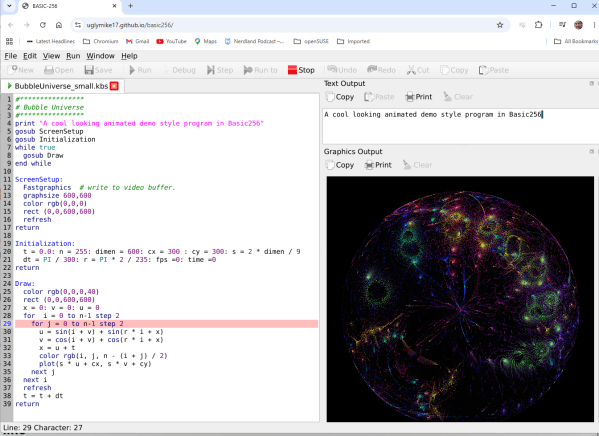
If you miss the days when you used Basic on your classic computer or wrote embedded software with a Basic Stamp, then maybe dust off your Arduino UNO or any similar AVR board and try nanoBASIC_UNO from [shachi-lab].

Apparently, the original code was meant for the STM8S, but this port targets the ATmega328P. It is Basic more or less as you remember it. There are enough extensions to deal with GPIO, the analog systems, and so forth. At build time, you can decide if you want 16-bit or 32-bit integers.

Continue reading “The Arduino UNO, Basically”

Haiku Isn’t Just For X86 Anymore, Boots On ARM In QEMU

Ever since it was called OpenBeOS, Haiku has targeted the x86 platform. That makes good sense: it’s hard enough maintaining a niche system on ubiquitous hardware. But x86 isn’t the only game in town anymore. Apple’s doing very well on ARM, Linux runs on oodles of ARM SBCs, and even Windows uh, exists, on that architecture, so why not Haiku? That’s what [smrobtzz] figured, and thanks to his work you can now run Haiku on ARM, in QEMU.

There’s no image available as yet — you still need to bootstrap your own from a working system, and ironically that system cannot be Haiku. [smrobtzz] apparently used MacOS, which makes sense as his ultimate goal is apparently to go where only Aishi Linux has gone before and boot Haiku on his M1 MacBook. There had been previous efforts to get Haiku going on Raspberry Pi hardware, which seems logical considering how lightweight the operating system is, but they’re apparently nowhere near booting either. QEMU is a good start.

Interestingly, according to the ports page, Haiku is “functional” on both RISC V QEMU and the now-discontinued HiFive Unmatched SBC. We don’t seem to have covered it, but that milestone happened five year ago. Given how most RISC V boards currently available are a bit slow for modern desktop Linux, Haiku would likely be a breath of fresh air. The BeOS-descended system might be single user, but it’s snappy.

We reported a couple of years back that Haiku was daily-drivable on x86 ,it’s only gotten better since then, assuming you choose the right hardware. Hardware support is always the hard part about alternative OSes, but Haiku users are absolutely spoiled compared to fans of MorphOS, which still only runs on G4 or G5 PowerPC, and even then not only some hardware.