Pan And Tilt To A New 3D Printed Business Model

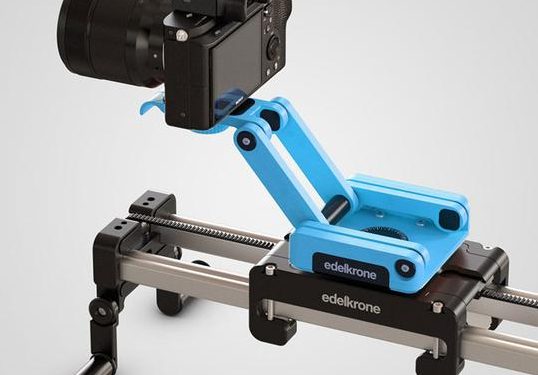
When shooting video, an easy way to get buttery smooth panning and tracking is to use a mechanical device like a rail to literally slide the camera side to side. These range from what is essentially a skateboard to incredible programmable multi-axis industrial robots, a wide variety of which have been visible in the backgrounds of Youtuber’s sets for years. But even the “low end” devices can run hundreds of dollars (all that anodized aluminum doesn’t come cheap!). Edelkrone has been building lust worthy professional (read, pricey) motion setups for a decade. But in the last year they’ve started something pretty unusual; lowering prices with their Ortak series of 3D printed equipment. But this time, you do the printing.

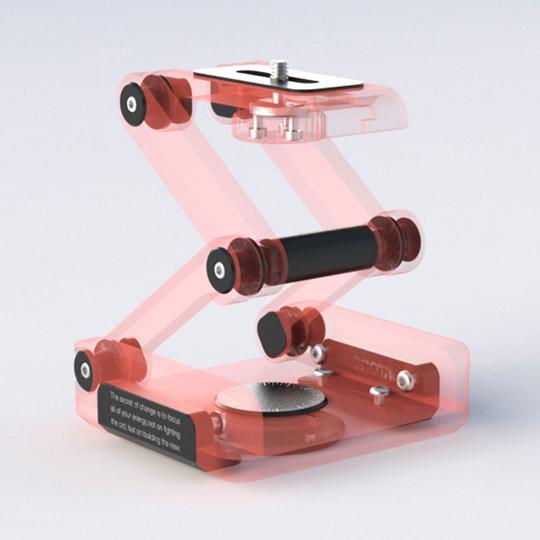
In the FlexTILT Head 3D, everything in red is printed at home

Since the RepRap we’ve been excited about the future of democratized at home manufacturing, but to a large extent that dream hasn’t materialized. Printers are much more useful now than in the early days but you can’t buy a new mug from Starbucks and print it at home. But maybe that’s changing with Edelkrone’s offering.

When you buy an Ortak product you get one thing: all the fasteners and hardware. So the final product is more durable and appears more finished than what would pop out of your Prusa unaided. What about the rest of the device? That’s free. Seriously. Edelkrone freely provides STLs (including print setting recommendations) with detailed step-by-step assembly instructions and videos (sample after the break). Nice hack to avoid piracy, isn’t it?

Why choose the do-it-at-home style product? A significant price reduction of course! The Ortak line currently includes two products, the FlexTILT head you see above, and a skateboard-style slide called the SKATER 3D. Both of these were sold fully finished before making it to the DIY scene. The FlexTILT Head 2 comes in at $149 when you buy it whole. And when the PocketSKATER 2 was for sale, it included a FlexTILT Head and came to $249. Now? Each hardware kit is just $29.

So is this it? Have we hit the artisanal DIY micro-manufactured utopian dream? Not yet, but maybe we’re a little closer. Edelkrone is a real company which is really selling these as products, right there on their website along with everything else. They refer to it as “co-manufacturing” which we think is a clever name, and talk about expanding the program to include electronics. We can’t wait to see how the experiment goes!

Continue reading “Pan And Tilt To A New 3D Printed Business Model”

How’s That 2.5D Printer Working For You?

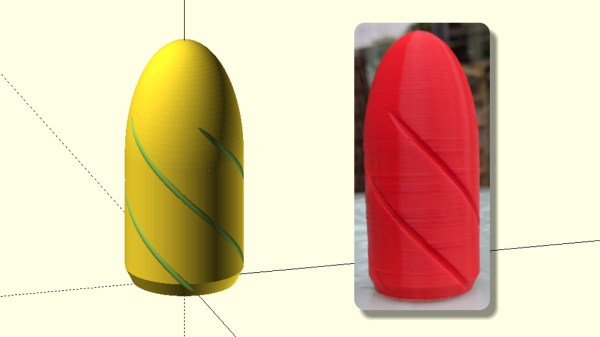
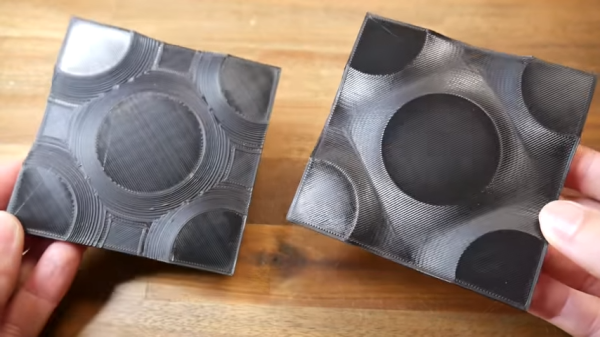
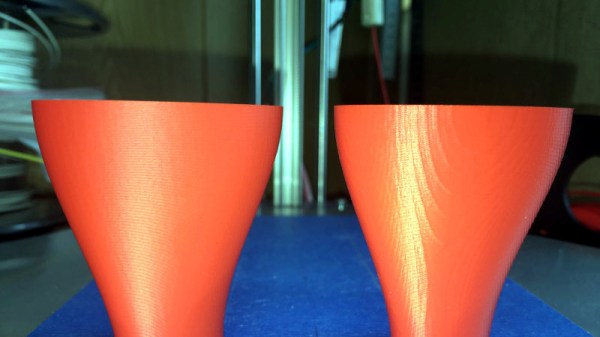
We’ve noticed a trend lately that advanced 3D printing people are calling their normal print setup as 2.5D, not 3D. The idea is that while the machine has 3 axes, the actual geometry generation is typically only in the X and Y axis. The Z axis simply lifts up to the next layer unless you are working in vase mode. [Teaching Tech] wanted to experiment with real 3D printing where the Z axis actually helps build the shape of the printed object, not just advancing with each step.

As it turns out his first investigation linked back to one of our early posts on the topic. There’s been more recent work though, and he found that too. It took a little surgery to get more Z clearance, but nothing too serious — just a movement of a fan.

Continue reading “How’s That 2.5D Printer Working For You?”

Hackaday Podcast 034: 15 Years Of Hackaday, ESP8266 Hacked, Hydrogen Seeps Into Cars, Giant Scara Drawbot, Really Remote RC Car Racing

Elliot Williams and Mike Szczys wish Hackaday a happy fifteenth birthday! We also jump into a few vulns found (and fixed… ish) in the WiFi stack of ESP32/ESP8266 chips, try to get to the bottom of improved search for 3D printable CAD models, and drool over some really cool RC cars that add realism to head-to-head online racing. We look at the machining masterpiece that is a really huge SCARA arm drawbot, ask why Hydrogen cars haven’t been seeing the kind of sunlight that fully electric vehicles do, and give a big nod of approval to a guide on building your own custom USB cables.

Take a look at the links below if you want to follow along, and as always tell us what you think about this episode in the comments!

Take a look at the links below if you want to follow along, and as always, tell us what you think about this episode in the comments!

Direct download (60 MB or so.)

Continue reading “Hackaday Podcast 034: 15 Years Of Hackaday, ESP8266 Hacked, Hydrogen Seeps Into Cars, Giant Scara Drawbot, Really Remote RC Car Racing”

Tiny Two-Legged PCB Robot

YouTuber and electronics engineer [Carl Bugeja] has a knack for finding creative uses for flexible PCBs. For the past year, he has been experimenting with PCB motors, using them on drones, robot fish, and most recently swarm robots. This is his final video in the vibro-bot series, and he’s got his best results to date. (Embedded below.)

He started off with flexible PCB actuators as robotic legs and magnets fitted into 3D-printed shells. The flexible PCB actuators work as inefficient electromagnets, efficient enough to react to a magnet when a current runs through, but not so efficient that they don’t release immediately.

The most recent design uses a rigid 0.6 mm FR4 PCB that acts as the frame to prevent the middle of the robot from bending. The “brain” of the robot is located at its center, which is connected to the flexible PCB actuators. Since the biggest constraint on his past robots was weight, he removed two of the legs to reduce the weight by 20%, resulting in straighter walks. He also added a Bluetooth module to wirelessly control the robot and replaced his old LiPo with a new, lighter battery (28 mAh, 15 C, 420 mA).

His latest video now shows that the robot is able to move forwards, backwards, and side to side. That’s a huge improvement over his previous attempts, which mostly resulted in the robot vibrating in place or flopping around his workbench. It’s not going to fetch you a beer, but it’s really cool.

Continue reading “Tiny Two-Legged PCB Robot”

3D Printing Glass

For most of us, 3D printing means printing in plastic of some sort — either filament or photo resin. However, we have all wanted to print in other materials — especially more substantial materials. Metal printers exist but they aren’t cheap. However, it is possible to print molds and cast metal parts using them. [Amos Dudley] prints molds. But instead of metal, he casts parts out of glass.

[Amos] covers several techniques. The first is creating a relief (that is a 3D shape that grows out of a base). According to the post, this prevents difficult undercuts. He then casts a mold from silica and uses a kiln to melt glass into the mold. You might expect to do that with a full-size kiln, but you can actually get an inexpensive small kiln that fits in your microwave oven.

Continue reading “3D Printing Glass”

Resin Printers Are Now Cheaper, Still Kind Of A Hassle

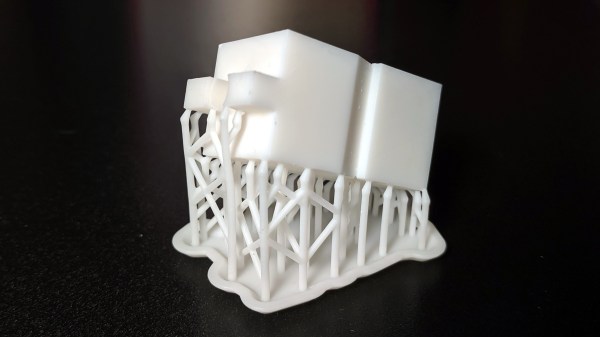
Your run-of-the-mill desktop 3D printer is based on a technology known as Fused Deposition Modeling (FDM), where the machine squirts out layers of hot plastic that stick to each other. But that’s not the only way to print a Benchy. One of the more exotic alternative techniques uses a photosensitive resin that gets hardened layer by layer. The results are impressive, but historically the printers have been very expensive.

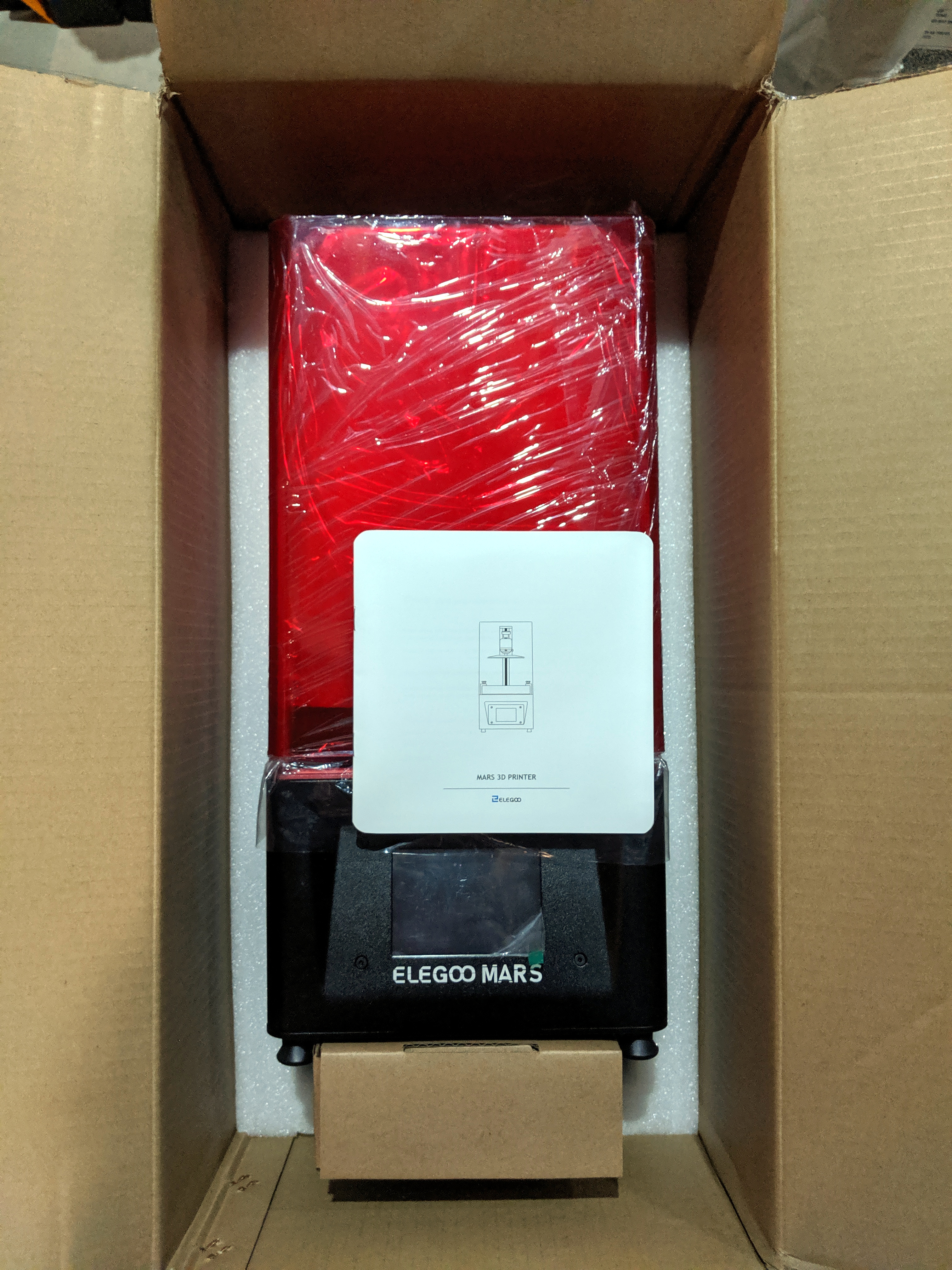
But it looks like that’s finally about to change. The [3D Printing Nerd] recently did a review of the Longer3D Orange 10 which costs about $230, less than many FDM printers. It isn’t alone, either. Monoprice has a $200 resin printer, assuming you can find it in stock.

The resin isn’t cheap and it’s harder to handle than filament. Why is it harder to handle? For one is smells, but more importantly, you aren’t supposed to get it on your skin. The trade off is that the resulting printed parts look fantastic, with fine detail that isn’t readily possible with traditional 3D printing techniques.

Some resin printers use a laser to cure resin at particular coordinates. This printer uses an LCD to produce an image that creates each layer. Because the LCD exposes all the resin at one time, each layer takes a fixed amount of time no matter how big or detailed the layer is. Unfortunately, using these displays means the build area isn’t very large: the manufacturer says it’s 98 by 55 millimeters with a height of up to 140mm. The claimed resolution, though, is 10 microns on the Z-axis and 115 microns on the LCD surface.

Getting the prints out of the printer requires you to remove the uncured resin. In the video, they used a playing card and two alcohol baths. After you remove the uncured resin, you’ll want to do a final curing step. More expensive printers have dedicated curing stations but on this budget printer, you have to cure the parts separately. How? By leaving them out in the sun. Presumably, you could use any suitable UV light source.

There are a few other similar-priced options out there. Sparkmaker, Wanhao (resold by Monoprice). If you’re willing to spend more, Prusa has even thrown their orange hat into the ring. If you were wondering if you could use the LCD in your phone to do this, the answer is sort of.

Continue reading “Resin Printers Are Now Cheaper, Still Kind Of A Hassle”

Preserving Historic NASA Display Technology

When [Patrick Hickey] spent a tidy sum on eBay to purchase a pair of seven-segment displays used in the Launch Control Center at Kennedy Space Center during the Apollo program, he could have just put them up on a shelf. It’s certainly what most people would have done. Instead, he’s decided to study and document their design with the hope of eventually creating 3D replicas of these unique pieces of NASA history.

With a half century now separating us from the Moon landing, it’s more important than ever to preserve the incredible technology that NASA used during mankind’s greatest adventure. Legitimate Apollo-era hardware is fairly scarce on the open market, and certainly not cheap. As [Patrick] explains on the Hackaday.io page for this project, being able to 3D print accurate replicas of these displays is perhaps the best way we can be sure they won’t be lost to history.

But more than that, he also wants others to be able to see them in operation and perhaps even use them in their own projects. So that means coming up with modern electronics that stand-in for the 60s era hardware which originally powered them.

Since [Patrick] doesn’t have access to whatever (likely incandescent) lighting source these displays used originally, his electronics are strictly functional rather than being an attempt at a historic recreation. But we have to say, the effect looks fantastic regardless.

Currently, [Patrick] is putting most of his efforts on the smaller of the two displays that he calls “Type A”. The chunk of milled aluminum with integrated cooling fins has a relatively simple shape that should lend itself to replication through 3D scanning or even just a pair of calipers. He’s also put together a proof of concept for how he intends to light the display with 5mm LEDs on a carefully trimmed bit of protoboard, which he plans on eventually refining to reduce the number of wires used.

One aspect he’s still a little unsure of is how best to replicate the front mask. It appears to be made of etched metal with an integrated fiberglass diffuser, and while he’s already come up with a few possible ways to create a similar front panel for his 3D printed version, he’s certainly open to suggestions from the community.

This isn’t the first time we’ve seen a dedicated individual use 3D printing to recreate a rare and expensive object. While the purists will say that an extruded plastic version doesn’t compare to the real thing, we think it’s certainly better than letting technology like this fade into obscurity.