Homebrew Computer Is 16 Bits Of Awesome

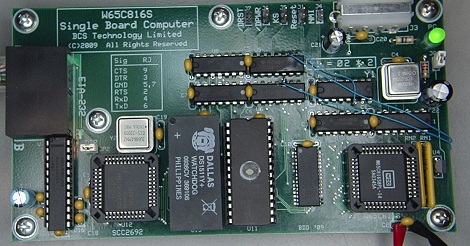
We’ve seen our share of homebrew computers over the years. Usually, these bare-bone systems use a small, early 80s-era microprocessor such as the Z80 or 6502. These little 8-bit machines are awesome, but somewhat limited in their capability. [BigDumbDinosaur] sent in a computer he’s been working on for a few years now featuring the infamous 65816 CPU – the same CPU found in the Apple IIgs, the Super Nintendo, and [Jeri Ellsworth]’s C-ONE computer.

The 65816 is a direct descendant of the venerable 6502 CPU found in the Commodore 64, Apple II, and just about every 80s microcomputer of note. [BigDumbDinosaur] chose the 65816 for its backwards-compatibility with the fun to program 6502 and the ability to use high clock rates and tons of address space for a very cool design.

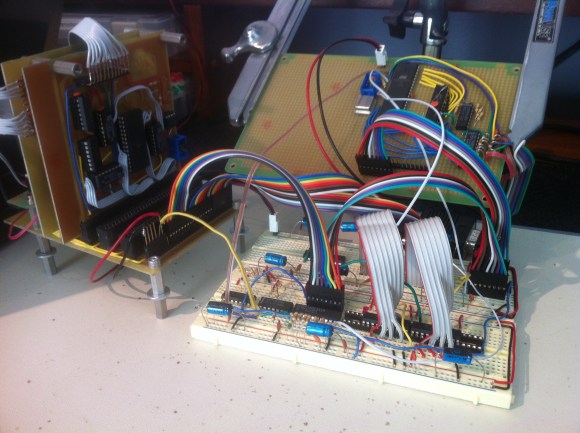
After a ton of careful design and consideration, [BigDumbDinosaur]’s computer included a real-time clock, a watchdog timer, a serial port, 256kB of ROM, and 128kB of RAM.

It’s a really wonderful build, but [BigDumbDinosaur] isn’t done with this project yet. He’s working on version 2 of a 65816 computer that will use programmable ‘glue’ logic, a lot more RAM, have a SCSI interface (for a hard drive), and have preemptive multitasking.

An awesome job, and it’s wonderful to see the wonderful 65816 make its way into another homebrew computer. Now if only we could find a 68000-based homebrew computer…

Building A 6502 In Minecraft

We’ll admit that we haven’t been following Minecraft like we used to; its been a while since we’ve seen something amazing in Minecraft, but [eloraam]’s 6502 emulator (part of her RedPower Minecraft mod) takes the cake.

The RedPower mod adds a lot of industrial technology to Minecraft. Pumps, solar panels, and pneumatic tubes to move blocks around are the staple of this mod, but with the addition of a fully emulated 6502 computer, Minecraft moves from an anachronistic medieval-themed steampunk aesthetic to a full-on machine age, mainframes everywhere style.

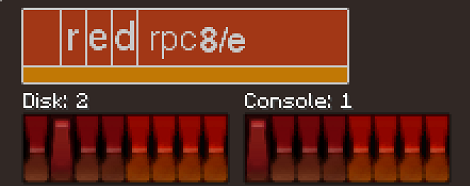
The heart of the 6502 portion of the RedPower mod are three craftable blocks; a CPU, a monitor, and a disk drive. All these blocks are connected together with ribbon cables and can interact with other blocks in the Minecraft universe. The CPU is an emulated 6502, with a few instructions borrowed from the 65816 and the addition of MUL and DIV. It’s possible to program this computer in assembly, but [eloraam] a Forth interpreter with the OS to make programming a little easier.

It’s been almost two years since we first saw the beginnings of a CPU made in Minecraft, but this mod takes everything to the next level. In actuality, this isn’t very different from the game [notch] is currently working on; both feature an emulated 80’s era computer that can do all your in-game bidding. We can’t imagine anything better to get us hooked on Minecraft again, and we’ve got to commend [eloraam] for some seriously awesome work.

After the break is a 23-minute tutorial on the functions of the RedPower CPU, as demonstrated by Minecraft aficionado [direwolf20].

Continue reading “Building A 6502 In Minecraft”

Your Guide To Building A Homebrew 6502 Computer

If you’ve ever thought about getting down to bare metal and building a homebrew computer from scratch [Garth Wilson] put up a great primer to the 6502, the same CPU found in Apple ][ computers, BBC Micros, Vic-20s, and the venerable Commodore 64 (a 6510 in the C64, but it’s close enough).

In his guide to building a 6502 computer, [Garth] goes over all the basics – what you want the computer to do, how to decode addresses, and other important technical requirements for getting a homebrew project running.

If that’s not enough, [Garth] directs his readers to the fabulous 6502.org forums  where just about every topic is discussed. The guys on the forum have a standardized I2C pinout for the 6502, allowing noobs to easily connect pre-designed keyboards, displays, and storage devices to their projects. There are a ton of tutorials on the 6502.org site, more than enough to get a homebrew project off the ground.

If you’d like to see what you can do with a homebrew 6502, check out the homebrew projects page featuring a 6502 Nixie clock and CLPD-based 65816 single board computer. There’s a treasure trove of information here, just waiting to be pulled from the vine.

Giving An Old Atari Computer A Much Needed Upgrade

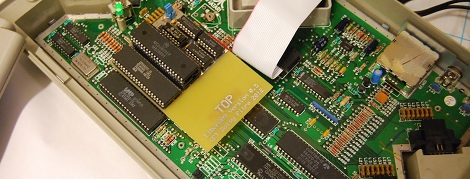
As a kid, [Boisy] cut his teeth on the TRS-80 Color Computer. It was a wonderful machine for its day, featuring a relatively powerful Motorola 6809 CPU. Although his CoCo was theoretically more powerful than its Commodore and Apple contemporaries, the graphics and sound capabilities of [Boisy]’s first love paled in comparison to his friends 6502-based machines. A little jealously and thirty years go a long way, because now [Boisy] is adding a 6809 microprocessor to the 6502-based machines Atari put out.

[Boisy]’s goal for his Liber809 project was simple: Put a 6809 CPU in an Atari XEGS and get NitrOS-9, the Unix-like OS for the TRS-80 CoCo running on his Frankenputer. After a few months of work, [Boisy] completed his goal and more so: the Liber809 also works on the Atari 1200XL.

To put [Boisy]’s work in perspective, it’s like he took a Macintosh from 1993 and made it run on an Intel 486. While that’s not a terribly accurate analogy, we hope our readers will understand the fortitude needed to make a computer run on a completely different processor.

After the break, you can check out a neat demo app written by [SLOR] from the AtariAge forums showcasing a 6809 running in a machine designed for a 6502. Awesome work for all involved

Continue reading “Giving An Old Atari Computer A Much Needed Upgrade”

Backplane And Mainboard For A 6502 Computer

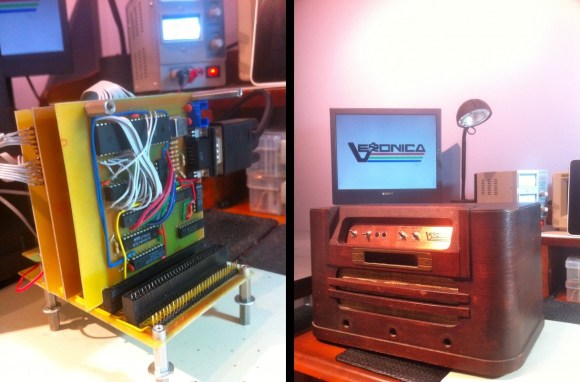
[Quinn Dunki] has been busy through the holidays giving her 6502 processor-based computer a place to live. The most recent part of the project (which she calls Veronica) involved designing and etching a mainboard for the device. In the picture above it’s the vertical board which is right at home in the backplane [Quinn] also designed.

The project is really gaining momentum now. You may remember that it started off as a rather motley arrangement of what we’d guess is every breadboard she owns. From there some nifty hex switches gave [Quinn] a way to program the data bus on the device. Many would have stopped with these successes, but the continuation of the project makes the hardware robust enough to be around for a while. The single-sided boards are playing nicely together, and the next step is to redesign the ROM emulator to use chips for storage. [Quinn] alludes to a side project in which she plans to build her own EEPROM programmer to help with getting code into the experimental computer.

Programming The 6502 One Nibble At A Time

[Quinn Dunki] keeps rolling with her 6502 based computer build. This time around she’s added some memory to store the programs, but needed a way to get that code into the device. Above is her solution, a bank of hex switches used to program the 8-bit command and 16-bit address for each line of machine code.

This is a continuation of her Veronica project. The last time we saw it she had hardwired the logic levels for the data bus, but that’s no fun since nothing can actually be computed. [Quinn] picked up an SRAM chip which will store the program. It’s compatible with the 6502’s memory bus, but needs a bit of extra circuitry for her to be able to hand program it with this switch bank. She used some tri-state buffers to switch between connections to the processor, and to the hex switches. This way, she disconnects the RAM from the processor using the buffers, uses the switches and push button to clock in the program, then patches the RAM back into the computer.

Seeing this process in the video after the break certainly gives you an appreciation for what an improvement the punch-card system was over this technique. Still, seeing this is a delight that we’d like to try! Continue reading “Programming The 6502 One Nibble At A Time”

Building A Computer Around A 6502 Processor

When it came time to try out some old-school computing [Quinn Dunki] grabbed a 6502 processor and got to work. For those that are unfamiliar, this is the first chip that was both powerful, affordable, and available to the hobby computing market back in the 1970’s. They were used in Apple computers, Commodore 64, and a slew of other hardware.

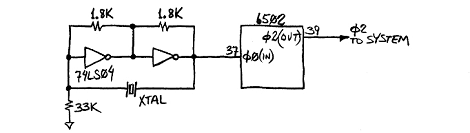
The first order of business in making something with the chip is to establish a clock signal. She sourced a crystal oscillator which runs at 1 MHz, but also wanted the option to single step through code. Her solution was to build two clock signals in one. A toggle switch allows her to choose the crystal, or a 555 timer circuit which uses a push button to fire each clock pulse.

Check out the video after the break to see some single stepping action. There’s no memory on board just yet. But the input pins have been hard-wired to voltage or ground to simulate data input. We wondered what she was up to with that HEX Out project which stiffs the logic on the data bus. Looks like it’s extremely useful in this project!

Continue reading “Building A Computer Around A 6502 Processor”