Tight Handheld CRT Asteroids Game Curses In Tuscan

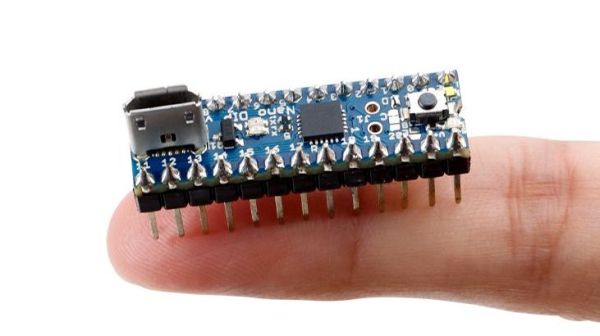
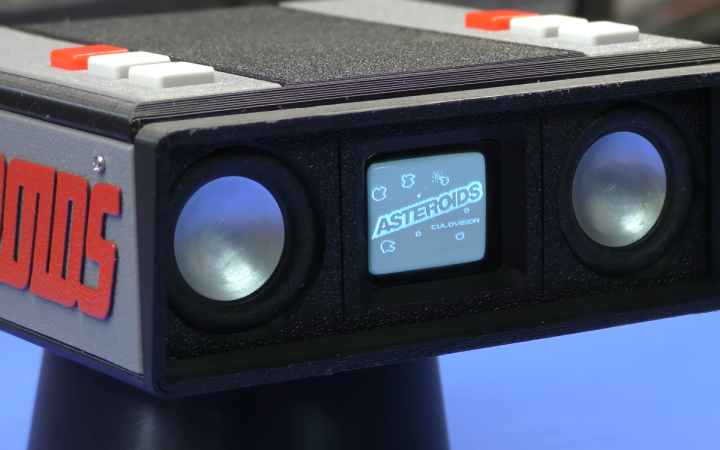
How many Arduini does it take to make a tiny CRT Asteroids game? [Marco Vallegi] of MVV Blog’s answer: two. One for the game mechanics and one for the sound effects. And the result is a sweet little retro arcade machine packed tightly into a very nicely 3D printed case.

If you want to learn to curse like a Tuscan sailor, you can watch the two-part video series, embedded below, in its entirety. Otherwise, we have excerpted the good stuff out of the second video for you.

For instance, we love the old-school voice synthesis sound of the Speak and Spell. Here, playback is implemented using the Talkie library for Arduino, and [Marco] is using the BlueWizard software on a dated Macbook for recording and encoding. (We’d use the more portable Python Wizard ourselves.) Check out [Marco] tweaking the noise parameters here to get a good recording.

And since the Talkie Arduino library uses PWM on a digital output pin to create the audio, the high-frequency noise was freaking out his simple transistor amplifier. Here, [Marco] adds a feedback capacitor to cancel that high-frequency hash out.

The build needs to be quite compact, and the stacked-Arduino-with-PCB-case design is tight. And the 3D-printed case has a number of nice refinements that you might like. We especially like the use of thin veneers that cover the case all around with the build-plate’s surface texture, and the contrasting “Asteroids” logos are very nice.

All in all, this is a really fun build that’s also full of little details that might help you with your own projects. Heck, even if it just encourages you to play around with the Talkie library, it’s worth your time in our opinion. And while you’re at it, you can turn on the subtitles and pick up some vocab that’ll make your nonna roll over in her grave.

Continue reading “Tight Handheld CRT Asteroids Game Curses In Tuscan”

Making Intel Mad, Retrocomputing Edition

Intel has had a deathgrip on the PC world since the standardization around the software and hardware available on IBM boxes in the 90s. And if you think you’re free of them because you have an AMD chip, that’s just Intel’s instruction set with a different badge on the silicon. At least AMD licenses it, though — in the 80s there was another game in town that didn’t exactly ask for permission before implementing, and improving upon, the Intel chips available at the time.

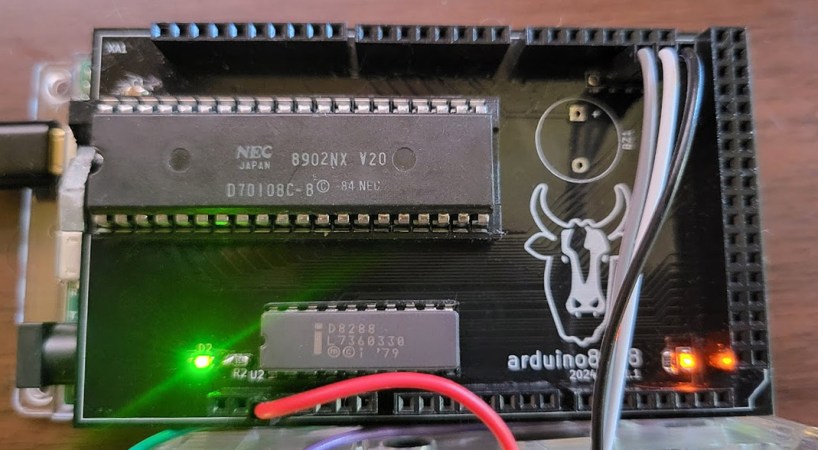
The NEC V20 CPU was a chip that was a drop-in replacement for the Intel 8088 and made some performance improvements to it as well. Even though the 186 and 286 were available at the time of its release, this was an era before planned obsolescence as a business model was king so there were plenty of 8088 systems still working and relevant that could take advantage of this upgrade. In fact, the V20 was able to implement some of the improved instructions from these more modern chips. And this wasn’t an expensive upgrade either, with kits starting around $16 at the time which is about $50 today, adjusting for inflation.

This deep dive into the V20 isn’t limited to a history lesson and technological discussion, though. There’s also a project based on Arduino which makes use of the 8088 with some upgrades to support the NEC V20 and a test suite for a V20 emulator as well.

If you had an original IBM with one of these chips, though, things weren’t all smooth sailing for this straightforward upgrade at the time. A years-long legal battle ensued over the contents of the V20 microcode and whether or not it constituted copyright infringement. Intel was able to drag the process out long enough that by the time the lawsuit settled, the chips were relatively obsolete, leaving the NEC V20 to sit firmly in retrocomputing (and legal) history.

2024 Business Card Challenge: Tiny MIDI Keyboard

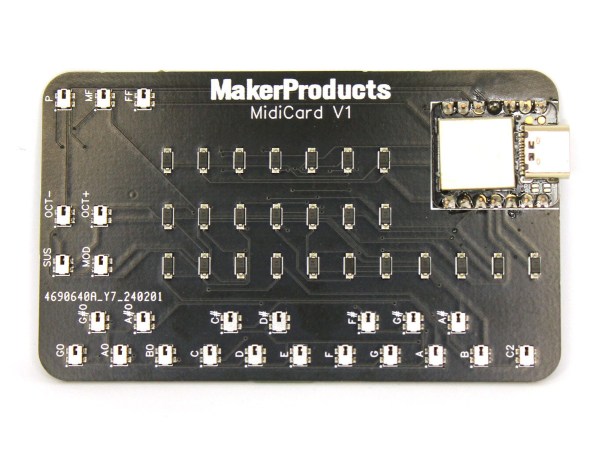
The progress for electronics over the past seven decades or so has always trended towards smaller or more dense components. Moore’s Law is the famous example of this, but even when we’re not talking about transistors specifically, technology tends to get either more power efficient or smaller. This MIDI keyboard, for example, is small enough that it will fit in the space of a standard business card which would have been an impossibility with the technology available when MIDI first became standardized, and as such is the latest entry in our Business Card Challenge.

[Alana] originally built this tiny musical instrument to always have a keyboard available on the go, and the amount of features packed into this tiny board definitely fits that design goal. It has 18 keys with additional buttons to change the octave and volume, and has additional support for sustain and modulation as well. The buttons and diodes are multiplexed in order to fit the IO for the microcontroller, a Seeed Studio Xiao SAMD21, and it also meets the USB-C standards so it will work with essentially any modern computer available including most smartphones and tablets so [Alana] can easily interface it with Finale, a popular music notation software.

Additionally, the project’s GitHub page has much more detail including all of the Arduino code needed to build a MIDI controller like this one. This particular project has perhaps the best size-to-usefulness ratio we’ve seen for compact MIDI controllers thanks to the USB-C and extremely small components used on the PCB, although the Starshine controller or these high-resolution controllers are also worth investigating if you’re in the market for compact MIDI devices like this one.

Continue reading “2024 Business Card Challenge: Tiny MIDI Keyboard”

Using The Moiré Effect For Unique Clock Face

If you’ve ever seen artifacts on a digital picture of a computer monitor, or noticed an unsettling shifting pattern on a TV displaying someone’s clothes which have stripes, you’ve seen what’s called a Moiré pattern where slight differences in striping of two layers create an emergent pattern. They’re not always minor annoyances though; in fact they can be put to use in all kinds of areas from art to anti-counterfeiting measures. [Moritz] decided to put a few together to build one of the more unique clock displays we’ve seen.

The clock itself is made of four separate Moiré patterns. The first displays the hours with a stretching pattern, the second and third display the minutes with a circular pattern, and the seconds are displayed with a a spiral type. The “hands” for the clock are 3D printed with being driven by separate stepper motors with hall effect sensors for calibration so that the precise orientation of the patterns can be made. A pair of Arduinos control the clock with the high-accuracy DS3231 module keeping track of time, and [Moritz] built a light box to house the electronics and provide diffuse illumination to the display.

Moiré patterns can be used for a number of other interesting use cases we’ve seen throughout the years as well. A while back we saw one that helps ships navigate without active animations or moving parts and on a much smaller scale they can also be used for extremely precise calipers.

Continue reading “Using The Moiré Effect For Unique Clock Face”

Clock Mixes Analog, Digital, Retrograde Displays

Unique clocks are a mainstay around here, and while plenty are “human readable” without any instruction, there are a few that take a bit of practice before someone can glean the current time from them. Word clocks are perhaps on the easier side of non-traditional displays but at the other end are binary clocks or even things like QR code clocks. To get the best of both worlds, though, multiple clock faces can be combined into one large display like this clock build from [imitche3].

The clock is actually three clocks in one. The first was inspired by a binary clock originally found in a kit, which has separate binary “digits” for hour, minute, and second and retains the MAX 7219 LED controller driving the display. A standard analog clock rests at the top, and a third clock called a retrograde clock sits at the bottom with three voltmeters that read out the time in steps. Everything is controlled by an Arduino Nano with the reliable DS3231 keeping track of time. The case can be laser-cut or 3D printed and [imitche3] has provided schematics for both options.

As far as clocks builds go, we always appreciate something which can be used to tell the time without needing any legends, codes, or specialized knowledge. Of course, if you want to take a more complex or difficult clock face some of the ones we’re partial to are this QR code clock which needs a piece of hardware to tell the time that probably already has its own clock on it.

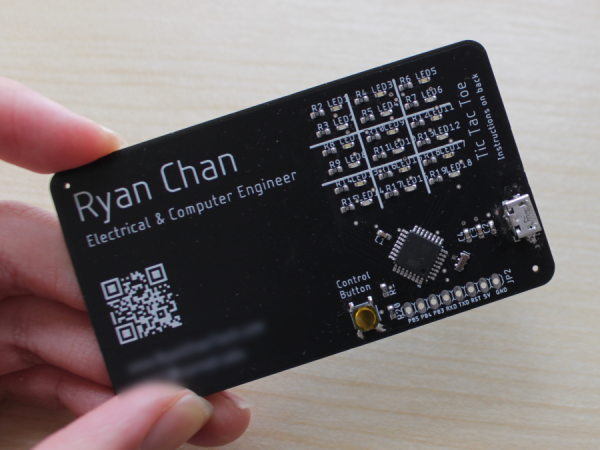
A PCB business card with a built-in 4x4 tic-tac-toe game on the back.

2024 Business Card Contest: A Game For Two

If you want to make a good first impression on someone, it seems like the longer you can keep them talking, the better. After all, if they want to keep talking, that’s a pretty good sign that even if you don’t become business partners, you might end up friends. What better way to make an acquaintance than over a friendly game of tic-tac-toe?

This one will probably take them by surprise, being a 4×4 matrix rather than the usual 3×3, but that just makes it more interesting. The front of the card has all the usual details, and the back is a field of LEDs and micro switches. Instead of using X and O, [Edison Science Corner] is using colors — green for player one, and red for player two. Since playing requires the taking of turns, the microcontroller lights up green and red with alternating single-button presses.

Speaking of, the brains of this operation is an ATMega328P-AU programmed with Arduino. If you’d like to make your own tic-tac-toe business card, the schematic, BOM, and code are all available. Be sure to check out the build and demo video after the break.

Continue reading “2024 Business Card Contest: A Game For Two”

Designing A Quality Camera Slider Can Be Remarkably Satisfying

Camera sliders are great creative tools, letting you get smooth controlled shots that can class up any production. [Anthony Kouttron] decided to build one for an engineering class, and he ended up mighty satisfied with what he and his team accomplished.

As an engineering class project, this wasn’t a build done on a whim. Instead, [Anthony] and his fellow students spent plenty of time hashing out what they needed this thing to do, and how it should be built. An Arduino was selected as the brains of the operation, as a capable and accessible microcontroller platform. Stepper motors and a toothed belt drive were used to move the slider in a controllable fashion. The slider’s control interface was an HD44780-based character LCD, along with a thumbstick and two pushbuttons. The slider relied on steel tubes for a frame, which was heavy, but cost-effective and easy to fabricate. Much of the parts were salvaged from legendary e-waste bins on the university grounds.

The final product was stout and practical. It may not have been light, but the steel frame and strong stepper motor meant the slider could easily handle even heavy DSLR cameras. That’s something that lighter builds can struggle with.

Ultimately, it was an excellent learning experience for [Anthony] and his team. As a bonus, he got some great timelapses out of it, too. Video after the break.

Continue reading “Designing A Quality Camera Slider Can Be Remarkably Satisfying”