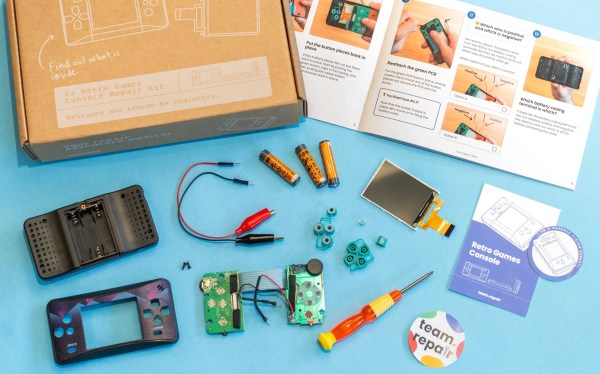
A cardboard box (top left), set of instructions (top right), and a disassembled gaming console (bottom half) are strewn across a light blue tabletop, giving the impression that repair is impending.

Team Repair Breaks Things To Teach People How To Fix Them

Would you buy a broken device, fix it, then return the repaired item? [Team Repair] hopes you will.

Many people would rather repair what they have than have to get a new device and deal with all the annoyances of shopping and getting used to a new item. The problem is, most people don’t have any experience fixing their broken electronics and are intimidated by the process. [Team Repair] has found that helping people through the process the first time is a big confidence boost, especially when they have a test piece to work with.

[Team Repair] started with workshops and now has a “Fixers Club” subscription box for 8-14 year olds where they will send a broken device every three months to fix. After the device is repaired, it gets sent back into Team Repair, or iFixit in the US, to be broken again and sent to the next fixer. For grownups, there is a similar smartphone repair kit, but it’s currently waitlisted. If you’re in the UK, they even have a classroom program if you want to recruit larger groups into your fixer corps.

Curious about other ways to get into repairing your own things? We don’t recommend starting with smart rings, but learning analog repairs like zippers or turning a laptop into a desktop could be good places to start?

Continue reading “Team Repair Breaks Things To Teach People How To Fix Them”

Hackaday Links Column Banner

Hackaday Links: March 8, 2026

As pointed out by Tom’s Hardware, it’s been 26 years since the introduction of the gigahertz desktop CPU. AMD beat Intel to the punch by dropping the 1 GHz Athlon chip on March 6th of 2000, and partnered with Compaq and Gateway (remember them?) to deliver pre-built machines featuring the speedy silicon just a week later. The archived press release announcing the availability of the chip makes for some interesting reading: AMD compares the accomplishment with Chuck Yeager breaking the sound barrier, and mentions a retail price of $1,299 for the CPU when purchased in 1,000 unit quantities. In response Intel “launched” their 1 GHz Pentium III chip two days later for $990, but supply problems kept it out of customer’s hands for most of the year.

Speaking of breaking a barrier, Mobile World Congress took place this week in Barcelona, where TechCrunch reports there was considerable interest in developing a sub-$50 smartphone. The GSM Association’s Handset Affordability Coalition is working with major telecom carriers in Africa and as of yet unnamed hardware partners to develop the low-cost 4G device with the hopes of bringing an additional 20 million people online. While the goal is worthy enough, industry insiders have pointed out that the skyrocketing cost of memory will make it particularly challenging to meet the group’s aspirational price point.

Continue reading “Hackaday Links: March 8, 2026”

AirTag Has Hole Behind The Battery? It’s Likely Been Silenced

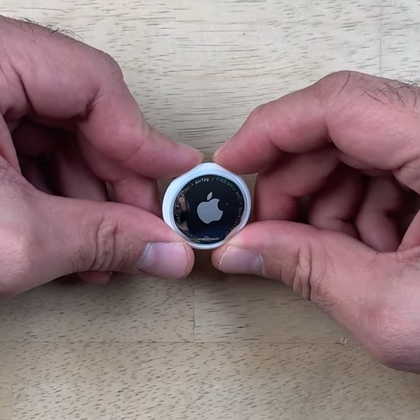
Apple AirTags have speakers in them, and the speaker is not entirely under the owner’s control. [Shahram] shows how the speaker of an AirTag can be disabled while keeping the device watertight. Because AirTags are not intended to be opened or tampered with, doing so boils down to making a hole in just the right place, as the video demonstrates.

By making a hole in just the right place, the speaker can be disabled while leaving water resistance intact.

How does putting a hole in the enclosure not compromise water resistance? By ensuring the hole is made in an area that is already “inside” the seal. In an AirTag, that seal is integrated into the battery compartment.

Behind the battery, the enclosure has a small area of thinner plastic that sits right above the PCB, and in particular, right above the soldered wire of the speaker. Since this area is “inside” the watertight seal, a hole can be made here without affecting water resistance.

Disabling the speaker consists of melting through that thin plastic with a soldering iron then desoldering the (tiny) wire and using some solder wick to clean up. It’s not the prettiest operation, but there are no components nor any particularly heat-sensitive bits in that spot. The modification has no effect on water resistance, and isn’t even visible unless the battery is removed.

In the video below, [Shahram] uses a second generation AirTag to demonstrate the mod, then shows that the AirTag still works normally while now being permanently silenced.

Continue reading “AirTag Has Hole Behind The Battery? It’s Likely Been Silenced”

Apple’s Continuing Failing Repair Score With The AirPods Pro 3

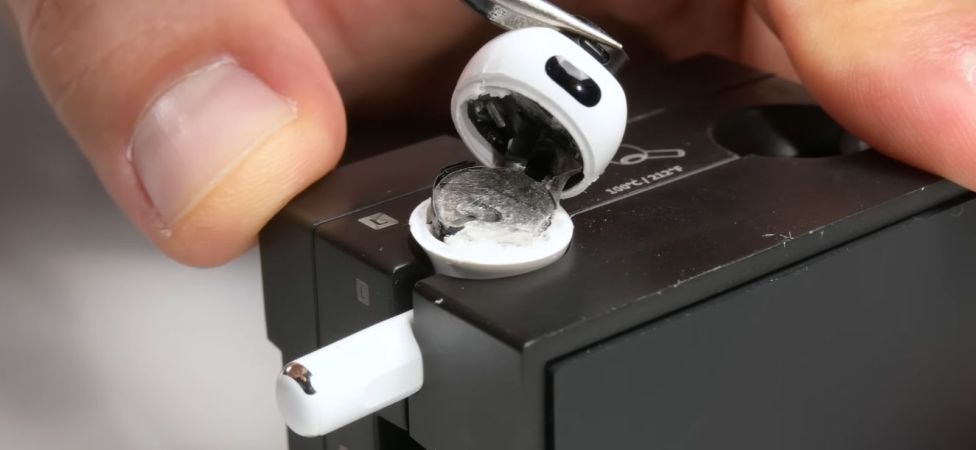
It takes quite a bit of effort to get a 0 out of 10 repairability score from iFixit, but in-ears like Apple’s AirPods are well on course for a clean streak there, with the AirPod Pro 3 making an abysmal showing in their vitriolic teardown video alongside their summary article. The conclusion is that while they are really well-engineered devices with a good feature set, the moment the battery wears out it is effectively e-waste. The inability to open them without causing at least some level of cosmetic damage is bad, and that’s before trying to glue the device back together. Never mind effecting any repairs beyond this.

Worse is that this glued-together nightmare continues with the charging case. Although you’d expect to be able to disassemble this case for a battery swap, it too is glued shut to the point where a non-destructive entry is basically impossible. As iFixit rightfully points out, there are plenty of examples of how to do it better, like the Fairbuds in-ears. We have seen other in-ears in the past that can have some maintenance performed without having to resort to violence, which makes Apple’s decisions here seem to be on purpose.

Although in the comments to the video there seem to be plenty of happy AirPod users for whom the expected 2-3 year lifespan is no objection, it’s clear that the AirPods are still getting zero love from the iFixit folk.

Continue reading “Apple’s Continuing Failing Repair Score With The AirPods Pro 3”

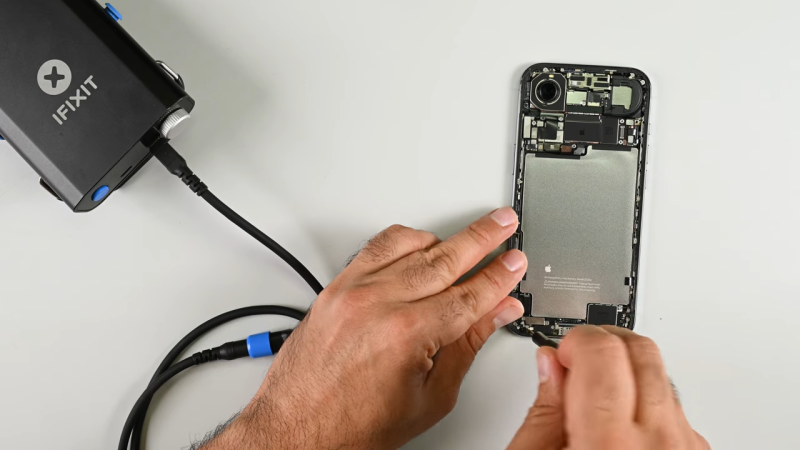
IPhone Air Still Apparently Repairable Despite Its Compact Construction

Miniaturization is a trend that comes and goes in the cellular phone space. For a while, our phones were all getting smaller, then they started getting bigger again as screens expanded to show us ever more content and advertising. The iPhone air is going back the other way, with a design that aims to sell based on its slimness. [iFixit] reckons that despite its diminutive dimensions, it should still be quite repairable.

“Thinner usually means flimsier, harder to fix, and more glued-down parts, but the iPhone Air proves otherwise,” states Elizabeth Chamberlain for the repair outlet. Much of this comes down to clever design, that makes repair possible at the same time as ensuring compactness. A big part of this is the way that Apple made the bottom half of the phone pretty much just battery. Most of the actual electronic components are on a logic board up by the camera. Segmenting the phone in this way makes it easier to access commonly-replaced parts like the battery without having to pull a lot of other parts out of the way first.

[iFixit] refers to this as flattening the “disassembly tree”—minimizing the number of components you have to touch to replace what you’re there to fix. In this regard, the thinness of the iPhone Air is actually a boon. The phone is so thin, it wasn’t possible to stack multiple components on top of each other, so everything is easier to get to. The design is also reasonably modular, which should make routine repairs like USB C port swaps relatively straightforward.

Whatever smartphone you’re working on, it often helps to have a disassembly guide to ensure you don’t wreck it when you’re trying to fix something. [iFixit] remains a stellar resource in that regard. Continue reading “IPhone Air Still Apparently Repairable Despite Its Compact Construction”

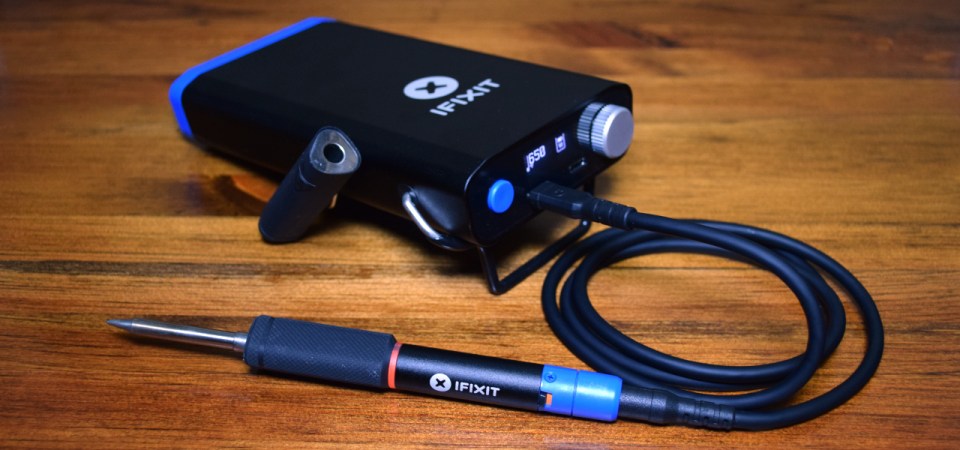
IFixit Releases Command Line Docs For FixHub Iron

When we reviewed the iFixit FixHub back in September, one of the most interesting features of the portable soldering station was the command line interface that both the iron and the base station offered up once you connected to them via USB. While this feature wasn’t documented anywhere, it made a degree of a sense, as the devices used WebSerial to communicate with the browser. What was less clear at the time was whether or not the user was supposed to be fiddling with this interface, or if iFixit intended to lock it up in a future firmware update.

Thanks to a recent info dump on GitHub, it seems like we have our answer. In the repo, iFixit has provided documentation for each individual command on both the iron and base, including some background information and application notes for a few of the more esoteric functions. A handful of the commands are apparently disabled in the production version of the firmware, but there’s still plenty to poke around with.

Continue reading “IFixit Releases Command Line Docs For FixHub Iron”

Review: IFixit’s FixHub May Be The Last Soldering Iron You Ever Buy

Like many people who solder regularly, I decided years ago to upgrade from a basic iron and invest in a soldering station. My RadioShack digital station has served me well for the better part of 20 years. It heats up fast, tips are readily available, and it’s a breeze to dial in whatever temperature I need. It’s older than both of my children, has moved with me to three different homes, and has outlived two cars and one marriage (so far, anyway).

When I got this, Hackaday still used B&W pictures.

As such, when the new breed of “smart” USB-C soldering irons started hitting the scene, I didn’t find them terribly compelling. Oh sure, I bought a Pinecil. But that’s because I’m an unrepentant open source zealot and love the idea that there’s a soldering iron running a community developed firmware. In practice though, I only used the thing a few times, and even then it was because I needed something portable. Using it at home on the workbench? It just never felt up to the task of daily use.

So when iFixit got in contact a couple weeks back and said they had a prototype USB-C soldering iron they wanted me to take a look at, I was skeptical to say the least. But then I started reading over the documentation they sent over, and couldn’t deny that they had some interesting ideas. For one, it was something of a hybrid iron. It was portable when you needed it to be, yet offered the flexibility and power of a station when you were at the bench.

Even better, they were planning on putting their money where their mouth is. The hardware was designed with repairability in mind at every step. Not only was it modular and easy to open up, but the company would be providing full schematics, teardown guides, and spare parts.

Alright, fine. Now you’ve got my attention.

Continue reading “Review: IFixit’s FixHub May Be The Last Soldering Iron You Ever Buy”