Consider This Pocket Machine For Your IPhone Backups

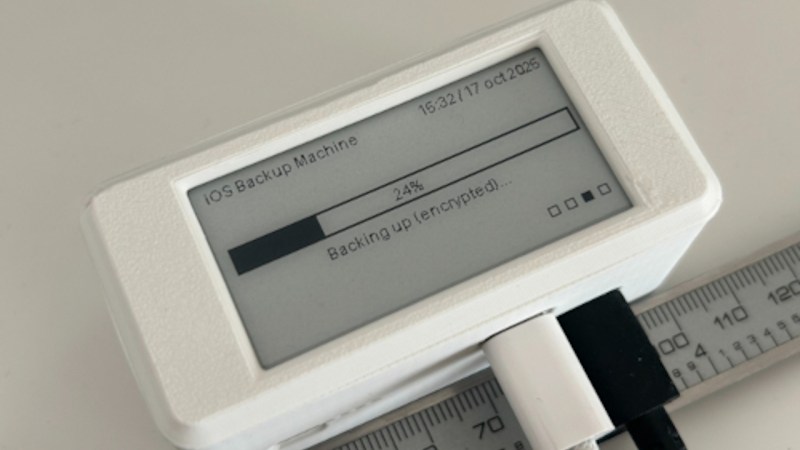
What if you find yourself as an iPhone owner, desiring a local backup solution — no wireless tech involved, no sending off data to someone else’s server, just an automatic device-to-device file sync? Check out [Giovanni]’s ios-backup-machine project, a small Linux-powered device with an e-ink screen that backs up your iPhone whenever you plug the two together with a USB cable.

The system relies on libimobiledevice, and is written to make simple no-interaction automatic backups work seamlessly. The backup status is displayed on the e-ink screen, and at boot, it shows up owner’s information of your choice, say, a phone number — helpful if the device is ever lost. For preventing data loss, [Giovanni] recommends a small uninterruptible power supply, and the GitHub-described system is married to a PiSugar board, though you could go without or add a different one, for sure. Backups are encrypted through iPhone internal mechanisms, so while it appears you might not be able to dig into one, they are perfectly usable for restoring your device should it get corrupted or should you need to provision a new phone to replace the one you just lost.

Easy to set up, fully open, and straightforward to use — what’s not to like? Just put a few off-the-shelf boards together, print the case, and run the setup instructions, you’ll have a pocket backup machine ready to go. Now, if you’re considering this as a way to decrease your iTunes dependency, you might as well check out this nifty tool that helps you get out the metadata for the music you’ve bought on iTunes.
Giving A 6th Generation IPod A New Lease On Life

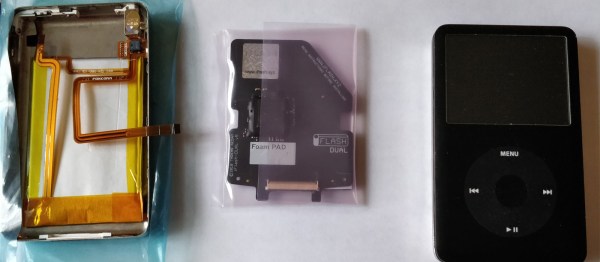
It can be disheartening when a favoured device begins to break-down. Afflicted by an all-but-dead battery and a fritzing-out hard drive, Redditor [cswimc] sensed the imminent doom creeping up on their 6th generation iPod, and responded by reviving and upgrading the decrepit device instead!

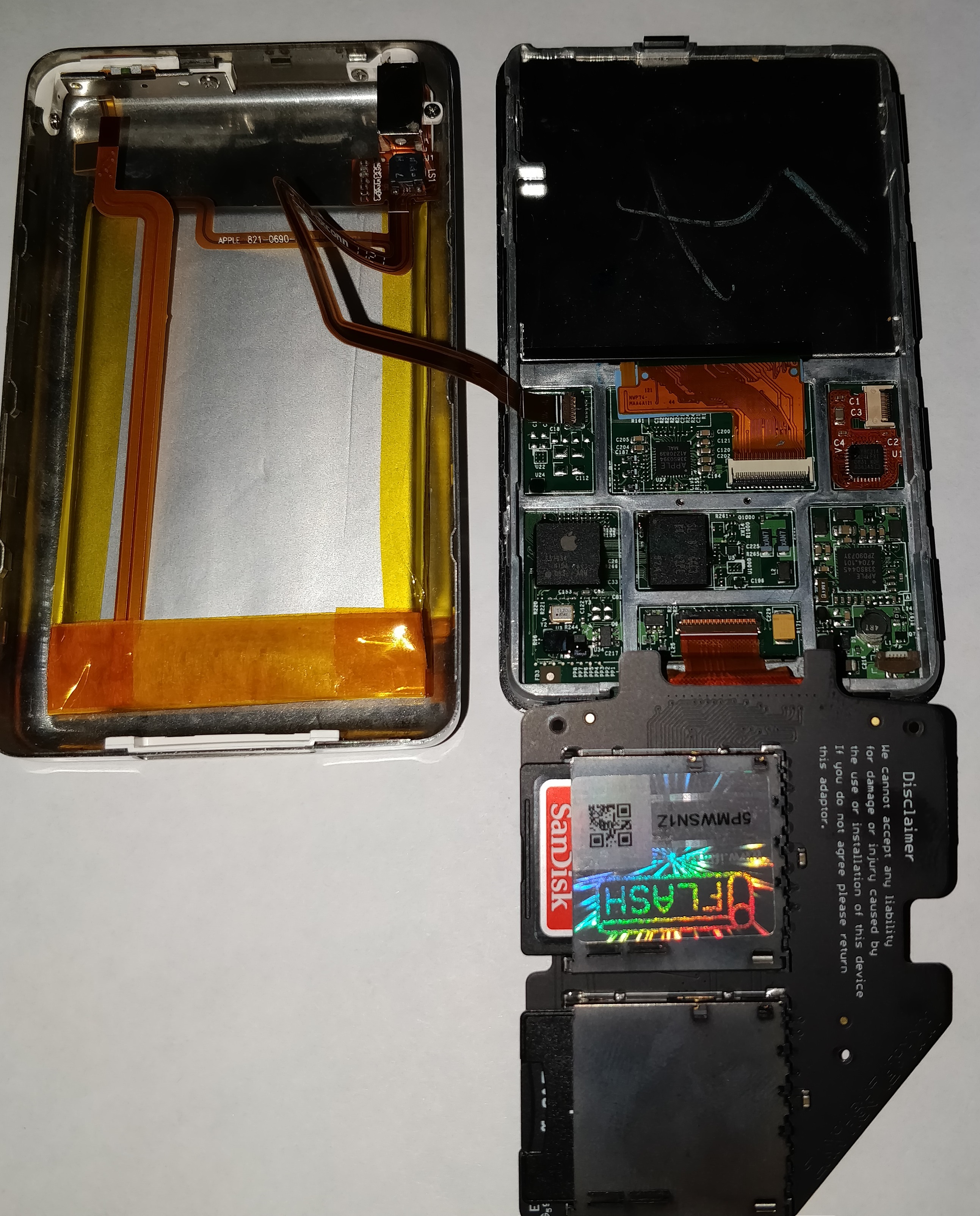
It’s no easy task to crack open one of these things, so they found themselves taking their time and carefully wedging the pry tool between the front and back covers, working their way around the exterior. Once separated, gingerly disconnecting the few ribbon cables allowed the iPod to be opened fully. From there, they turned to  swapping out the original hard drive for an iFlash dual SD card board — one of the cards turned out to be a dud, but 128GB is still a step up from 80GB — and a new 3000mAh battery. Combined with replacing the power-hungry HDD, the battery life has been overwhelmingly increased over the original’s 650mAh capacity!

Continue reading “Giving A 6th Generation IPod A New Lease On Life”

Ever Buy Music From Apple? Use Linux? You Need This Tool

Sure, you’re a hardcore superuser, but that doesn’t mean you don’t enjoy the finer things in life — like shiny squircles and getting every new app first. But, what’s an OS-indiscriminate person like yourself going to do when it comes time to purchase music? That’s where the recover_itunes tool shines, and if you’re a Linux user with an iPhone, it might just be your new best friend.

Continue reading “Ever Buy Music From Apple? Use Linux? You Need This Tool”

MythTV Library On Apple TV Without A Jailbreak

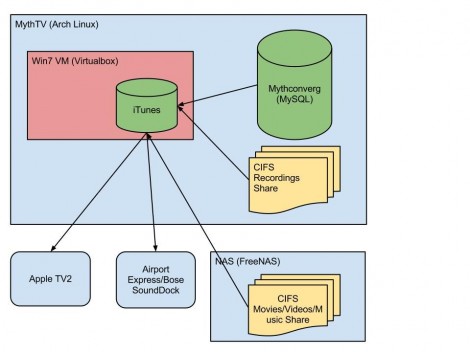
[Dan] wrote in to share a link to his MythTv to Apple TV setup. He found a way to make the recordings he made on his Linux box available on the 2nd Generation Apple TV. Our first thought is that he would use XBMC on a jailbroken device  but that is not the case. The secret is to roll iTunes into the mix.

Take a look at the diagram above. The system starts with an Arch Linux box that runs MythTV, an open source program which allows you to record from tuner or encoder hardware. But actually watching those recordings on an iOS device is difficult for a couple of reasons. First, Apple likes to keep their devices locked up tight in hopes that you buy your entertainment rather than watching over-the-air records. Second, if you’re recording ATSC channels the files may be 1080i or 1080p, neither of which can be handled by the Apple TV 2. [Dan] gets around this by first using the command line version of Handbrake to transcode the recordings to an h264 format. He then uses iTunes running on an Windows 7 virtual machine (on the Linux box) to host the transcoded files in a library the Apple TV can access.

An ITunes Rating Box For Everyone

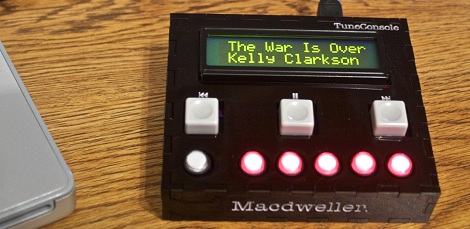
If you’ve ever scoffed at the idea of opening up iTunes every four minutes to rate a song, [Steve] is the guy to talk to. He built a small hardware box with five illuminated buttons to rate the current song playing on iTunes.

This build comes after [Steve]’s earlier Arduino-based rating box that was functional, but didn’t have the level of polish he desired. To get to the current iteration, [Steve] designed a custom board around a PIC18F microcontroller programmed as a USB HID device. After a great deal of frustration soldering teeny SMD components, [Steve] had a functioning USB five-star iTunes rating box. With a custom acrylic case the build was finally completed.

We’re very impressed with the finished version of [Steve]’s TuneConsole, as he calls it. We can certainly imagine other people wanting a similar device. Whether that comes from releasing the schematics and boards or selling PCBs on Seeed Studio is something we’re eager to find out.

RFID Playlists Plus A QR Code Concept

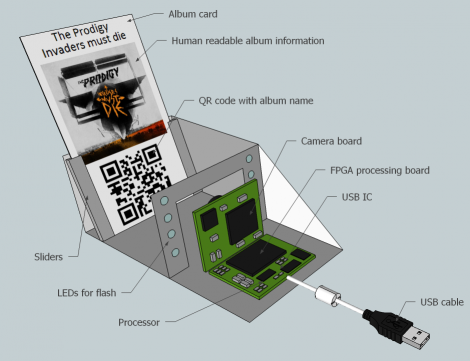
Here’s another audio playback hack that uses physical tokens to choose what you’re listening to. It uses Touchatag RFID hardware to control iTunes. The concept is very similar to the standalone Arduino jukebox we saw on Wednesday except this one interfaces with your computer and the tags select entire albums instead of just one song. A shell script processes the incoming tag ID from the reader, populates a playlist with all the tracks from the associated album, then executes an AppleScript to launch that playlist. Check out the short demo after the break.

But what really caught our eye is the QR-code reader concept which [Janis] hopes to implement at some point in the future. The computer side of things doesn’t need to be changed, but we love the challenge of putting together an FPGA-based camera to recognize and decode the QR image. Looks like a perfect use for that $10 camera module and it’s FPGA driver!

Continue reading “RFID Playlists Plus A QR Code Concept”

Overbuilding An ITunes Rating System

Even though iTunes and it’s song rating system has been around for over a decade now, [Steve] still hasn’t gotten around to assigning ratings to his vast library of MP3s. We can’t blame him – who wants to pull up iTunes every four minutes and assign a star rating to each song individually? To solve this interface problem, [Steve] set out to design a hardware song rating interface that fell down the rabbit hole into development hell.

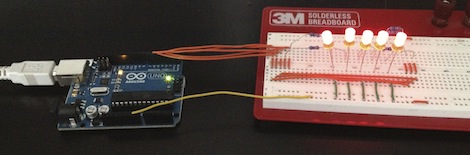
The build started off simply enough – just an Arduino attached to a few buttons that sends data to a Cocoa app which rates the current song. Everything was working wonderfully until [Steve] restarted his mac and the COM ports went to pot. Wanting a ‘plug-and-play’ solution, he did away with the Arduino-based build and started designing a USB device that would display the current iTunes track and provide hardware buttons for rating the current song.

The current build is based around a very capable PIC 18F4550 micro. After looking up the USB HID protocol, [Steve] had some boards fabricated. He’s keeping us waiting on a final build report, but with the amount of work that went into this project, we’re sure it’ll be a winner.