Reverse-Engineering The Bluetooth Fichero Thermal Label Printer Protocol

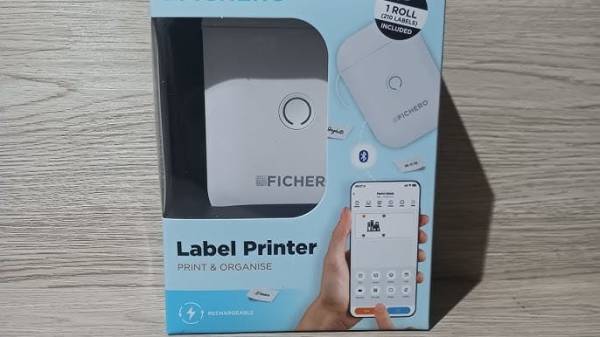
It’s hard to deny that label printers have become more accessible than ever, but an annoying aspect of many of these cheap units is that their only user interface is a proprietary smartphone app connected via Bluetooth. The Fichero-branded label printer that [0xMH] obtained for a mere 10 Euro at a store in the Netherlands was much the same, with an associated app that doesn’t just bind it to smartphones, but also requires no fewer than 26 permissions. Obviously this required some reverse-engineering of the BLE protocol.

The fruits of this reverse-engineering effort can be found in the GitHub repository, with the most interesting part probably being that this Fichero is just one of many relabeling of generic label printers, this one being an AiYin D11, by Xiamen Printer Future Technology. This means that other iterations of this D11 will work exactly the same, as they all use the same ‘LuckPrinter’ SDK.

[0xMH] provides a Web GUI to talk with a local D11 printer, though you can also use the Python scripts, or of course implement the protocol using your favorite language and frameworks, so that you can finally control a cheap label printer from a PC or even BLE-equipped MCU like the software gods intended.

Thanks to [T-ice] for the tip.
A Label Printer Gets A New Brain

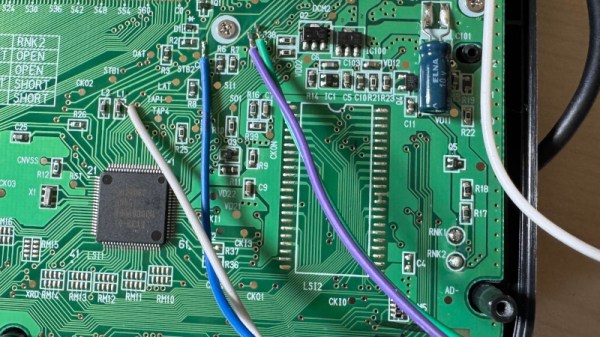
The internals of a printer, whatever technology it may use, are invariably proprietary, with an abstracted more standard language being used to communicate with a host computer. Thus it’s surprisingly rare to see hacks on printers as printers, rather than printer hacks using the parts for some other purpose. This makes [Oelison]’s brain-swap of a Casio thermal label printer a welcome surprise, as it puts an ESP32 in the machine instead of whatever Casio gave it.

The value in the hack lies in the insight it gives into how a thermal printer works as much as it does in the ESP32 and the Casio, as it goes into some detail on the various signals involved. The strobe line for instance to enable the heater is a nuance we were unaware of. The resulting printer will lose its keyboard and display, but  make up for it in connectivity.

Despite what we said earlier this isn’t the first label printer hack we’ve seen. A previous one was Linux-based though.

Plotter Churns Out Labels With Roll Of Tape

Like it or not, organizing your workspace from time to time is a necessary chore. Labels can go a long way towards taming the most unruly of benches, but writing them out by hand isn’t exactly ideal. Looking for something a bit neater, [sandy] built a simple pen plotter to write labels on a roll of tape.

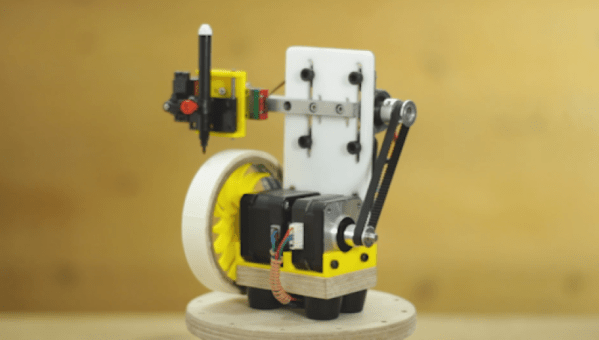
Pen plotter writing on roll of masking tape

The plotter uses the usual 3D printer components like steppers, drivers, belts, and rails. The tape holder is printed with flexible arms for a tight grip, and a servo is used to raise and lower the pen while writing.

The custom control board includes an Arduino Nano clone and a pair of stepper drivers, and an optional Bluetooth module and can be configured for a variety of machine control applications. A pair of Android apps are used to generate and send the G-code from a phone to the GRBL firmware loaded on the Arduino.

This seems to fall in the category of “entry-level” custom automation tools which help to save some time and effort on repetitive tasks without blowing the budget. We would include the various component tape cutters we’ve seen in this category, as well as smart build platform for manual PCB assembly

Masking Tape Pen Plotter Gets An Upgrade

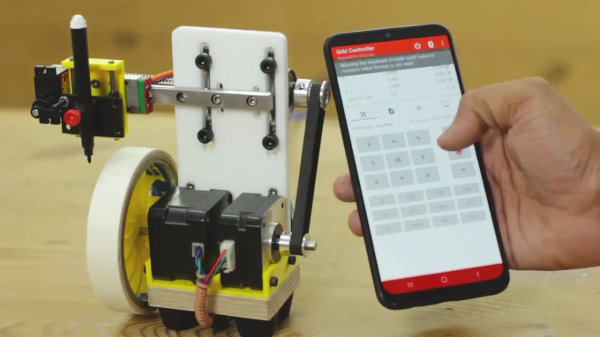
[Mr Innovative] decided to make his version of a small pen plotter (video after the break) to make labels on masking tape. The result is an impressive compact machine that is remotely controlled using your smartphone. The plotter is constructed using several different techniques, a piece of plywood as the base, a 3D printed bracket for the motors and pen carriage, and a routed acrylic plate that holds the lead screw and linear rail assembly. The whole thing is controlled by an Arduino Nano mounted on a custom motor driver carrier board.

The inspiration for this build came from a project by [michimartini] aka [Molten Cheese Bear] that we covered a few months ago. [Mr Innovative] went for belt vs direct drive and no local screen. It also appears to plot a little bit faster, but that might be due to differences in the ink pens used. An Android app called TextToCNC converts label text into G-Code, and the Grbl Controller app sends those commands to the plotter.

We like continued iterations of open source projects and look forward to seeing what the next generations look like. Thanks to [keithfromcanada] for submitting this tip.

Continue reading “Masking Tape Pen Plotter Gets An Upgrade”

All The Sticky Labels You Could Ever Need: No DRM, Just Masking Tape

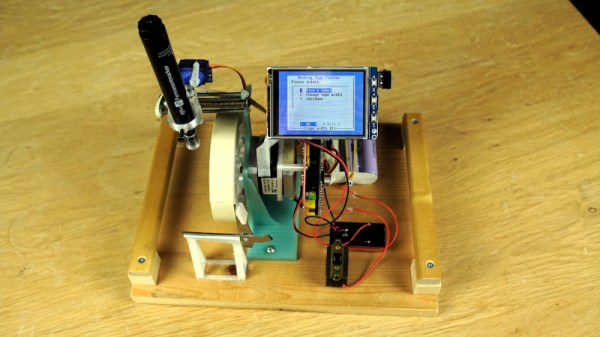
Printable sticky labels are a marvelous innovation, but sadly also one beset by a variety of competing offerings, and more recently attempts by manufacturers to impose DRM on their media. Fortunately they don’t have to rely on expensive printers or proprietary rolls of stickies, as [michimartini] demonstrates with the masking tape plotter. It’s a tiny pen plotter that writes your label onto the tape.

At its heart is the popular grbl G-code to motion parser, and its mechanism uses the lead screw axis from a DVD drive. Not for this project simply another hacked-apart drive mechanism though, for it has a custom-designed carriage for the axis. It’s 3D printed, and to ensure the least friction possible for a pen using only its weight to keep contact with the tape it was heated up once assembled to ensure all parts had a chance to bed in. Meanwhile the tape roll forming the X axis is turned directly by a standard stepper motor.

We like this project a lot, and look forward to any refinements to the idea. Meanwhile, it’s not the first custom label printer we’ve shown you.

Little Printer Dispenses Short Stories

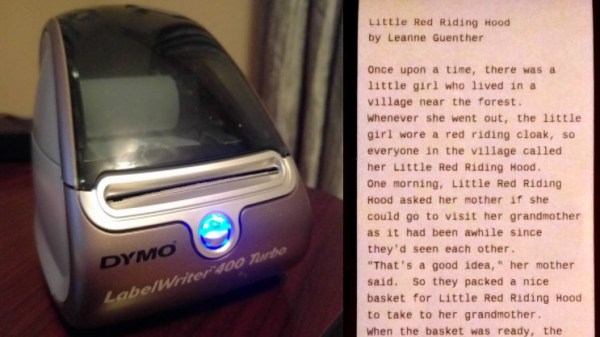
We know how it happens. You buy a fancy new label printer, thinking this is the answer to your disorganized space, but soon entropy grabs the printer as well, and it becomes just another item in the pile. When you find such items later, though, they can spark ideas. The idea that struck [Eric Nichols] was to turn his diminutive thermal printer into a dedicated one for short stories.

Inspired by an article about a vending machine that dispenses stories selected by the reader’s time constraints, [Eric] took on the task of getting his Dymo LabelWriter 400 Turbo working in this new capacity. The first task was finding some continuous roll paper that would fit, because the official stock for this thing is all labels. He got lucky on the first try and a roll of 2 7/16″ receipt paper fit the bill perfectly.

The printer itself doesn’t have much brains; it prints bitmaps 672 bits wide, and as long as you care to make them. While the initial experiments succeeded in printing graphics, [Eric] needed a way to convert his stories to bitmapped text to send to the printer. The human-readable font file format known as BDF (glyph Bitmap Distribution Format) was a perfect fit, since a library to render it was readily available. On top of that, the open-source tool otf2bdf will convert a TrueType (TTF) font to BDF, completing his font-rendering chain.

[Eric] has these printers working with both Linux and windows, either one running on a PC where his software resides, and has it all well-documented on his site. With this in place, it’s simply a matter of coming up with the stories to print. We think it would be perfect for Hackaday dailies!

We’ve seen interesting hacks with disused printers before, like this ascii-art generating cartridge.

Print Your Own Heat Shrink Labels For Factory-Chic Wire Naming

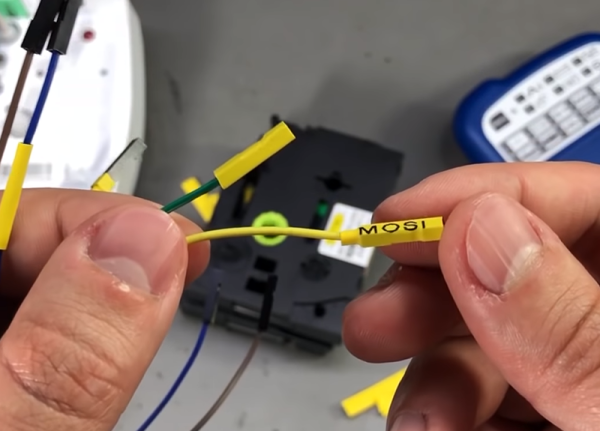
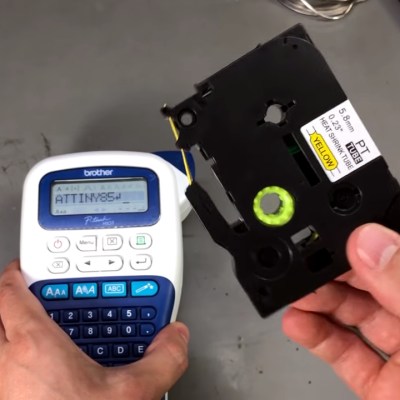
Heat shrink tubing is great for insulating wires. Labeling wires in a bundle is always useful, too. [Voltlog] has a cheap Brother label printer and discovered he can buy knock off label cassettes for a lot less from China. However, he also found something else: cassettes with heat shrink tubing in them made for the same kind of printer. Could he use the heat shrink cassettes to make neat wire labels? In his first video the answer was sort of, but not really. However, he later had a breakthrough and made a second video explaining how to do it. You can see both videos, below.

At first, the printer didn’t even want to recognize the cassette. It seems like Brother doesn’t want you using exotic tapes with cheap printers. No worry, this isn’t sophisticated DRM, just a sense hole that you need to cover with tape. This discovery was made using the extremely scientific trick of covering all the holes that were not on a regular cassette.



Continue reading “Print Your Own Heat Shrink Labels For Factory-Chic Wire Naming”