The Neo Geo Does Run DOOM After All

Demonstration of the DoomGeo port of Doom to the Neo Geo. (Credit: Sabino, GitHub)

Perhaps the most ridiculous statement that anyone can make is that a computer system with clearly enough processing power ‘cannot run DOOM‘. This is why we accept the premise that a PDP-11 cannot run this game, but something on the order of a Neo Geo gaming console with its 68000 processor and for the time impressive GPU definitely ought to be able to.

The stated problem here is a lack of RAM for a framebuffer, with the CPU only having 64 kB to play with. This limitation now has seen two different approaches to try and circumvent it, as covered by [Modern Vintage Gamer].

The first project here is Doom64kB, which as the name suggests tries to somehow work with this system RAM limitation. It uses the Doom8088 port for the original IBM PC and similar Intel 8088-based systems. This had to massively reduce the feature list, including the lack of texture mapping for floors and ceiling, no saving or loading, and no music.

The other project is DoomGeo, which doesn’t try to bend the Neo Geo hardware to its will, but accepts the Neo Geo way of doing things: involving sprite strips, pre-baked graphics, fix-layer UI, and a minimum of runtime data. This of course drastically changes how the Doom game engine normally works, with its framebuffer-based rendering.

From this we can thus conclude that it’s not so much the processing power that limits where DOOM can run, but more of how framebuffer-friendly the system architecture is, yet with some ingenuity and a complete rewrite of the game engine even that is no major obstacle.

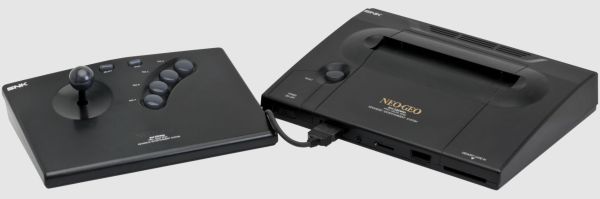
(Top image: Neo Geo AES console. Credit: Evan-Amos, Wikimedia)

Continue reading “The Neo Geo Does Run DOOM After All”

Neo Geo Mini Gets The Ben Heck Portable Treatment

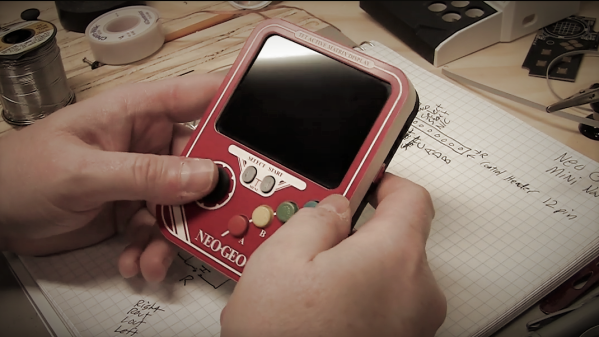
It feels like that Neo Geo Mini kinda came and went. All the hype surrounding the idea of having a tiny usable arcade machine melted away when the original system’s fans first touched the “non-clicky” joystick. While it was encouraging to see the inclusion USB-C power, there was no internal battery to allow players to use the system untethered. Not satisfied with the product in its current state [Ben Heck] shot a video detailing his latest portable creation using the Neo Geo Mini internals.

The design of the portable focuses around incorporating aspects of the Neo Geo MVS arcade system that the Neo Geo Mini lacks. The D-pad includes tiny micro-switches, or as [Ben Heck] calls them nano-switches, for a decidedly more tactile feel. He was able to re-purpose the speakers and headphone jack from the original PCB along with the 4:3 aspect ratio LCD. The custom faceplate wraps everything in the familiar red and white insignia while the 3D printed face buttons come in the classic red, yellow, green, and blue. Don’t worry, they are finally in the right button configuration here.

It’s great to see [Ben Heck] still making portable magic since his YouTube show ended earlier this year. He has contributed a lot to the modding community over the years, and there are plenty of helpful tips scattered throughout this Neo Geo Mini portable video as well. Note that the build is split into two separate videos (part two is below). We look forward to many more projects like this from [Ben Heck] in the future.

Continue reading “Neo Geo Mini Gets The Ben Heck Portable Treatment”

HDMI Audio And Video For Neo Geo MVS

[Charlie] was killing some time hacking on some cheap FPGA dev boards he bought from eBay. Initially, he intended to use them to create HDMI ports for a different project before new inspiration hit him. Instead, he added an HDMI port to Neo Geo MVS games. The Neo Geo MVS was a 90’s arcade machine that played gems like the Metal Slug and Samurai Showdown series. [Charlie] has a special knack for mods, being featured on Hackaday before for implementing Zork on hardware and making a mini supergun PCB. What’s especially nice about his newest mod is that the HDMI outputs both audio and video.

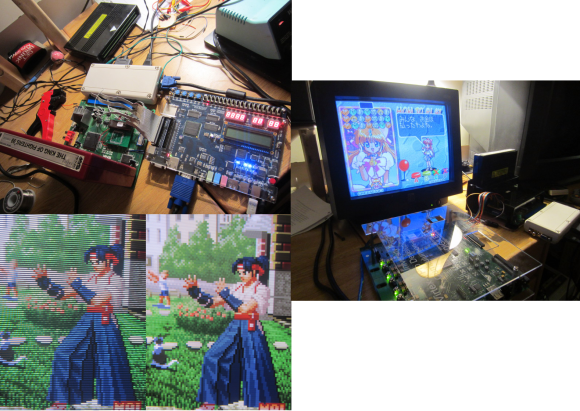
[Charlie] obtained the best possible video and audio signal by tapping the digital inputs to the Neo Geo’s DACs (digital-to-analog converter). The FPGA was then used to convert the signals to HDMI, maintaining a digital signal path from video generation to display. While this sounds simple enough, there was a lot that had to be done. The JAMMA video standard’s lower resolution was incompatible with the various resolutions offered by the HDMI protocol. [Charlie] solved this problem by implementing scan doubling using the RAM on the Cyclone II dev board. He then had to downsample the audio to 32kHz (from 55.6kHz) in order to meet the HDMI specs. Getting the sound over HDMI required adding data islands to the signal, a feat [Charlie] admits was a frustrating one.

When he tested the HDMI with his monitor, it was out of spec but still worked. His TV, on the other hand, refused to play it at all. This was due to the Neo Geo outputting 59.1 fps – not the standard 60 fps. Using the FPGA, [Charlie] overclocked the NeoGeo by approximately 1% and used the 27Mhz pixel clock to change the FPGA output to a 720 x 480p signal.

For those that love the scan lines of yore, they can be enabled with the push of a button. [Charlie] notes that there are some slight differences in the shadow effects of some graphics, but he has done his best to minimize them. He also admits that the FPGA code contributes only 100 microseconds of delay compared to analog output, which is fast enough for even the most hardcore gamers.

Check out the video after the break to see how the Neo Geo looks in HDMI along with a side-by-side comparison to a CRT TV.

Continue reading “HDMI Audio And Video For Neo Geo MVS”

Neo Geo Gets Line Doubled

NeoGeoScan

We love old video games, but we hate the way analog interlaced video looks on our new LCD monitors. [Michael] feels the same way, so he’s created NeoVGA, A Neo Geo Line Doubler in VHDL. Neo Geo, like many classic consoles, didn’t use the full resolution of an analog TV. In NTSC mode, it ran at 320×224 pixels. PAL users got an extra 32 vertical pixels for 320×256 pixels. The system ran with an approximately 15kHz horizontal sync and ~60Hz vertical sync.

This is not exactly a VGA compatible signal, so it would be relegated to composite or S-Video capable displays. The signals looked pretty good on a CRT, but on an LCD, they tend to look crummy. Modern LCDs don’t natively handle interlaced and/or low resolution input signals. The TV’s controller performs the magic of buffering, interpolating, and transforming the input signal to be compatible with the LCD panel. As [Michael] explains, most of these algorithms are optimized for TV video signals with lots of motion. They perform poorly on static high contrast images such as the background of a fighting game. TV controllers also add lag to the signal chain. Not much of a problem when watching movies, but it’s a big problem when you’re trying to pull off that triple hit combo.

Click past the break for more on [Michael’s] creation.

Continue reading “Neo Geo Gets Line Doubled”

Neo Geo Arcade Gets Second Life With A Raspberry Pi

neo-picade

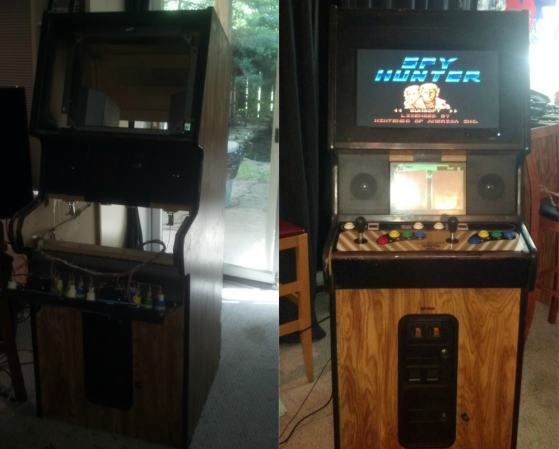
An old Neo Geo Arcade, a Raspberry Pi, and some time were all [Matthew] needed to build this Pi Powered Arcade Emulator Cabinet.

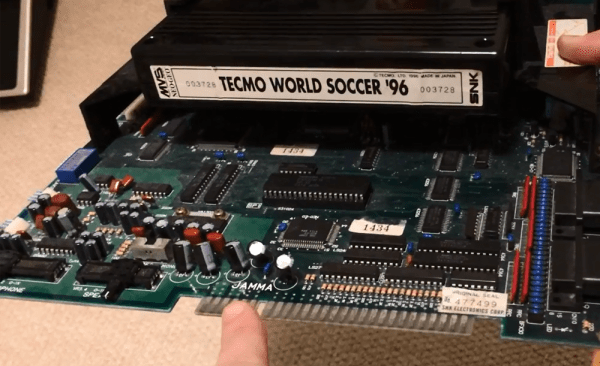
Neo Geo was originally marketed by SNK as a very expensive home video console system. Much like the Nintendo Play Choice 10, SNK also marketed an arcade system, the MVS. The Neo Geo MVS allowed arcade operators to run up to six titles in a single cabinet. The MVS also allowed players to save games on memory cards.

[Matthew’s] cabinet had seen better days. Most of the electronics were gone, the CRT monitor was dead, and the power supply was blown. Aside from a bit of wear, the cabinet frame was solid and the controls were in good shape. He decided it would be a good candidate for an emulator conversion.

We’ve seen some pretty awesome arcade conversions in the past, such as this Halloween rendition of Splatterhouse. For his conversion, [Matthew] stuck to the electronics, leaving most of the old arcade patina intact. The CRT did fire up after some components were replaced. [Matthew] ran into some refresh rate issues with the Raspberry Pi, so he opted to swap it out with a modern LCD monitor. Controls were wired up with the help of an I-PAC board.

[Matthew] had to write a driver to handle the I-PAC, but he says it was a good learning experience. Aside from the LCD screen, the result looks like it could be found in the back of an old bowling alley, or a smokey bar next to Golden Tee. Nice work, [Matthew]!

Breaking The New Neo Geo Handheld Wide Open

neo

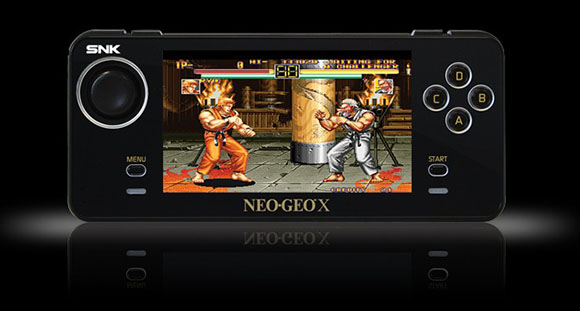
In case you weren’t aware, there’s a new Neo Geo console on the block. It’s called the Neo Geo X and brings back more than a few pains of nostalgia for classic arcade games of the 90s. After receiving their brand new Neo Geo portables, members of the Neo Geo forum decided to do a teardown on one of their newest consoles and found something interesting: this thing was made for hacking.

Officially, the Neo Geo X will get new games released on SD cards. The first run of these consoles – the gold edition – have 20 games preloaded onto the system convientently stored on a microSD card buried underneath the screen. After looking at this microSD card, forum user [Lectoid] discovered the 20 preloaded games and the bios for the system, all completely unlocked and ready for hacking.

Already a few forum members have  the AES Unibios running on this tiny portability Neo Geo, giving them the capability to play every Neo Geo game ever made. Since the Neo Geo X uses the same processor as some other handhelds, there’s great hope for completely unlocking this new console and running emulators on it.

Adding Digital Game Indicators To A Neo Geo Arcade Cabinet

neogeo

[George] is a Neo Geo aficionado, and among his collection of paraphernalia, he has a MVS-Mini game console. His mini “Multi Video System” is a 2-slot model, meaning that it can hold two game cartridges at a time, which are indicated by plastic cards inserted in the cabinet’s face plate. Instead of swapping those cards out each time he changed cartridges, he thought it would be far cooler to install digital displays instead.

He scoured just about every retail store he could before finding a handful of small 5” digital picture frames that looked to fit the bill. After some careful cabinet modifications he had them wired up and ready for display. The frames don’t hold a ton of pictures, but they do support the use of SD cards. [George] says that he’ll likely just buy a ton of small SD cards, swapping them out whenever he changes games, though over time that might become as tedious as swapping out the plastic cards.

We would love to see [George] take his new digital display up a level, so be sure to share your ideas in the comments. Perhaps we can persuade him to automate things a bit.