ShapeOko Build Log — It’s A CNC Mill In A Box

shapeoko-build-log

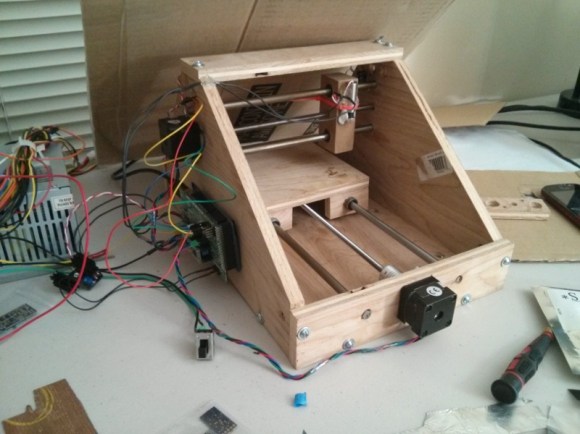
We’re not blatantly trying to promo this product. It’s just that the build log covering a ShapeOko assembly process taken on by [Anool] is like crack for those of us who have yet to acquire our own desktop CNC mills.

Like the title says, this thing is basically a mill in a box. But [Anool] decided to order the version of the kit that doesn’t come with any motors or control electronics. He also planned for future upgrades by ordering additional extruded rail to increase the size of the ShapeOko. After assembling the frame his decision to source stepper motors locally bit him as they were out of stock. But there was still plenty to do preparing control electronics during the wait. He based his system on a Raspberry Pi which talks to an Arduino to address the motors and monitor the sensors.

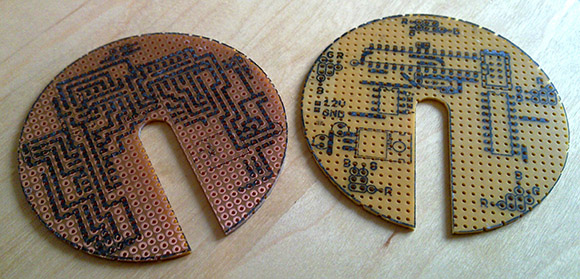
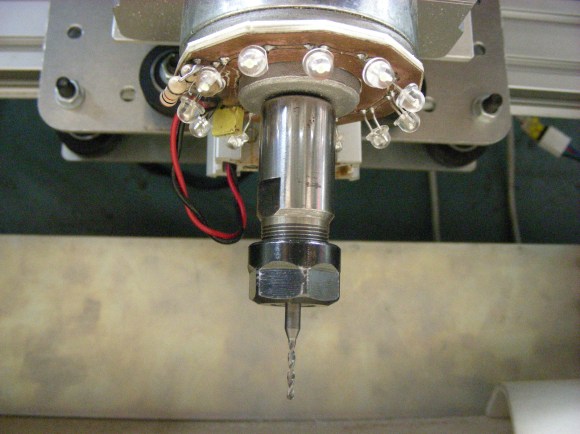
Once all the parts were finally accounted for he tested the rig as a pen plotter. The pen was eventually replaced with the router motor and that ring light PCB seen above was the first thing he milled with it.

[Thanks Justin]
Laser Cutter Helps Make Dual Sided PCBs

laser-cutter-dual-sided-pcb

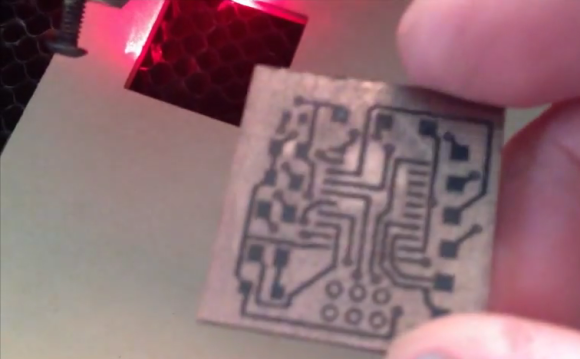
[Rich Olson] wrote in to share his technique for making dual-sided printed circuit boards using a laser cutter. Unfortunately this still depends on etching copper clad boards with chemicals. But his process makes it really easy to produce well-defined and precisely aligned etch resist on both sides of the board all at once.

This can be really tough to do with the toner transfer method. The most common way would be to use a light box to align the two printouts of resist, taping them together before putting the copper clad in between and sending the whole thing though a laminator. [Rich] uses a scrap of acrylic to ensure alignment. He tapes it to the bed of his Epilog laser cutter and cuts the board outline out (that’s the void you see in the image). He removes the scrap and uses it as a stencil for cutting out the copper clad. After prepping the board he coats both sides and sends it through the laser cutter to burn away the paint where he wants to remove copper. Don’t miss his video embedded after the break.

The acrylic outline trick is similar to the laser cutter fence we heard about several weeks back.

Continue reading “Laser Cutter Helps Make Dual Sided PCBs”

Wristwatch Made Of Sandwiched PCBs

wristwatch-from-sandwitched-pcbs

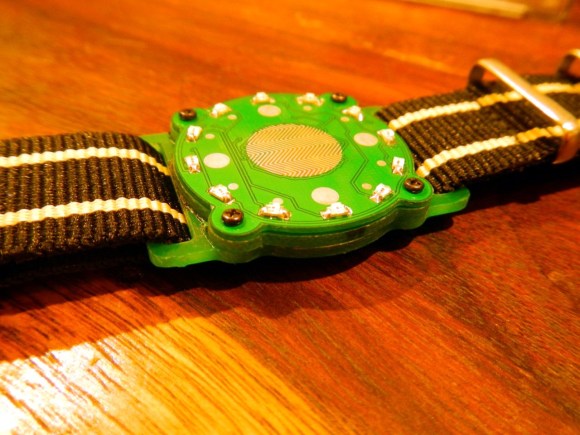
Here’s a wristwatch concept we haven’t seen before. Instead of trying to sandwich everything inside of a case it uses a stack of PCBs as the body of the watch.

[Mats Engstrom] wrote in to tip us off about his build. The design goes with LEDs which is nothing new. But unlike previous offerings [Mats] didn’t go with one LED for each minute. When the touch sensor in the middle of the watch is activated the twelve LEDs on the face will let you know the hour and the nearest five minutes. A video of this is embedded after the break.

The design uses three different circuit boards. The bottom board is the largest and provides slots through which the wrist bands can connect. It also serves as one of the two battery connectors. The second PCB is a spacer with a cutout for the coin cell that powers the device. The top board is where all the magic happens. It’s dual sided to host the LEDs and touch senor, with the PIC microcontroller and support circuitry on the other side.

Continue reading “Wristwatch Made Of Sandwiched PCBs”

Microscope Ring Light With A Number Of Different Features

microscope-ring-light

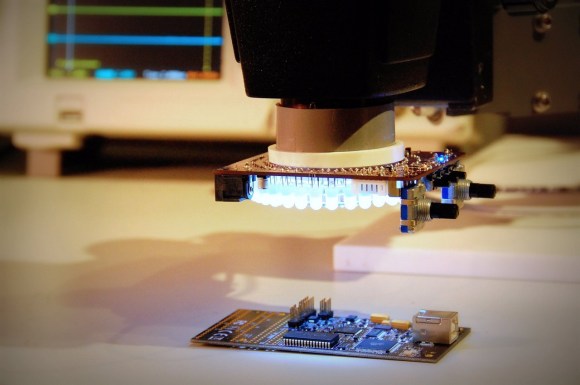
Microscopes magnify light. It makes sense that having more light reflecting off of the subject will result in a better magnified image. And so we come to Aziz! Light! It’s [Steve’s] LED light ring for a stereo microscope. It’s also a shout out to one of our favorite Sci-Fi movies.

He’s not messing around with this microscope. We’ve already seen his custom stand and camera add-on. This is no exception. The device uses a fab-house PCB which he designed. It boasts a dual-ring of white LEDs. But the controls don’t simply stop with on and off. He’s included two rotary encoders, three momentary push switches, and three LEDs as a user interface. This is all shown off in his demo video after the break.

An ATtiny1634 is responsible for controlling the device. When turned on it gently ramps the light up to medium brightness. This can be adjusted with one of the rotary encoders. If there are shadows or other issues one of the push buttons can be used to change the mode, allowing a rotary encoder to select different lighting patterns to remedy the situation. There are even different setting for driving the inner and outer rings of LEDs.

We haven’t worked with any high-end optical microscopy. Are these features something that is available on commercial hardware, or is [Steve] forging new ground here?

Continue reading “Microscope Ring Light With A Number Of Different Features”

Homebuilt Laser Cutter Ideas

Laser-Cutter

[Wuzabear] wrote in to tell us about this “DIY Laser Cutter for PCB Stencils.” While a full BOM and step-by-step build instructions aren’t provided for the frame, pictures of the build are available, and some different options for construction are discussed. One other option that was especially interesting would be to use a ready-built RepRap or other 3D printer to act as the laser motion controller. Apparently this has been experimented with, and we’d love to see any versions that or readers have come up with!

Besides some different ideas and resources for the moving parts of the cutter, there is some information on how to hook up a laser for this purpose, as well as  for the software and calibration required. It should be noted that you should always wear the appropriate safety goggles if you’re working with a high-powered laser. Although any machine-tool can be dangerous, lasers provide some safety issues that should be treated with extreme caution.

Turning PCBs Into Art

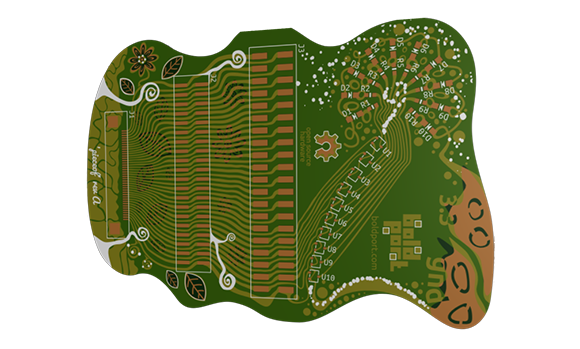
Designing a circuit, laying out a board, and sending it off to be fabbed is so easy anyone can do it. A lot of people are, in fact, and with the traditional tools like KiCAD and Eagle, a lot of different boards look very, very similar. You could always add some cool silkscreen graphics to your board to make it stand out, but [Saar] has a better solution: it’s called PCBmodE, and it allows you to draw circuits artistically instead of the 45° angles we’ve become so accustomed to.

PCBmodE takes the parts, pads, signals, and vias for boards stored in JSON files and converts them to an SVG representation. The file is then routed (manually, but [Saar] is working on automated routing) and Gerberized so it can be sent off to a production house.

You can grab PCBmodE over on bitbucket, but right now it’s still a very early version. Vias and copper pours are working, but [Saar] has only fabbed this board so far.

Custom Boards At Home Without Etching

PCB

PC board houses are getting more accessable and less expensive all the time. Some of us are even getting very, very good at making our own circuit boards at home. There are times, though, when a project or prototype requires an extremely cheap custom board right now, something etching a custom board won’t allow. [KopfKopfKopfAffe] has a unique solution to this problem, able to create custom boards in under an hour without any nasty chemicals.

Instead of starting his build with copper-clad board, [KopfAffe] used every rapid prototyper’s friend, simple one-sided perf board. The shape of the board was milled out on a CNC machine, and both the top silk screen and bottom layer were marked off using the toner transfer method. After that, a custom circuit is just a matter of placing components and putting solder bridges between all the marked pads.

[KopfAffe] is only using this technique for single-sided boards, but we don’t see any reason why it couldn’t be employed for simple double-sided boards. This would still have the problem of making vias between the layers, but that’s still a problem with proper, home-etched double sided boards.