Work Station Includes A Smartcard Lock For USB Ports

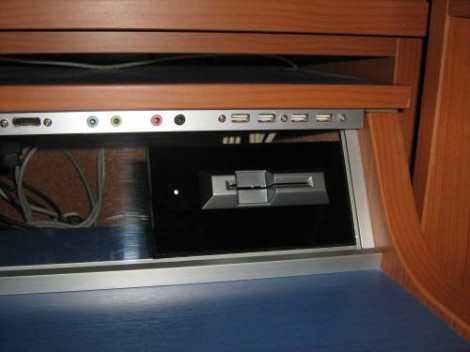
The USB ports on this work station are locked. In order to use a USB device you’ll need to insert a Smartcard into the reader seen above. The interesting thing here is that this shouldn’t affect your ability to charge a USB device. When you visit the link above make sure to check out the worklog tab as it contains nine pages worth of build information.

The device is conceived of in two parts. There is one board which does the USB switching, and another that takes care of the Smartcard reader. That reader is based on a PIC 16F1939. It readers the Smartcard, verifies the data, then controls the USB switching board via SPI. An ADG714 chip completes the circuit on eight data lines making up the four USB ports. There is also a mechanical relay on the board which can cut USB power. Since this is separate from the data switching, the power could be left on for charging or toggled separately by a card that has permission to charge but not to use the data ports. You can see a demonstration of the system embedded after the break.

Continue reading “Work Station Includes A Smartcard Lock For USB Ports”
Getting Connected With Your Home Security System

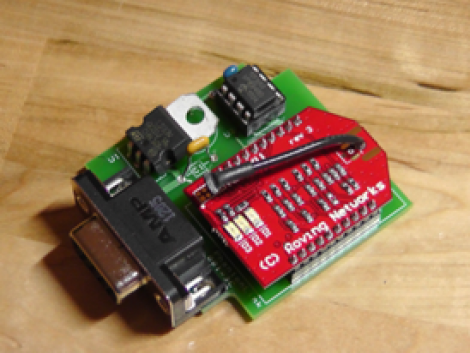
This simple device, paired with some creating code will let you become your own home security monitoring service. It’s called the PhantomLink and [Adam] started the project as a commercial venture. He recently decided to go open source with the hardware and will soon be posting a guide on how to program your own web interface too.

We just looked in on a project which takes control of a security panel using an Arduino. The PhantomLink is focused on not just reusing the input hardware, but monitoring the whole system. It sounds like several different protocols are supported.

The DB9 jack is intended for use with an adapter you can wire yourself. Basically just tap into the terminal block on the alarm controller for your house, then route those connections to the proper pins. A PIC 12F683 monitors the alarm system, pushing data via the WiFi module mounted on the board. With that web connection you can do anything you want by catching and formatting the data.

Servos, Servos, And More Servos

For one reason or another, a lot of Hackaday readers are doing stuff with servos as of late. Here’s a few servo hacks that made their way into our tip line over the past day or so:

USB servo controller and a Stewart Platform

[Patricio] needed a way to control a bunch of servos for his thesis project. He came up with a USB servo controller (Spanish, here’s the translation) powered by a 40-pin PIC 18F microcontroller. The board connects to the USB port of a computer and supports up to 8 servos with 8 additional digital I/Os. Why all this horsepower? It’s for a Stewart Platform [Patricio] and his partner [Natalia] built.

Continuous rotation servos

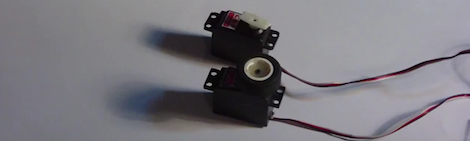
Standard servos are usually limited to a rotation angle of somewhere between 140 and 160 degrees. Sometimes you need a continuous rotation servo, and those are a little more expensive. Every servo is a continuous rotation servo if you disable a the variable resistor as [Valentin] shows us. It’s a simple, if old, hack. It’s new to someone, though.

Eight servos on a Raspi

[Mikael] made a little board to attach to the GPIO header of his Raspberry Pi and control up to 8 servos. The board is running a serial interface with a small microcontroller on board. There’s nothing in the way of schematics or code, a testament for why you should always use a good email address when sending something into the HaD tip line. It seems [Mikael] is making a proper board, and we’ll more than happily give it a full post when it’s complete.

Digital Picture Frame That Rotates To Match Image Orientation

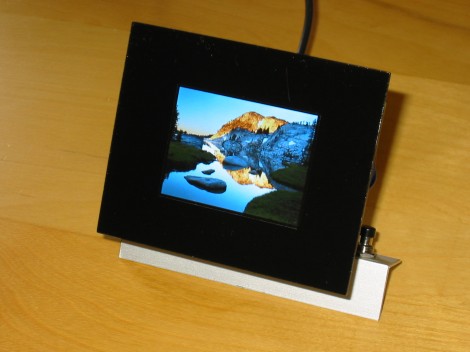
This digital picture frame physically rotates in order to match the image’s orientation. [Markus Gritsch] built the frame, including a Python script to translate the photos to a format which makes the best use of the 2.4″ LCD screen.

The screen is addressed in 8-bit parallel by a PIC 32MX120F032B processor. Image are read from an SD card in a raw format, with 16-bit colors pushed to the display for each pixel. To get them into this format [Markus’] script converts the JPEG files to RAW, resizes them, uses dithering to reduce to 16-bit color, then applies a sharpening filter to improve the final look. During this process it also includes orientation information. That is parsed by the microcontroller and used to drive the servo motor to which the screen is attached.

To finish off the project he spray painted a piece of acrylic to act as a bezel for the frame. Check out the demo after the break and we think you’ll agree the rotating feature, along with image scrolling, really makes this a piece you’ll want on your own desk.

Continue reading “Digital Picture Frame That Rotates To Match Image Orientation”

Monitoring A Clothes Washer With An Accelerometer

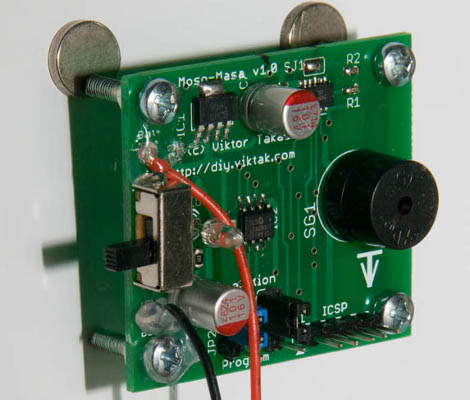
[Viktor’s] washing machine did a good job of cleaning his clothes, but it kept a bit too quiet about it. The machine doesn’t have an audible alert to let him know the cycle has finished. He decided to build his own alarm which can just be slapped on the side of the machine.

You can see that a couple of magnets hold the board to the metal housing of the washer. The board doesn’t actually connect to any of the machine’s circuitry so this should work about equally as well for any unit. The detection is based on motion, thanks to a Freescale MMA7361 3-axis accelerometer. When he starts a load of wash he flips the power switch for the board on. The PIC 12F683 that drives the device starts monitoring the accelerometer for changes. If it goes for more than about one minute without reading motion the piezo buzzer starts beeping. It’s a fun and easy solution along the same line of this oven pre-heat alarm add-on.

Library For Driving SSD1289 LCD Displays With Small Microcontrollers

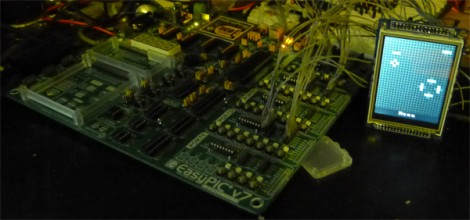
[H. Smeitink] got his hands on a 320×240 color TFT LCD screen. He set out to drive it with a small PIC microcontroller but didn’t find a lot of help out there to get up and running quickly. This is surprising since it’s a really nice display for quite a low price (under $16 delivered on eBay at the time of writing). He decided to write his own library and support tools to help others.

The display includes an SPI touch screen, but since that works separately from the LCD controller, touch input is not supported in this package. The driver that he wrote is coming from a mikroC toolchain point of view, but it shouldn’t be too hard to port to your platform of choice. We took a quick look at the code and it seems all you need to do is tweak the defines to match your hardware registers, and implement your own delay_ms() function.

But he didn’t stop with the driver. You’ll also find a C# program which converts images to an array for easy use on the display. Incidentally, this is the same display which [Sprite_TM] got working with the Raspberry Pi.

Chiptune Player Uses Preprocessed .MOD Files

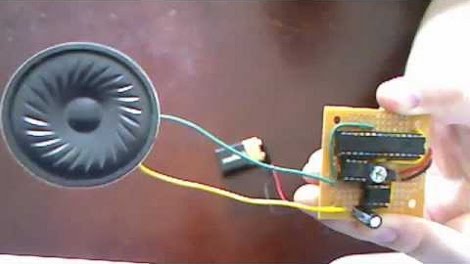
[Kayvon] just finished building this chiptune player based on a PIC microcontroller. The hardware really couldn’t be any simpler. He chose to use a PIC18F2685 just because it’s big enough to store the music files directly and it let him get away with not using an external EEPROM for that purpose. The output pins feed a Digital to Analog Convert (DAC) chip, which in turn outputs analog audio to an LM386 OpAmp. The white trimpot sandwiched between the chips controls the volume.

The real work on this project went into coding a program which translates .MOD files into something the PIC will be able to play. Because of the memory limits of the chip it is unable to directly use all of the instrument samples from these files. [Kayvon] wrote a program with a nice GUI that lets him load in his music and page through each instrument to fine-tune how they are being re-encoded. The audio track from the video after the break doesn’t do the project justice, but you will get a nice look at the hardware and software.

Continue reading “Chiptune Player Uses Preprocessed .MOD Files”