
Adding Weight To A 3D Print With Plaster Of Paris, Cleanly

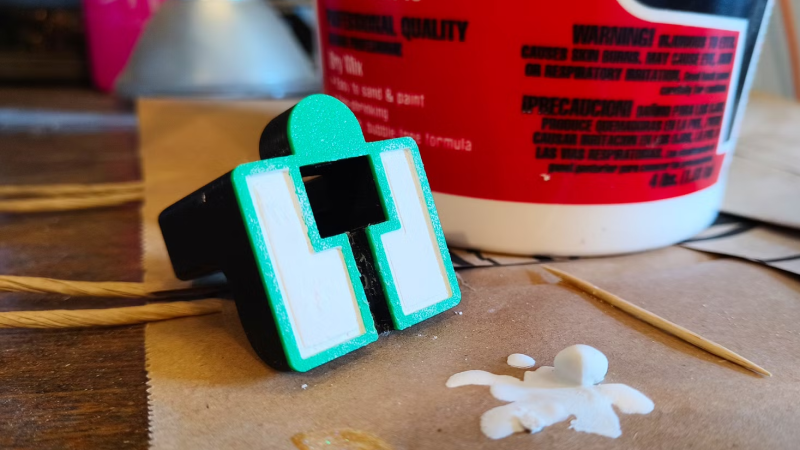
Sometimes it’s useful to add extra mass to a 3D print, and [Joe Fedewa] shared a simple and effective technique that uses plaster of Paris. Rather than pause the print and insert hardware or weighted bits inside, he designed the base as hollow. Not in the sense of zero infill, but in the sense of modeling a cavity into the open bottom of the object.
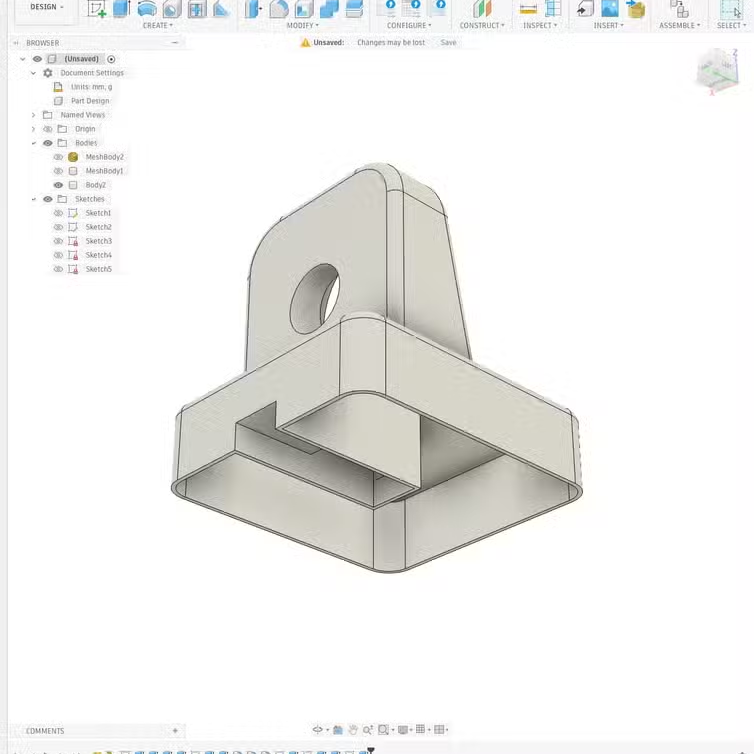
An open cavity in the base is perfect for filling with plaster of Paris.

After the print is complete, he mixes the dry plaster with water until it creates a thick but pourable mixture. Then the object gets turned upside-down and the cavity filled. In about an hour, it will have set up enough to be handled and worked.

Plaster of Paris has a good heft to it, but more importantly it can be made perfectly presentable thanks to being very friendly to post-processing. Any rough spots can be easily sanded and the whole bottom smoothed, so one doesn’t even need to cap it off. Completely cured plaster can be sealed with a clear coat for a more durable finish, if desired.

This basic concept has been used in other ways, such as reinforcing prints with concrete to yield parts solid enough to make tools out of. But using plaster of Paris not just to add mass, but specifically to create a presentable surface that doesn’t need covering up is a neat and highly economical adaptation of the idea.

Other methods of adding mass to a 3D print include inserting metal balls or chunky nuts, bolts, or other hardware, but this method doesn’t require pausing prints to insert things. Nor does it require sealing off or capping the print, messing with goopy epoxies or resins, or spending a lot of money — making it a good one to keep in mind in case it comes in handy someday.
Non-planar 3d-print on bed

Improved And Open Source: Non-Planar Infill For FDM

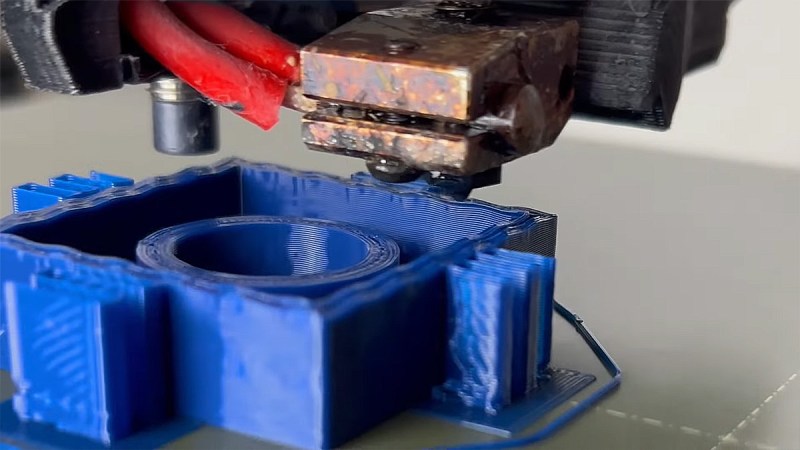
Strenghtening FDM prints has been discussed in detail over the last years. Solutions and results vary as each one’s desires differ. Now [TenTech] shares his latest improvements on his post-processing script that he first created around January. This script literally bends your G-code to its will – using non-planar, interlocking sine wave deformations in both infill and walls. It’s now open-source, and plugs right into your slicer of choice: PrusaSlicer, OrcaSlicer, or Bambu Studio. If you’re into pushing your print strength past the limits of layer adhesion, but his former solution wasn’t quite the fit for your printer, try this improvement.

Traditional Fused Deposition Modeling (FDM) prints break along layer lines. What makes this script exciting is that it lets you introduce alternating sine wave paths between wall loops, removing clean break points and encouraging interlayer grip. Think of it as organic layer interlocking – without switching to resin or fiber reinforcement. You can tweak amplitude, frequency, and direction per feature. In fact, the deformation even fades between solid layers, allowing smoother transitions. Structural tinkering at its finest, not just a cosmetic gimmick.

This thing comes without needing a custom slicer. No firmware mods. Just Python, a little G-code, and a lot of curious minds. [TenTech] is still looking for real-world strength tests, so if you’ve got a test rig and some engineering curiosity, this is your call to arms.

The script can be found in his Github. View his full video here , get the script and let us know your mileage!

Continue reading “Improved And Open Source: Non-Planar Infill For FDM”

Steel-Reinforced 3D Prints

Continuing on the never-ending adventure of how to make a 3D print stronger, [Brauns CNC] is coming at us with a new technique that involves steel-reinforced 3D printed parts.

We’ve seen plenty of methods to create stronger 3D prints, from using carbon fiber filament to simply printing the part in a way that the layers of the print are orthogonal to the direction of force. We’ve even seen casting carbon fiber bars into 3D prints, but of course that will only work with straight parts. [Brauns]’ technique uses steel wire, embedded into the print itself, and from some testing there’s about a 50% increase in strength of the part.

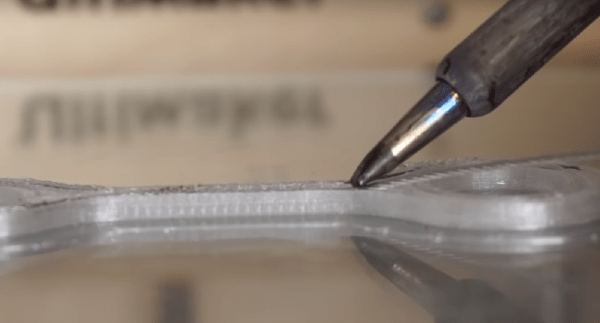
The process of embedding a steel cable into a 3D printed part is simply taking apart the model and putting a channel in for the cable. At a specific layer height, the printer is stopped, the steel cable is embedded with the help of a soldering iron, and the printer continues doing its thing.

There’s a slight amount of Gcode hacking to make this happen, and the process of embedding a steel cable into a print is a bit finicky. Still, if you want stronger 3D prints, there are worse ways to do it, and certainly less effective ways of doing it. You can check out the video for this technique below.

Continue reading “Steel-Reinforced 3D Prints”









