The Joy Of Making Handheld Tetris From Scratch

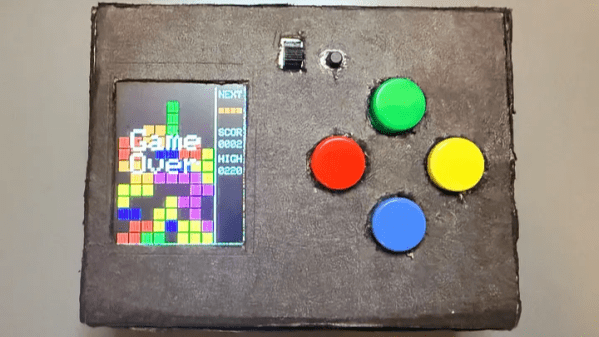
As anyone who’s made a thing knows, a lot of work goes into bringing something from idea to completion. But there’s also considerable satisfaction in the process. [Willian] recently did exactly that, and shares the joyful experience of creating a homebrew handheld game gadget from scratch. It runs a homebrewed Tetris clone (as well as Snake), and we love the results.

The game gadget uses an ATmega328P programmed via the Arduino IDE, and a 1.8″ TFT color LCD screen. It’s self-contained in a box with a few buttons as controls and runs off three AAA cells. [Willian] made the smart design choice to run the microcontroller at 8 MHz instead of the more common 16 MHz, because doing so meant the board can run at 3.3 V instead of 5 V. Why does this matter? The LCD display runs off 3.3 V as well, and if all components can run off the same supply and logic levels, it simplifies things considerably.

Also, creating a 3.3 V supply is a simple matter of three alkaline cells in series with an LDO (low drop-out) regulator, which is great for a handheld device. We do note that AA cells have a considerably higher energy density and capacity than AAA cells and are usually the better choice, but one works with what one has, and sometimes the space and weight saved by AAA is just too good to pass up.

The software has some notable approaches to keep things responsive and optimal. Instead of defining each of the Tetris pieces as a 2D shape, [Willian] instead pre-defines each piece (and their rotations) so that rotating a piece is just an index change in an array, instead of a transform implementing a rotation. Also, full-screen redraws are comparatively slow over SPI and caused flickering, so only cells that have changed are redrawn to the screen to keep things responsive. The code is all on GitHub, and it’s a great peek at how things get implemented under the hood.

The enclosure is just cardboard, and it does the job in [Willian]’s case. But we’ll point out that cardboard is actually a highly adaptable material from which to prototype. With just a few tips and a little care, paper products can be your new best friend when it comes to one-offs and prototypes.
Tetris In A Single Line Of Code

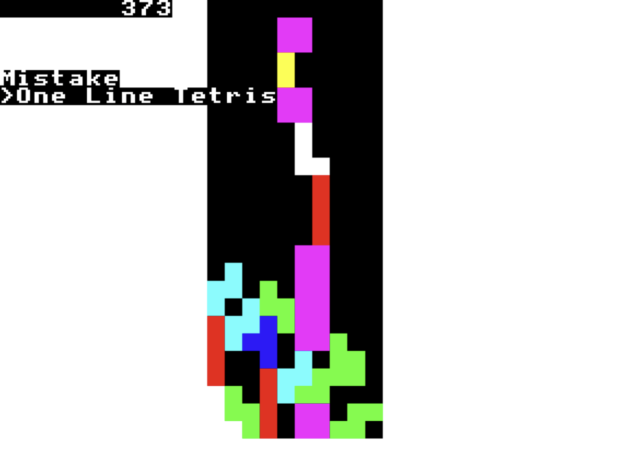
PC gaming in the modern era has become a GPU measuring contest, but back when computers had far fewer resources, every sprite had to be accounted for. To many, this was peak gaming. So let’s look to the greats of [Martin Hollis, David Moore, and Olly Betts], who had the genius (or insanity) to create Tetris in a single BBC BASIC line.

Created in 1992, one-line Tetris serves as a great use of the limited resources available. The entirety of the game fits within 257 bytes. With the age of BASIC, the original intent of the game for BBC BASIC was to be played on computers similar to Acorn’s BBC microcomputer or Archimedes.

One line Tetris has all the core features of the original game. Moving left, right, and rotating all function like the traditional game, most of the time. Being created in a single line, there were a few corners cut with bug fixing. Bugs such as crashing every 136 years of play due to large numbers or holding all keys causing the tetrominoes to freeze make it an interesting play experience. However, as long as our GPUs are long enough to play, we don’t mind.

If you want to experience the most densely coded gaming experience possible but don’t have one of the BBC BASIC computers of old, make sure to try this emulator with a copy of the game. Considering the amount done in a single line of BBC BASIC, the thought may come into mind on what could be done with MORE than a SINGLE line of code. For those with this thought, check out the capabilities of the coding language with modern hardware.

Thanks to [Keith Olson] for the tip!

Photo of 3D Tetris LED matrix

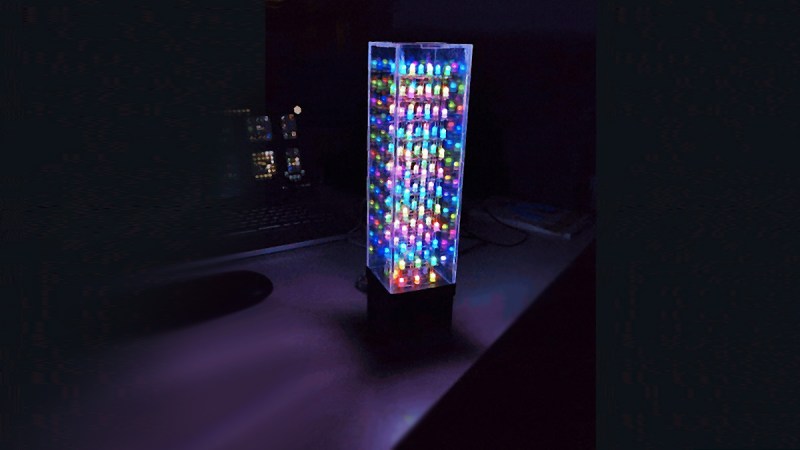
From Retro To Radiant: 3D Tetris On A LED Matrix

We love seeing retro games evolve into new, unexpected dimensions. Enter [Markus]’ adaptation of 3D Tetris on a custom-built 3x3x12 RGB LED matrix. Developed as a university project, this open-source setup combines coding, soldering, and 3D printing. It’s powered by an ESP32 microcontroller with gameplay controlled by a neat web interface.

This 3D build makes the classic game so much harder to play, that one could argue whether it’s still a game, or has turned into a form of art. Although it is challenging to rotate and drop blocks on such a small scale, for die-hard Tetris fans (and we know you’re out there), there is always someone up to become best at it. Just look at the FastLED-powered light show, the responsive web-based GUI, and fully modular 3D printed housing, this project is a joy to look at even when nobody is playing it. Heck, a game that turned 40 only a year ago should be so mature to entertain itself, shouldn’t it?

From homemade Pong tables to LED cube displays, hobbyists keep finding ways to give classic games a futuristic twist. Projects like this are about pushing boundaries. Hackaday’s archives are full of similar innovations, but why not craft some new ones?

Continue reading “From Retro To Radiant: 3D Tetris On A LED Matrix”

Happy Birthday, Tetris!

Porting DOOM to everything that’s even vaguely Turing complete is a sport for the advanced hacker. But if you are just getting started, or want to focus more on the physical build of your project, a simpler game is probably the way to go. Maybe this explains the eternal popularity of games like PONG, Tetris, Snake, or even Pac-Man. The amount of fun you can have playing the game, relative to the size of the code necessary to implement them, make these games evergreen.

Yesterday was Tetris’ 40th birthday, and in honor of the occasion, I thought I’d bring you a collection of sweet Tetris hacks.

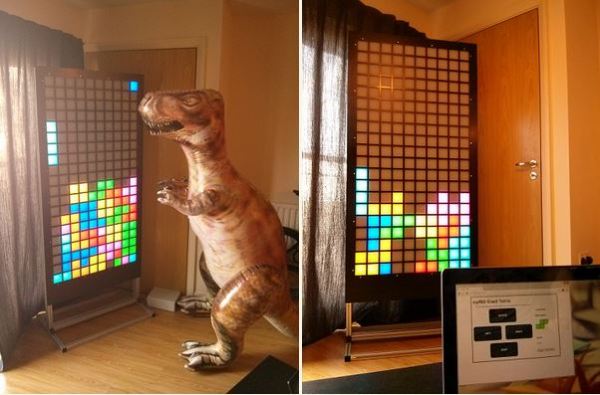
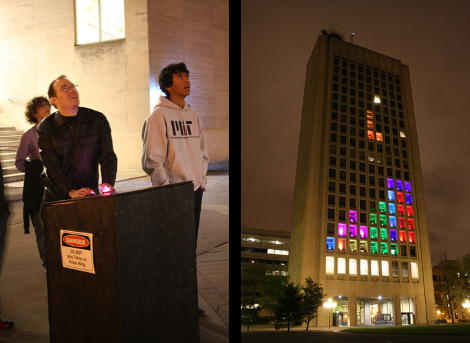
On the big-builds side of things, it’s hard to beat these MIT students who used colored lights in the windows of the Green Building back in 2012. They apparently couldn’t get into some rooms, because they had some dead pixels, but at that scale, who’s complaining? Coming in just smaller, at the size of a whole wall, [Oat Foundry]’s giant split-flap display Tetris is certainly noisy enough.

Smaller still, although only a little bit less noisy, this flip-dot Tetris is at home on the coffee table, while this one by [Electronoobs] gives you an excuse to play around with RGB LEDs. And if you need a Tetris for your workbench, but you don’t have the space for an extra screen, this oscilloscope version is just the ticket. Or just play it (sideways) on your business card.

All of the above projects have focused on the builds, but if you want to tackle your own, you’ll need to spend some time with the code as well. We’ve got you covered. Way back, former Editor in Chief [Mike Szczys] ported Tetris to the AVR platform. If you need color, this deep dive into the way the NES version of Tetris worked also comes with demo code in Java and Lua. TetrOS is the most minimal version of the game we’ve seen, coming in at a mere 446 bytes, but it’s without any of the frills.

No Tetris birthday roundup would be complete without mentioning the phenomenal “From NAND to Tetris” course, which really does what it says on the package: builds a Tetris game, and your understanding of computing in general, from the ground up.

Can you think of other projects to celebrate Tetris’ 40th? We’d love to see your favorites!

Play Giant Tetris On Second-Floor Window

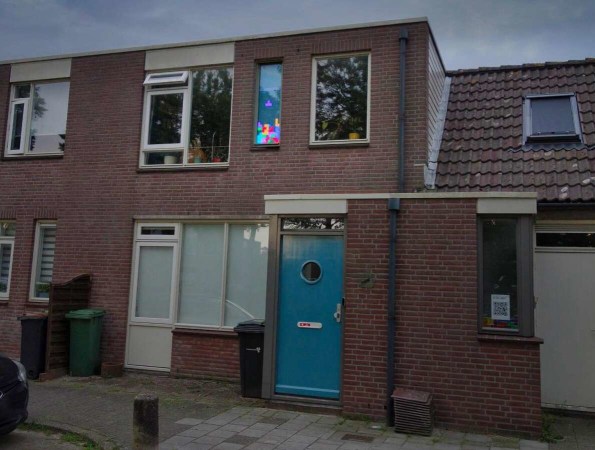
Sometimes it seems like ideas for projects spring out of nothingness from a serendipitous set of circumstances. [Maarten] found himself in just such a situation, with a combination of his existing Tetris novelty lamp and an awkwardly-sized window on a second-floor apartment, he was gifted with the perfect platform for a giant playable Tetris game built into that window.

To make the giant Tetris game easily playable by people walking by on the street, [Maarten] is building as much of this as possible in the browser. Starting with the controller, he designed a NES-inspired controller in JavaScript that can be used on anything with a touch screen. A simulator display was also built in the browser so he could verify that everything worked without needing the giant display at first. From there it was on to building the actual window-sized Tetris display which is constructed from addressable LEDs arranged in an array that matches the size of the original game.

There were some issues to iron out, as would be expected for a project with this much complexity, but the main thorn in [Maarten]’s side was getting his controller to work in Safari on iPhones. That seems to be mostly settled and there were some other gameplay issues to solve, but the unit is now working in his window and ready to be played by any passers-by, accessed by a conveniently-located QR code. Tetris has been around long enough that there are plenty of unique takes on the game, like this project from 2011 that uses Dance Dance Revolution pads for controllers.

Tetris Goes Round And Round

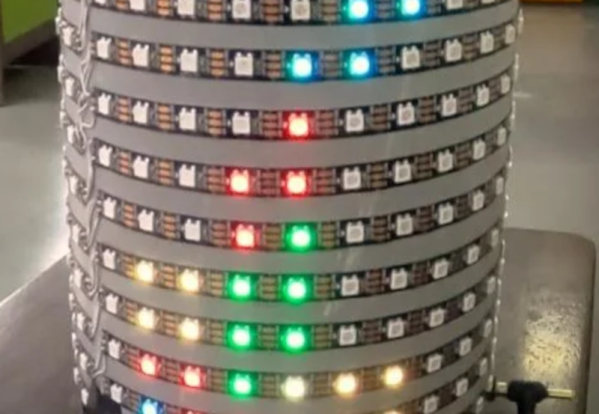
You’ve probably played some version of Tetris, but [the Center for Creative Learning] has a different take on it. Their latest version features a cylindrical playing field. While it wouldn’t be simple to wire up all those LEDs, it is a little easier, thanks to LED strips. You can find the code for the game on GitHub.

In all, there are 5 LED strips for a display and 13 strips for the playing area, although you can adjust this as long as there are at least 10 rows. The exact number of LEDs will depend on the diameter of the PVC pipe you build it on.

Continue reading “Tetris Goes Round And Round”

Tetris Goes Full Circle

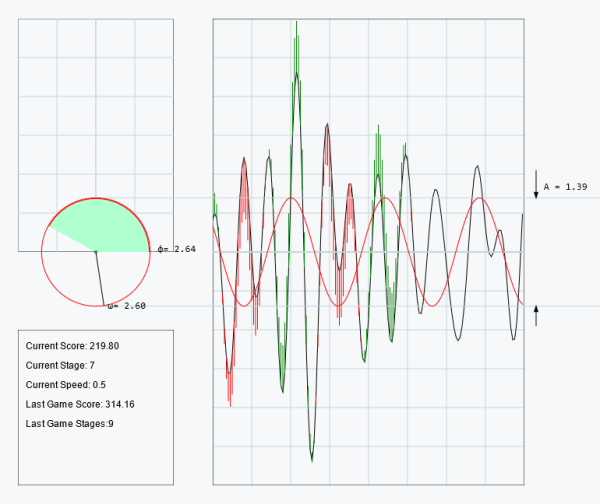
As a game concept, Tetris gave humanity nearly four solid decades of engagement, but with the possibility for only seven possible puzzle pieces it might seem a little bit limiting. Especially now that someone has finally beaten the game, it could be argued that as a society it might be time to look for something new. Sinusoidal Tetris flips these limits on their head with a theoretically infinite set of puzzle pieces for an unmistakable challenge.

Like Tetris, players control a game piece as it slowly falls down the screen. Instead of blocks, however, the game piece is a sinusoid that stretches the entire width of the screen. Players control the phase angle, amplitude, and angular frequency in order to get it to cancel out the randomly-generated wave in the middle of the screen. When the two waves overlap, a quick bit of math is done to add the two waves together. If your Fourier transformation skills aren’t up to the task, the sinusoid will eventually escape the playing field resulting in a game over. The goal then is to continually overlap sinusoids to play indefinitely, much like the original game.

While we’re giving Tetris a bit of a hard time, we appreciate the simplicity of a game that’s managed to have a cultural impact long after the gaming systems it was originally programmed for have become obsolete, and this new version is similar in that regard as well. The game can be quite addictive with a lot to take in at any given moment. If you’re more interested in the programming for these types of games than the gameplay, though, take a look at this deep-dive into Tetris for the NES.