Tetris Goes Full Circle

As a game concept, Tetris gave humanity nearly four solid decades of engagement, but with the possibility for only seven possible puzzle pieces it might seem a little bit limiting. Especially now that someone has finally beaten the game, it could be argued that as a society it might be time to look for something new. Sinusoidal Tetris flips these limits on their head with a theoretically infinite set of puzzle pieces for an unmistakable challenge.

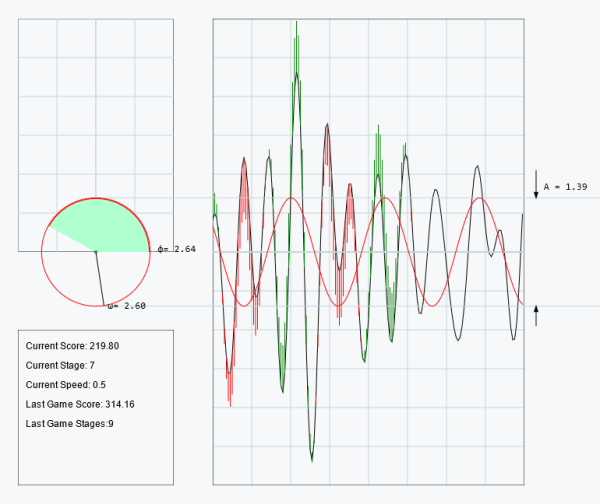
Like Tetris, players control a game piece as it slowly falls down the screen. Instead of blocks, however, the game piece is a sinusoid that stretches the entire width of the screen. Players control the phase angle, amplitude, and angular frequency in order to get it to cancel out the randomly-generated wave in the middle of the screen. When the two waves overlap, a quick bit of math is done to add the two waves together. If your Fourier transformation skills aren’t up to the task, the sinusoid will eventually escape the playing field resulting in a game over. The goal then is to continually overlap sinusoids to play indefinitely, much like the original game.

While we’re giving Tetris a bit of a hard time, we appreciate the simplicity of a game that’s managed to have a cultural impact long after the gaming systems it was originally programmed for have become obsolete, and this new version is similar in that regard as well. The game can be quite addictive with a lot to take in at any given moment. If you’re more interested in the programming for these types of games than the gameplay, though, take a look at this deep-dive into Tetris for the NES.
Tetris On An Oscilloscope, The Software Way

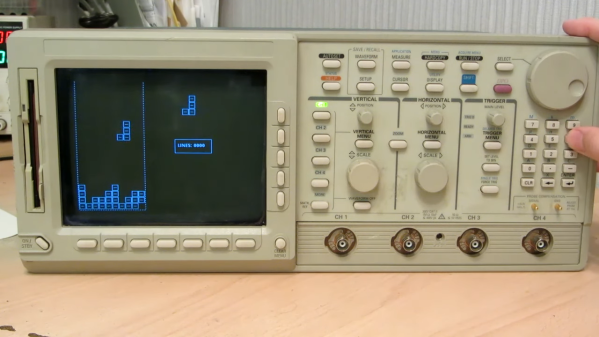
When we talk about video games on an oscilloscope, you’d be pardoned for assuming the project involved an analog CRT scope in X-Y mode, with vector graphics for something like Asteroids or BattleZone. Alas, this oscilloscope Tetris (Russian language, English translation) isn’t that at all — but that doesn’t make it any less cool.

If you’re interested in recreating [iliasam]’s build, it’ll probably help to be a retro-oscilloscope collector. The target instrument here is a Tektronix TDS5400, a scope from that awkward time when everything was going digital, but CRTs were still cheaper and better than LCDs. It’s based on a Motorola 68EC040 processor, sports a boatload of discrete ICs on its main PCB, and runs VxWorks for its OS. Tek also provided a 3.5″ floppy drive on this model, to save traces and the like, as well as a debug port, which required [iliasam] to build a custom UART adapter.

All these tools ended up being the keys to the kingdom, but getting the scope to run arbitrary code was still a long and arduous process, with a lot of trial and error. It’s a good story, but the gist is that after dumping the firmware onto the floppy and disassembling it in Ghidra, [iliasam] was able to identify the functions used to draw graphics primitives on the CRT, as well as the functions to read inputs from the control panel. The result is the simple version of Tetris seen in the video below. If you’ve got a similar oscilloscope, the code is up on GitHub.

Care for a more hardware-based game-o-scope? How about a nice game of Pong? Or perhaps a polar breakout-style game is what you’re looking for. Continue reading Tetris On An Oscilloscope, The Software Way”

A handheld computer made on a piece of prototyping board running a Tetris clone

Tetris Clone Uses 1000 Lines Of Code, And Nothing Else

If you’re programming on a modern computer, you typically make use of lots of work done by other people. There’s operating systems to abstract away the complexities of modern hardware, standard libraries to implement common tasks, and tons of third-party libraries that prevent you from having to reinvent the wheel all the time: you’re definitely not the first one trying to draw graphics onto a screen or store data in a file.

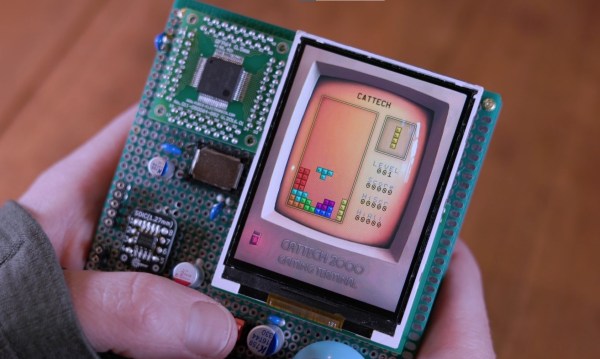
But if it’s the wheels you’re most interested in, then there’s nothing wrong with inventing new ones now and then. [Michal Zalewski], for instance, has made a beautiful Tetris clone in just 1000 lines of C, without using anyone else’s code.

The purpose of this exercise is to show that it’s possible to make a game with graphics comparable to modern, complex computing systems, without relying on operating systems or third-party libraries. The hardware consists of not much more than an ARM Cortex-M7 MCU, a 240×320 LCD screen and a few buttons soldered onto a piece of prototyping board, all powered by a set of AAA batteries.

The software is similarly spartan: just pure C code running directly on the CPU core. Graphic elements, some generated by AI and others hand-drawn, are stored in memory as plain bitmaps. They are manipulated by 150 lines of code that shuffles sprites around the display at a speed high enough to generate smooth motion. Game mechanics take up about 250 lines, while sound consists of simple square-wave chiptunes written in just 50 lines of code.

[Michal]’s code is very well documented, and his blog post gives even more details about all the problems he had to solve. One example is the length of keypresses: when do you interpret a keypress as a single “press”, and when does it become “press and hold”? Apparently, waiting 250 ms after the first press and 100 ms after subsequent ones does the trick. [Michal] is a bit of an expert on bare-bones game programming by now: he has previously pushed several 8-bit micros to their very limits. Third-party libraries can make your programming life a lot easier, but it’s good to reflect on the dangers of relying too much on other people’s code.

Continue reading Tetris Clone Uses 1000 Lines Of Code, And Nothing Else”

Tetris Joins Minecraft And DOOM In Running A Computer

There is a select group of computer games whose in-game logic is enough for them to simulate computers in themselves. We’ve seen it in Minecraft and DOOM, and now there’s a new player in town from a surprising quarter: Tetris.

One might wonder how the Russian falling-blocks game could do this, as unlike the previous examples it has a very small playing field. And indeed it’s not quite the Tetris you’re used to playing, but a version played over an infinite board. Then viewed as a continuous progression of the game it can be viewed as somewhat similar to the tape in a Turing machine.

The various moves and outcomes are referred to through a Tetris scripting language, so states can be represented by different sets of blocks and holes while logic elements can be be built up using the various shapes and the game logic. From those a computer can be built, represented entirely in Tetris moves and shapes. It’s a little mind-bending and we’d be lying if we said we understood every nuance of it, but seemingly it works well enough to run the game from within itself.. If it had the catchy music from the NES version, we’d declare it perfect.

Hungry for more? Here’s DOOM doing some adding, and of course Minecraft has a rich computing history.

GB Interceptor Enables Live Screen Capture From Game Boy

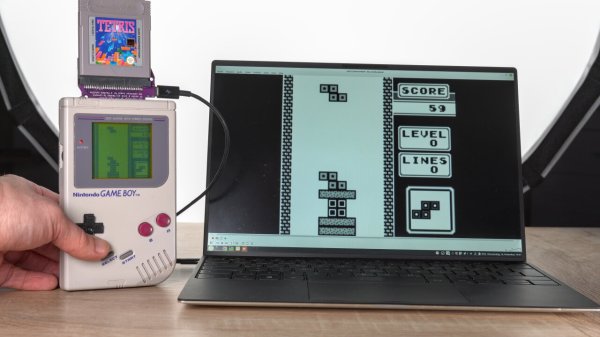
[Sebastian] had a tricky problem to solve. Competitors in a Tetris tournament needed to stream video of their Game Boy screens, but no solution readily existed. For reasons of fairness, emulators were right out, and no modifications could be made to the Game Boys, either. Thus, [Sebastian] created the GB Interceptor, a Game Boy capture cartridge.

Thanks to the design of the Game Boy, there’s plenty of access to useful signals via the cartridge port itself. [Sebastian] realized that a non-invasive capture device could be built to sit in-between the Game Boy and a cart, and send video to a computer. Unfortunately, there’s no direct access to the video RAM via this port, but [Sebastian] figured out a nifty workaround.

The build uses a Raspberry Pi Pico. The chip’s two cores emulate the Game Boy’s CPU and Picture Processing Unit, respectively. Doing this, while having the chips keep up with what’s going on in the Game Boy, required overclocking the Pico to 225 MHz. The system works by capturing data from the cartridge’s memory bus, and follows along with the instructions being run by the Game Boy. By doing this, the Pico is able to populate its own copy of the video RAM. It then spits this out over USB, where it can be displayed and streamed online as desired.

There are some edge-case limitations, but for its intended purpose, the system works great. Currently, the hardware is usable on Linux and Windows, though it does require some fiddling in the latter case. Files are on Github for those eager to build their own. If you simply want to dump carts rather than stream from your Game Boy, we can help there, too. Video after the break.

Continue reading “GB Interceptor Enables Live Screen Capture From Game Boy”

Tetris Clock Gets Talkative Upgrade

Tetris is arguably one of the most popular video games of all time, and its famous bricks have become cultural icons in themselves, as seen in this clock build from [The Electronic Engineer].

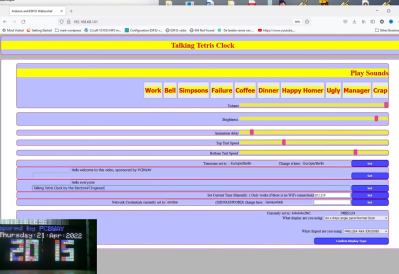
The web interface allows the various sound options to be easily configured.

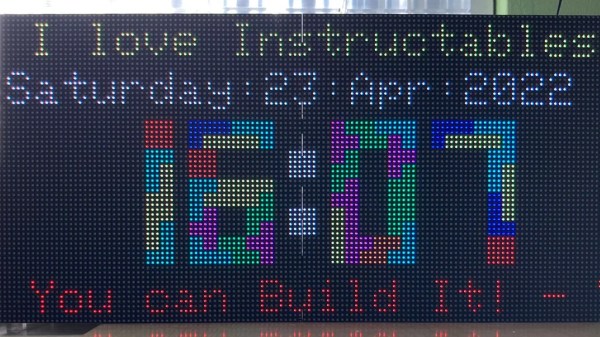
The basic concept of the Tetris clock is that falling bricks stick together in the shape of numbers to display the time. In this case, the clock is based on the version created by [Brian Lough] which we featured previously. It relies on an RGB LED matrix as a display.

However, the build has had a few upgrades courtesy of [The Electronic Engineer]. With the help of an I2S audio breakout board, the clock can play sounds at various times of day. It’s currently set up with clips from various cartoons announcing lunch and coffee break times. There’s also a web interface added in for configuration purposes, and some text tickers too.

It’s fun to see a popular open project get some upgrades as others dive in to build their own version. We’ve seen some other fun Tetris clocks before, too. Continue reading Tetris Clock Gets Talkative Upgrade”

Hard(er) Drives: Impractical, Slow, Amazing, And Incredible

Computer memory is a problem that has been solved for many years. But early on, it was more than just a small problem. We’ve many of the different kinds at Hackaday over the years, and we’ll link to some of them later on. But one of the original types of memory was called Delay Line memory, which worked by waiting for a signal to propagate slow enough through a device that it was essentially stored in the device. This was highly inefficient, but still a neat concept- one that [Tom7] has taken to entirely new levels of amazing and impractical as seen in the video below the break.

Such factors as “harm to society” are artfully considered

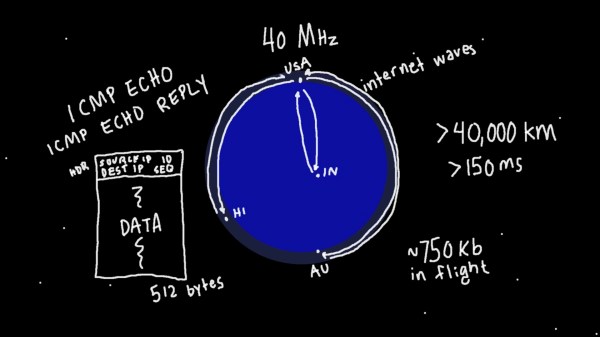
Starting with a demonstration of orbiting chainsaws, he then moves on to explaining how radio propagation waves could be used to temporarily store data while it’s in transit. He missed the opportunity to call it cloud storage, but we’ll forgive him. Extrapolating that further, he decided to use the Entire Internet to store data without its permission, utilizing large ICMP packets and even making it available as block storage in Linux.

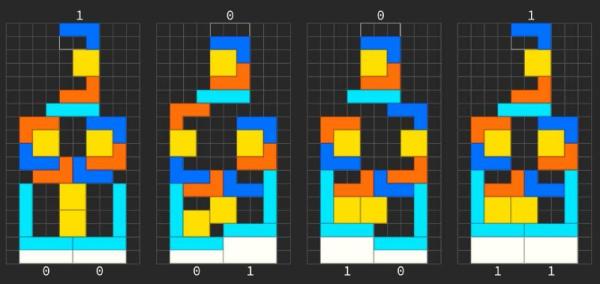
Not content to use the entire Internet to store a few kb of data, he moved on to several thousand virtualized NES game systems which are all playing “an inventory management survival horror game” commonly known as Tetris. [Tom7] deconstructs Tetris, analyzing its Random Number Generator, gaming the system to store data in virtual NES consoles by the thousands. What data did he store? The source code to Tetris for the NES. And what did he do with it? Well, he mounted it and ran the program, of course!

The last Harder Drive we’ll leave for those who want to watch the video, because it’s a bit on the “ewww gross!” side of things but is also a bit less successful due to some magic smoke being released.

If none of these things we’ve mentioned were enough, then watch the video for an excellent breakdown of the cost, efficiency, and even the harm to society. For fun, he also tosses blockchain into the mix to see how it fares against the Harder Drives. There’s also at least one easter egg in the video, and the whimsical discussion of engineering is both entertaining and inspiring. How would you implement a Harder Drive?

[Tom7] also gives you the opportunity to follow along with the fun and mayhem by making much of the code available for your perusal. For more fun reading, check out this walk down computer memory lane that we covered last year, as well as a look into Acoustic Delay Line memory.

Continue reading “Hard(er) Drives: Impractical, Slow, Amazing, And Incredible”