Thermoforming: Shaping Curvy Grilles With No Supports

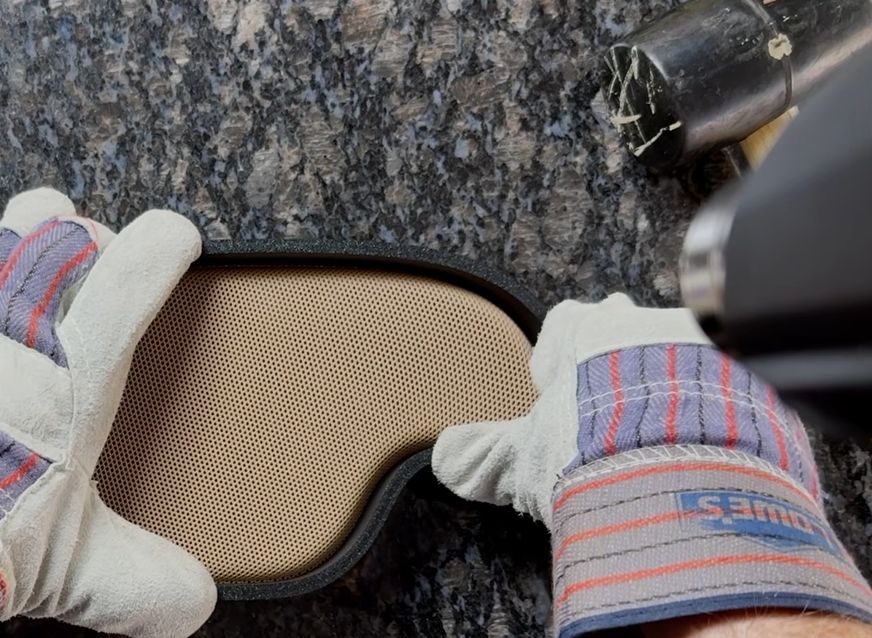
Making sure the heatgun is on 'low' and gloves are on while pushing on the mold. (Credit: Zion Brock)
Making sure the heatgun is on ‘low’ and gloves are on while pushing on the mold. (Credit: Zion Brock)

Although hobbyists these days most often seem to use thermoplastics as a print-and-done material in FDM printers, there’s absolutely nothing stopping you from taking things further with thermoforming. Much like forming acrylic using a hot wire or hot air, thermoplastics like PLA can be further tweaked with a similar method. This can be much less complex than 3D printing the design with supports, as demonstrated by [Zion Brock].

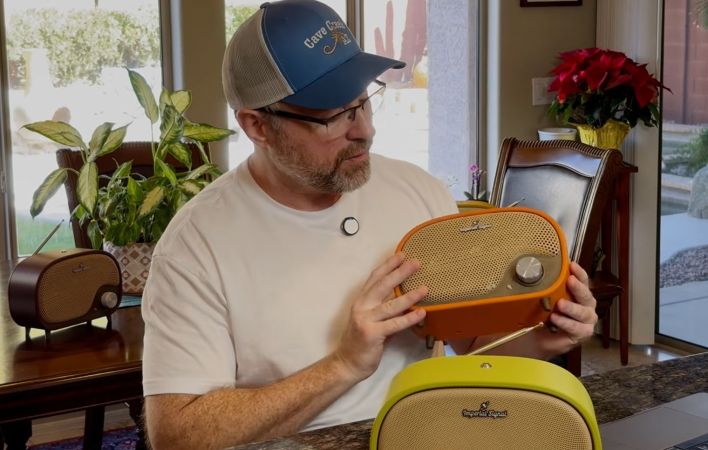
For this classically styled radio project the front grille was previously 3D printed with the curved shape, but to avoid an ugly edge it had to be printed with most of the grille off the print bed, requiring countless supports and hours of printing time. To get around this, [Zion] opted to print the grille flat and then thermoform its curved shape. Of course, due to the unusual shape of the grille, this required a bit more effort than e.g. a spherical form.

This is similar to what is used with sheet metal to get detailed shaped, also requiring a mold and a way to stretch the flat shape over the mold. With the flat form designed to have all the material in the right places, it was able to be printed in less than an hour in PLA and then formed with a heatgun aimed at the part while the two-section mold is slid together to create the final form.

You can find the design files and full instructions on the website for the radio project.

Continue reading “Thermoforming: Shaping Curvy Grilles With No Supports”

Need A Curved Plastic Mesh? Print Flat, Curve Later

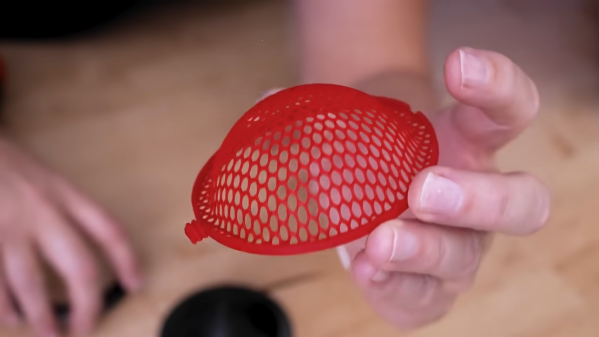
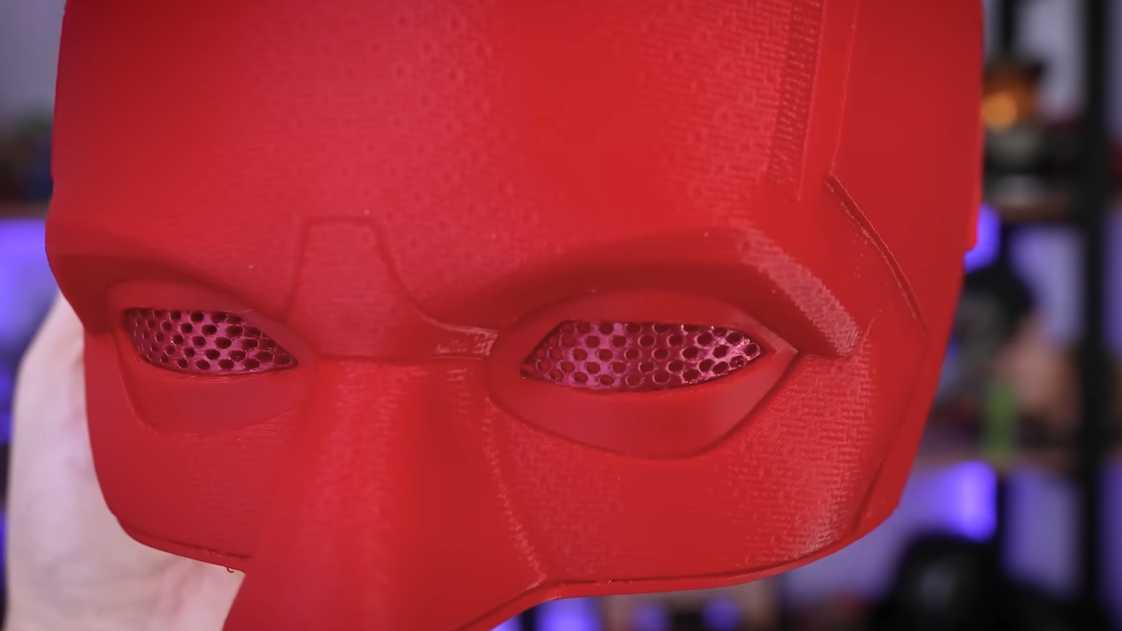
Need a plastic mesh in a custom pattern? 3D print it, no problem. But what if one needs a curved plastic mesh? That’s considerably harder to 3D print, but [Uncle Jessy]’s figured out a simple approach: 3D print the mesh flat, then break out a mold and a heat gun.

Of course, there are a few gotchas, but [Uncle Jessy] shares his tips for getting the most reliable results. The important part is to design and 3D print a mold that represents the final desired shape. Then print the mesh, and fit it into a frame. Heat things up with a heat gun, and press into the mold to deform the mesh while it’s still soft. It’s much easier seen than explained, so take a few moments to check out the video, embedded below the page break.

Custom eye inserts become a breeze.

Because the plastic in a mesh is so thin, [Uncle Jessy] says to keep the heat low and slow. The goal is to have the mesh stretch and deform, not melt.

Speaking of heat, when thermoforming, one usually needs to make the mold out of heat-resistant material. But the thermal mass of a mesh is so small that it really doesn’t matter much — there just isn’t enough heat trapped in the mesh to really damage a mold. As long as the mold is reasonably dense, there’s no need to go overboard with making it heat resistant.

The whole process takes a little practice, but since the meshes are so fast to print and use so little plastic it’s easy to experiment a little.

As for the meshes themselves, a simple way to print a mesh is just to print a disc with no top or bottom layers, only infill. Set the infill pattern to honeycomb, for example, for an easy hexagon mesh. We’ve seen a variant of this “exposed infill” idea used to create a desiccant container, and using it to print a mesh pattern easily is a neat trick, too.

Why might one need to reshape a mesh into a curve? Perhaps to custom-fit a costume piece, or make custom eye inserts for masks, as shown here. In any case, it’s a good technique to keep in the back of one’s mind, and if you put it to good use, drop us a tip!

Continue reading “Need A Curved Plastic Mesh? Print Flat, Curve Later”

Bare Bones Vacuum Forming, Just Add Plastic Plates

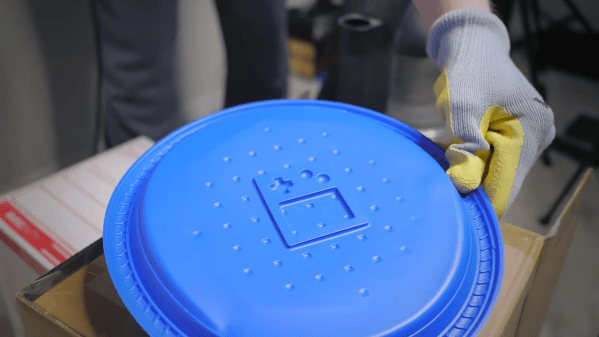
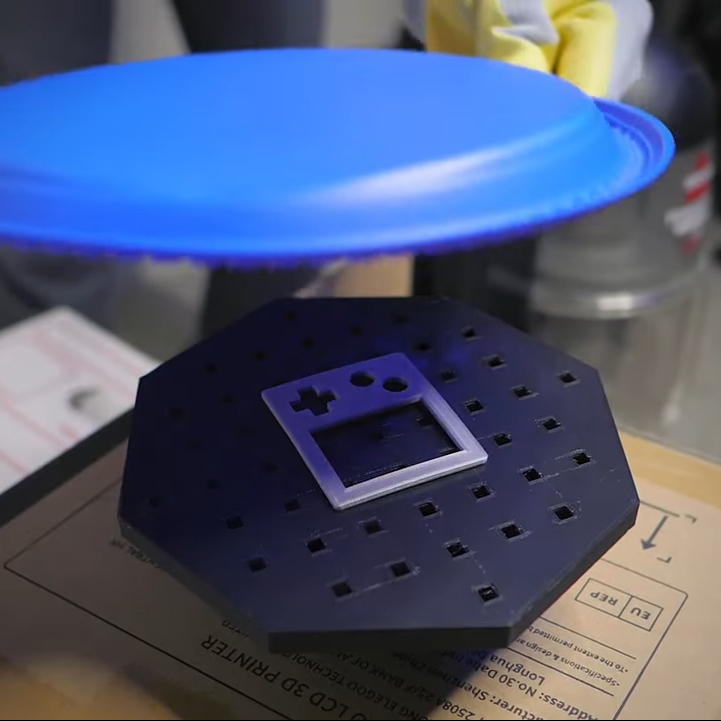
Vacuum forming is a handy thing to be able to do, and [3DSage] demonstrates how to do a bare-bones system that can form anything smaller than a dinner plate with little more than a 3D printed fitting to a vacuum cleaner, a heat gun, and a trip to the dollar store.

Plastic plates from the dollar store make excellent forming sheets, and in a variety of colors.

The 3D printed piece is a perforated table that connects to a vacuum cleaner hose, and [3DSage] mentions elsewhere that he tried a few different designs and this one worked the best. A cardboard box makes an expedient stand. The object being molded goes on the table, and when the vacuum is turned on, air gets sucked down into the holes.

As for the thermoforming itself, all that takes is some cheap plastic plates and a heat gun. Heat the plastic until it begins to droop, then slap it down onto the vacuum table and watch the magic happen. Using plastic plates like this is brilliant. Not only are they economical, but their rim serves as a built-in handle and helps support the sagging plastic.

Thermoforming plastic on a 3D-printed vacuum table and using 3D-printed molds definitely isn’t a system that will be cranking parts out all day long, but as long as one allows time for everything to cool off in between activations, it’ll get the job done. Nylon will hold up best but even PLA can be serviceable.

Watch it in action in the video embedded below. The video is actually about [3DSage] making adorable Game Boy themed s’mores, but here’s a link to the exact moment the vacuum forming part happens.

Continue reading “Bare Bones Vacuum Forming, Just Add Plastic Plates”

Art of 3D printer in the middle of printing a Hackaday Jolly Wrencher logo

Make Better 3D Printed Molds, For Thermoforming Plastics

Thermoforming — which includes vacuum-forming — has its place in a well-rounded workshop, and Mayku (makers of desktop thermoforming machines) have a short list of tips for getting the best results when 3D printing molds on filament-based printers.

A mold is put into direct, prolonged contact with a hot sheet of semi-molten plastic. If one needs a mold to work more than once, there are a few considerations to take into account. The good news is that a few simple guidelines will help get excellent results. Here are the biggest ones:

  1. The smoother the vertical surfaces, the better. Since thermoforming sucks (or pushes) plastic onto and into a mold like a second skin, keeping layer heights between 0.1 mm and 0.2 mm will make de-molding considerably easier.
  2. Generous draft angles. Aim for a 5 degree draft angle. Draft angles of 1-2 degrees are common in injection molding, but a more aggressive one is appropriate due to layer lines giving FDM prints an inherently non-smooth surface.
  3. Thick perimeters and top layers for added strength. The outside of a mold is in contact with the most heat for the longest time. Mayku suggests walls and top layer between 3 mm to 5 mm thick. Don’t forget vent holes!
  4. Use a high infill to better resist stress. Molds need to stand up to mechanical stress as well as heat. Aim for a 50% or higher infill to make a robust part that helps resist deformation.
  5. Ensure your printer can do the job. 3D printing big pieces with high infill can sometimes lift or warp during printing. Use enclosures or draft shields as needed, depending on your printer and material.
  6. Make the mold out of the right material. Mayku recommends that production molds be printed in nylon, which stands up best to the heat and stress a thermoforming mold will be put under. That being said, other materials will work for prototyping. In my experience, even a PLA mold (which deforms readily under thermoforming heat) is good for at least one molding.

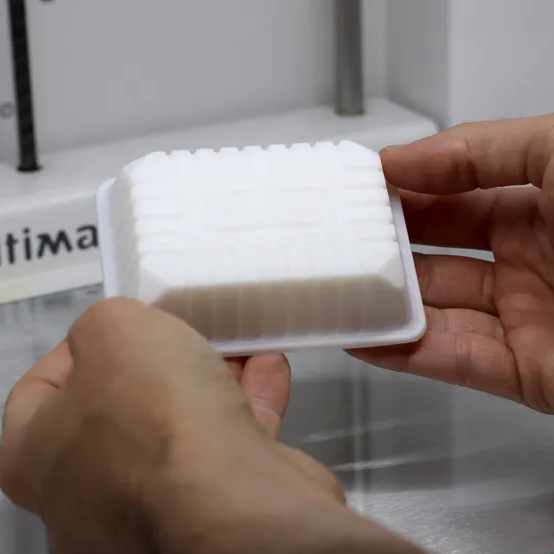
Thermoforming open doors for an enterprising hacker, and 3D printing molds is a great complement. If you’re happy being limited to small parts, small “dental” formers like the one pictured here are available from every discount overseas retailer.  And of course, thermoforming is great for costumes and props. If you want to get more unusual with your application, how about forming your very own custom-shaped mirrors by thermoforming laminated polystyrene?

Cables Too Long? Try Cable Management Via DIY Coiling

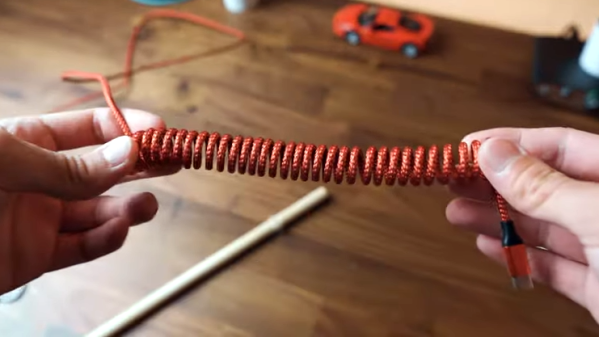
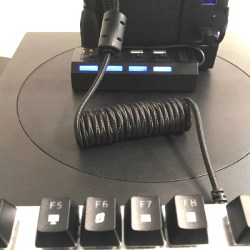
Annoyed by excessively-long cables? Tired of the dull drudgery and ugly results of bunching up the slack and wrapping it with a twist-tie? Suffer no longer, because the solution is to make your own coiled cables!

[Dmitry] is annoyed with long, unruly cables and shared a solution he learned from the DIY keyboards community: coil them yourself with a piece of dowel, a hair dryer, and about 10 minutes of your time. However, it’s just a wee bit more complicated than it may seem at first glance.
The process begins with wrapping a cable around a mandrel, then heating it as uniformly as possible to thermoform the jacket, but the instructional video (embedded below) says that all by itself that isn’t quite enough to yield lasting results. After heating the cable and letting it cool, the coils will be formed but it will not hold the new shape very well. The finishing touch is to “reverse” the direction of the coils, by re-wrapping it backward around the mandrel, inverting the coils upon themselves. This process is awkward to explain, but much simpler to demonstrate. This video by [DailySetupTech] explains this process around the 2:30 mark. That final step is what yields a tightly-wound, springy coil.

The nice part about using this process as a cable management technique is that it is possible to coil only a portion of a cable, leaving the exact amount of uncoiled slack required for a given application. Keep it in mind the next time some cables need managing. And if you don’t want to coil a cable but still need it out of the way, you might find this design for a DIY cable chain made from a tape measure useful.

Continue reading “Cables Too Long? Try Cable Management Via DIY Coiling”

Basic Acrylic Bending, No Special Tools Needed

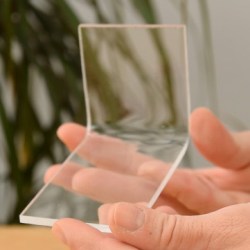
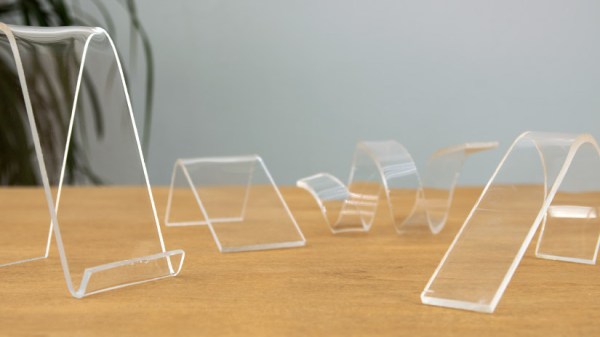
Acrylic sheets are relatively inexpensive, pretty, and can be heat-shaped very effectively. There are blades and tools made specifically for cutting, heating, and bending acrylic but [Marija] shows that even without them acrylic can be cut and bent with a bit of care and patience.

Acrylic sheets are brittle and crack easily, but a hacksaw is a good way to cut it by hand. After cutting, [Marija] uses a small portable gas stove at its lowest setting to provide gentle heat until the acrylic becomes soft, then it can be formed into different shapes using common shop and household items. It’s a process that requires patience and practice, so she shares some useful tips:

  • Remove the protective film after cutting, but before heat forming. Otherwise the film will be much harder to remove.
  • Heating too aggressively will result in bubbles that ruin the acrylic.
  • Uneven heating will result in a bad bend, or “hot spots” which can result in bubbles as mentioned above.
  • This heating method naturally softens a wide area, but it’s still possible to get straight and flat bends by using wood forms and letting the acrylic cool before moving it.

[Marija] used this method of heating and bending acrylic to complete an earlier lamp project of hers that we featured in the past. Acrylic might laser-cut beautifully, and there may be inexpensive tools for heating and bending it, but it’s always nice to have some tried and true techniques that don’t require anything special.

Continue reading “Basic Acrylic Bending, No Special Tools Needed”

Hackaday Superconference: Estefannie’s Daft Punk Helmet

There’s no single formula for success, but if we’ve learned anything over the years of covering cons, contests, and hackathons, it’s that, just like in geology, pressure can create diamonds. Give yourself an impossible deadline with high stakes, and chances are good that something interesting will result. That’s what Estefannie from the YouTube channel “Estefannie Explains It All” did when Bay Area Maker Faire was rolling around last year, and she stopped by the 2018 Hackaday Superconference to talk about the interactive Daft Punk helmet that came out of it.

It’s a rapid-fire tour of Estefannie’s remarkably polished replica of the helmet worn by Guy-Manuel de Homem-Christo, one half of the French electronic music duo Daft Punk. Her quick talk, video of which is below, gives an overview of its features, but we miss the interesting backstory. For that, the second video serves as a kickoff to a whirlwind month of hacking that literally started from nothing.

You’ll Learn it Along the Way

Before deciding to make the helmet, Estefannie had zero experience in the usual tools of the trade. With only 28 days to complete everything, she had to: convert her living room into a workshop; learn how to 3D print; print 58 separate helmet parts, including a mold for thermoforming the visor; teach herself how to thermoform after building the tools to do so; assemble and finish all the parts; and finally, install the electronics that are the hallmark of Daft Punk’s headgear.

The three videos in her series are worth watching to see what she put herself through. Estefannie’s learning curve was considerable, and there were times when nothing seemed to work. The thermoforming was particularly troublesome — first too much heat, then not enough, then not enough vacuum (pretty common hurdles from other thermoforming projects we’ve seen). But the finished visor was nearly perfect, even if it took two attempts to tint.

We have to say that at first, some of her wounds seemed self-inflicted, especially seeing the amount of work she put into the helmet’s finish. But she wanted it to be perfect, and the extra care in filling, sanding, priming, and painting the printed parts really paid off in the end. It was down to the wire when BAMF rolled around, with last minute assembly left to the morning of the Faire in the hotel room, but that always seems to be the way with these kinds of projects.

In the end, the helmet came out great, and we’re glad the run-up to the Superconference wasn’t nearly as stressful for Estefannie — or so we assume. And now that she has all these great new skills and tools, we’re looking forward to her next build.

Continue reading “Hackaday Superconference: Estefannie’s Daft Punk Helmet”