Tiny External System Monitor Makes It Easy To Keep Tabs On Your PC

tiny_pc_resource_monitor

Instructables user [Jan] likes to keep close tabs on his computer’s memory usage, but wanted something more interesting to look at than the standard resource manager. He preferred to have an external display available that would show his computer’s status with a quick glance, and thus this system monitor was born.

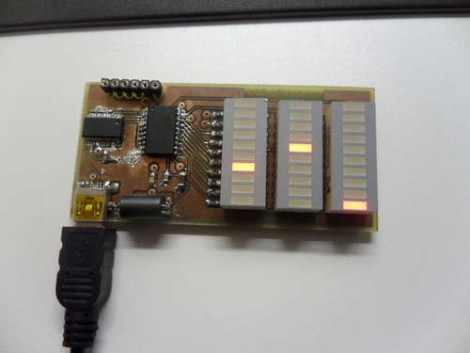
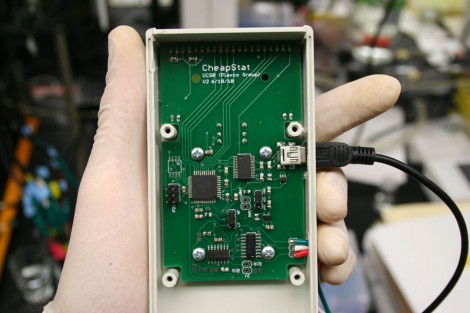
His status panel contains a trio of constantly updated LED bars that show his computer’s CPU usage, available physical memory, and virtual memory consumption. With a small footprint being a priority, [Jan] kept the indicator’s size down by using SMD components and by including an on-board UART to USB converter to go along with his ATTiny microcontroller.

He uses a Python script to gather usage information from his computer, feeding it to his display over USB. The system works pretty well as you can see in the video below, though the virtual memory indicator doesn’t seem to get a ton of action – perhaps it could be used to indicate hard drive activity instead.

If you are looking to build something similar, [Jan] has made all of his code and schematics available for anyone’s use.

Continue reading “Tiny External System Monitor Makes It Easy To Keep Tabs On Your PC”

Commodore 64 USB Controller Adapter For Your PC

commodore_64_controller_usb_interface

[Frank], like many people, has a soft spot in his heart for the Commodore 64. He prefers to play his C64 games on his computer nowadays, but likes using his old school Competition Pro rather than some modern controller with remapped buttons. The only problem with using the controller is that his new computer doesn’t have any ports that accommodate its 9-pin D-sub connector.

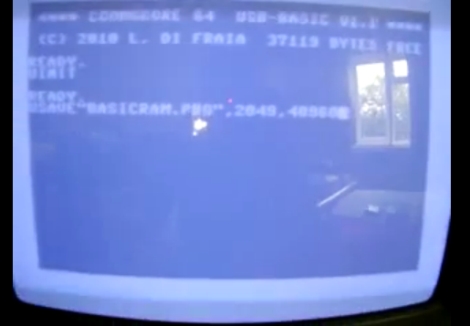
The VICE emulator maps keyboard inputs to controller actions, so he decided to build himself a D-sub to USB adapter that implements a virtual USB keyboard. He wrote a firmware package for the Freescale MC9S08JS16L microcontroller that allows him to send keypresses to his emulator whenever he performs an action with his Competition Pro joystick.

The circuit looks easier to duplicate than some other C64 interfaces we have seen before, and as you can see in the video below, it works quite well. We imagine that this setup can be used to connect all sorts of old input devices to modern PCs with little to no tweaking.

Continue reading “Commodore 64 USB Controller Adapter For Your PC”

The Isostick

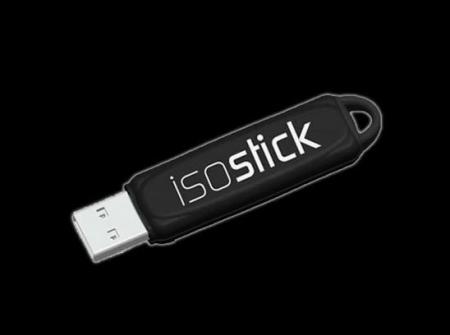
The Isostick, a Kickstarter project now in development, is meant to emulate an optical drive in the form of a USB stick.  Although there is nothing new with putting an iso file (optical disk image) on a USB stick, what is unique about this drive is that it fully emulates a drive without actually having to worry about drivers or extra programs.

When plugged in, a computer sees a flash drive and a virtual optical drive.  An excellent feature is that this disk can store multiple “iso” files and select them with a built in utility program. This could be invaluable for a technician or hacker since more than one CD or DVD is often needed to complete a task.

If fully developed, one could expect to attach this “drive” to your keychain and not have to worry about lugging an optical disk around anymore. Also, the activity light is programmable, which is a nice bonus.

Adding USB Connectivity To Old Benchtop Tools

frequency_counter_hacked_for_usb_connectivity

[Scott] was recently given a frequency counter, and once he brought it home, he started contemplating how he could possibly make it better. While the counter worked well as-is, he wanted to find a way to record data readings over a reasonably long period of time. He figured that interfacing it with his computer would be the best way to do this, but he had to find a way to connect the devices first.

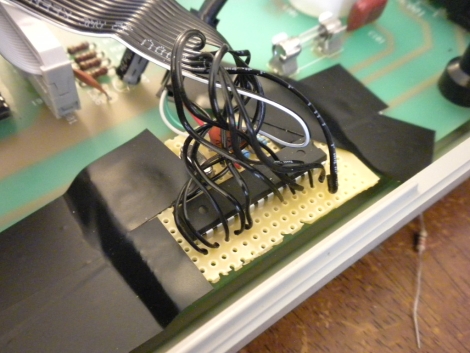
He started poking around inside the frequency counter and stumbled upon a possible data source when taking a closer look at the display board. He found that he could read the frequency data as it was being written to the display, and send that data to his computer. He used an ATMega48 to intercept the data and code from the V-USB project to bit-bang the data to his PC over USB.

Now, anything he sees on the frequency counter can be easily collected and graphed on his computer with little fuss.

Stick around to see a quick video demonstration of his hack in action.

Continue reading “Adding USB Connectivity To Old Benchtop Tools”

Character LCD Screen Add-on For Android Devices

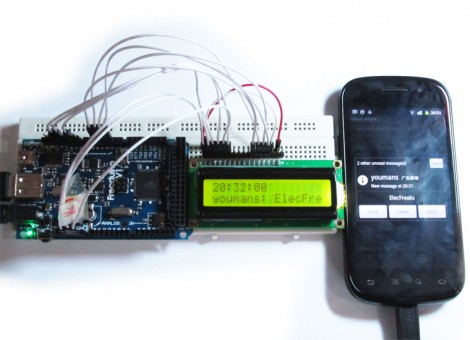
Here’s an Android accessory project that adds a secondary LCD display. It utilizes the Android Open Accessory Development Kit standard to connect the 16×2 character LCD as a USB device. It pairs an app on the phone which runs transparently with firmware for the ATmega2560-based Arduino compatible board you see to the left. The app launches as soon as the auxiliary hardware is connected and is responsible for determining which lines of text are pushed out to the LCD. The example code displays the current time on the top line, and scrolls incoming text messages as they are received.

This is a good way to get your feet wet with the ADK hardware. We’ve already seen it used for larger displays like this LED marquee, but this smaller test project doesn’t require much hardware setup. Chances are you either already have an Arduino and character LCD on hand, or can easily borrow which makes this an easy weekend project.

One note on that Arduino compatible board; it’s called a Freakduino ADK but we couldn’t figure out if it’s a Freak Labs product or not. If you have some insight about that, please leave a comment.

Sound Card Microcontroller/PC Communication

The usual way send data from a microcontroller is either over RS-232 with MAX232 serial ICs, crystals, and a relatively ancient computer, or by bit-banging the USB protocol and worrying about driver issues. Not content with these solutions, [Scott] came up with sound card μC/PC communication that doesn’t require any extra components.

[Scott] bought a cheap USB sound card dongle on eBay (although a built-in sound card will do) and wired up the tip and ring of the plug to the microcontroller. The data is sent from the microcontroller a lot like Morse code – a short gap between pulses is a zero, a long gap is a one. This is parsed by a Python script using PyAudio. Synchronization, timing, and calibration is automatic because of a 10-bit ‘packet header’ explained in this video.

Continue reading “Sound Card Microcontroller/PC Communication”

ChibiMo – An AVR-based USB Display

chibimo_usb_arduino_external_monitor

[Ko] wanted to add an extra monitor to his computer, but he wasn’t looking for something huge that would sit atop his desk – he desired something smaller, much smaller.

His ChibiMo mini USB monitor is a neat little creation that lets you extend or mirror your Windows desktop onto a tiny 128×64 pixel LCD panel. At first glance you might think that it is too small to be useful, but it is recognized in Windows in the same fashion as any standard monitor. This means that it would be quite easy to load system monitoring software solely on the LCD panel, keeping the clutter off of your main display.

The display is wired to an Arduino like any other standard shield, and is connected to his computer via a USB cable. Once the ChibiMo sketch is uploaded to the Arduino, the display driver needs to be loaded on the PC. This allows you to tweak the ChibiMo’s display settings in Windows’ display manager.

It’s a great concept, one we would love to see explored further. As of right now, the ChibiMo is only supported on x86 versions of Windows XP, and we weren’t able to find source links anywhere on his site. Perhaps there are some talented members of our community who would be interested in taking a whack at it…