Input Device Using LED And Four Photoresistors

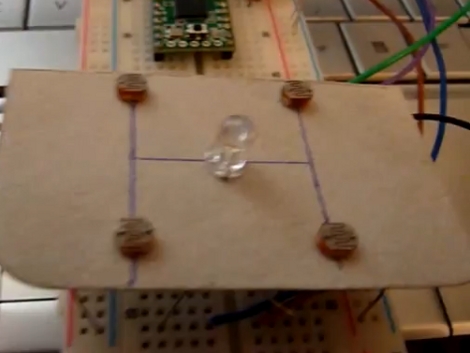
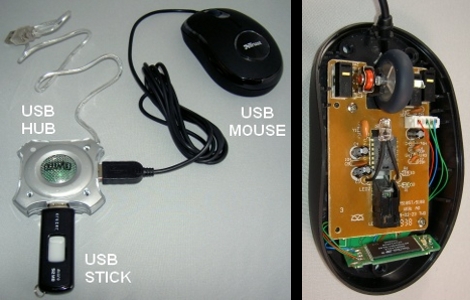
[Julien] built an input device that uses reflected light detected by some photoresistors. Placing your hand above the device will reflect light from the LED back down onto the cadmium-sulfide sensors. The resistance of those sensors is read by four ADC pins on a Teensy microcontroller and translated to mouse movements. In the video after the break you can see that this works rather well in controlling the cursor. The source code is available on pastebin but we’re also going to host the code for posterity.

Continue reading “Input Device Using LED And Four Photoresistors”

USB Host Comes To Zipit

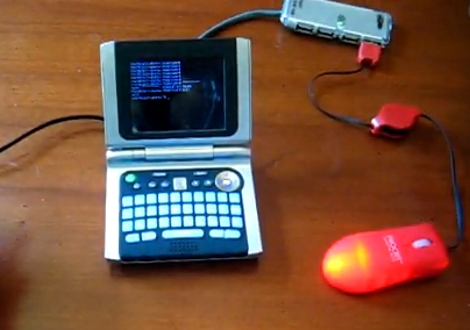
This USB to Zipit Dock adapter and a special kernel makes USB host mode for the Zipit possible. Previously, the cheap and hackable wireless client needed a hardware modification to enable USB support. The new kernel bootloader, called U-Boot, makes the internal alterations unnecessary (see the demo after the break). Now the only caveat is one of voltage. Zipit only supplies 3.3V when running on battery so your choices are to only use USB when the Zipit is plugged into a charger, or use a powered USB hub. But if you’re already building a hub adapter it shouldn’t be too much trouble to add in the option for a battery-powered hub.

So can we play our NES games using a USB controller now?

Continue reading “USB Host Comes To Zipit”

USB Adapter Options

[Ladyada] takes some time out of her day to explain the common options available for connecting projects through USB. You may be thinking that you already do this with an Arduino. Well, yes and no. The Arduino uses one of these options, an FTDI chip that handles the USB on one side and spits out microcontroller-friendly voltage signals on the other. This chip can be used with your projects, a topic that [Phil Burgess] covered in great detail.

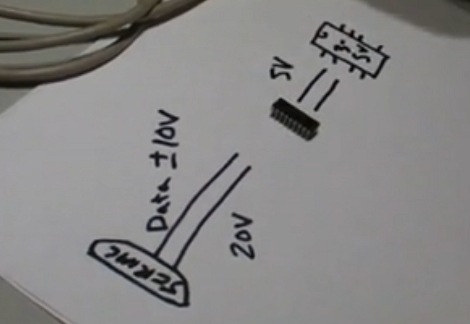
In the video after the break you’ll also hear about USB to serial converters which connect to the Universal Serial Bus and output the traditional 12-20V serial signals (with the exception of cheap knockoff cables like the one from last week). These need to be stepped down to 5 volts or less using a MAX232 chip to work with your project.

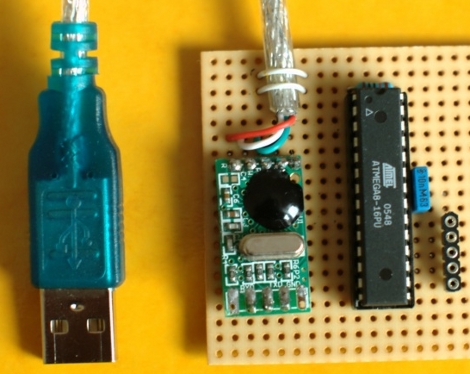
Finally there’s the option of using a microcontroller running the V-USB firmware package. This is how the USBtinyISP works and I’ve used it in my own projects to build a LIRC compatible IR receiver.

Continue reading “USB Adapter Options”

Cheap Cable Reused To Add USB To Your Project

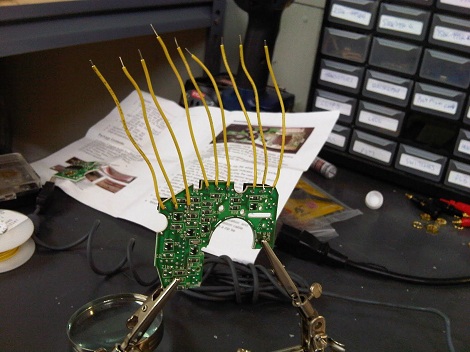
You get what you pay for. [Jkx] wanted to see how a USB to RS232 cable could be sold for just $1.70 and found out that it’s not actually RS232 compliant. The cable communicated as TTL levels, not the 12V expected of RS232 (although it can handle 12V incoming). He didn’t really want to use them for their intended purpose anyway. By betting rid of the DB9 plug and reusing the enclosed circuit board he now has a really cheap way to interface a microcontroller with the Universal Serial Bus. He worked out a couple of short subroutines that take care of receiving and sending data over the connection.

Car Computer Requires PIN For Ignition

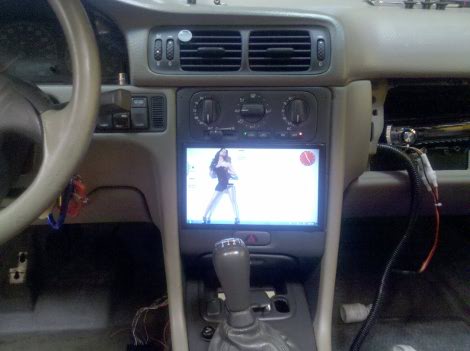
[Ben’s] added some nice goodies to his Volvo in the form of an in-dash computer. The system monitors two pressure sensors for boost and vacuum, as well as reading RPM, O2, and exhaust directly. All of this is tied into the touch interface running on an eeePC 900A. But our favorite feature is that the system requires you to enter a PIN to start the ignition. The forum post linked above is short on details so we asked [Ben] if he could tell us more. Join us after the break for a demonstration video as well as [Ben’s] rundown on the system.

Continue reading “Car Computer Requires PIN For Ignition”

USB Typewriter

clickety-clackity-clickety-clackety-DING

[Jackzylkin] has posted an instructible showing, in detail, the process of creating a USB typewriter. He takes us through the process of disassembling the typewriter, mounting all the sensors where the little hammers strike, and wiring it all up to a custom board to interface with the computer via USB. While he is selling the board, the schematics are available if you want to build your own. We think the clickety-clack of a real typewriter could be very satisfying to the touch, though it might drive your co workers insane. The younger ones might also quiz you as to what that archaic machine is. We’ve actually seen this done before, way back in 2005.

Hacking A Code-protected Hard Disk

Our friend [Sprite_TM] took a look at the security of a code-protected hard disk. The iStorage diskGenie is an encrypted USB hard drive that has a keypad for passcode entry. After cracking it open he found that the chip handling the keypad is a PIC 16F883 microcontroller. He poked and prodded at the internals and found some interesting stuff. Like the fact that there is an onboard LED that blinks differently based on the code entered; one way for the right code, another for the wrong code of the right number of digits, and a third for a wrong code with the wrong number of digits. This signal could be patched into for a brute force attacking but there’s a faster way. The microcontroller checks for the correct code one digit at a time. So by measuring the response time of the chip an attacker can determine when the leading digit is correct, and reduce the time needed to crack the code. There is brute force protection that watches for multiple incorrect passwords but [Sprite_TM] even found a way around that. He attached an AVR chip to monitor the PIC response time. If it was taking longer than it should for a correct password the AVR resets the PIC before it can write incorrect attempt data to its EEPROM. This can be a slow process, but he concluded it should work. We had fun watching the Flash_Destroyer hammer away and we’d like to see a setup working to acquire the the code from this device.