Reverse Geocache Features UI And Is Reprogrammable

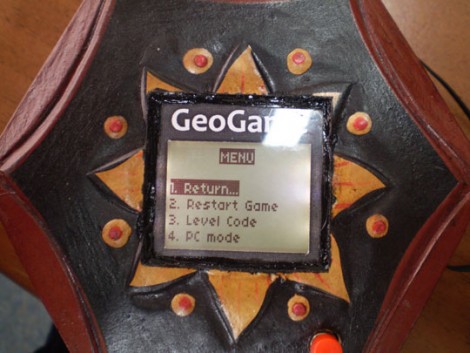
Here is yet another offering in the Reverse Geocache puzzle arena. We’ve been getting a lot of tips about these projects but this one in particular stuck out from the others. [Mure] packed in a bunch of features, starting with the LCD screen seen above. You can just make out the single red button near the bottom of the image which is used to traverse the menu. The octagonal box has an octagonal PCB inside that includes a USB connector. As you can see in the video after the break, this can be used for charging the batteries, and communicating with the internals. An accompanying program is used to generate puzzle data, which can then be programmed via that USB connection to set a new puzzle location. This functionality certainly protects against accidental lock-outs which were a problem with the last puzzle we looked in on.

Classic Game Emulation On The Dockstar

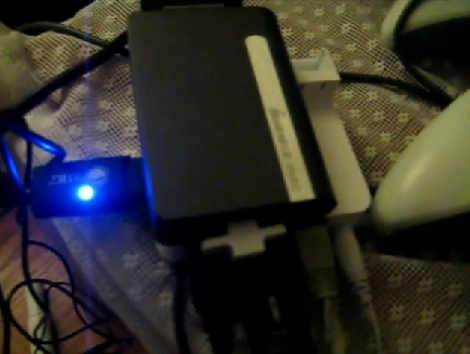
[Hunter Davis] is playing games like Contra, Monkey Island, and Quake 3 by running them on a Seagate Dockstar. We were shocked after seeing how well these run in the video after the break. [Hunter], who used the ZipIt for game emulation in the past, added a couple of hardware peripherals to get everything running. For sound he picked up an inexpensive USB sound card which was no problem to get up and running. Next he picked up a USB to DVI adapter and fired up the Linux USB DisplayLink driver. With the peripherals running he loaded up Fluxbox and the rest was history. Not bad for a small network storage adapter. Continue reading “Classic Game Emulation On The Dockstar”

Building A Security Access Panel

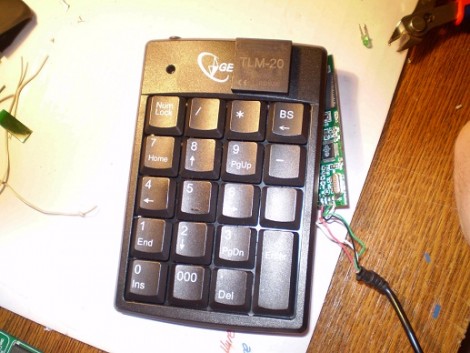
It turns out that hacking together a security keypad is remarkably simple if you know what you’re doing. [Don] needed to add a keypad with an RFID reader on it. He had previously built a USB RFID reader and thought he could integrate those concepts into the new unit.

He once again started with a serial to USB converter and removed the voltage converter IC for later use since he doesn’t need TTL levels for this project. The keypad is a USB product and it turns out there’s a hub inside. With plenty of space inside for the serial converter PCB and a blank spot at the top where he mounted the RFID reader, he adding a few passive components to wire it up and connect it to the hub. The only connection is the original USB cord but the PC will detect both the keypad and the converter.

Shutter Remote For RICOH Cameras

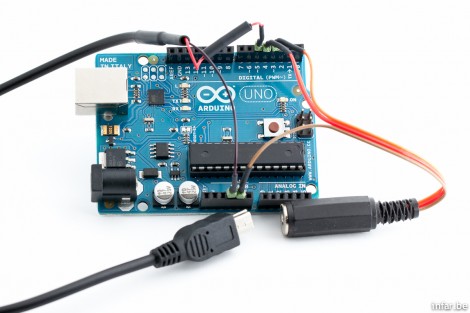
[Toby] wanted to have a remote shutter trigger for his RICOH GR III camera. This brand doesn’t have a dedicated port for remote operation but a bit of research allowed him to build his own trigger. The camera’s USB port is used for triggering but not using the USB protocol. Instead, a pulse pattern on the 5V line identifies the half-press, full-press, and release states of the shutter button. From there it was just a matter of wiring up a circuit centering around an Arduino that leaves room for a lot of expansion into realms like photo automation.

Chumby Webserver Using Upgraded Internal Storage

The Chumby One has an internal SD card offering a fair amount of storage. [Kenneth Finnegan’s] came with a 1 GB card that had about 500 MB left over which he filled with a collection of MP3s. But he wanted to do more and so installed a pre-compiled version of lighttpd to act as a web server. The problem is that this binary requires a thumb drive to be plugged in because it maps the storage directory to the mounted USB folder. He wasn’t happy with that so he upgraded the internal SD card and rolled his own webserver to run from the internal SD card.

The upgrade involved going from a 1 GB to an 8 GB microSD card. In order to run the webserver internally he needed to recompile lighttpd to use a different root directory. This meant setting up an ARM cross-compiler and eventually finding a new place for the start up script. The location change for the ‘lighty’ directory leaves us wondering if a symlink couldn’t have solve the problem without recompilation. But we don’t have the hardware on hand to try this out ourselves.

But if you want to give it a shot, check out [Bunnie’s] post about Chumby-based hardware. Looks like you can head out to the big-box store and have one in hand without shelling out too many clams.

Moving A Resistor For EvalBot Power When Programming

[Riley Porter] posted a picture of his EvalBot USB power hack. In the photo above we’ve put a box around D6 and D7. The development board ships with a 0 Ohm resistor in the D7 location, patching in power from the USB-B connector labeled USB DEVICE. He found that by moving that resistor to D6 he can power the board from the USB-B connector labeled ICDI.

That connector is the In-Circuit Debug Interface. TI sent us an EvalBot bundle so we pulled it out and tried it ourselves. If you plug in the ICDI it doesn’t power the board, and no USB devices register. Shorting the D6 pads changes this and the following USB device registers:

Bus 002 Device 062: ID 0403:bcd9 Future Technology Devices International, Ltd Stellaris Evaluation Board

So it looks like you need to have two USB connections or be using batteries in order to program the board via USB. The uC/OS-III hardcover book that ships with the EvalBot bundle includes board schematics. We took a look and were surprised to see that they show diodes installed on both pads. Rev A of the online schematics have been corrected, showing an omitted diode on D6 and the 0 Ohm resistor on D7. Images of both schematics are included after the break.

It would have been nice to see a selector switch installed here to give you a little more flexibility when prototyping.

Continue reading “Moving A Resistor For EvalBot Power When Programming”

Apple Studio Display Connector Ports

[Warrior_Rocker] pulled off his own Apple Studio Display hack by removing the cable and adding ports. As we saw in Wednesday’s post, these displays use a cable with a proprietary connector that combines DVI, USB and Power. Instead of altering the cable, [Warrior_Rocker] removed it completely. By wiring up a standard barrel jack for power, a USB type-B socket, and a DVI port, he can now use standard video, power, and USB cables to connect to the monitor.

This project was actually submitted to us on May 25th and we missed it. It’s sad that sometimes tips fall through the cracks, and we’re sorry that we missed this particularly well-executed hack. [Warrior_Rocker] wrote in asking why his project didn’t qualify after seeing the similar post on Wednesday. So please don’t take it personally if your project doesn’t get posted. If you think it fits right in here at Hackaday and haven’t heard anything after two weeks or so, consider sending to us again.