Nixie Tube Thermometer

nixie_therm

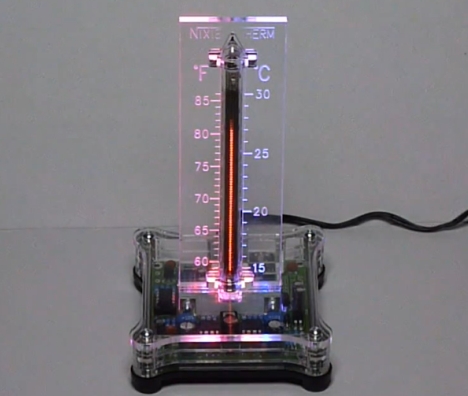
After seeing a picture of a thermometer using a bargraph style nixie tube in place of a mercury column, [Juergen Grau] decided he wanted to build his own. Dubbed the “Nixietherm”, his replica looks even better than the original. He used an IN-9 Nixie tube mounted on top of a custom plastic case, all powered by a 5v USB connection. He points out that his version does not use a PIC or any other sort of processor – it is built entirely from analog circuits. There are some RGB LEDs embedded in the plastic case that make for a cool effect, but they seem to simply cycle through the colors rather than represent how warm or cold the temperature is at any given time.

[Juergen] does not give a lot of details regarding the build as far as PCB layout or a parts list is concernred, but most of that can be extrapolated from the wiring schematic he provided. He also mentions that he will be making kits available in the near future. Be sure to keep reading to see the thermometer in action.

Thanks [Brian]

Continue reading “Nixie Tube Thermometer”

Arduino Based PC Ambient Lighting

[royboy] from the Arduino forum has recently made a post showing off his Arduino / PC ambient light system. The system is simple to wire up and easy to use, as long as your video is being sent from a PC, which for many of us that use “home theater pc” systems is very convenient. Using a sparkfun red/green/blue (non addressable) led strip, an ULN2003A, an Arduino, and a short sketch written for processing the project is easy to toss together and very effective too.

The processing sketch continuously takes screen captures and then takes the resulting pictures and averages all the colors together. That average color is fed down to the Arduino over its stock serial connection, where it is output to 3 of the pwm capable outputs. Those outputs are connected to the 2003 Darlington transistor array to switch the 12 volt led strip.

It may seem like it would be slow, as processing is an interpreted Java based language, plus serial communication, plus Arduino overhead, but its actually very responsive and completes its task with little or no lag. Join us after the break for a quick video to see for yourself.

Continue reading “Arduino Based PC Ambient Lighting”

Overclocked ATmega32 Gaming

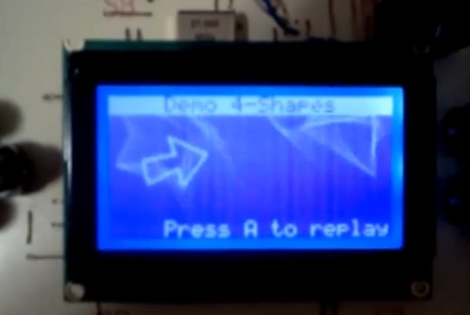
With more pixels and more objects to track you’re going to need to get that AVR running pretty fast to get the job done. But [Vladutz2000] figured why stop at 16 MHz when you can overclock an ATmega32 to 27 MHz for a faster gaming experience?

This build may not be as colorful as Super Pixel Bros, but choosing a KS0108 graphic LCD certainly brings a lot more definition to the images. You can see in the video after the break that the AVR does an excellent job of generating and animating multiple objects. It doesn’t take much to put this together yourself but if you want the board layout done for you, you’re out of luck. The hardware for the project is installed on a PCB that was hand-drawn with an etch resist marker. Continue reading “Overclocked ATmega32 Gaming”

Range Finder Musical Toy

parallax_arduino_ping_organ

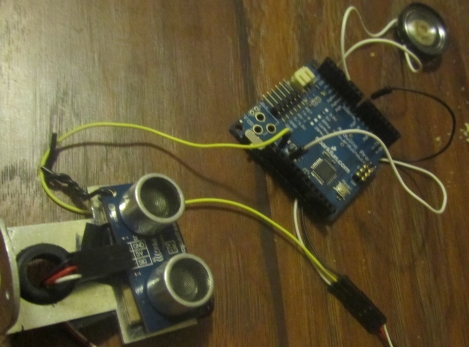
Instructables user [sketchsk3tch] was looking to make a fun toy for his kids using things he had around the house and came up with the Ping Organ. The organ is played by standing in front of the Parallax Ping range sensor, and moving around any which way you please. He interfaced the range sensor with an Arduino, scavenging a small speaker from an old toy for audio output.

The code for the project is fairly straightforward, borrowing most of it from the demo software that shipped with the Ping and the Arduino. He made a few small tweaks in order to get the organ to play frequencies of actual notes, as well as to allow for some flexibility when calculating the specific note to play.

While not the most complex project we have ever featured, [sketchsk3tch] reports that his kids love to spend time flailing around wildly in front of the organ, which is exactly what he intended.
Video of the organ being tested after the break.

Continue reading “Range Finder Musical Toy”

LaunchPad MIDI Synth

launchpad_midi_synth

[NatureTM] sent in a writeup for the MIDI synthesizer he recently built using a TI LaunchPad. The construction is pretty simple overall, consisting of little more than the MSP430, a handful of resistors, and an optoiosolater. Of course, a MIDI controller is required, but he already had that on hand.

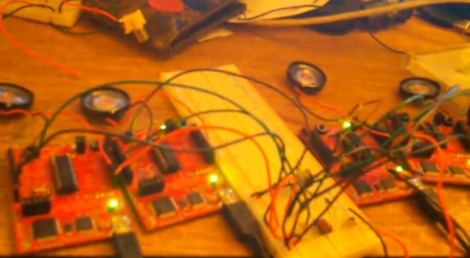
Once the MIDI data is read from the optoisolator, his code takes care of the rest, adjusting the square wave sound generator to get the proper note. He does mention that since the synthesizer is monophonic, special care is taken to ensure that simultaneous notes are processed properly. You can route all of the sound into a single speaker, but he used the optoisolator to send the sound data to multiple LaunchPads instead, resulting in a fun little MIDI quintet.

He provides code and plenty of video on his site, but keep reading for a sneak peek of his synth in action.

Continue reading “LaunchPad MIDI Synth”

Flash Trigger With Programmable Delay

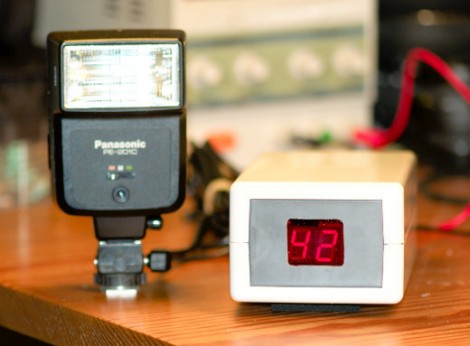
Here’s a flash trigger with a programmable delay. These triggers are often used to capture quick events like a balloon popping. The technique takes place in a dark room with the shutter open. When the event is triggered the flash illuminates the scene and an image is captured. Because these require precise timing it has typically been a chore to synchronize the event, hence solutions like using a pressure plate.

This build, which centers around a PICAXE 08M, allows the photographer to use any trigger they desire, but adds a delay. The box above shows the apparatus set up for a 42 millisecond delay. So if you’re using the sound of the balloon pop as a trigger, you can hold the flash off until the event really gets going.

[Thanks Two Part Epoxy]

NES Game Pad Guided Robotic Arm

nes_robotic_arm

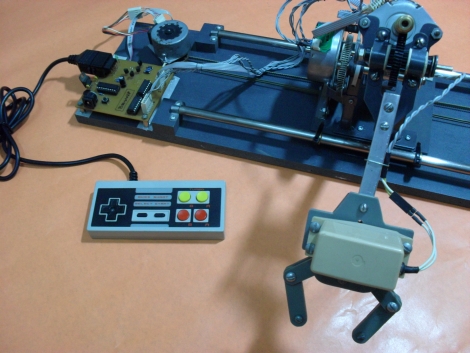
Instructables user [Bruno] sent in his most recent creation, a robotic arm controlled using an old NES game pad. He scavenged the majority of his parts from a pair of old HP printers, including motors pulleys, belts and more. In fact, most of the metal and plastic components that he used come from the old printer chassis as well. He has included copies of the templates he used when manufacturing both the plastic and metal components, which should come in handy should anyone try to replicate his work.

[Bruno] also included all of the source code for the robotic arm and mentions that the project required two PICs due to pinout requirements. He ultimately decided to use two cheaper models over a single more expensive unit that would have supplied all of the pins he needed. His cost conscious build is impressive and undoubtedly demonstrates just how many old components can be reused in new projects if you really put some thought into it. Great job with this build, keep up the good work!

Be sure to keep reading to see some video of the arm in action.

Continue reading “NES Game Pad Guided Robotic Arm”